

GitHub Sync by IssueLinker
제작자 - IssueLinker
설치 - 설치 수 10개 미만
요구 사항
HubSpot 요금제 HubSpot 계정 권한 - 필수 계정 권한 보기
액세스 유형 공유됨 GitHub Sync by IssueLinker 구독 - Growth 또는 Business 플랜
개요
1/4 - IssueLinker Demo
IssueLinker keeps your HubSpot tickets and GitHub issues in sync, so your support team and your engineering team work from the same source of truth, without copying anything between tools.
When a customer reports a bug in HubSpot, your support team can create or link a GitHub issue directly from the ticket card. As engineers work the issue in GitHub, the status flows back to HubSpot automatically. Comments work both ways: a note added to the HubSpot ticket appears as a GitHub comment, and replies from engineering surface as ticket notes, so support reps always know what's happening without leaving HubSpot.
Built for teams running customer support on HubSpot Service Hub and engineering on GitHub. Install once, configure nothing, and stop bouncing between two tabs every time a customer hits a bug.
기능
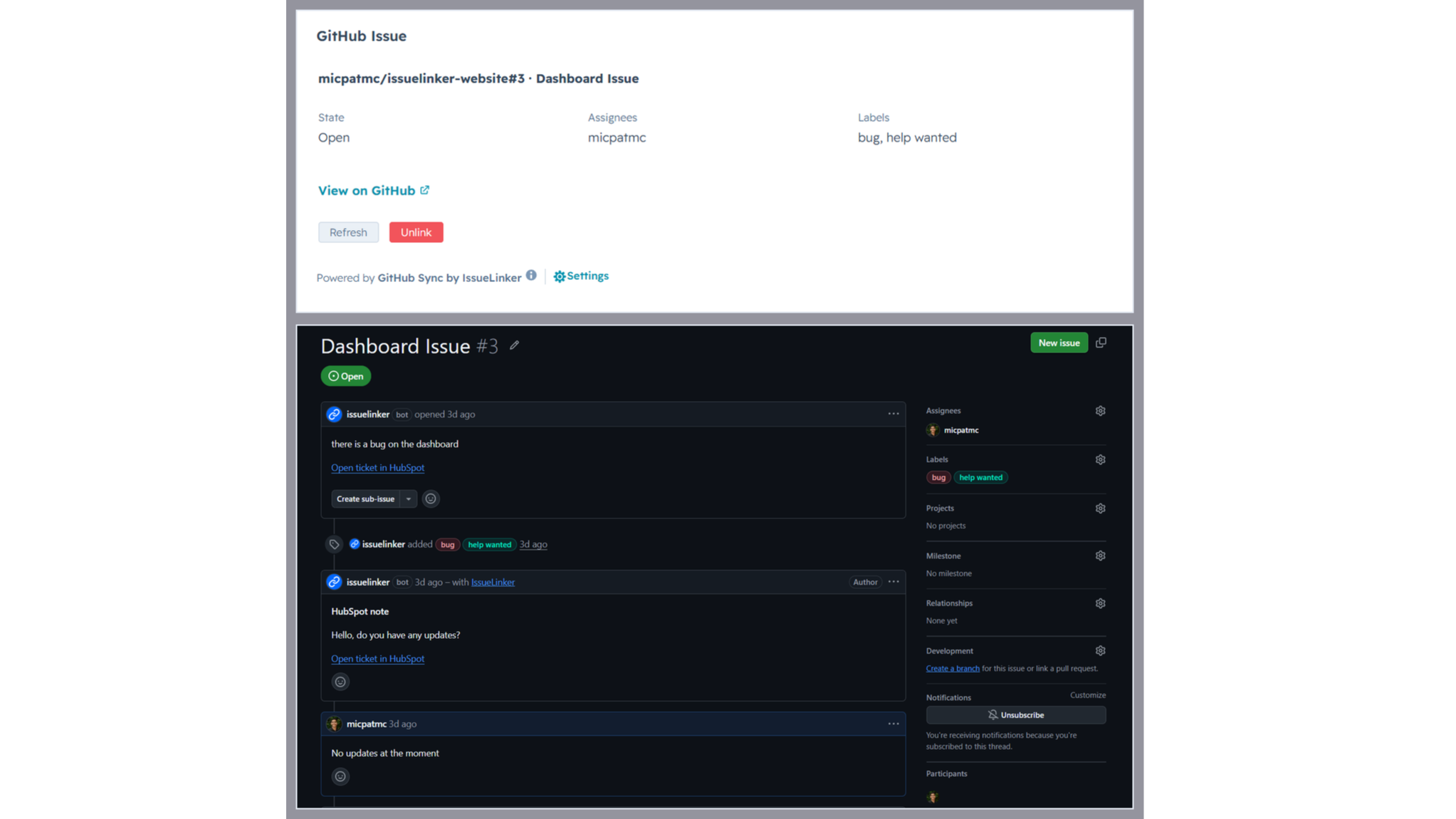
Two-way sync between HubSpot tickets and GitHub issues
Every linked ticket and issue stays in sync automatically. Comments, status changes, and closures flow in both directions in real time. No manual updates, no copy-paste.
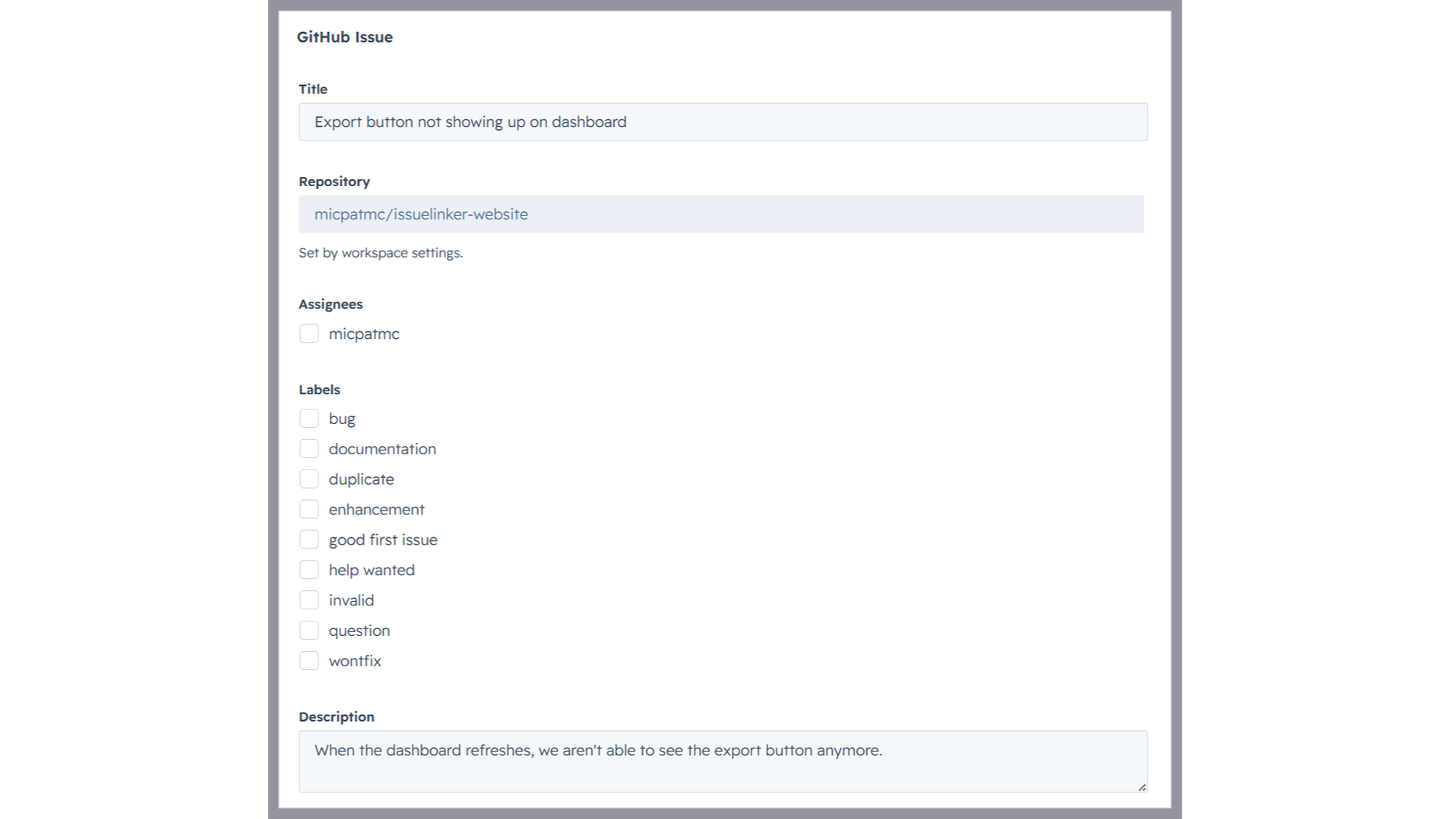
Create GitHub issues from a HubSpot ticket
Open any ticket, click Create Issue on the IssueLinker card, pick a GitHub team, and the new issue is created and linked in one step, with the ticket subject and description already filled in.
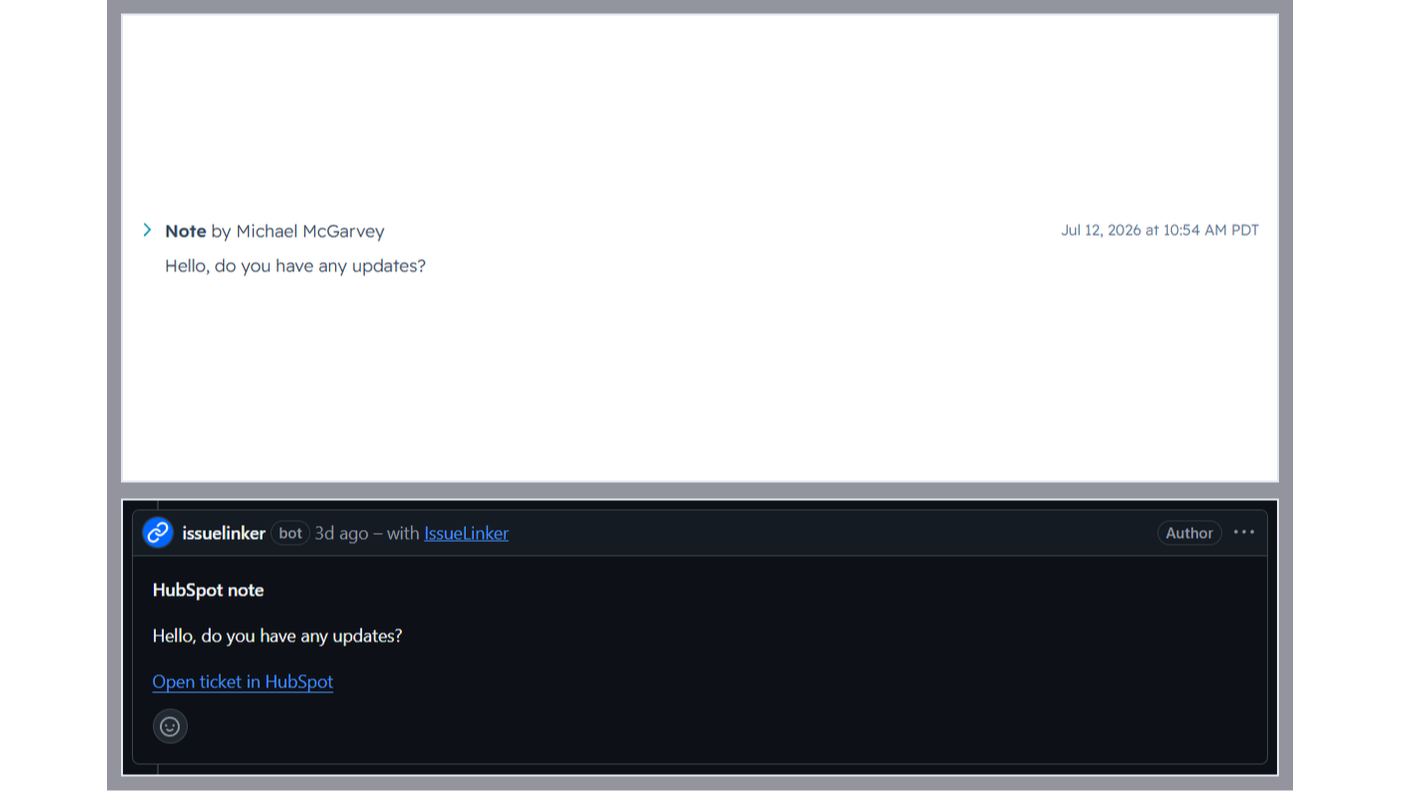
Two-way comment sync
Notes added to a linked HubSpot ticket appear as comments on the GitHub issue, and GitHub comments are mirrored back as ticket notes, so support and engineering stay in the loop without switching tools.
앱 기능
공유 데이터
GitHub Issues | ||
Contacts | ||
Owners | ||
Conversations |
IssueLinker only reads HubSpot ticket data (subject, description, notes, pipeline stage) for tickets your team explicitly links or creates a GitHub issue for via the IssueLinker card. We do not crawl, index, or store data from other tickets.
For linked tickets, IssueLinker syncs the following in real time via HubSpot and GitHub webhooks:
• Ticket subject and description → GitHub issue (one-time, on creation)
• HubSpot notes → GitHub comments (whenever a new note is added)
• GitHub comments → HubSpot notes (whenever a new comment is added)
• GitHub issue state → HubSpot "GitHub Issue Status" custom property (whenever the issue is opened or closed)
• HubSpot ticket closed → GitHub issue closed (whenever the pipeline stage changes to closed)
What IssueLinker stores: an installation record per HubSpot portal (portal ID, OAuth tokens, GitHub installation ID), and a link record per ticket↔issue pair (HubSpot ticket ID and GitHub issue number). We do not store the contents of tickets, issues, comments, or notes. Those live in HubSpot and GitHub and are read on demand.
Data is stored in an encrypted Postgres database (Neon, US region). Access is restricted to IssueLinker's serverless functions running on Vercel. We never share, sell, or repurpose your data. On uninstall, all installation and link records for your portal are deleted within 30 days.
리뷰
가격 책정
Growth
US$32.50
/월Simple pricing for teams that move fast.
Inline card on every HubSpot ticket
Two-way comment sync (HubSpot notes ↔ GitHub comments)
Unlimited ticket ↔ GitHub issue links
Email Support
Growth
US$32.50
/월Simple pricing for teams that move fast.
Inline card on every HubSpot ticket
Two-way comment sync (HubSpot notes ↔ GitHub comments)
Unlimited ticket ↔ GitHub issue links
Email Support
* 여기에 표시된 가격은 표시 목적으로만 사용됩니다. 모든 가격에는 세금, 인센티브, 할인 또는 기타 가격 변수가 포함되어 있지 않습니다. 가장 최신의 정확한 가격 정보를 알고 싶다면 파트너에게 연락해야 합니다. HubSpot은 파트너가 제공하는 이 가격 정보에 대해 어떠한 책임도 지지 않습니다. 마지막 가격 업데이트 날짜: 2026.08.21.
가장 인기 있는 지표

Gmail
Bring HubSpot to your inbox with the HubSpot integration for Gmail.

Google Calendar
Book meetings quickly and easily with HubSpot and Google Calendar.
