

GoCardless
Erstellt von HubSpot
Installationen - 200+ Installationen
Bewertung 2
(1)
Anforderungen
HubSpot-Produktversion HubSpot-Account-Berechtigungen Keine Berechtigungen erforderlich Zugriffstyp Geteilt GoCardless-Abonnement - Produktversion: Review GoCardless' Pricing Page
Übersicht
1/1 - Sync runs in the background to keep your databases up-to-date
Sync data between GoCardless and HubSpot without manual data entry or messy, time-consuming imports.
Here’s what you get with Data Sync by HubSpot:
- Two-way sync: Data is shared between GoCardless and HubSpot in real time
- Default field mappings: Set-up is quick with out-of-the-box field mappings already created for you
- Historical syncing: Your existing data will sync right away, and updates will sync as they happen
- Important note: This is a customer sync only for now. We are looking into adding more objects later!
Funktionen
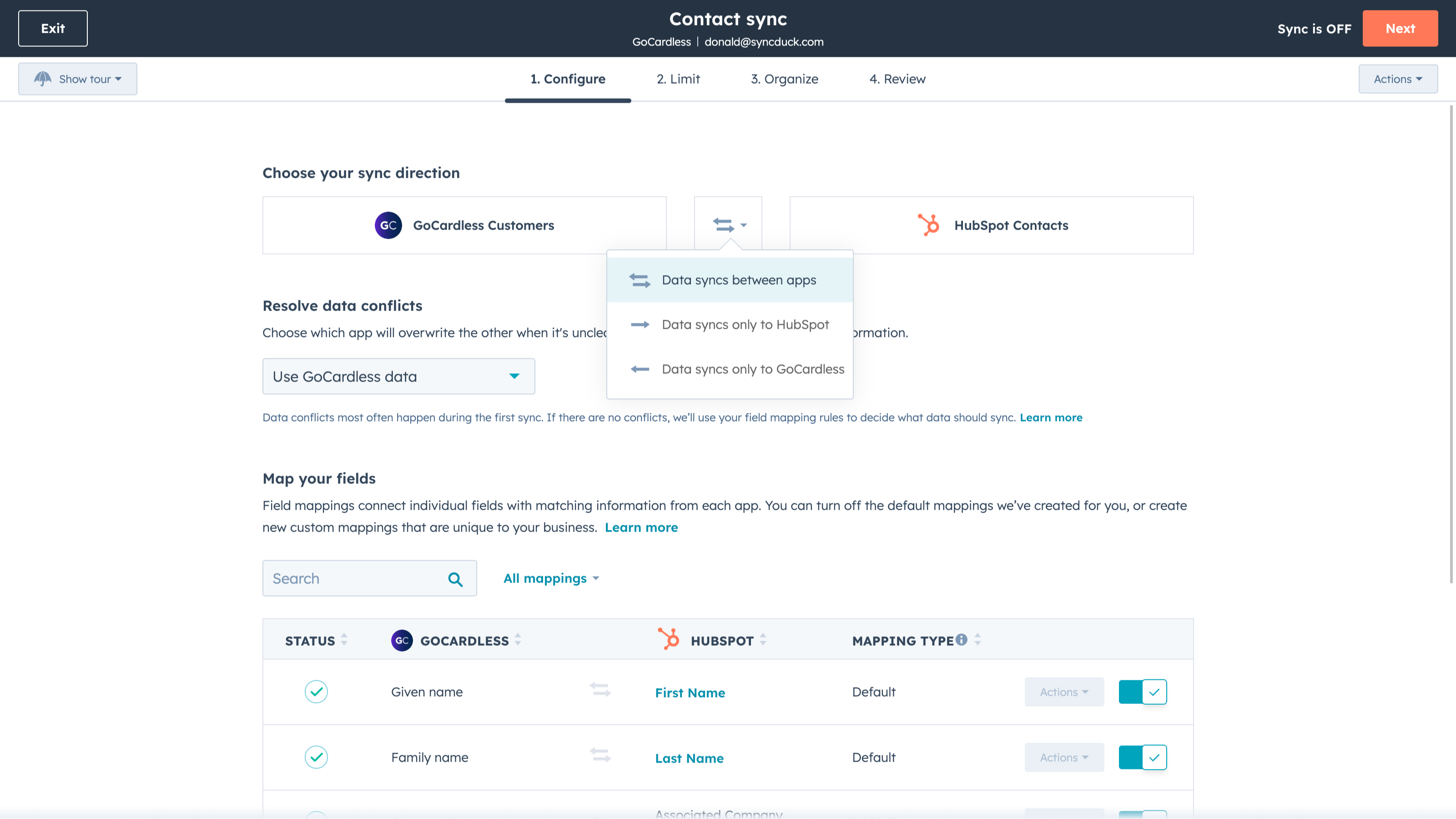
Sync GoCardless and HubSpot data
Make manual data entry a thing of the past by syncing data (see below) between HubSpot and GoCardless. When records are created or updated in either app, that information will be automatically shared with the other one.
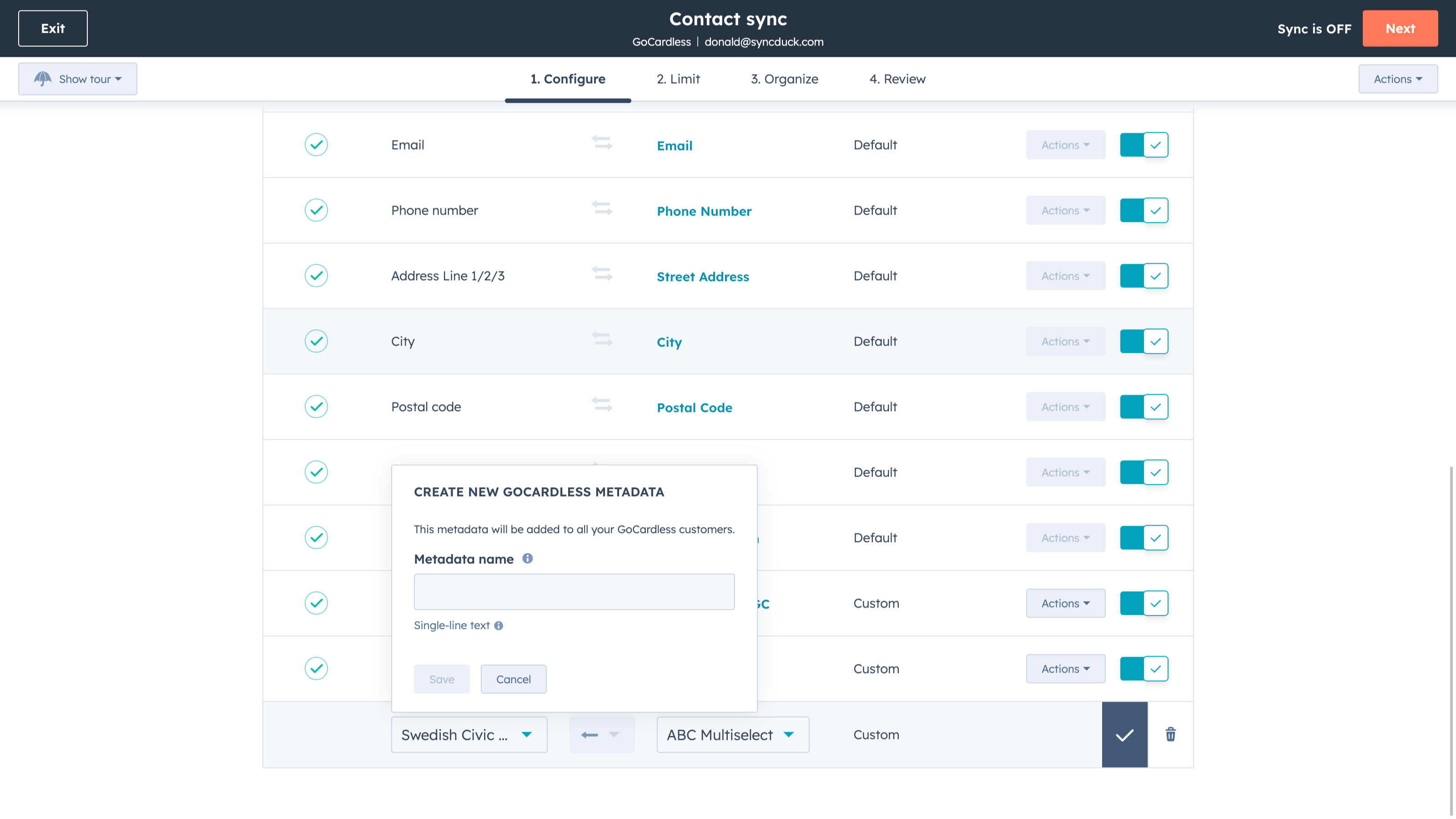
Custom field mappings
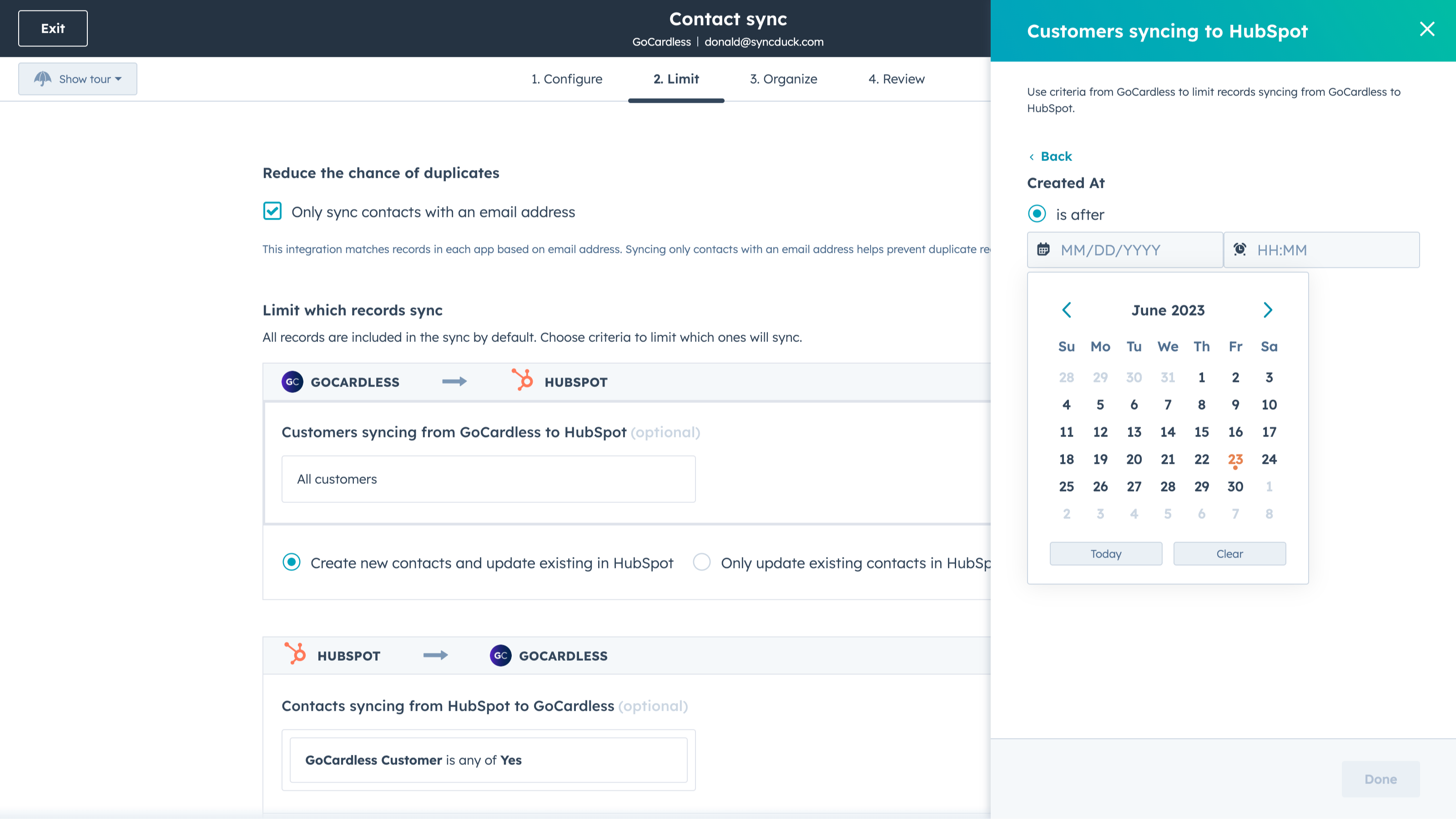
Custom field mappings are available with Data Hub Starter and up (paid). Custom mappings add the flexibility to create your own mappings or make changes to your default ones.
App-Funktionalität
Datenaustausch
Each object has field mappings that connect matching information from each app. Default mappings are listed below. If you want to change these default mappings or create your own, custom field mappings are available with Data Hub Starter and up.
Customers |
Rezensionen
- 25. Juni 2024
Es ist nicht möglich, die Zahlungsraten zu überweisen
Letztendlich mussten wir Zappier für die Integration nutzen, da HubSpot es uns nicht ermöglicht, alle Funktionen des GoCardless-Tools zu integrieren, ohne den Operations Hub zu nutzen – ein ziemlich teures Paket. Für den Arbeitsalltag ist es unerlässlich, Integrationen mit anderen Tools durchführen zu können.
Ich muss automatisch individuelle Lastschriftzahlungen an meine Kunden ausstellen, doch das Zahlungstool von HubSpot verfügt nicht über diese Funktion.
Kontrolle und Schnelligkeit bei der Rechnungsstellung
Notwendigkeit, eine externe Integration durchzuführen und Kosten zu tragen, die über die Kosten für das Tool selbst hinausgehen
Gomez, M.
Bildung - 51 bis 200 Mitarbeitende
Review GoCardless' Pricing Page
0 €
Use the 'See all pricing options' link on the right hand side
Make sure to confirm the HubSpot subscription and the GoCardless subscription needed to install this integration
Note: "Free" is referring to the cost of the integration, not the app subscriptions
Review GoCardless' Pricing Page
0 €
Use the 'See all pricing options' link on the right hand side
Make sure to confirm the HubSpot subscription and the GoCardless subscription needed to install this integration
Note: "Free" is referring to the cost of the integration, not the app subscriptions
* Die hier angegebenen Preise dienen nur zu Illustrationszwecken. Alle Preise enthalten keine Steuern, Sonderangebote, Rabatte oder sonstigen Preisvarianten. Bitte wenden Sie sich direkt an den Partner, um aktuelle und korrekte Preisinformationen zu erhalten. HubSpot übernimmt keine Verantwortung für Preisinformationen, die von unseren Partnern bereitgestellt werden. Letzte Aktualisierung der Preisinformationen: 03.09.2025
Weitere Infos
Erstellt von HubSpot
Installationen - 200+ Installationen
Kategorien Sprachen, in denen diese App verfügbar ist Englisch