

OpenAI workflow action
Anforderungen
HubSpot-Produktversion HubSpot-Account-Berechtigungen Keine Berechtigungen erforderlich Zugriffstyp Geteilt OpenAI workflow action-Abonnement - Produktversion: Pricing varies based on model selection
Übersicht
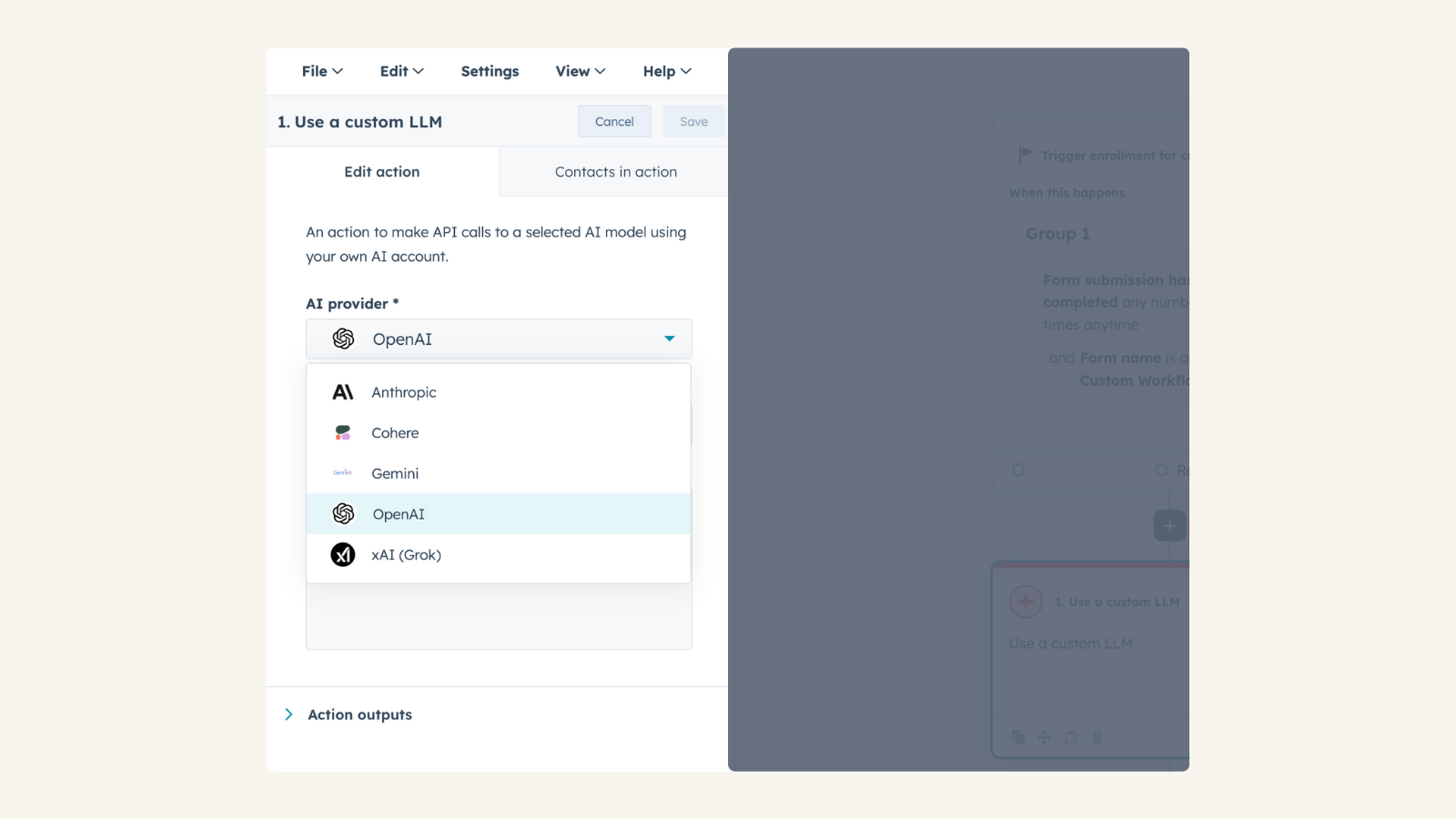
1/2 - Connect your OpenAI account to Use Custom LLM workflow action
Use your own OpenAI account to take actions in HubSpot workflows for automation, content generation, and intelligent decision-making, while maintaining control over model selection, configuration, usage, and costs.
Install this app to:
Use your pre-configured OpenAI account to apply tailored AI expertise to CRM-driven use cases such as summarization, enrichment, classification, and recommendations.
Select any OpenAI model available in your OpenAI project and fine-tune behavior by adjusting parameters such as temperature and reasoning effort.
Maintain full visibility and control over AI usage and costs through your OpenAI subscription, with no data stored by the app, requests are processed directly through OpenAI.
Funktionen
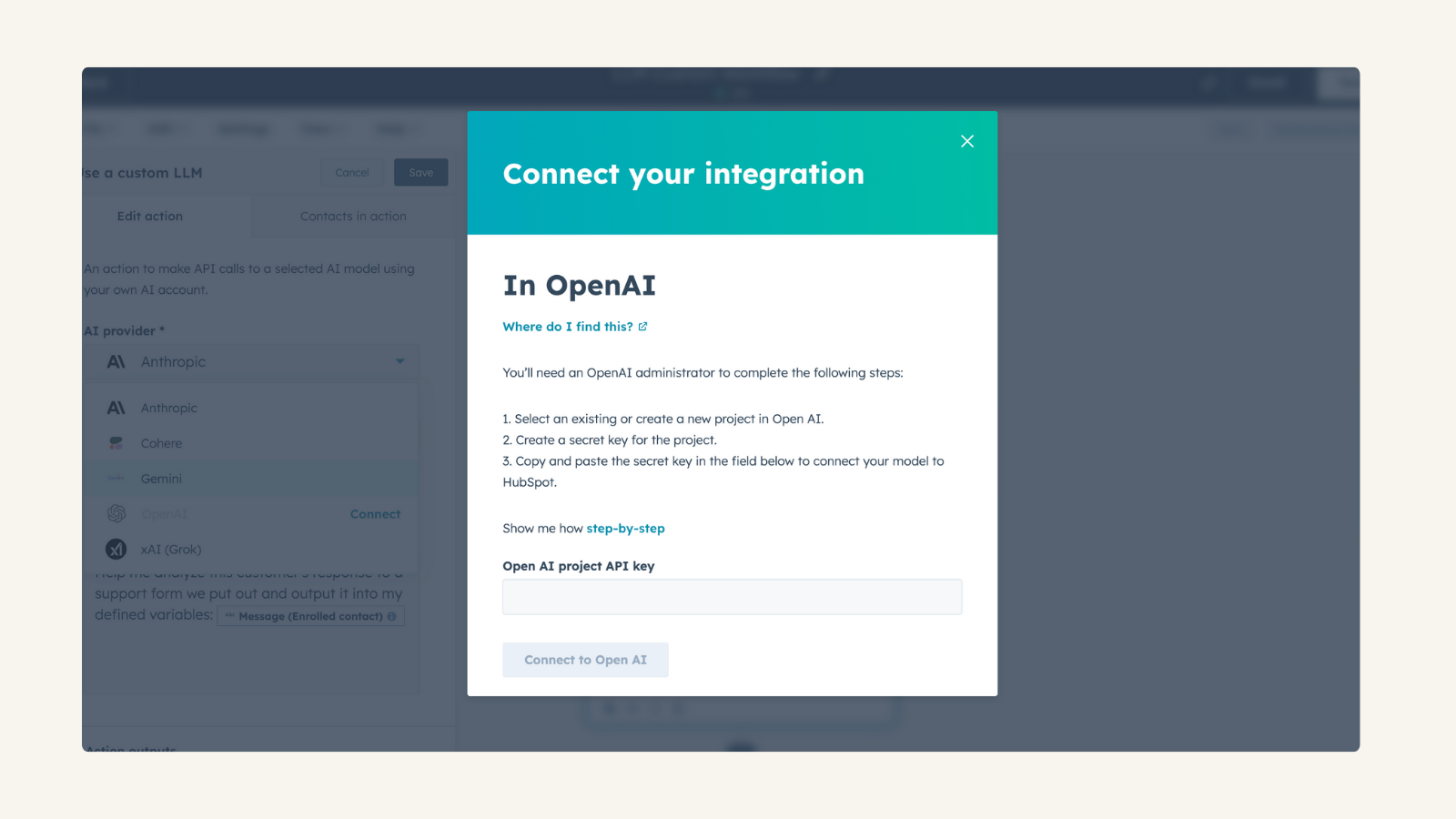
Use Your Own OpenAI Account
Connect your own OpenAI API key, allowing you to monitor and control usage and costs. No data storage—all processing happens directly through OpenAI. Manage AI expenses and usage based on your OpenAI subscription
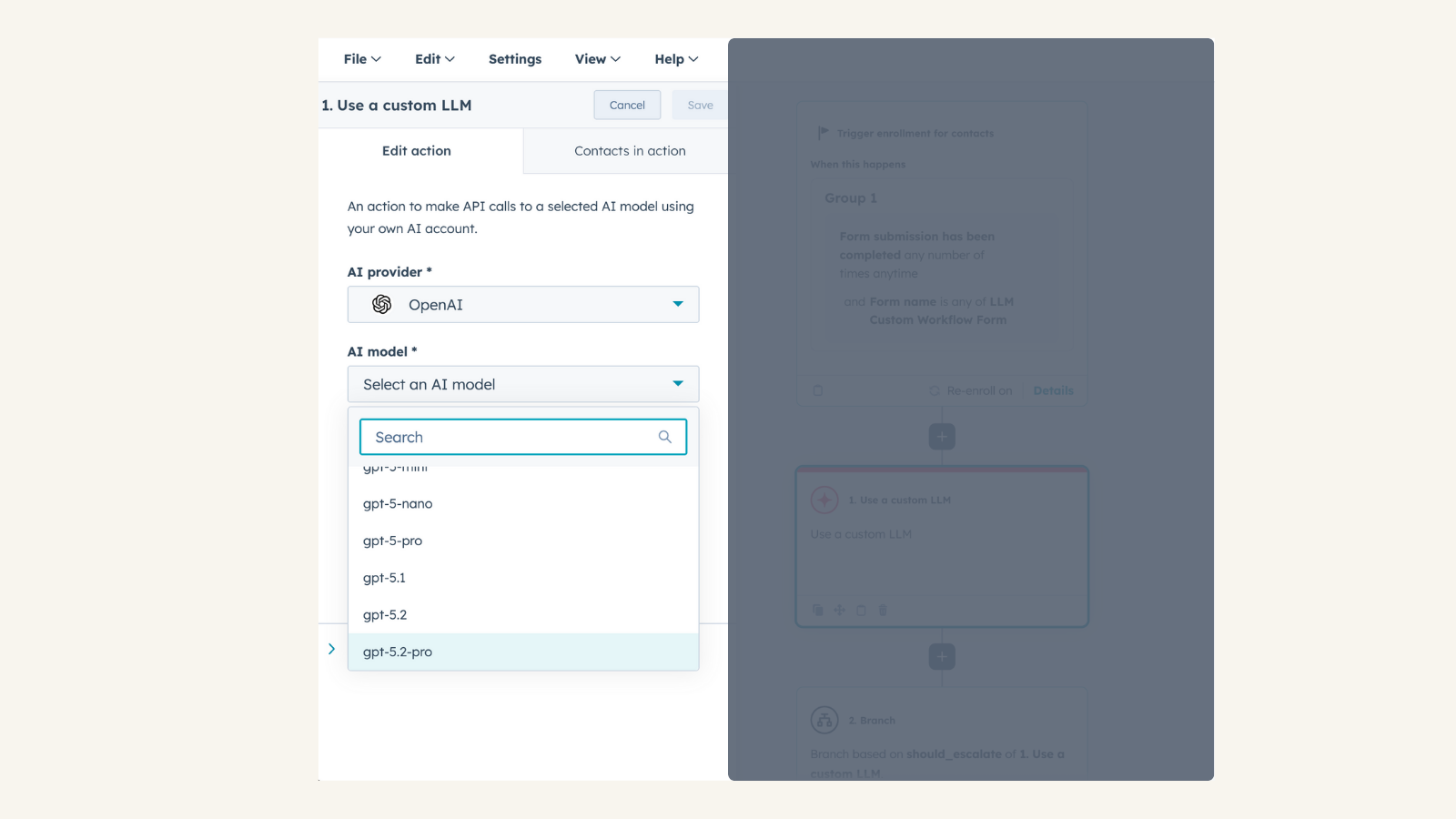
Use Custom LLM workflow action
Access the native Use Custom LLM Workflow (available for Enterprise tiers) within workflow automation. Combine OpenAI’s conversational capabilities with HubSpot CRM data. Provide OpenAI with custom data and instructions to personalize AI-driven actions.
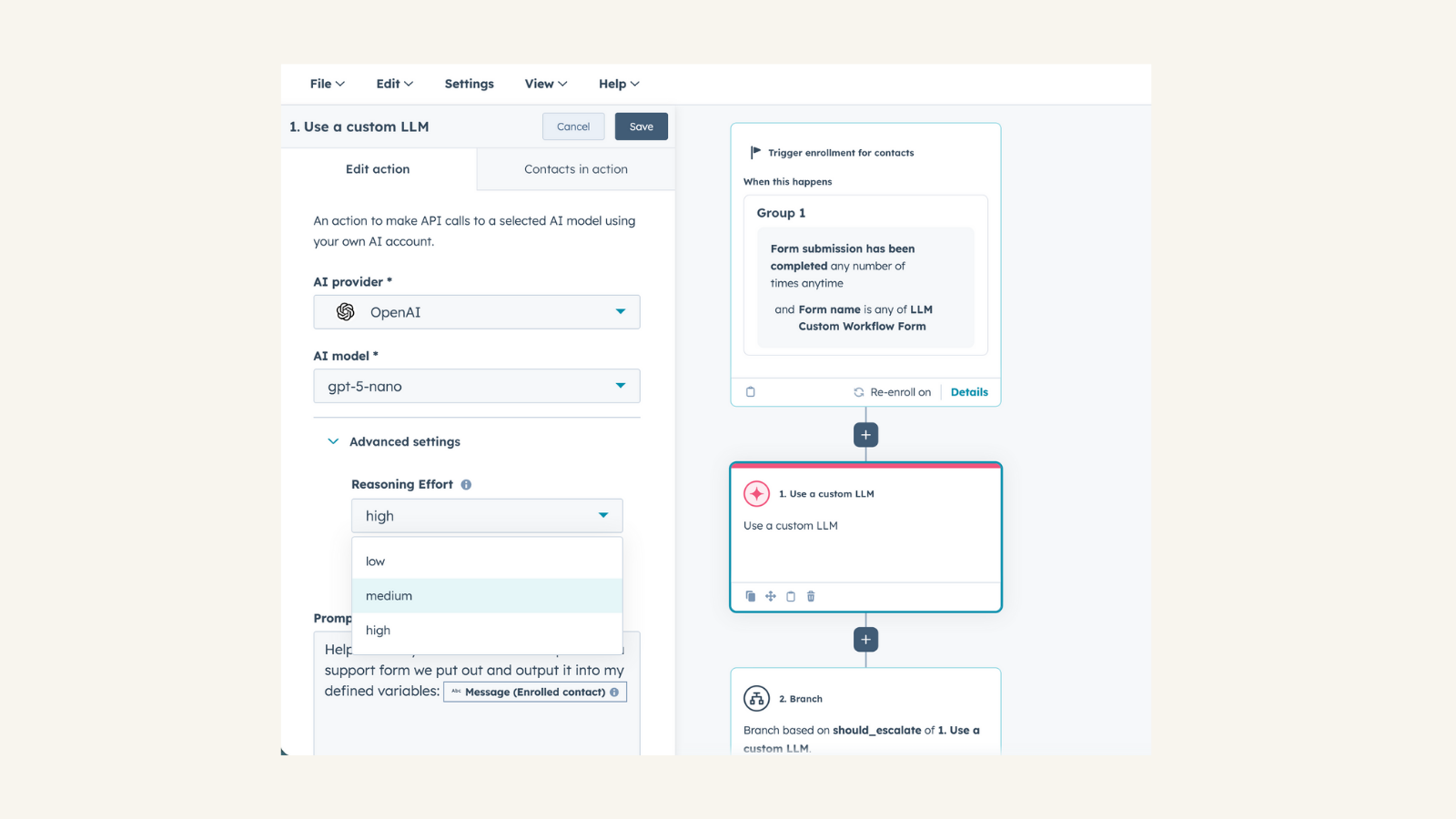
Full Control Over AI Configuration
Select any OpenAI model available in your OpenAI project. Adjust temperature to fine-tune response creativity. Customize reasoning effort for more precise or abstract AI-generated results
App-Funktionalität
Chat |
Rezensionen
4,5
12
4,5
12
- 27. Apr. 2026
Definieren der Ausgabe
Wenn ich die "verwenden Sie eine benutzerdefinierte LLM" Block und ich bin Klonen es -> die Ausgaben sind nicht gespeichert/geklont dies ist ziemlich seltsam, da, wenn ich den gesamten Workflow klonen seine gespeichert, so Yea jemand etwas hier vergessen... ahh und Telefonnummern formatiert von dataoutputs kann nicht verwendet werden, um es in Telefon-Eigenschaften zu kopieren -> Art von sinnlos, es dann als ein Ausgangstyp definiert haben, wenn ich es nicht verwenden kann.
mit openai
obiger Zustand
Holzer, M.
- 8. Apr. 2026
Cai, L.
Pricing varies based on model selection
Please visit OpenAI pricing page
Pricing varies based on model selection
Please visit OpenAI pricing page
* Die hier angegebenen Preise dienen nur zu Illustrationszwecken. Alle Preise enthalten keine Steuern, Sonderangebote, Rabatte oder sonstigen Preisvarianten. Bitte wenden Sie sich direkt an den Partner, um aktuelle und korrekte Preisinformationen zu erhalten. HubSpot übernimmt keine Verantwortung für Preisinformationen, die von unseren Partnern bereitgestellt werden. Letzte Aktualisierung der Preisinformationen: 21.01.2026
Weitere Infos
Erstellt von - HubSpot
Installationen - 2 Tsd. Installationen
Kategorien Sprachen, in denen diese App verfügbar ist Deutsch ,Englisch ,Französisch ,Italienisch ,Niederländisch undSpanisch