
-1.png)
Zoho CRM
Anforderungen
HubSpot-Produktversion HubSpot-Account-Berechtigungen Keine Berechtigungen erforderlich Zugriffstyp Geteilt Zoho CRM-Abonnement - Produktversion: Review Zoho CRM's Pricing Page
Übersicht
1/2
Synchronisieren Sie Zoho CRM-Leads, -Kontakte und -Konten ohne manuelle Dateneingabe oder umständliche, zeitaufwendige Importe.
Die Datensynchronisierung von HubSpot bietet Ihnen folgende Vorteile:
- Bidirektionale Synchronisierung: Daten werden in Echtzeit zwischen Zoho CRM und HubSpot ausgetauscht.
- Standardfeldzuordnungen: Profitieren Sie von einer schnellen Einrichtung dank vordefinierter Feldzuordnungen, die bereits für Sie erstellt wurden.
- Synchronisierung von Bestandsdaten: Ihre vorhandenen Daten werden sofort synchronisiert. Updates werden synchronisiert, sobald sie auftreten.
Funktionen
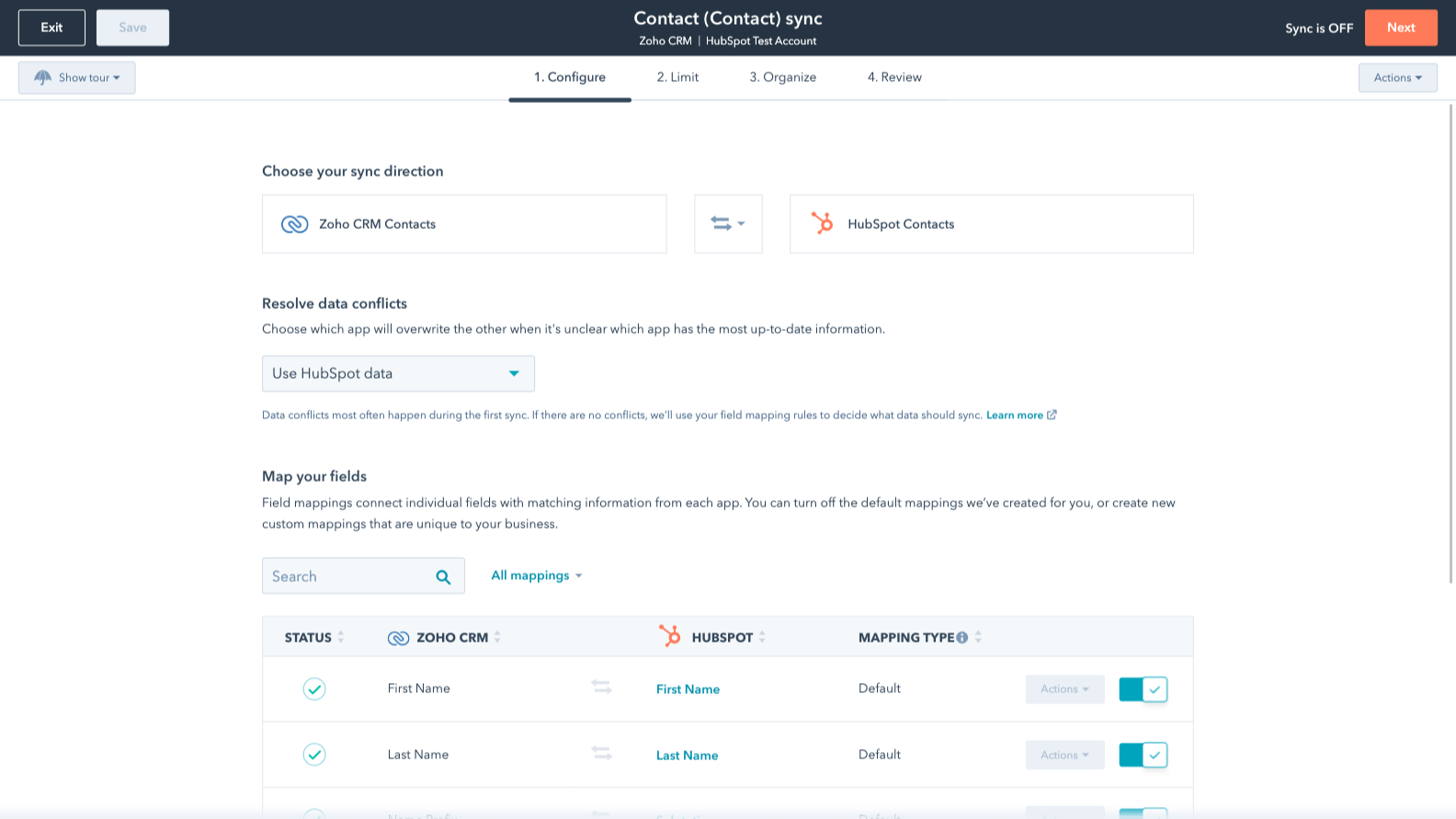
Sync Zoho CRM and HubSpot data
Make manual data entry a thing of the past by syncing deals, leads, contacts and accounts between HubSpot and Zoho CRM. When records are created or updated in either app, that information will be automatically shared with the other one.
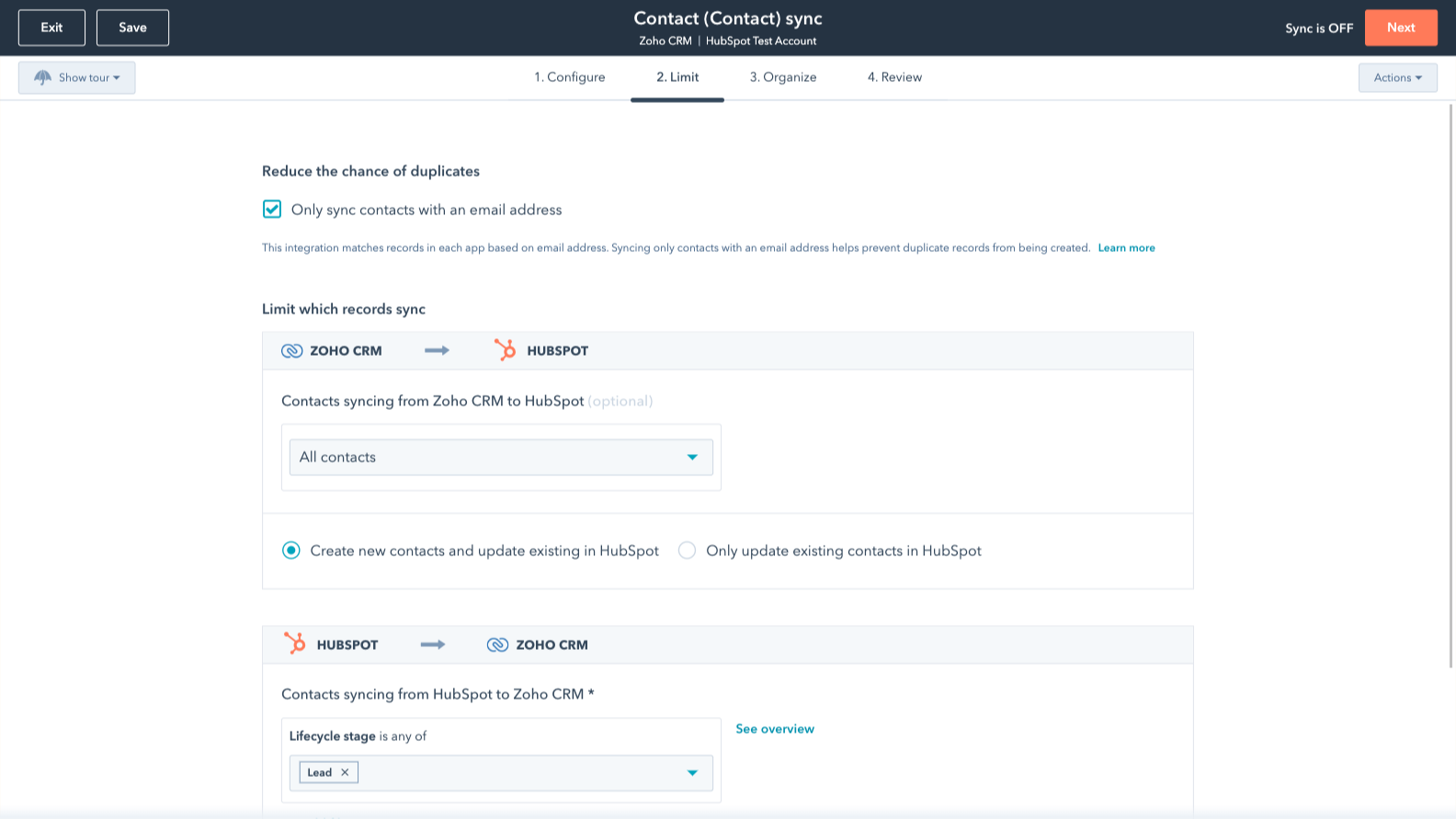
Sync only the data you want
You’re in control of your data. You can set up a one- or two-way sync, which means you can either sync data from only one app to the other or back-and-forth between both apps. Custom field mappings are available with Data Hub Starter or up and add the flexibility to create your own mappings or make changes to your default ones.
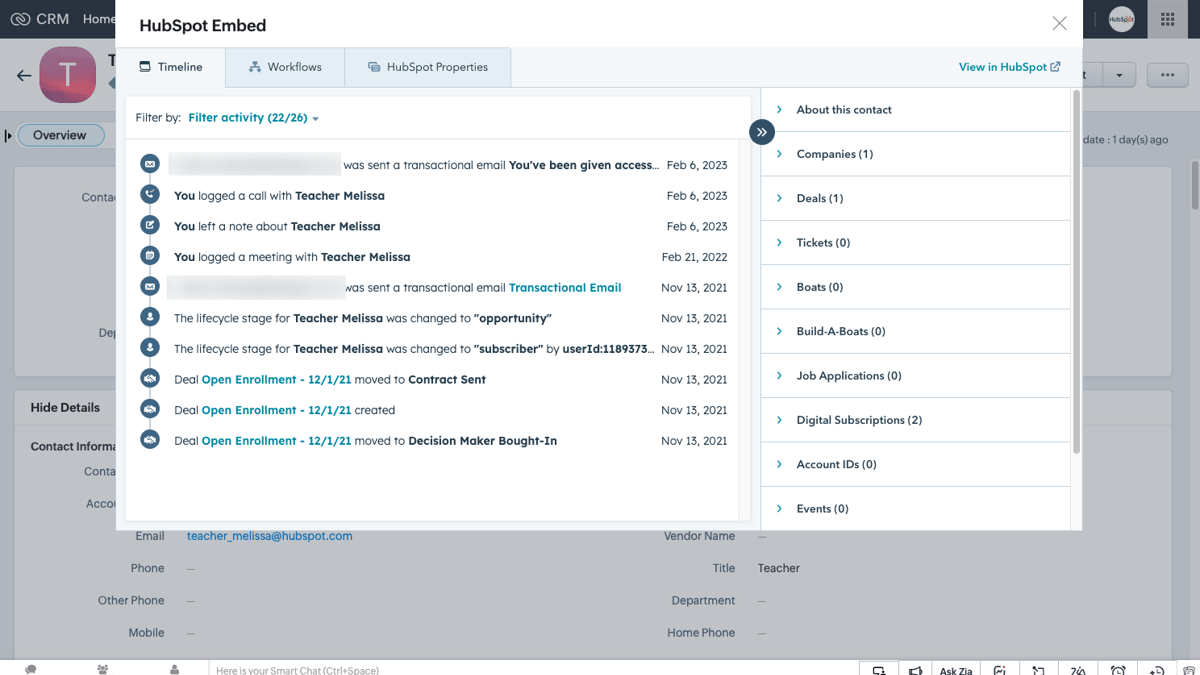
HubSpot embedded in Zoho CRM
Utilize HubSpot tools without leaving Zoho CRM. The HubSpot embed feature provides insights into HubSpot contact, company, and deal records and lets you enroll these records in automation from right within Zoho CRM.
HubSpot eingebettet in Zoho CRM
Nutzen Sie die HubSpot-Tools, ohne Zoho CRM zu verlassen. Die HubSpot-Einbettungsfunktion bietet Einblicke in HubSpot-Kontakt-, Unternehmens- und Geschäftsdatensätze und ermöglicht es Ihnen, diese Datensätze direkt von Zoho CRM aus in die Automatisierung einzubinden.
App-Funktionalität
Datenaustausch
Each object has field mappings that connect matching information from each app. Default mappings are listed below. If you want to change these default mappings or create your own, custom field mappings are available with Data Hub Starter and up.
The following will not sync: Activities, Custom Modules
Accounts | ||
Calls | ||
Contacts | ||
Leads | ||
Deals | ||
Meetings | ||
Invoices | ||
Notes | ||
Products | ||
Tasks | ||
Modules |
Rezensionen
3,5
20
3,5
20
- 11. Mai 2026
Sie erfüllt die Erwartungen
Es ermöglicht eine einfache Migration der grundlegenden Zoho CRM-Module.
Es ermöglicht eine einfache Migration der grundlegenden Zoho CRM-Module.
Es ist nicht möglich, eine Migration rückgängig zu machen
Product, C.
- 12. Apr. 2026
Kraus, J.
Review Zoho CRM's Pricing Page
0 $
Use the 'See all pricing options' link on the righthand side
Make sure to confirm the HubSpot subscription and Zoho CRM subscription needed to install this integration
Note: "Free" is referring to the cost of the integration, not the app subscriptions
Review Zoho CRM's Pricing Page
0 $
Use the 'See all pricing options' link on the righthand side
Make sure to confirm the HubSpot subscription and Zoho CRM subscription needed to install this integration
Note: "Free" is referring to the cost of the integration, not the app subscriptions
* Die hier angegebenen Preise dienen nur zu Illustrationszwecken. Alle Preise enthalten keine Steuern, Sonderangebote, Rabatte oder sonstigen Preisvarianten. Bitte wenden Sie sich direkt an den Partner, um aktuelle und korrekte Preisinformationen zu erhalten. HubSpot übernimmt keine Verantwortung für Preisinformationen, die von unseren Partnern bereitgestellt werden. Letzte Aktualisierung der Preisinformationen: 15.12.2025