
-1.png)
Zoho CRM
Requisitos
Plano da HubSpot Permissões da conta da HubSpot Nenhuma permissão necessária Tipo de acesso Compartilhado Assinatura Zoho CRM - Review Zoho CRM's Pricing Page plano
Visão geral
1/2
Sincronize os leads, contatos e contas Zoho CRM sem precisar inserir os dados manualmente ou passar horas importando e exportando dados.
Veja o que você recebe com a Sincronização de dados pela HubSpot:
- Sincronização bidirecional: os dados são compartilhados entre o Zoho CRM e o HubSpot em tempo real
- Mapeamentos de campo padrão: a configuração é rápida com mapeamentos de campo prontos para uso já criados para você
- Histórico de sincronização: os dados existentes serão sincronizados imediatamente e as atualizações serão sincronizadas assim que ocorrerem.
Recursos
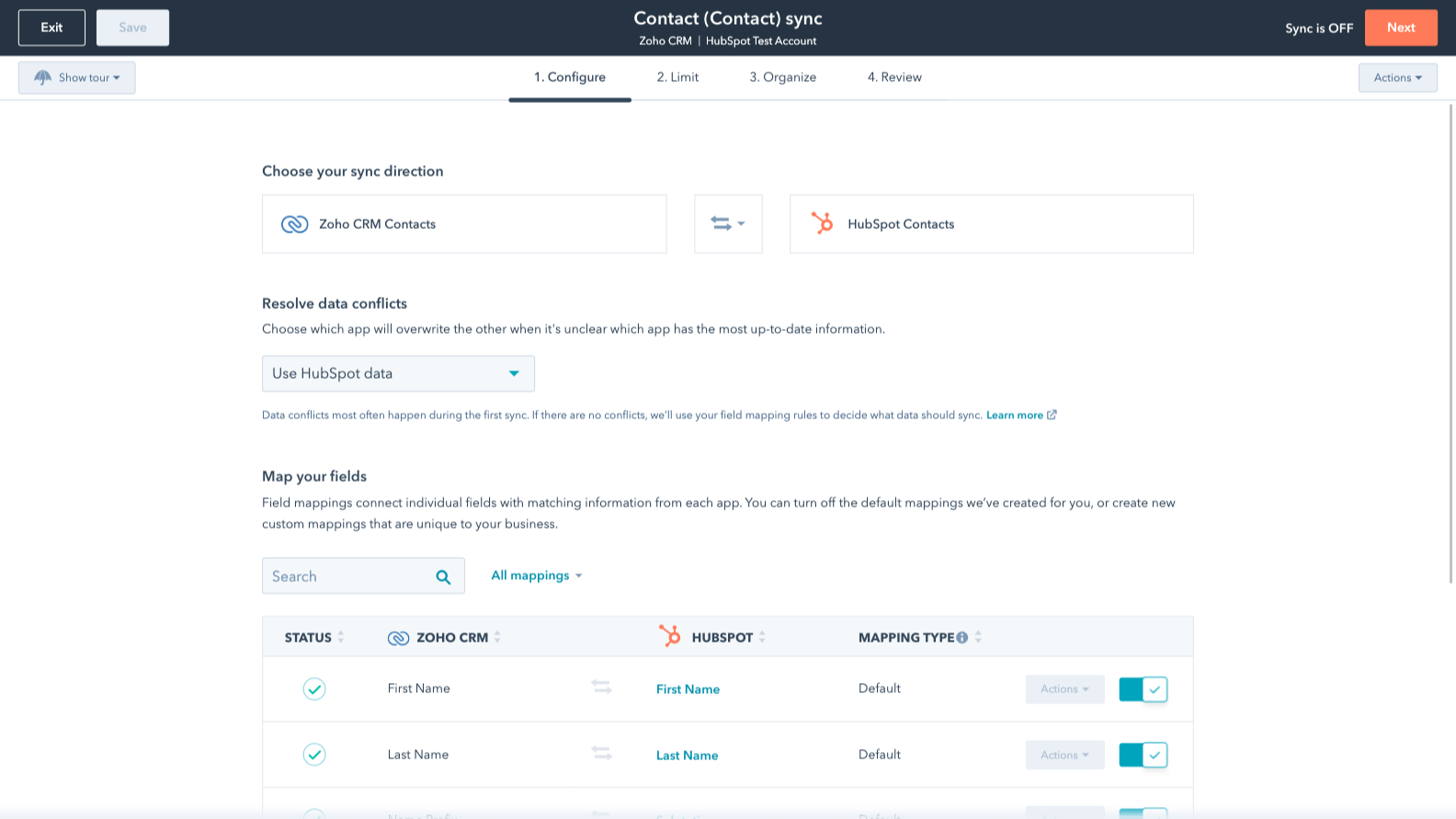
Sync Zoho CRM and HubSpot data
Make manual data entry a thing of the past by syncing deals, leads, contacts and accounts between HubSpot and Zoho CRM. When records are created or updated in either app, that information will be automatically shared with the other one.
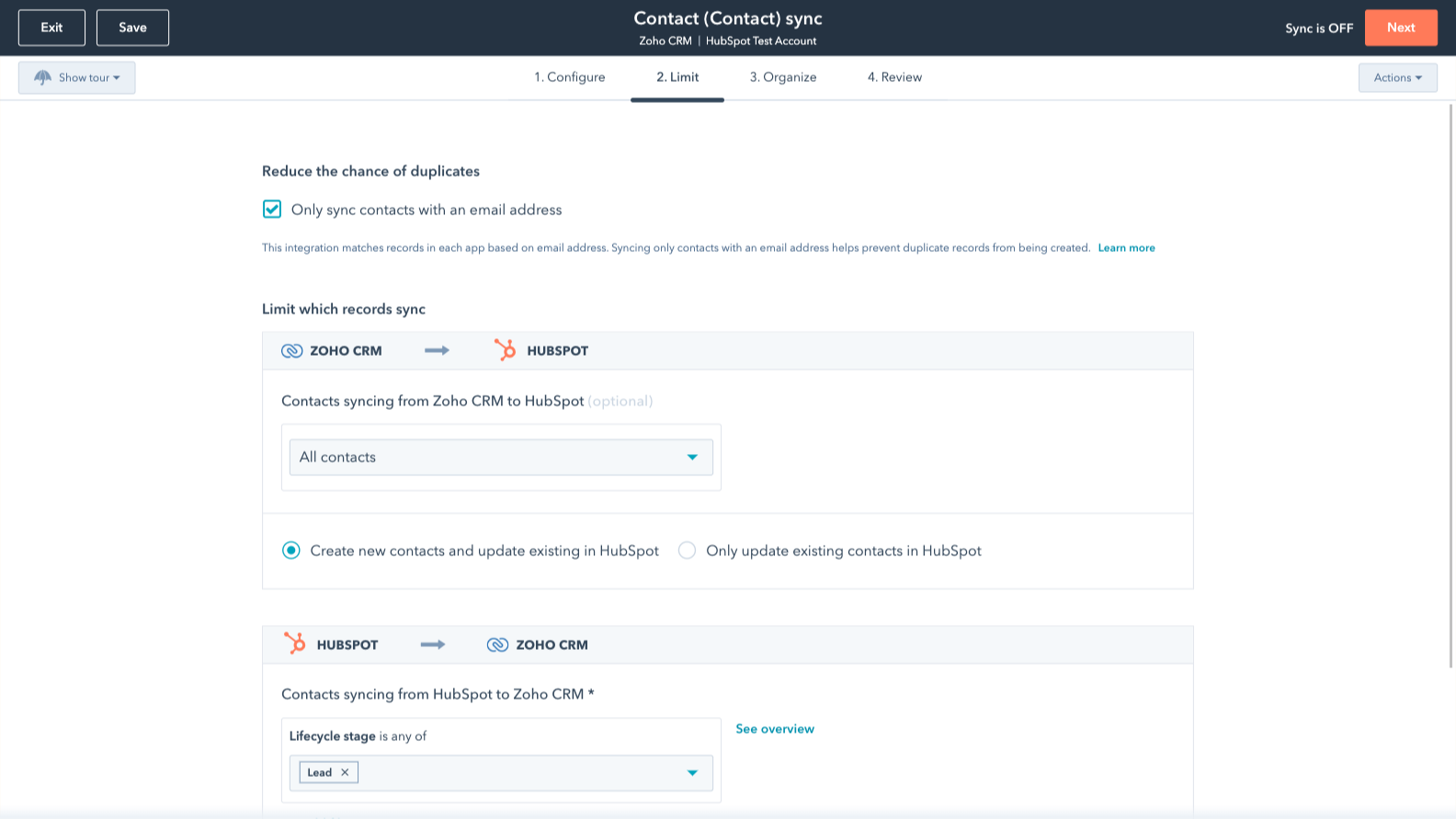
Sync only the data you want
You’re in control of your data. You can set up a one- or two-way sync, which means you can either sync data from only one app to the other or back-and-forth between both apps. Custom field mappings are available with Data Hub Starter or up and add the flexibility to create your own mappings or make changes to your default ones.
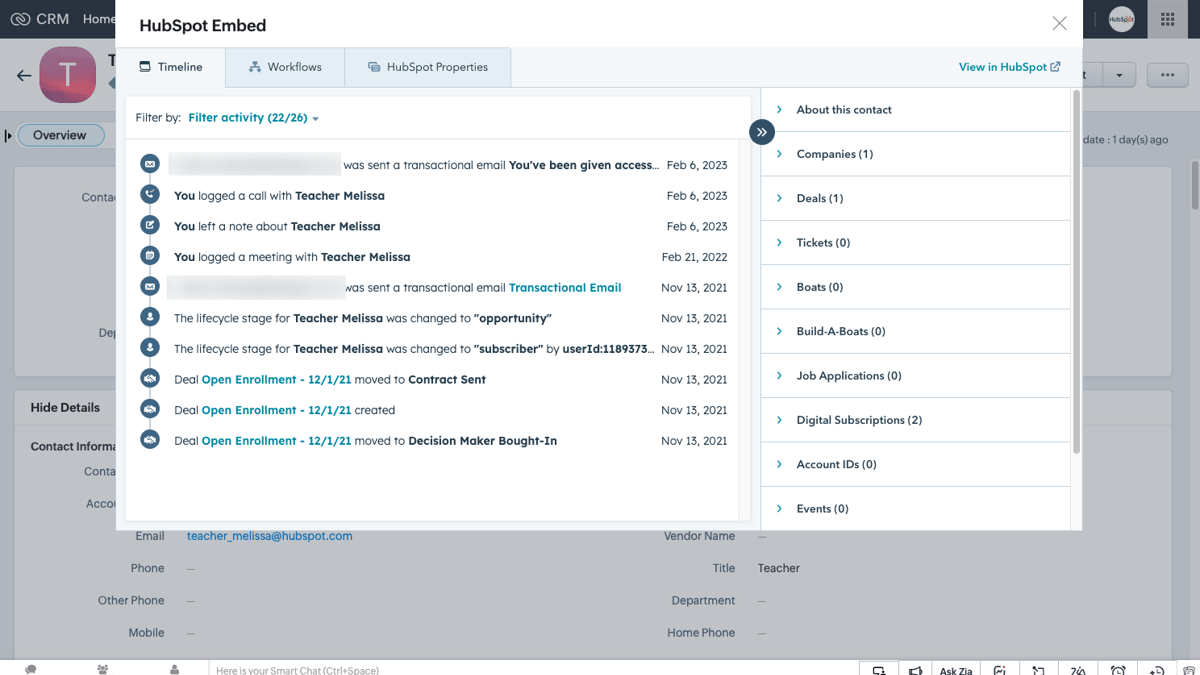
HubSpot embedded in Zoho CRM
Utilize HubSpot tools without leaving Zoho CRM. The HubSpot embed feature provides insights into HubSpot contact, company, and deal records and lets you enroll these records in automation from right within Zoho CRM.
HubSpot incorporado no Zoho CRM
Utilize as ferramentas da HubSpot sem sair do Zoho CRM. O recurso de incorporação da HubSpot fornece insights sobre os registros de contatos, empresas e negócios da HubSpot e permite inscrever esses registros na automação diretamente no Zoho CRM.
Funcionalidade do aplicativo
Dados compartilhados
Each object has field mappings that connect matching information from each app. Default mappings are listed below. If you want to change these default mappings or create your own, custom field mappings are available with Data Hub Starter and up.
The following will not sync: Activities, Custom Modules
Accounts | ||
Contacts | ||
Leads | ||
Deals | ||
Invoices | ||
Products | ||
Notes | ||
Products | ||
Tasks | ||
Modules |
Avaliações
3,5
20
3,5
20
- 11 de Mai de 2026
Atende às expectativas
Ele permite uma migração simples dos módulos básicos do Zoho CRM.
Ele permite uma migração simples dos módulos básicos do Zoho CRM.
Não é possível desfazer uma migração
Product, C.
- 12 de Abr de 2026
Kraus, J.
Review Zoho CRM's Pricing Page
US$ 0
Use the 'See all pricing options' link on the righthand side
Make sure to confirm the HubSpot subscription and Zoho CRM subscription needed to install this integration
Note: "Free" is referring to the cost of the integration, not the app subscriptions
Review Zoho CRM's Pricing Page
US$ 0
Use the 'See all pricing options' link on the righthand side
Make sure to confirm the HubSpot subscription and Zoho CRM subscription needed to install this integration
Note: "Free" is referring to the cost of the integration, not the app subscriptions
* O preço aqui é apenas para fins de exibição. Todos os preços não incluem impostos, incentivos, descontos ou outras variáveis de preços. Você deve entrar em contato com o parceiro para obter informações mais atualizadas e precisas. A HubSpot não se responsabiliza por essas informações de preços, que são fornecidas pelos nossos parceiros. Preços atualizados pela última vez: 15/12/2025