
-1.png)
Zoho CRM
Exigences
Abonnement HubSpot Autorisations de compte HubSpot Aucune autorisation requise Type d'accès Partagé Abonnement à Zoho CRM - Abonnement : Review Zoho CRM's Pricing Page
Vue d'ensemble
1/2
Synchronisez vos leads, contacts et comptes Zoho CRM sans tâches de saisie manuelle ou imports chronophages.
Avec la synchronisation des données par HubSpot, vous profitez des avantages suivants :
- Synchronisation bidirectionnelle : les données sont partagées en temps réel entre Zoho CRM et HubSpot.
- Mappages de champs par défaut : la configuration est rapide grâce à des mappages de champs prêts à l'emploi.
- Synchronisation des données historiques : vos données existantes sont synchronisées et mises à jour, le cas échéant.
Fonctionnalités
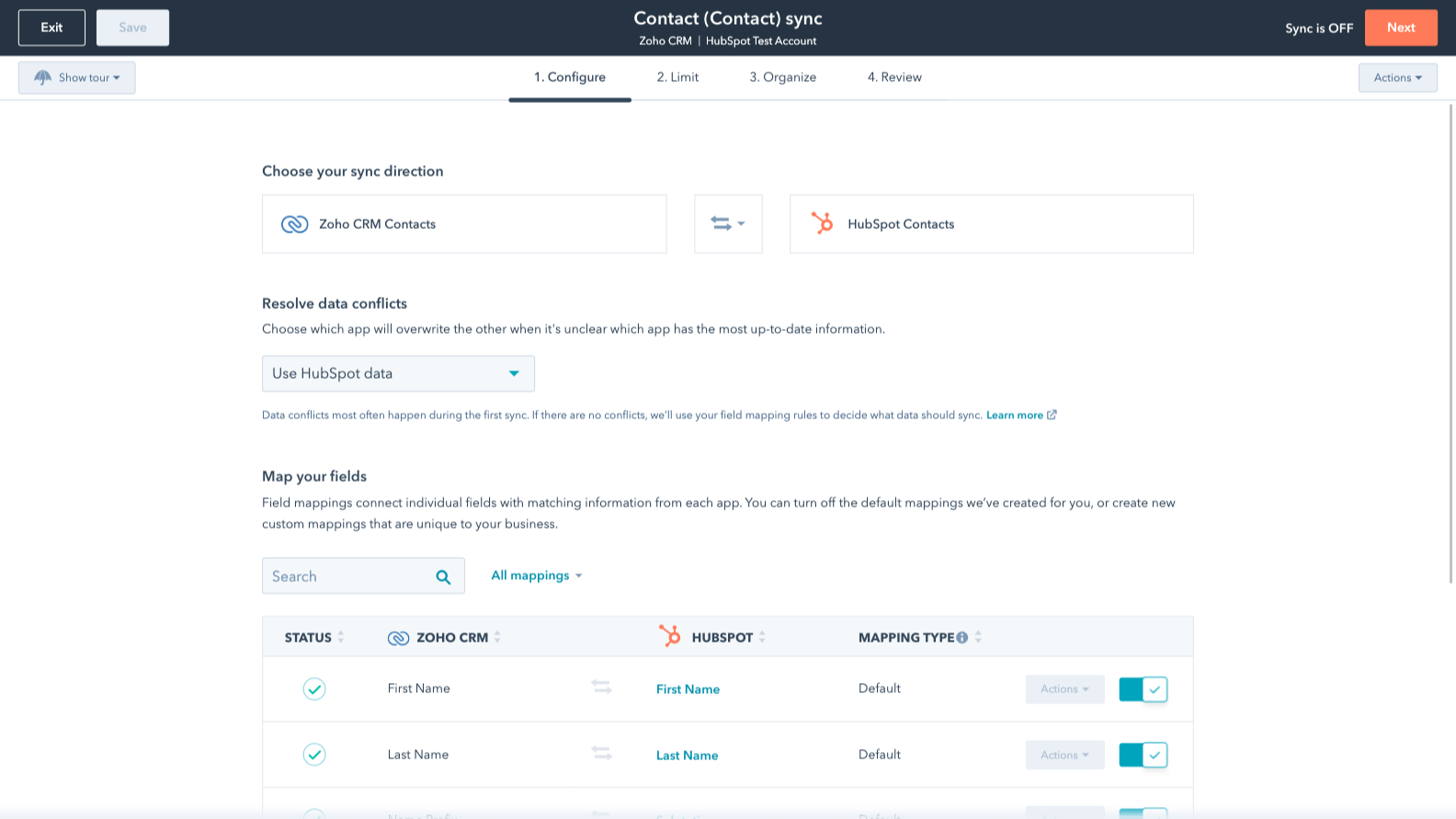
Sync Zoho CRM and HubSpot data
Make manual data entry a thing of the past by syncing deals, leads, contacts and accounts between HubSpot and Zoho CRM. When records are created or updated in either app, that information will be automatically shared with the other one.
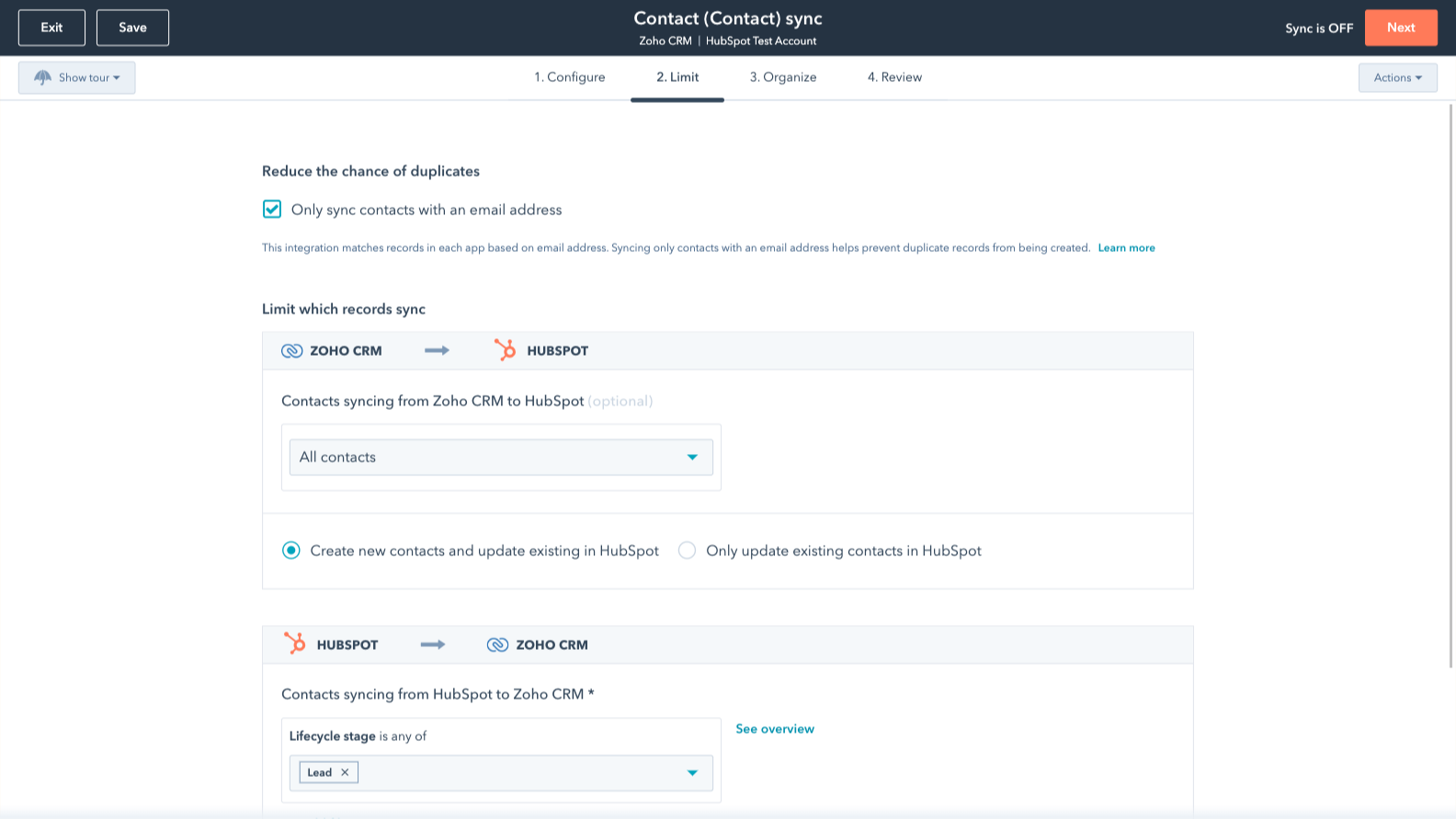
Sync only the data you want
You’re in control of your data. You can set up a one- or two-way sync, which means you can either sync data from only one app to the other or back-and-forth between both apps. Custom field mappings are available with Data Hub Starter or up and add the flexibility to create your own mappings or make changes to your default ones.
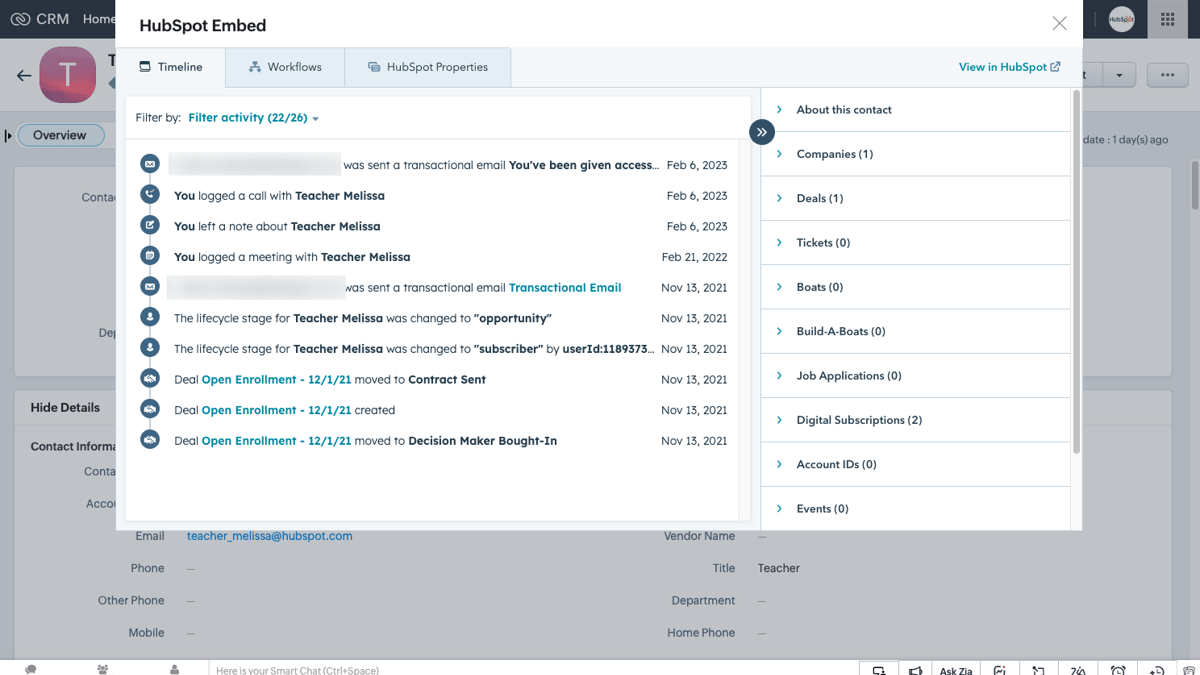
HubSpot embedded in Zoho CRM
Utilize HubSpot tools without leaving Zoho CRM. The HubSpot embed feature provides insights into HubSpot contact, company, and deal records and lets you enroll these records in automation from right within Zoho CRM.
HubSpot intégré à Zoho CRM
Utilisez les outils HubSpot sans quitter Zoho CRM. La fonction d'intégration de HubSpot permet d'accéder aux enregistrements de contacts, d'entreprises et d'affaires de HubSpot et d'intégrer ces enregistrements à l'automatisation à partir de Zoho CRM.
Fonctionnalité de l'application
Données partagées
Each object has field mappings that connect matching information from each app. Default mappings are listed below. If you want to change these default mappings or create your own, custom field mappings are available with Data Hub Starter and up.
The following will not sync: Activities, Custom Modules
Accounts | ||
Calls | ||
Contacts | ||
Leads | ||
Deals | ||
Meetings | ||
Invoices | ||
Notes | ||
Products | ||
Tasks | ||
Modules |
3,5
20
3,5
20
- 11 mai 2026
Il répond aux attentes
Il permet une migration simple des modules de base de Zoho CRM.
Il permet une migration simple des modules de base de Zoho CRM.
Il n'est pas possible d'annuler une migration
Product, C.
- 12 avr. 2026
Kraus, J.
Tarification
Review Zoho CRM's Pricing Page
0 $US
Use the 'See all pricing options' link on the righthand side
Make sure to confirm the HubSpot subscription and the Zoho CRM subscription needed to install this integration
Note: "Free" is referring to the cost of the integration, not the app subscriptions
Review Zoho CRM's Pricing Page
0 $US
Use the 'See all pricing options' link on the righthand side
Make sure to confirm the HubSpot subscription and the Zoho CRM subscription needed to install this integration
Note: "Free" is referring to the cost of the integration, not the app subscriptions
* Les prix mentionnés ici sont uniquement présentés à titre indicatif. Tous les prix n'incluent pas les taxes, les offres spéciales, les réductions ni les autres facteurs pouvant affecter les tarifs. Vous devez contacter le partenaire pour obtenir les tarifs les plus récents. HubSpot n'assume aucune responsabilité pour les informations de tarification fournies par ses partenaires. Dernière mise à jour des prix : 15/12/2025