
Sync QuickBooks Online
Sync HubSpot Contacts, Deals and Invoice with QuickBooks
Créé par - Dotsquares Ltd.
Installation - 10+ installations
Exigences
Abonnement HubSpot Autorisations de compte HubSpot - Afficher les autorisations de compte requises
Type d'accès Shared Abonnement à Sync QuickBooks Online - Abonnements : Free with Basic ou Standard
Vue d'ensemble
1/8 - Log in and register with Sync QuickBooks online.
Create QuickBooks Invoices from HubSpot Deals.
Create invoice line items when creating invoices for customers.
Sync HubSpot Contacts to QuickBooks Customers or Vendors.
Sync the HubSpot product with QuickBooks Products & Services.
Products are used to create the invoice in QuickBooks by the Deals in HubSpot.
For creating the invoice in QuickBooks
It is mandatory for the deal to have contact associated with it and line items added to it
* Must have a Sales Hub Professional or Enterprise HubSpot account.
Fonctionnalités
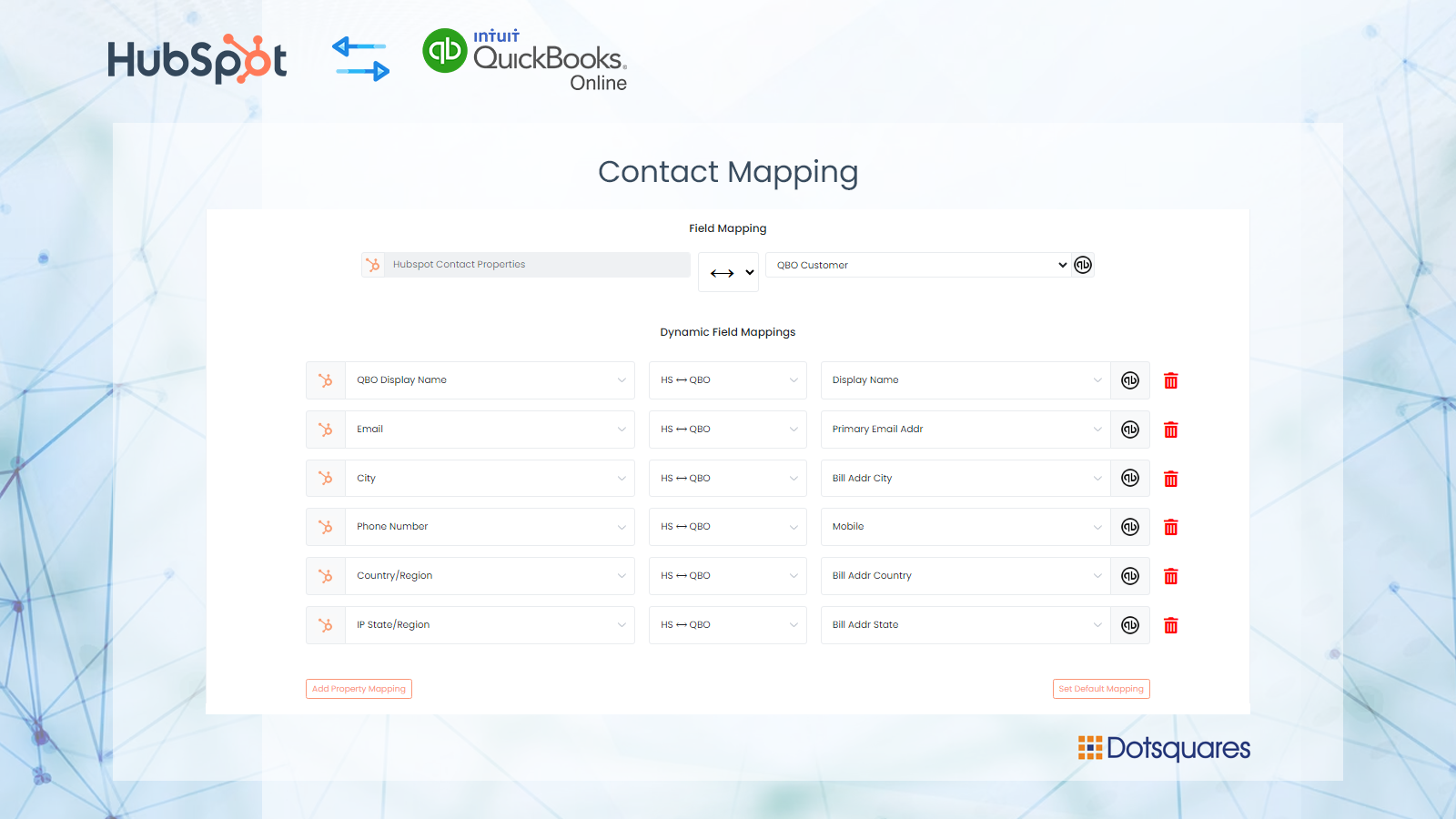
Create contact records for your customers from QuickBooks Online.
Sync contacts with HubSpot to QuickBooks online with custom fields mapping
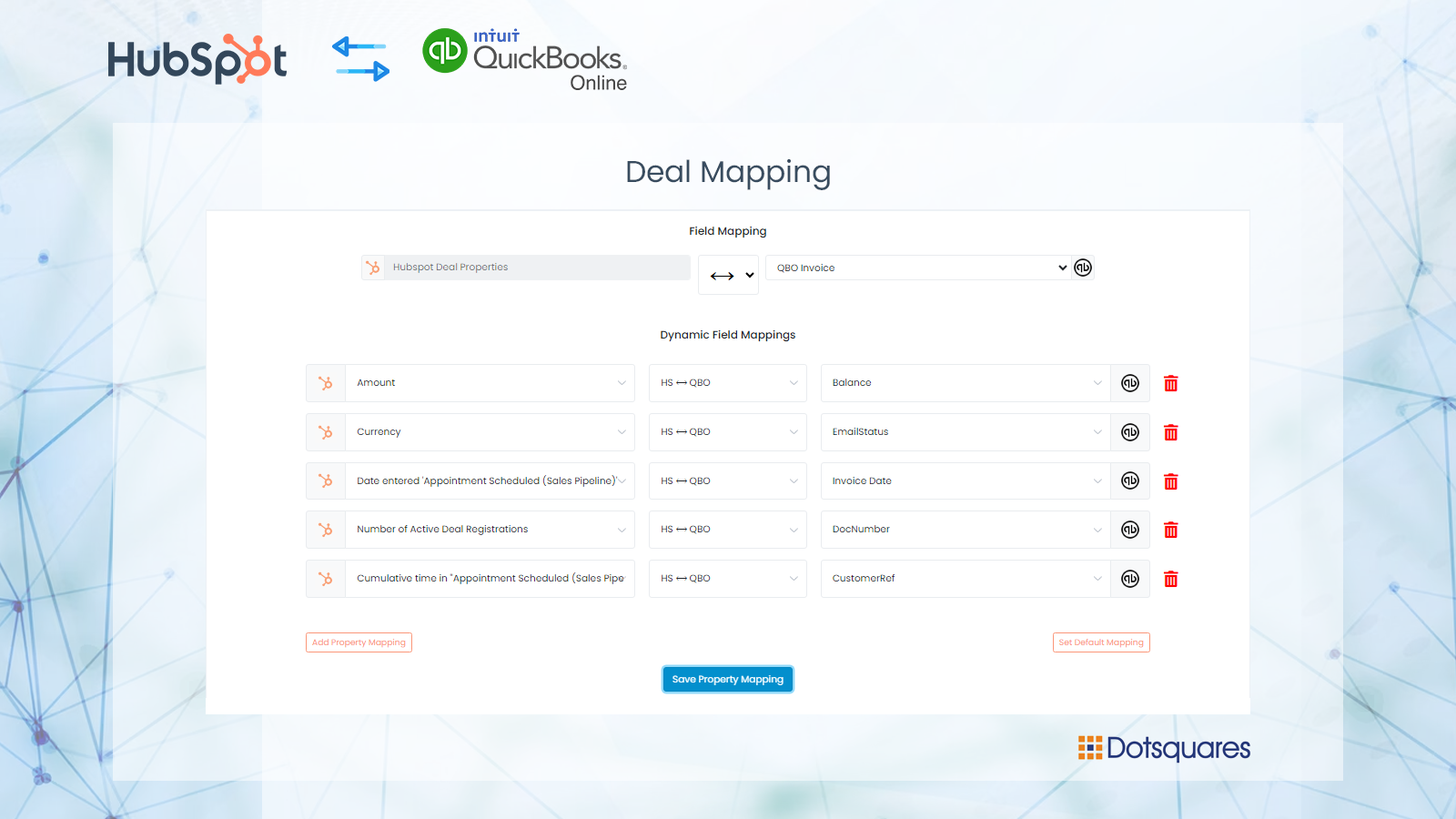
Create Invoices on QuickBooks
Once the deal is closed or won stage then an invoice will be created on QuickBooks. Users can setup custom field mapping between HubSpot to QuickBooks. User can manage the multiple connections of the flow.
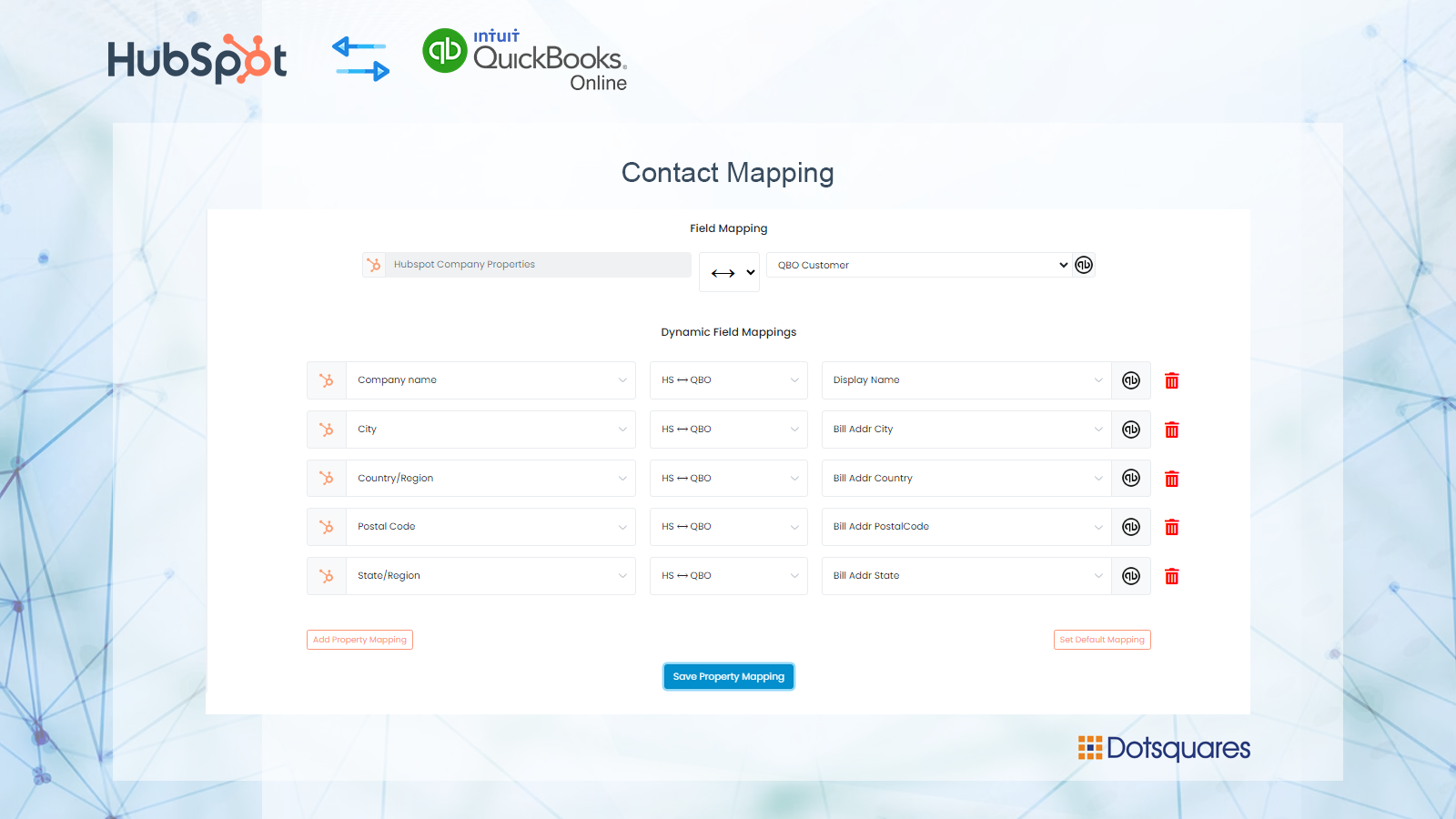
Custom Fields Mapping
Custom mappings add the flexibility to create your own mappings or make changes to your default ones. You can update contacts, company and deals fields on the creation of Invoices in QuickBooks.
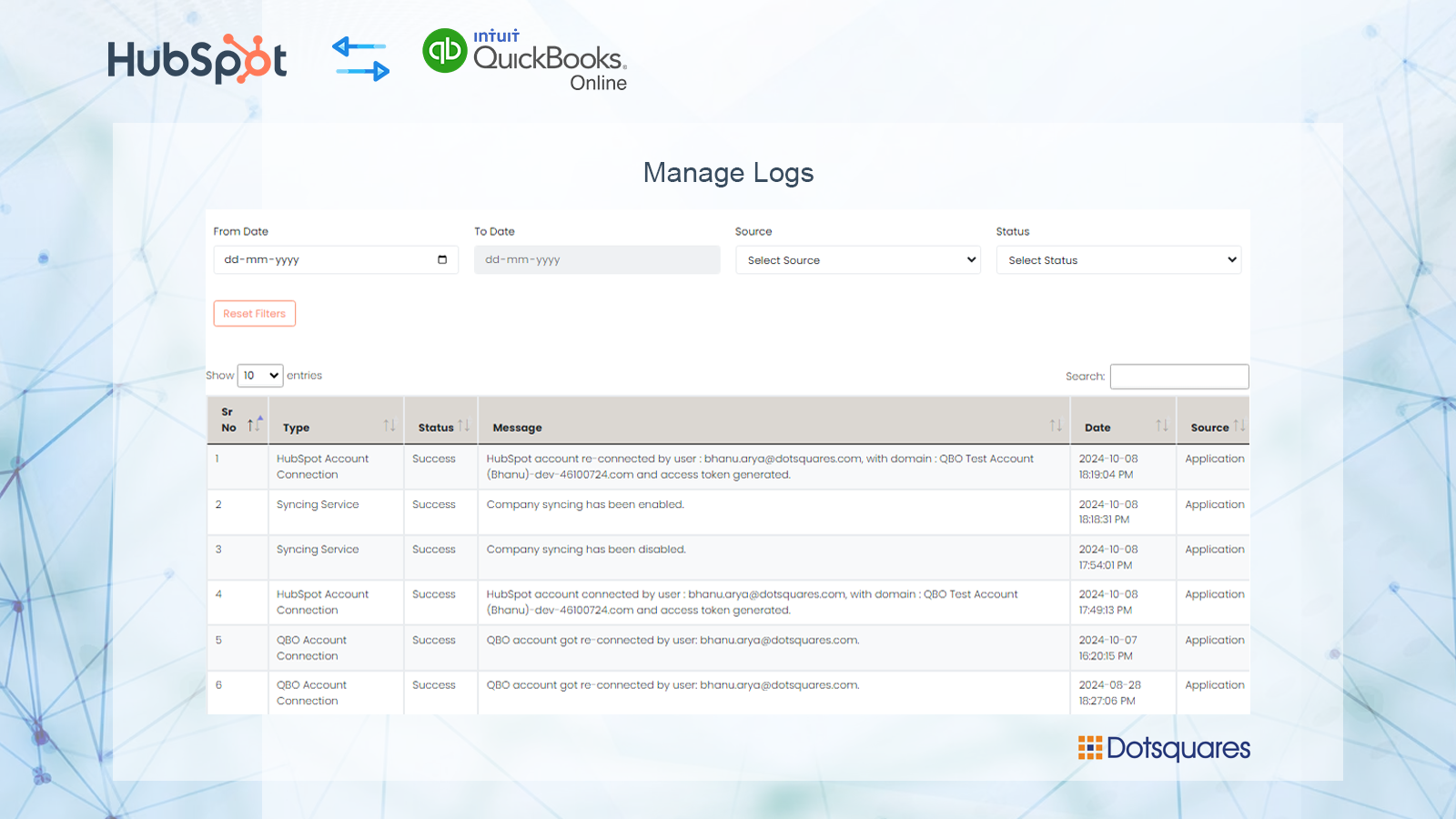
Track all of the operations in a Logs
Check manual or automated change is recorded in the operations logs so you always are aware of all ongoing changes.
Fonctionnalité de l'application
Données partagées
Customers | ||
Customers | ||
Invoices | ||
Products & Services | ||
Purchase Order | ||
Vendo | ||
Vendor |
Avis
Écrivez le tout premier avis
Tarification
Free with Basic
100 $US
/moisSync HubSpot Contacts, Deals and Invoice with QuickBooks
Sync HubSpot Contact, Company, Products, and Deals to QuickBooks.
Both Manual and Automated Sync.
Automatically import your QuickBooks Customer to HubSpot.
Create an invoice on QuickBooks when a deal is created on HubSpot
Sync HubSpot Products with QuickBooks
Sync 200 records.
Custom fields mapping
Switch HubSpot and QuickBooks accounts
Free with Basic
100 $US
/moisSync HubSpot Contacts, Deals and Invoice with QuickBooks
Sync HubSpot Contact, Company, Products, and Deals to QuickBooks.
Both Manual and Automated Sync.
Automatically import your QuickBooks Customer to HubSpot.
Create an invoice on QuickBooks when a deal is created on HubSpot
Sync HubSpot Products with QuickBooks
Sync 200 records.
Custom fields mapping
Switch HubSpot and QuickBooks accounts
* Les prix mentionnés ici sont uniquement présentés à titre indicatif. Tous les prix n'incluent pas les taxes, les offres spéciales, les réductions ni les autres facteurs pouvant affecter les tarifs. Vous devez contacter le partenaire pour obtenir les tarifs les plus récents. HubSpot n'assume aucune responsabilité pour les informations de tarification fournies par ses partenaires. Dernière mise à jour des prix : 24/09/2025
Informations supplémentaires
Créé par - Dotsquares Ltd.
Installation - 10+ installations
Catégories Langues dans lesquelles cette application est disponible Anglais
Attirer l'attention aujourd'hui