
Sync QuickBooks Online
Sync HubSpot Contacts, Deals and Invoice with QuickBooks
Utworzone przez - Dotsquares Ltd.
Instaluje - Ponad 10 instalacji
Wymagania
Plan HubSpot Uprawnienia konta HubSpot - Wyświetl wymagane uprawnienia konta
Typ dostępu Shared Subskrypcja Sync QuickBooks Online - Free with Basic lub Standard planu
Przegląd
1/8 - Log in and register with Sync QuickBooks online.
Create QuickBooks Invoices from HubSpot Deals.
Create invoice line items when creating invoices for customers.
Sync HubSpot Contacts to QuickBooks Customers or Vendors.
Sync the HubSpot product with QuickBooks Products & Services.
Products are used to create the invoice in QuickBooks by the Deals in HubSpot.
For creating the invoice in QuickBooks
It is mandatory for the deal to have contact associated with it and line items added to it
* Must have a Sales Hub Professional or Enterprise HubSpot account.
Cechy
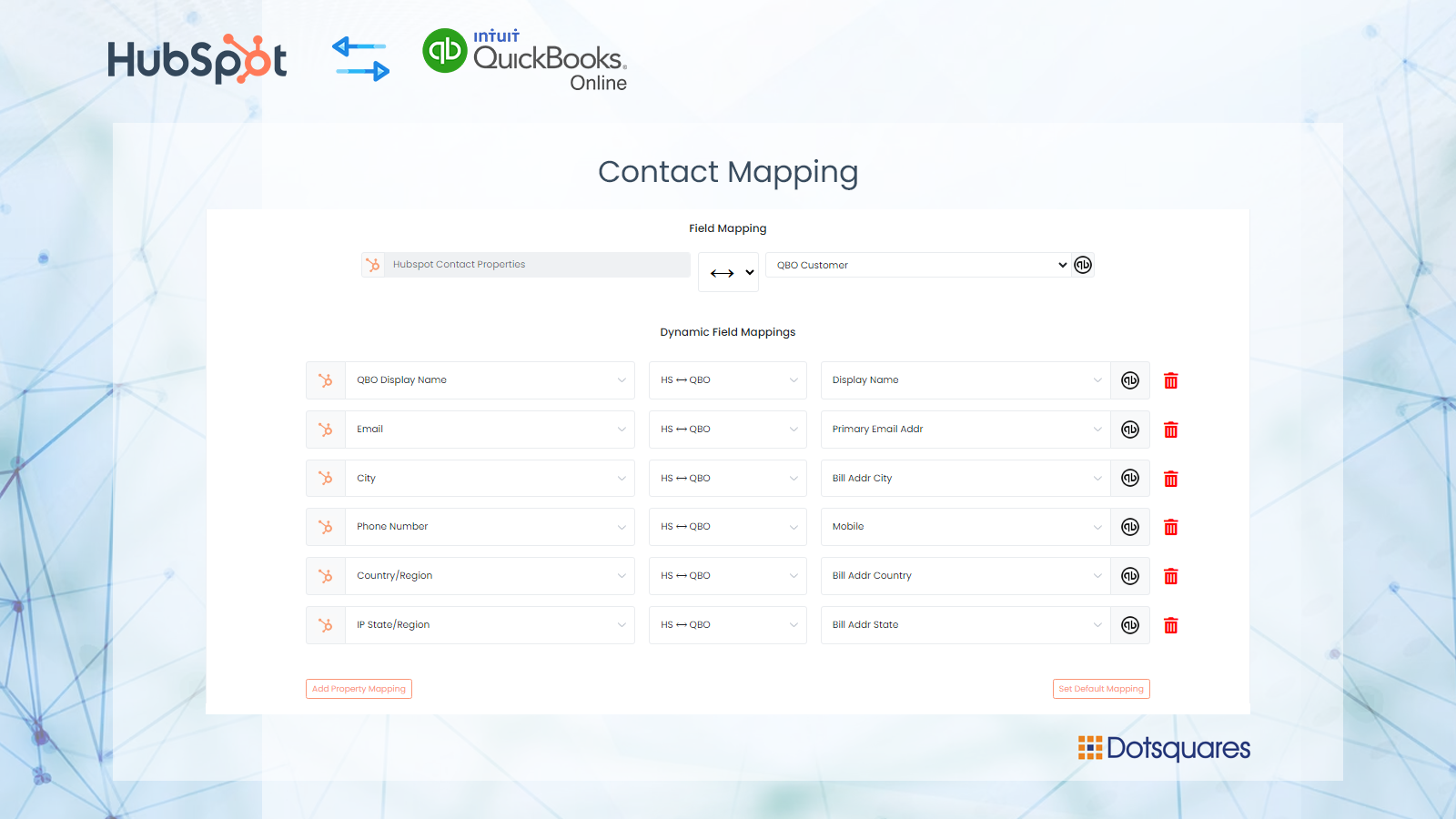
Create contact records for your customers from QuickBooks Online.
Sync contacts with HubSpot to QuickBooks online with custom fields mapping
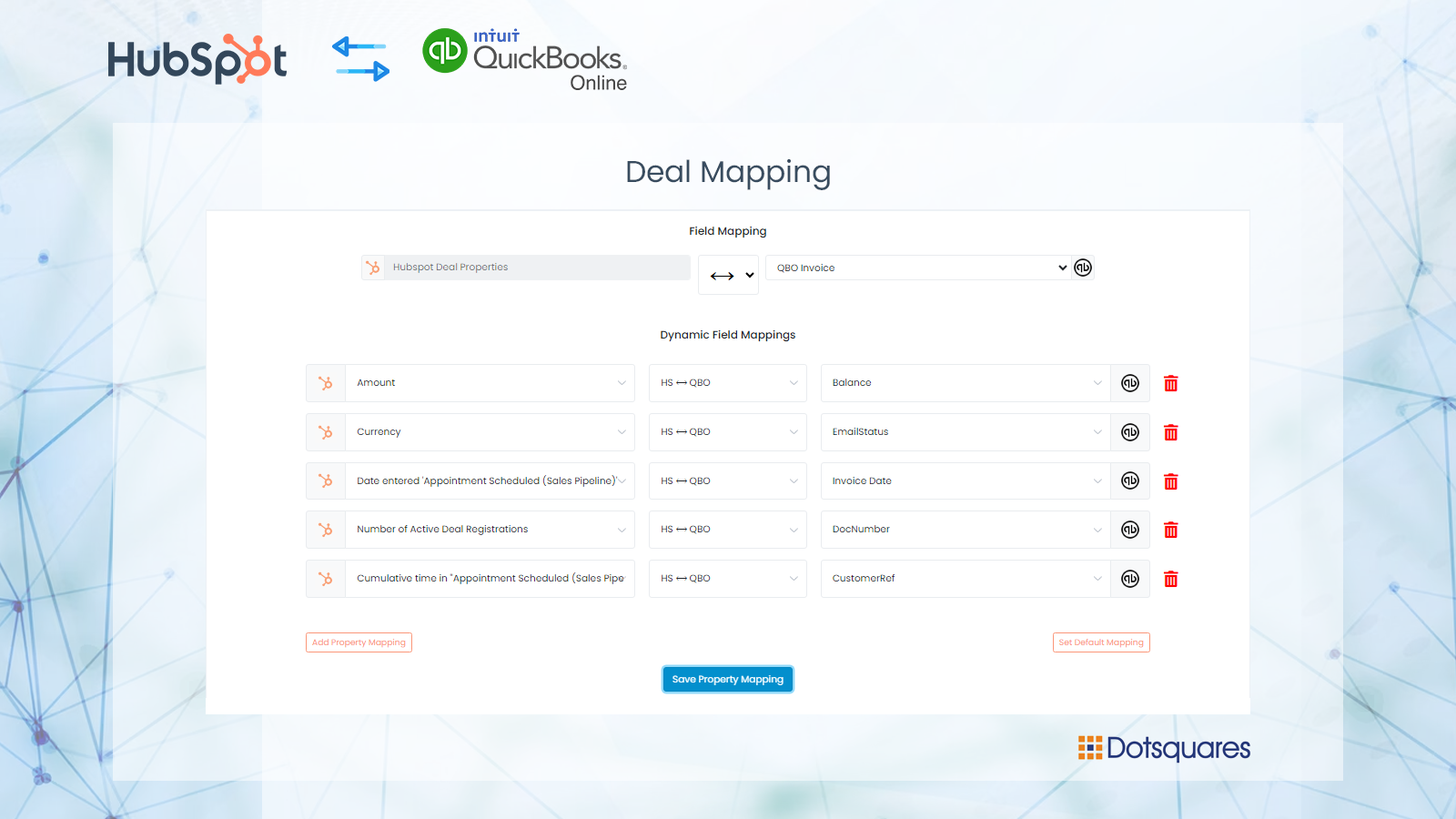
Create Invoices on QuickBooks
Once the deal is closed or won stage then an invoice will be created on QuickBooks. Users can setup custom field mapping between HubSpot to QuickBooks. User can manage the multiple connections of the flow.
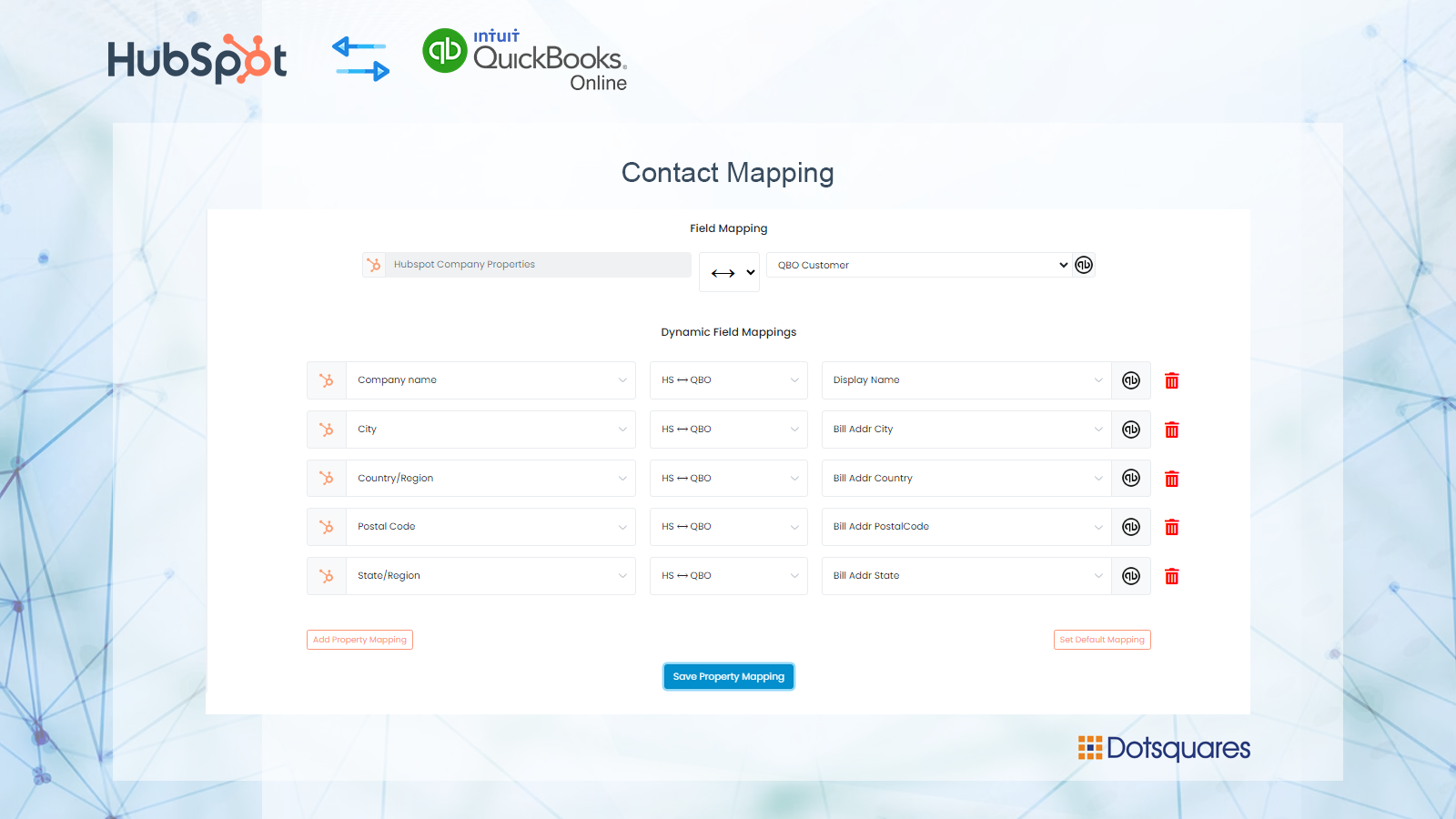
Custom Fields Mapping
Custom mappings add the flexibility to create your own mappings or make changes to your default ones. You can update contacts, company and deals fields on the creation of Invoices in QuickBooks.
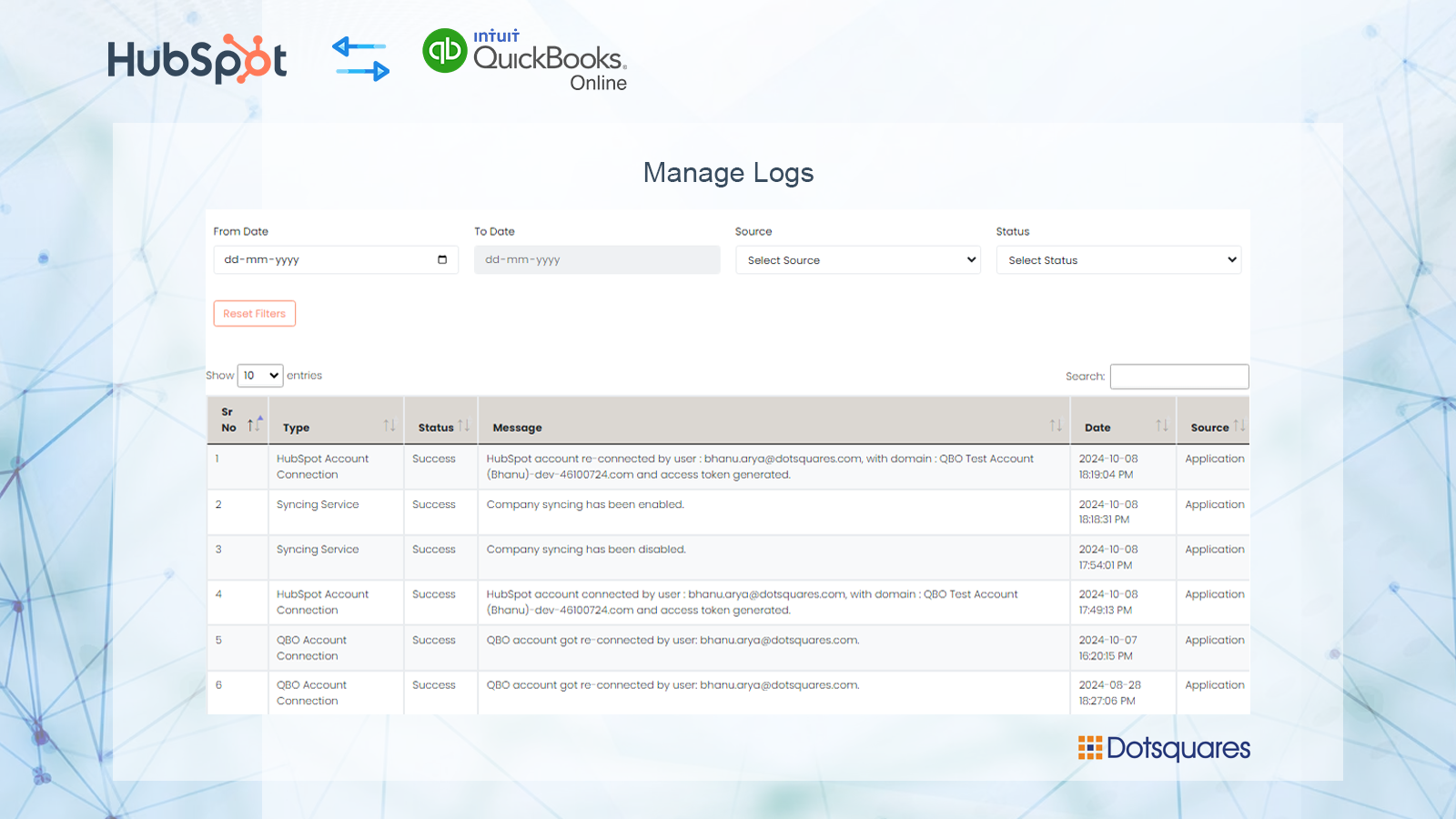
Track all of the operations in a Logs
Check manual or automated change is recorded in the operations logs so you always are aware of all ongoing changes.
Funkcjonalność aplikacji
Udostępnione dane
Customers | ||
Customers | ||
Invoices | ||
Products & Services | ||
Purchase Order | ||
Vendo | ||
Vendor |
Recenzje
Napisz pierwszą recenzję klienta
Ceny
Free with Basic
100 USD
/mies.Sync HubSpot Contacts, Deals and Invoice with QuickBooks
Sync HubSpot Contact, Company, Products, and Deals to QuickBooks.
Both Manual and Automated Sync.
Automatically import your QuickBooks Customer to HubSpot.
Create an invoice on QuickBooks when a deal is created on HubSpot
Sync HubSpot Products with QuickBooks
Sync 200 records.
Custom fields mapping
Switch HubSpot and QuickBooks accounts
Free with Basic
100 USD
/mies.Sync HubSpot Contacts, Deals and Invoice with QuickBooks
Sync HubSpot Contact, Company, Products, and Deals to QuickBooks.
Both Manual and Automated Sync.
Automatically import your QuickBooks Customer to HubSpot.
Create an invoice on QuickBooks when a deal is created on HubSpot
Sync HubSpot Products with QuickBooks
Sync 200 records.
Custom fields mapping
Switch HubSpot and QuickBooks accounts
* Powyższe ceny zostały podane wyłącznie w celach informacyjnych. Nie zawierają one podatków, premii, zniżek lub innych zmiennych cenowych. Skontaktuj się z partnerem w celu uzyskania najbardziej aktualnych i poprawnych informacji o cenach. HubSpot nie ponosi żadnej odpowiedzialności za informacje cenowe, które są dostarczane przez naszych partnerów. Ostatnia aktualizacja cen: 24.09.2025
Więcej informacji
Utworzone przez - Dotsquares Ltd.
Instaluje - Ponad 10 instalacji
Kategorie Języki, w których dostępna jest ta aplikacja Angielski
Przyciąganie uwagi już dziś