

Sync QuickBooks Online
Sync HubSpot Contacts, Deals and Invoice with QuickBooks
Creazione di - Dotsquares Ltd.
Installazioni - PIù di 10 installazioni
Requisiti
Piano HubSpot Autorizzazioni dell'account HubSpot - Visualizza le autorizzazioni dell'account richieste
Tipo di accesso Shared Abbonamento Sync QuickBooks Online - Piani Free with Basic o Standard
Panoramica
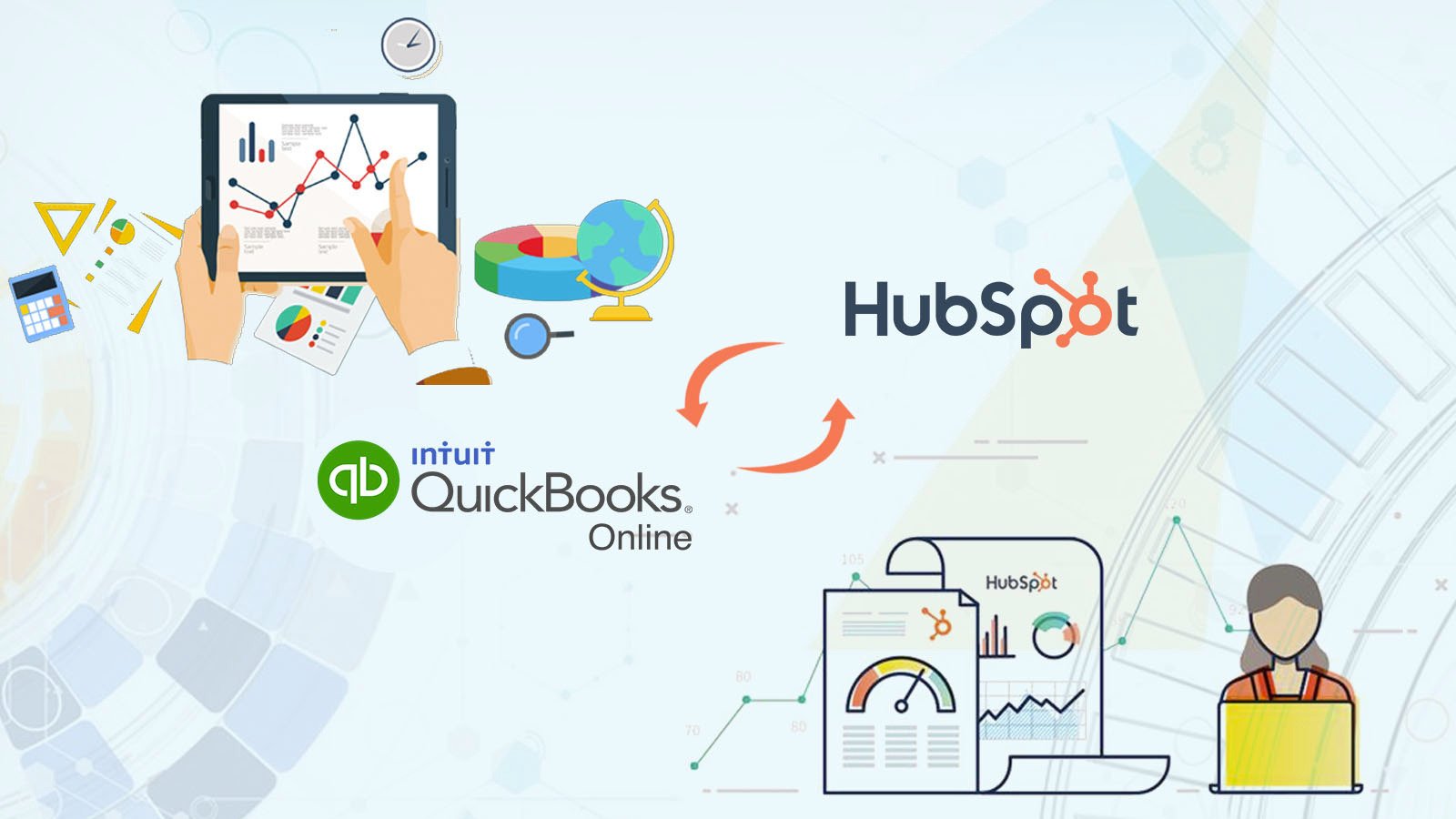
1/8 - Log in and register with Sync QuickBooks online.
Create QuickBooks Invoices from HubSpot Deals.
Create invoice line items when creating invoices for customers.
Sync HubSpot Contacts to QuickBooks Customers or Vendors.
Sync the HubSpot product with QuickBooks Products & Services.
Products are used to create the invoice in QuickBooks by the Deals in HubSpot.
For creating the invoice in QuickBooks
It is mandatory for the deal to have contact associated with it and line items added to it
* Must have a Sales Hub Professional or Enterprise HubSpot account.
Funzionalità
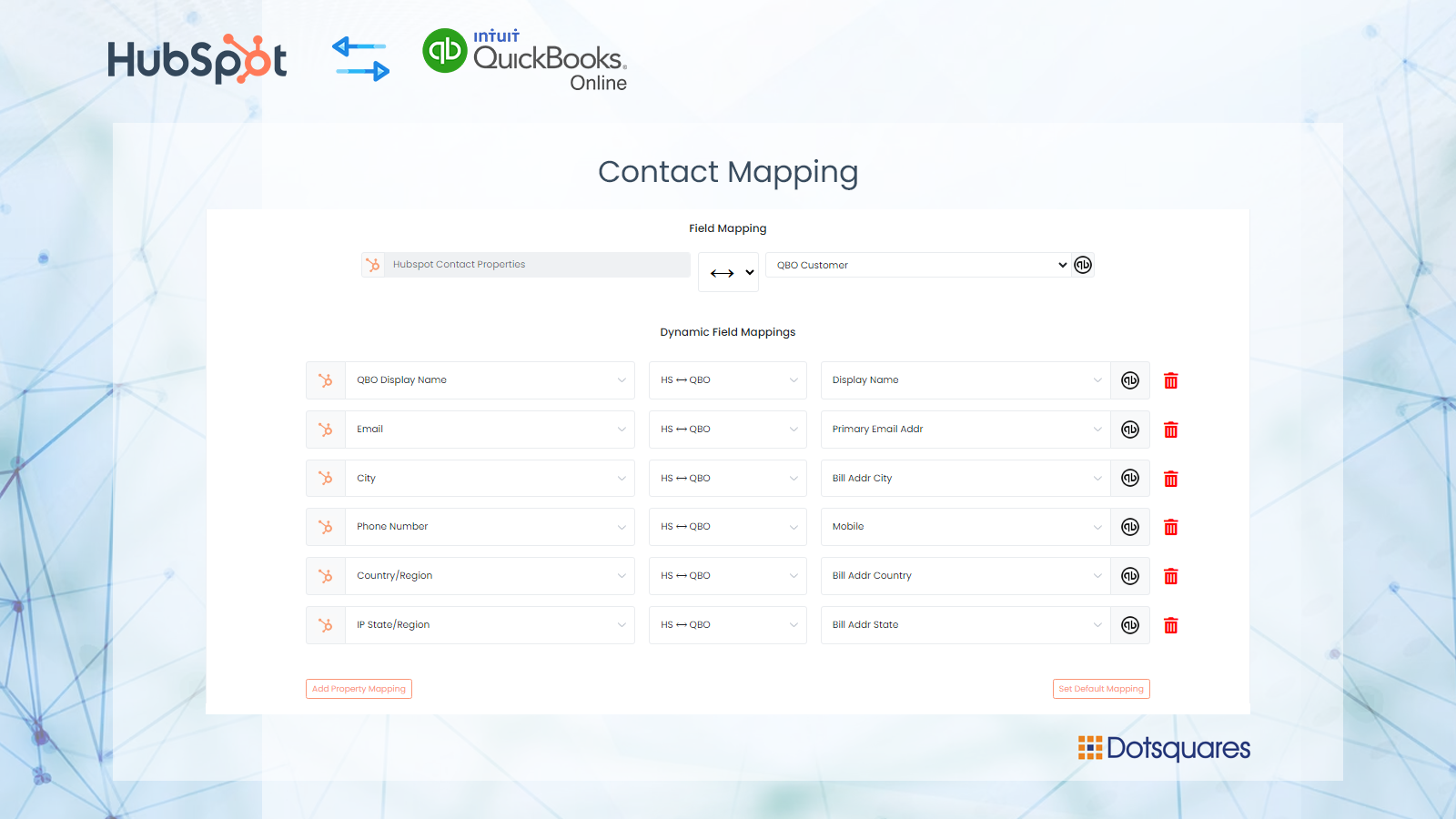
Create contact records for your customers from QuickBooks Online.
Sync contacts with HubSpot to QuickBooks online with custom fields mapping
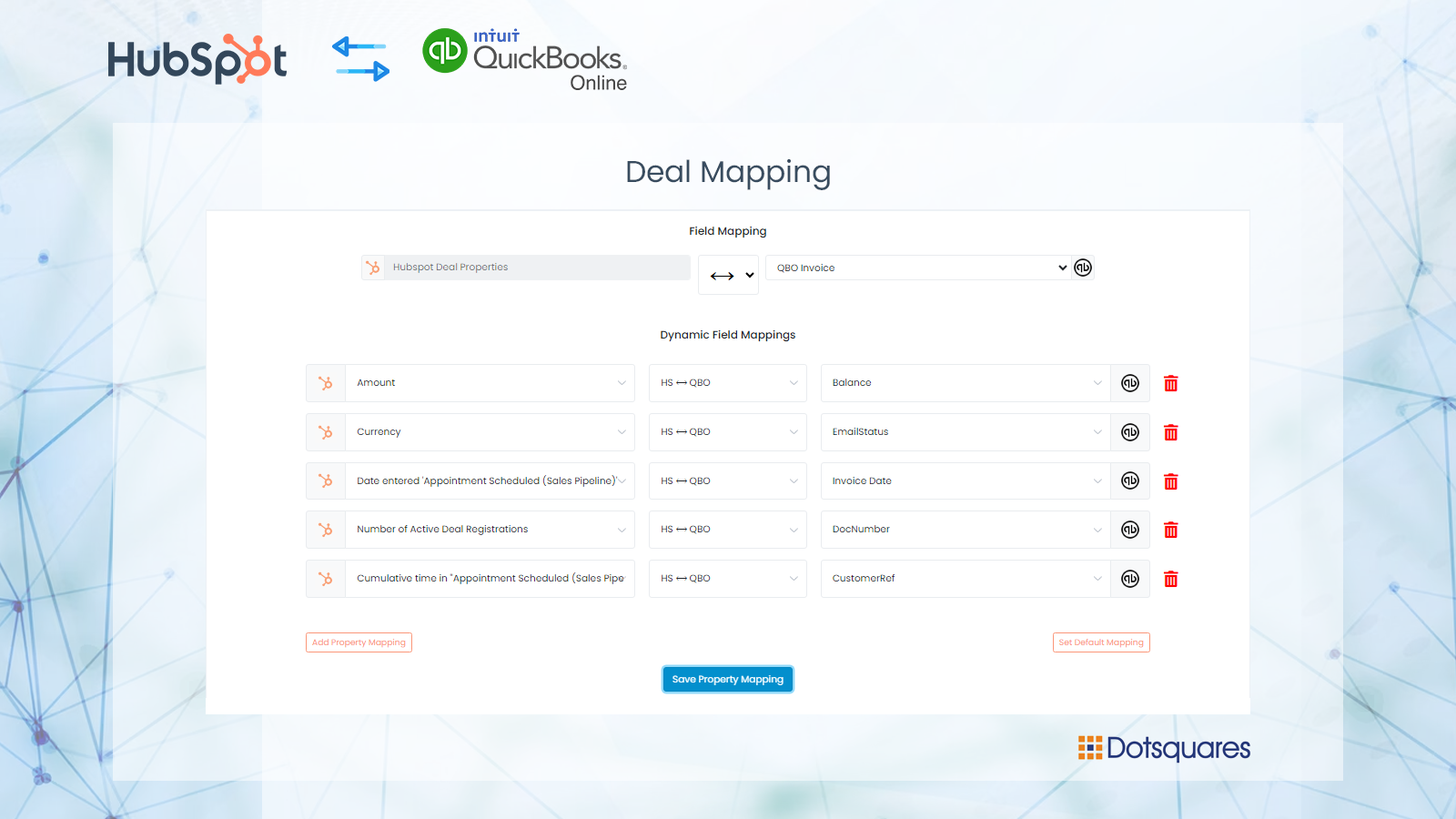
Create Invoices on QuickBooks
Once the deal is closed or won stage then an invoice will be created on QuickBooks. Users can setup custom field mapping between HubSpot to QuickBooks. User can manage the multiple connections of the flow.
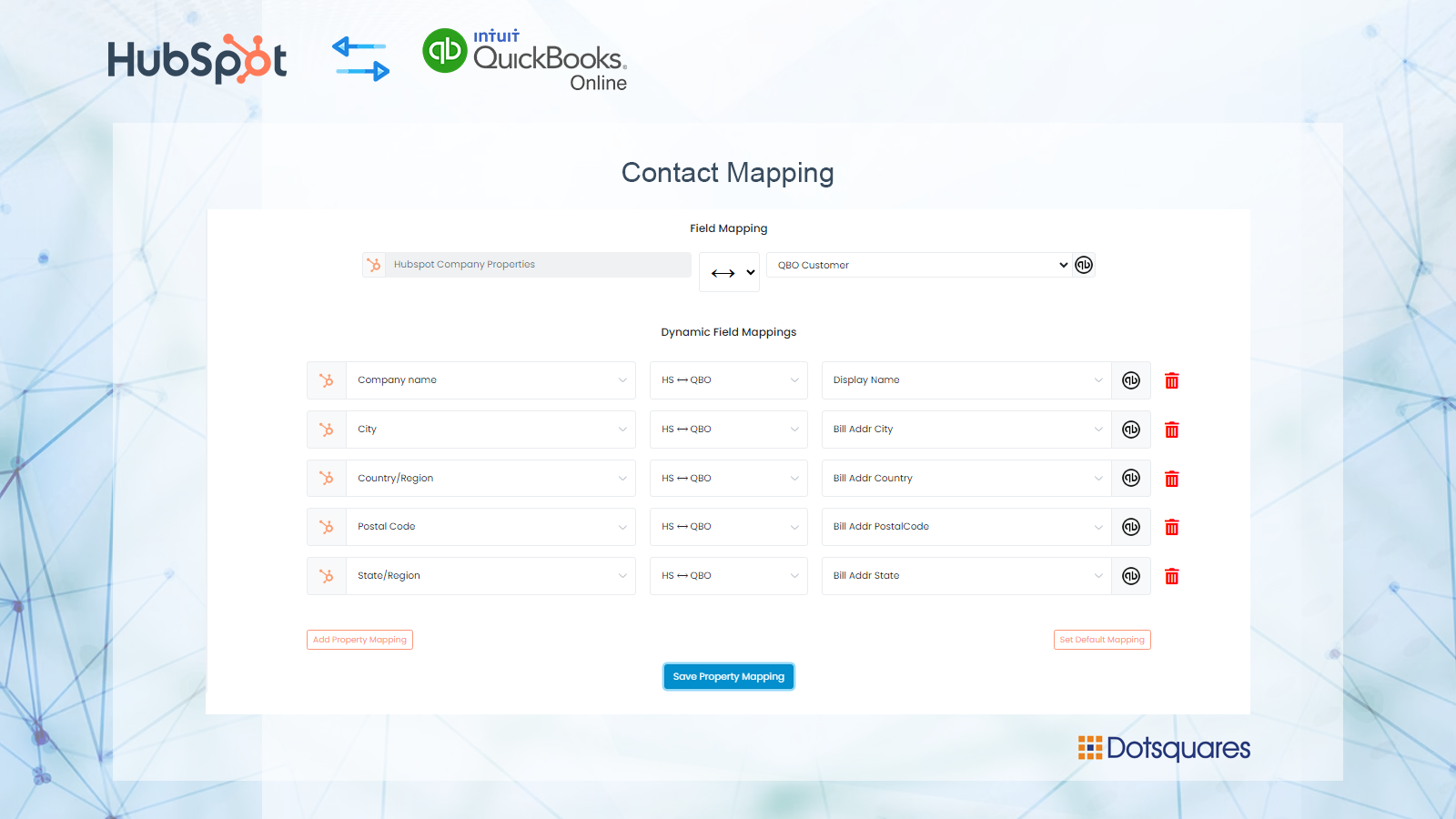
Custom Fields Mapping
Custom mappings add the flexibility to create your own mappings or make changes to your default ones. You can update contacts, company and deals fields on the creation of Invoices in QuickBooks.
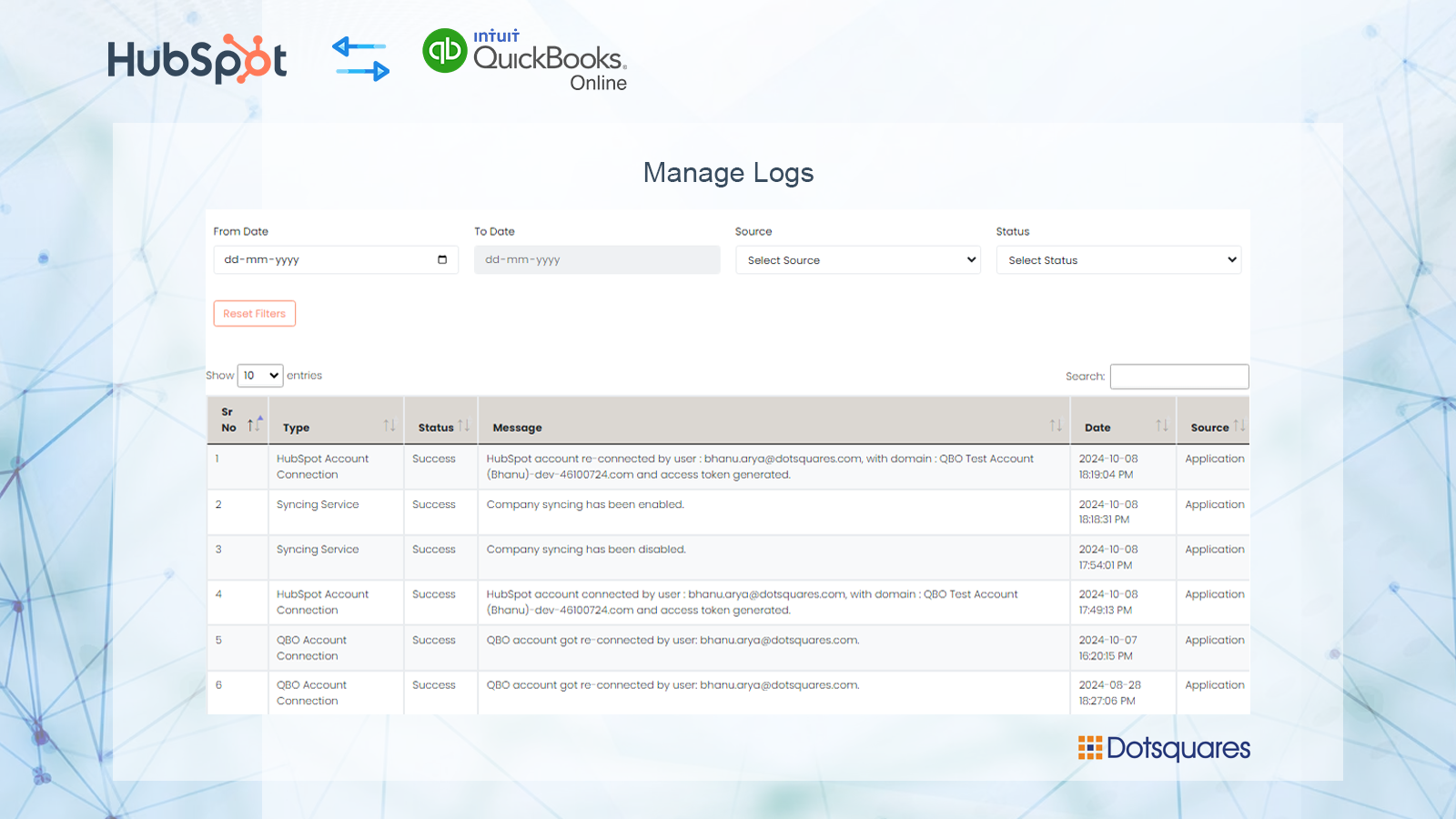
Track all of the operations in a Logs
Check manual or automated change is recorded in the operations logs so you always are aware of all ongoing changes.
Funzionalità dell'app
Dati condivisi
Customers | ||
Customers | ||
Invoices | ||
Products & Services | ||
Purchase Order | ||
Vendo | ||
Vendor |
Recensioni
Scrivi prima di tutti una recensione sul cliente
Prezzi
Free with Basic
100 USD
/meseSync HubSpot Contacts, Deals and Invoice with QuickBooks
Sync HubSpot Contact, Company, Products, and Deals to QuickBooks.
Both Manual and Automated Sync.
Automatically import your QuickBooks Customer to HubSpot.
Create an invoice on QuickBooks when a deal is created on HubSpot
Sync HubSpot Products with QuickBooks
Sync 200 records.
Custom fields mapping
Switch HubSpot and QuickBooks accounts
Free with Basic
100 USD
/meseSync HubSpot Contacts, Deals and Invoice with QuickBooks
Sync HubSpot Contact, Company, Products, and Deals to QuickBooks.
Both Manual and Automated Sync.
Automatically import your QuickBooks Customer to HubSpot.
Create an invoice on QuickBooks when a deal is created on HubSpot
Sync HubSpot Products with QuickBooks
Sync 200 records.
Custom fields mapping
Switch HubSpot and QuickBooks accounts
* I prezzi riportati sono a scopo informativo. I prezzi non includono tasse, incentivi, sconti o altre variabili. Contatta il partner per ricevere il tariffario aggiornato. HubSpot declina qualsiasi responsabilità circa le informazioni di prezzo fornite dai propri partner. Ultimo aggiornamento tariffario: 24/09/2025
Maggiori informazioni
Creazione di - Dotsquares Ltd.
Installazioni - PIù di 10 installazioni
Categorie Lingue in cui è disponibile questa app Inglese
Più popolari


