

Requirements
HubSpot Plan HubSpot Account permissions - View the required account permissions
Access Type Shared Custify Subscription - Standard Pricing plan
Overview
1/6
Custify is a customer success platform designed for your B2B SaaS business. It helps you better meet customers' needs, reducing churn and increasing lifetime value.
The Custify platform will help you with:
a Customer 360 view: No more spreadsheets! Get all the customer data from your CRM, support, billing, and other systems in one place.
Growth: Automatically identify growth, renewal, and upsell opportunities.
Tasks and Alerts: Get notified when a customer is stuck in onboarding, at risk of churning, or upcoming renewal.
Customer Health: Identify at-risk customers and reduce unwanted churn. Track your KPIs and define health scores.
Automation: Create playbooks and automate workflows to focus on white-glove tasks.
Customer Lifecycle: Understand product adoption and increase customer satisfaction during onboarding. Then encourage customers to renew their contracts and become advocates.
What can you do with HubSpot in Custify:
Keep your contacts and companies in sync using the 360 view.
Synchronize tickets from HubSpot to Custify.
Push attributes, customer health data and calculated metrics to HubSpot.
Keep notes from your CSMs and sales team in sync.
Segment your customers based on data from your HubSpot account.
Define lifecycle stages and make sure customers stay on track with alerts.
Enhance customer success playbooks, health scores with imported data.
Activation
HubSpot can be integrated in either full or enhanced mode:
Full mode: turning on the integration in Full mode will create new companies and people in Custify when new entities (that are not existing yet in Custify) are added in the system and will also update the existing entities with new attributes
Enhance mode: turning on the integration in Enhance mode will only update the existing Custify accounts. The primary source of truth will be your backend, you will continue updating the companies and people through API, but the data will be enhanced with new attributes from the system.
In order to successfully integrate with HubSpot in enhanced mode, the first step is to make sure that you have a unique matching attribute in both Custify and Hubspot.
Depending on how you store data in HubSpot (user level, company level or both), the unique matching attribute that must be present in both systems should be:
Company (HubSpot Company ID*);
Users (User ID or Email address).
We strongly recommend using an ID (e.g. Company ID) instead of a name (e.g. Company Name). In most cases, there are mismatched names (duplicates or typos) that prevent the integration from syncing for these accounts.
Here’s how you can bring the HubSpot ID in Custify:
Automatically imported via API (recommended)
Manually added or using the CSV importer (not recommended)
Here’s how you can bring the Customer ID in Hubspot:
Automatically imported via API (recommended)
Manually added (this can be done during the sales process)
You’ll also see that there are some advanced settings as well:
filtering – allows you to decide exactly what entities you want to import from HubSpot, by giving you the possibility to whitelist or blacklist entities based on defined conditions
custom mapping – allows you to decide if you want some mapping to be done between the attributes that are currently existing in HubSpot and the default attributes existing in Custify.
Features
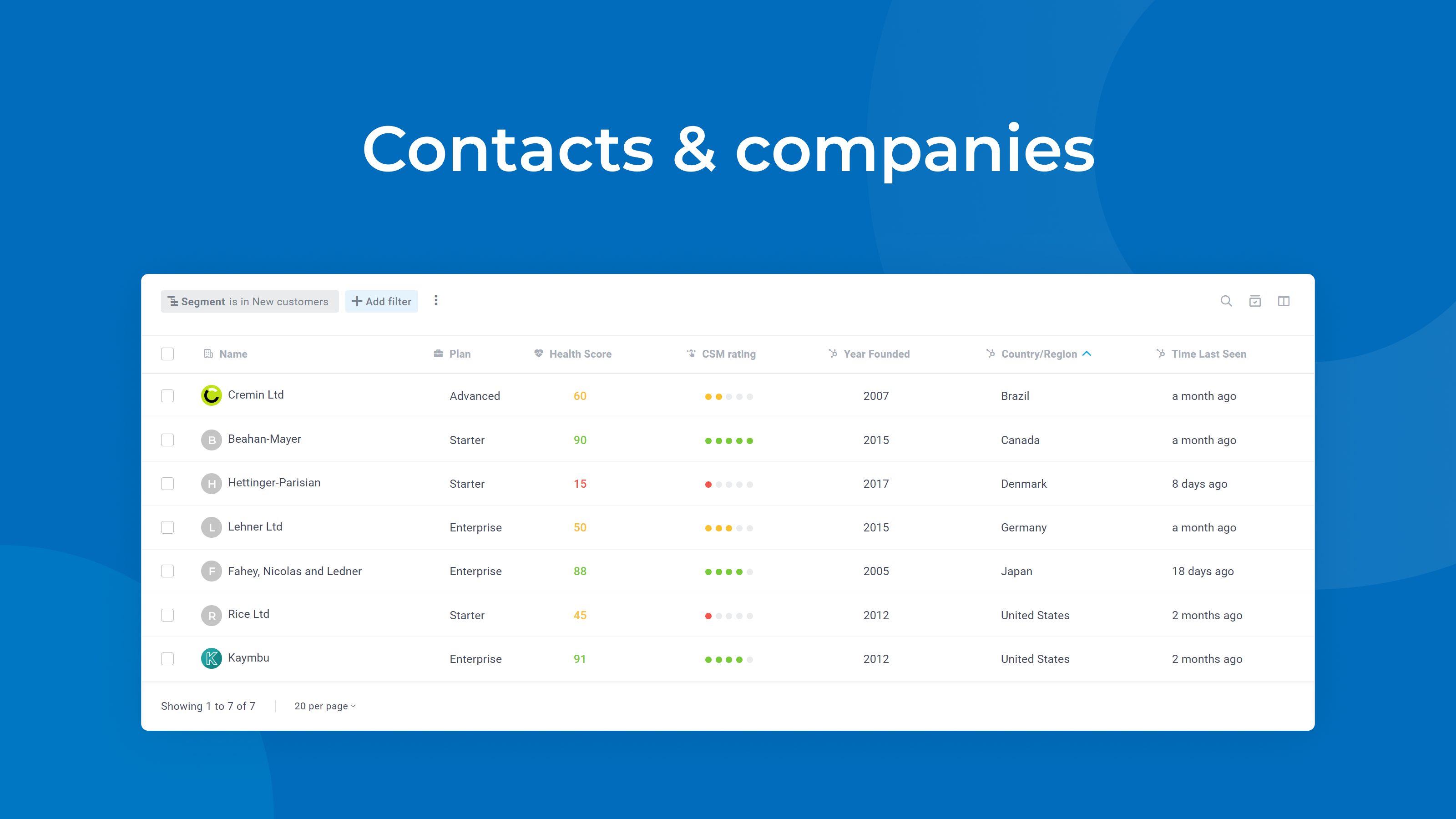
Keep your contacts and companies in sync
Whenever you close a new deal or add a company and/or a contact, these will automatically flow into Custify - no developer efforts needed.
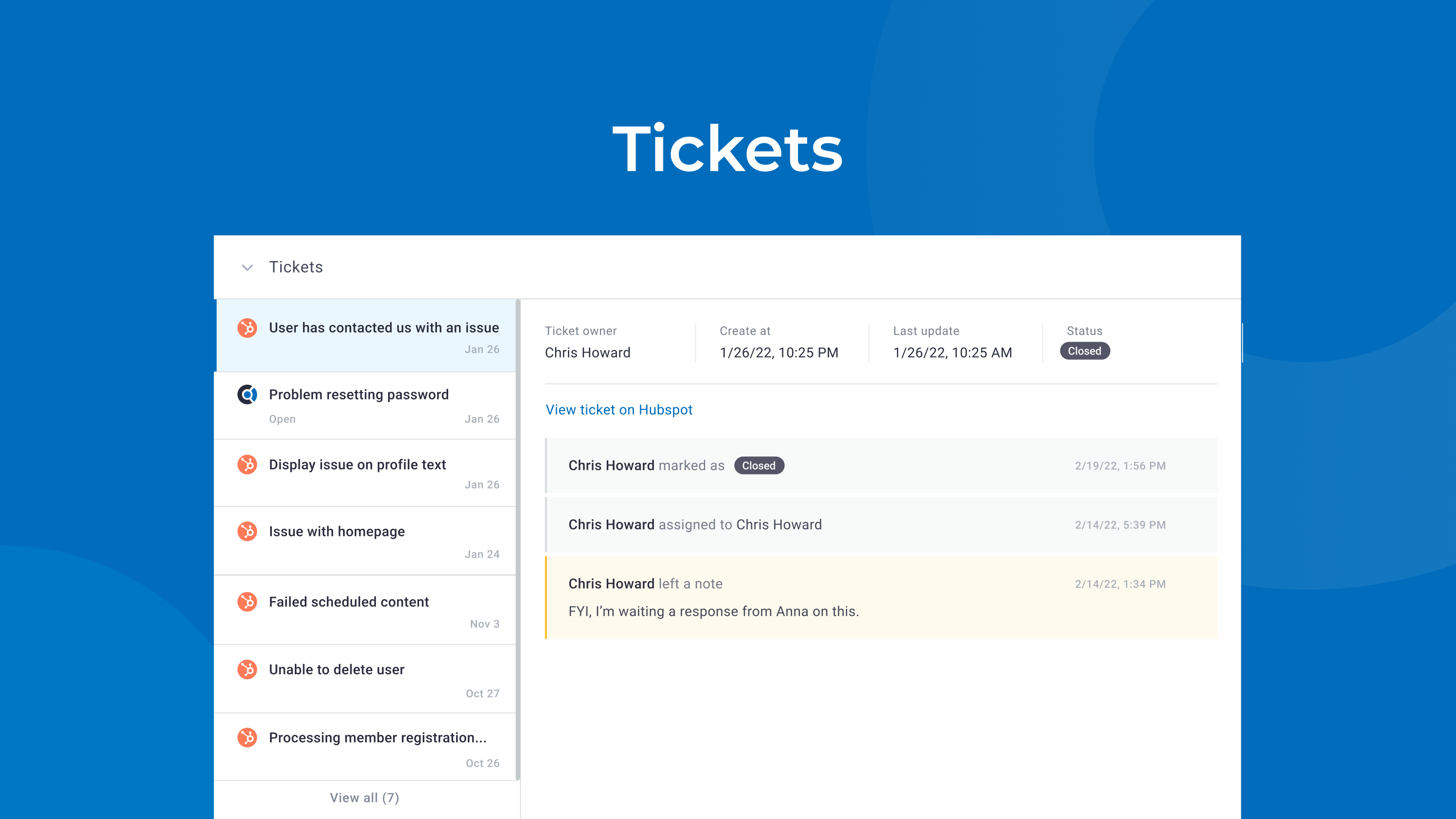
Synchronize tickets from HubSpot to Custify
Your CSMs will always know the status of tickets and therefore be able to judge accounts much more efficient
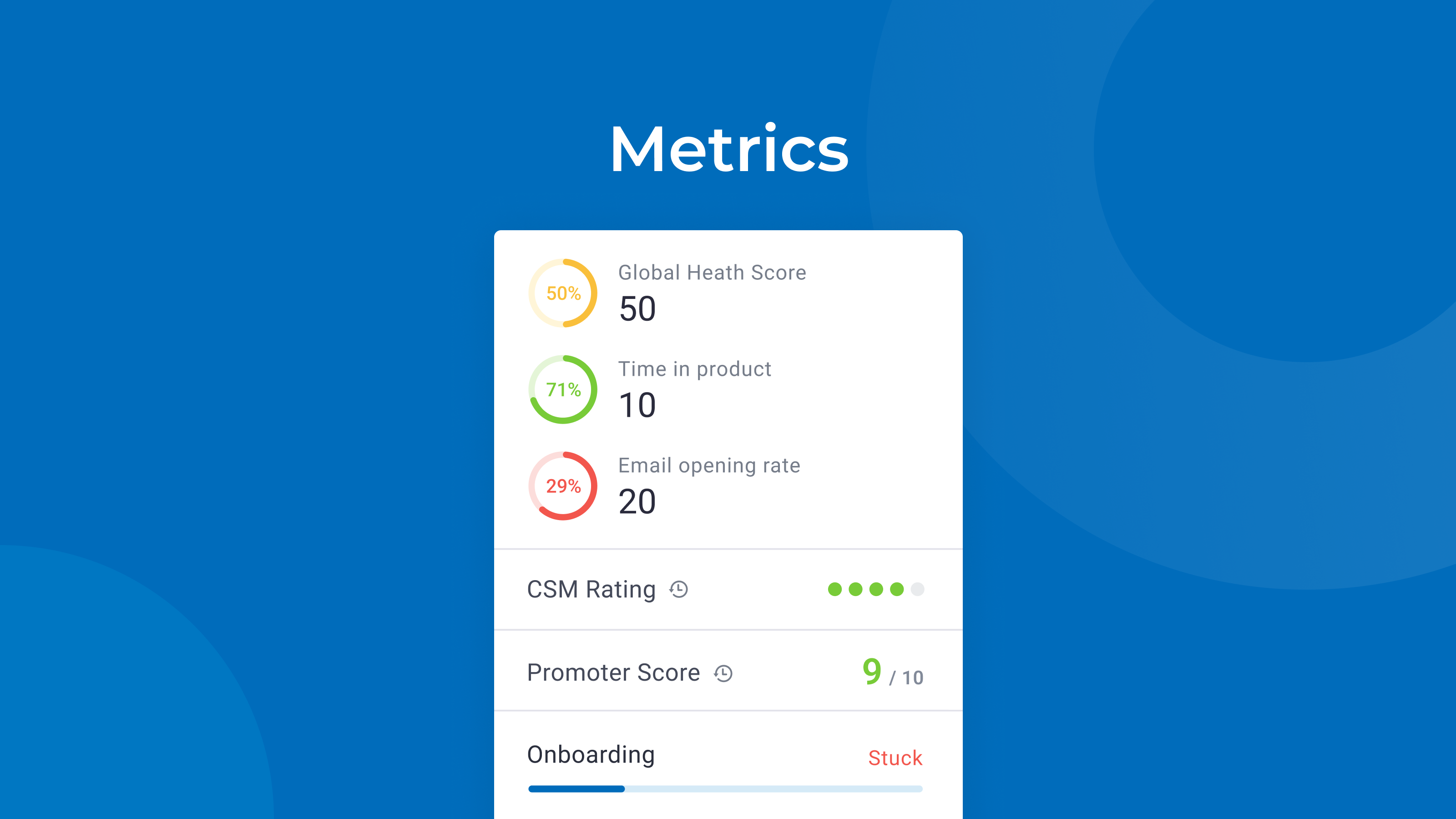
Push customer health data and calculated metrics to HubSpot
Make customer health data available for all your team and export health scores and metrics from Custify automatically into HubSpot
-1.png)
Keep notes from CSM team and sales team in sync
Keep meeting minutes, notes, call transcripts and other interactions in sync between sales and customer success teams
App Functionality
Shared Data
Companies | ||
Deals | ||
People | ||
Notes | ||
Health Scores | ||
Calculated Metrics |
Reviews
- Apr 23, 2025
Wilson, S.
- Aug 7, 2023
Full Customer Experience
Custify works well. The integration takes time to figure out what and how to actually sync. Once it is syncing, it stays, but it definitely isn't a turn-key system.
360 customer view.
Fields are wonky and it takes a bit to figure out what is going to sync.
Sumner, B.
Technology - Software - 11 to 25 employees
Pricing
Standard Pricing
For growing businesses with increasing customer success demands
Up to 3 seats / users
Tracking of health scores / KPIs
Customer 360° profiles
Customer outreach directly from Custify
Customer segmentation
Tracking of customer lifecycles
Automation / Playbooks
Actionable task management
Custom integrations
Concierge onboarding
Standard Pricing
For growing businesses with increasing customer success demands
Up to 3 seats / users
Tracking of health scores / KPIs
Customer 360° profiles
Customer outreach directly from Custify
Customer segmentation
Tracking of customer lifecycles
Automation / Playbooks
Actionable task management
Custom integrations
Concierge onboarding
* The pricing here is for display purposes only. All prices do not include taxes, incentives, discounts, or other pricing variables. You should contact the partner for the most up to date and correct pricing information. HubSpot does not take any responsibility for this pricing information, which is provided by our partners. Pricing last updated: 08/11/2025