

Microsoft Teams
Requirements
HubSpot Plan HubSpot Account permissions No permissions required Access Type Shared Microsoft Teams Subscription - Free (no commitment), Microsoft 365 Business Basic, Microsoft 365 Business Standard, or Office 365 E3 plans
Overview
1/8
Sales, marketing, and services are all about building relationships -- but it can be difficult to form those relationships when a rep spends precious time completing menial tasks. In fact, a report from HubSpot Research found that sales reps spend up to a quarter of their day on tasks like writing emails and data entry.
Software should exist to help minimize that time spent, not create extra steps. HubSpot's integration for Microsoft Teams aims to do just that.
Integrate with HubSpot Meeting Scheduler
Automatically send dial-in and conference call details to your HubSpot prospects. Turn every meeting booked in your HubSpot CRM into a Microsoft Teams meeting.
Sync Microsoft Teams Meeting Recordings and Transcripts to HubSpot
Unify your meeting data in HubSpot through Microsoft Teams meeting recording and transcript sync to HubSpot for coaching and analysis.
Share Notifications
Stay connected to activities in your HubSpot CRM by receiving notifications for chats, reminders, mentions, form submissions, and more within Microsoft Teams. You can even create specialized workflows within HubSpot to customize your notifications.
Manage Conversations
Recieve and reply to your conversation inbox messages from HubSpot directly in your Microsoft Teams channels
Automate with Workflows
Use HubSpot workflows to customize notifications and create new channels in Microsoft Teams.
Create Tasks and Tickets
Stay on top of your work by quickly creating a HubSpot task or ticket right from a Microsoft Teams message.
Associate HubSpot Deals and Companies with Microsoft Teams Channels
Connect Microsoft Teams channels to HubSpot company and deal records to sync activity updates and keep your team in the loop
Have feedback about this integration? Please use this form to submit any suggestions, requests or ideas.
Features
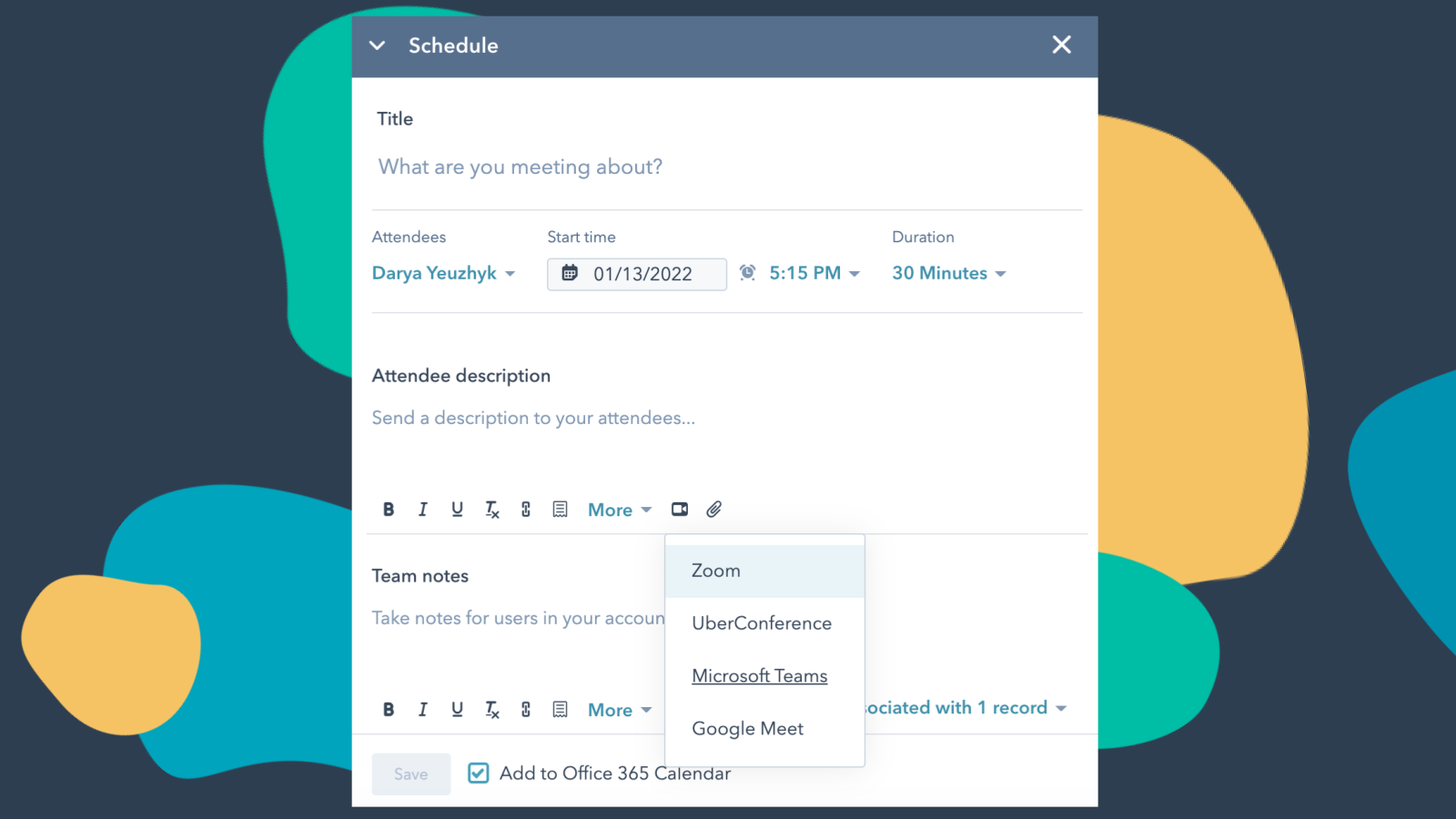
Integrate Microsoft Teams with HubSpot Meetings
Want to check in on a lead or a customer? As a sales or service rep -- there's nothing better than a quick chat over video to get a pulse on what your lead or customer needs from you to succeed. Easily schedule a Microsoft Teams meeting from any contact record to get your video chat on the books.
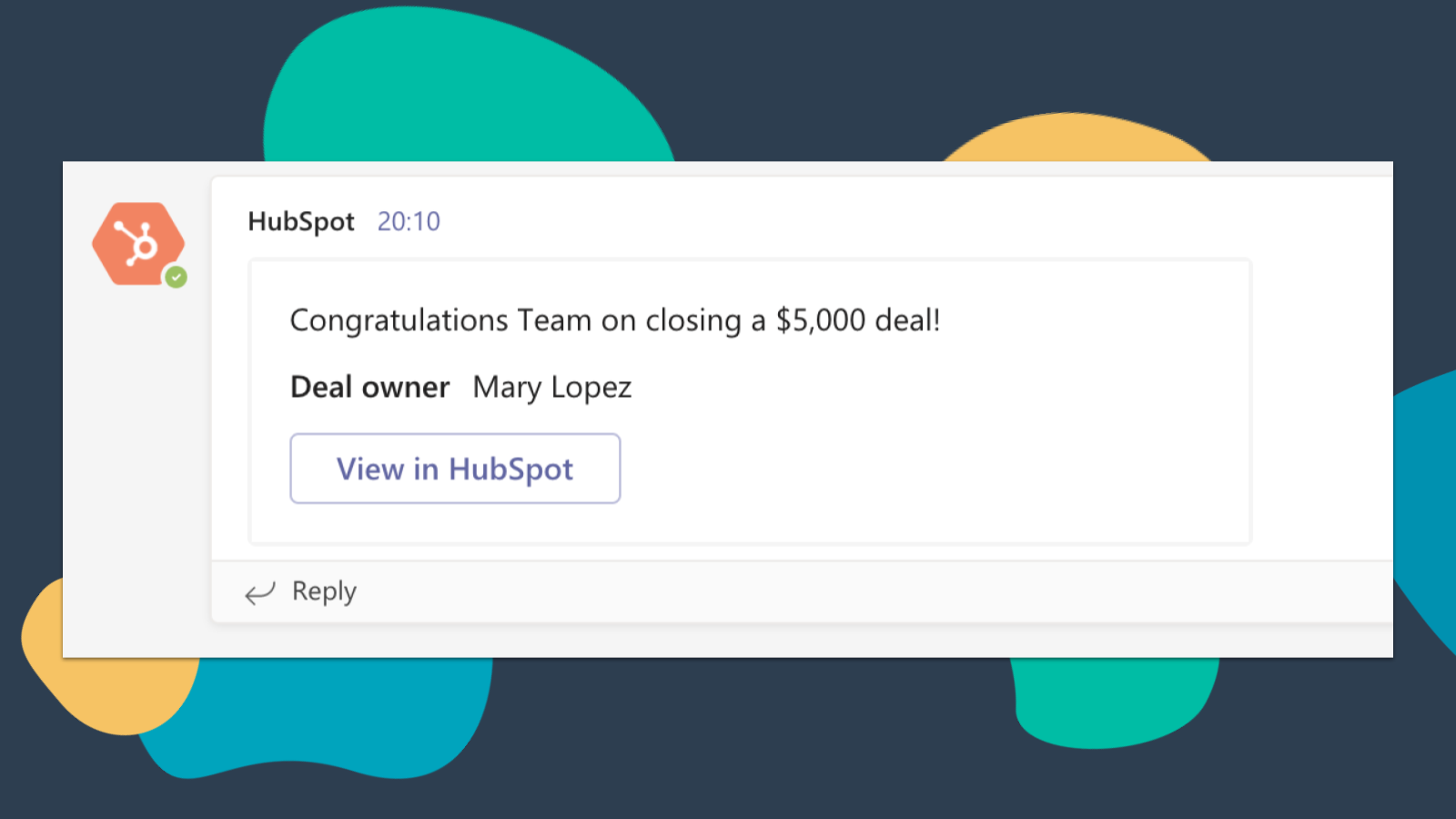
Get HubSpot Notifications in Microsoft Teams
Get notified in Microsoft Teams when you get assigned a new ticket or when a deal you own closes! By default, you will receive notifications for these types of activities: Assignments, Comments, Follows, Mentions, Overdue Items, Reminders, Replies, Submissions, Views
-4-1.png)
Sync Microsoft Teams Meeting Recordings and Transcripts to HubSpot
Preview meetings on associated records and automatically record and transcribe meetings for playback. In the HubSpot index page, you can access a full list of team's meetings, filter meetings by object properties, and search across meetings for key terms.
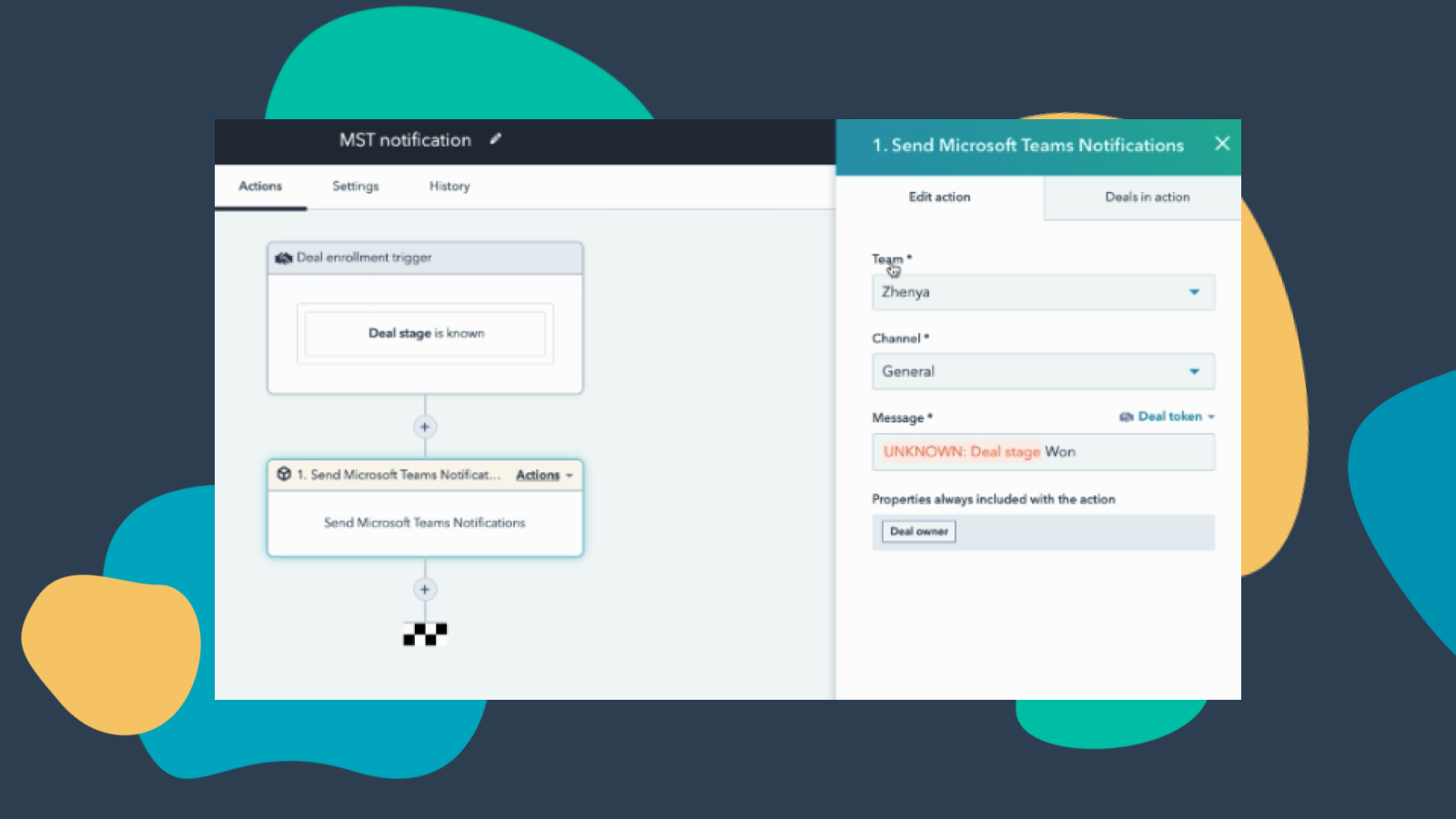
Customize Teams Notifications through Workflows
Create notification workflows for Microsoft Team to allow you to get notified when your deals change status or when new companies that fit within your territory are added to HubSpot and much more! Note: this feature requires a paid subscription.
-Apr-13-2023-06-54-18-0205-PM.jpeg)
Manage your Conversations in Microsoft Teams
Receive and reply to HubSpot Conversations Inbox Messages directly in Microsoft Teams channels. Note: this feature requires a paid subscription.
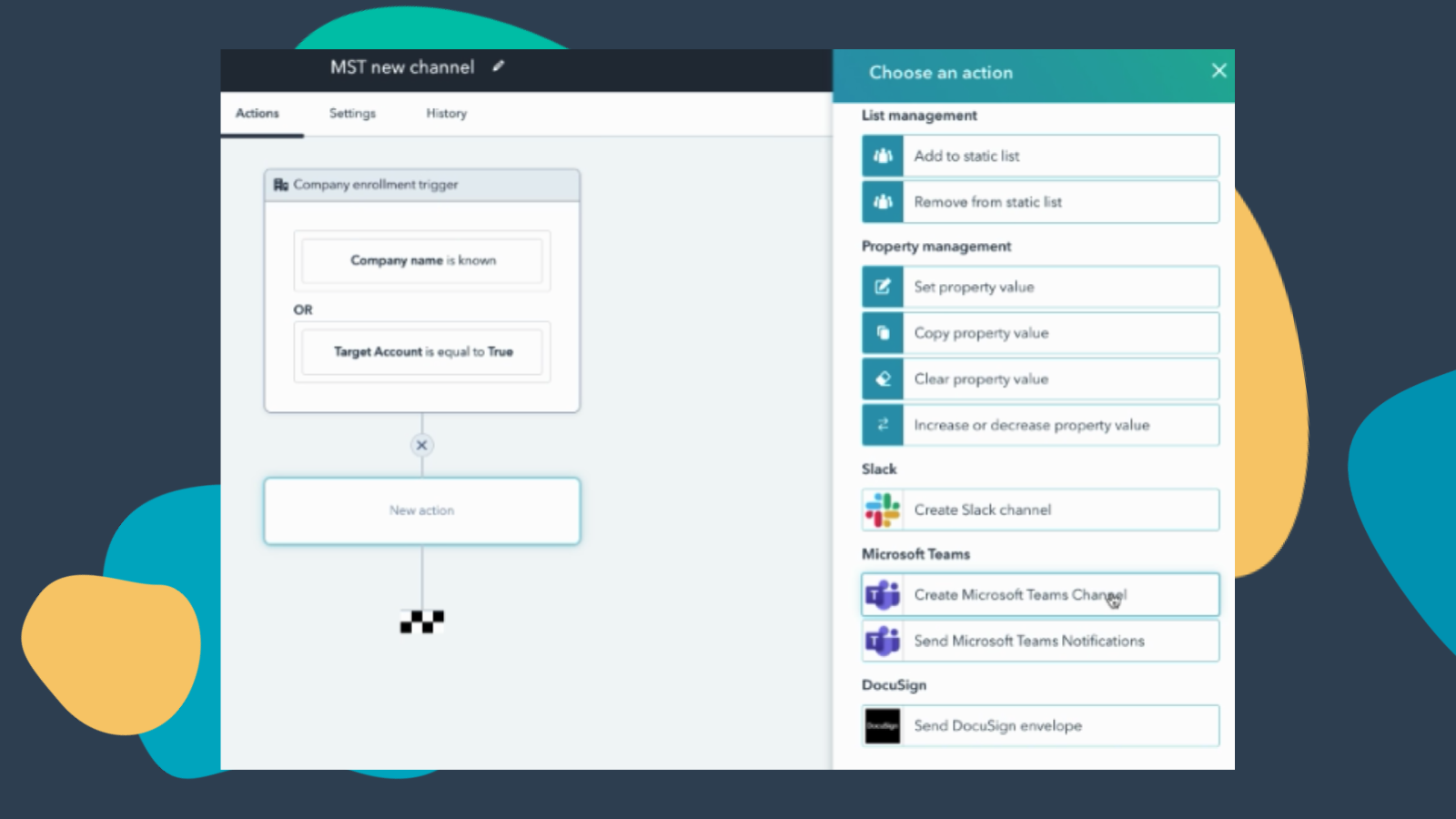
Create Workflows to Add Channels to Microsoft Teams
Create a new Microsoft Teams channel when new companies or deals are created that meet a certain set of criteria. Note: this feature requires a paid subscription.
App Functionality
Direct Message | ||
Messages |
Reviews
3.2
251
3.2
251
Users find the integration streamlines scheduling by automatically generating Teams links for calendar invites and centralizing HubSpot notifications. However, some report a cumbersome setup process and synchronization issues where meeting links do not attach to calendar events. While some note missing features for webinar syncing and automatic call logging, the app effectively automates routine bookings and helps teams consolidate their communication tools.
- Sep 8, 2026
impossible to connect
tried many was for hours. it was unsuccesful.
Martinez, L.
- Sep 1, 2026
Limited
Took a while to install, but rich in features and great for meeting analysis
Bring notifications straight to users and channels, analyze Teams meetings with HubSpot's CI and AI options.
No dynamic notifications to 'record owner', you always have to select a static user. This is hell for any organisation with more than like, 10 potential record owners.
Balm, B.
Pricing
Free (no commitment)
$0
Meetings and calling
Chat and collaboration
Productivity apps and services
Security and compliance
Free (no commitment)
$0
Meetings and calling
Chat and collaboration
Productivity apps and services
Security and compliance
* The pricing here is for display purposes only. All prices do not include taxes, incentives, discounts, or other pricing variables. You should contact the partner for the most up to date and correct pricing information. HubSpot does not take any responsibility for this pricing information, which is provided by our partners. Pricing last updated: 06/16/2026
New arrivals

MYOB Acumatica - Sales
Unlock your ERP transactional data directly inside HubSpot with zero upfront costs.

Usertour
Sync HubSpot contacts and companies with Usertour and see onboarding milestones on the CRM timeline.
