

FreshBooks
Data Sync - Sync customer data between FreshBooks and HubSpot
Requirements
HubSpot Plan HubSpot Account permissions No permissions required FreshBooks Subscription - Review FreshBooks's Pricing Page plan
Overview
1/2
Sync data between FreshBooks and HubSpot without manual data entry or messy, time-consuming imports.
Here’s what you get with Data Sync by HubSpot:
- Two-way sync: Data is shared between FreshBooks and HubSpot in real time
- Default field mappings: Set-up is quick with out-of-the-box field mappings already created for you
- Historical syncing: Your existing data will sync right away, and updates will sync as they happen
Note: Consider installing this other app, made by FreshBooks to sync additional fields. Please see the "Shared Data" section below to view which objects sync with this integration.
Features
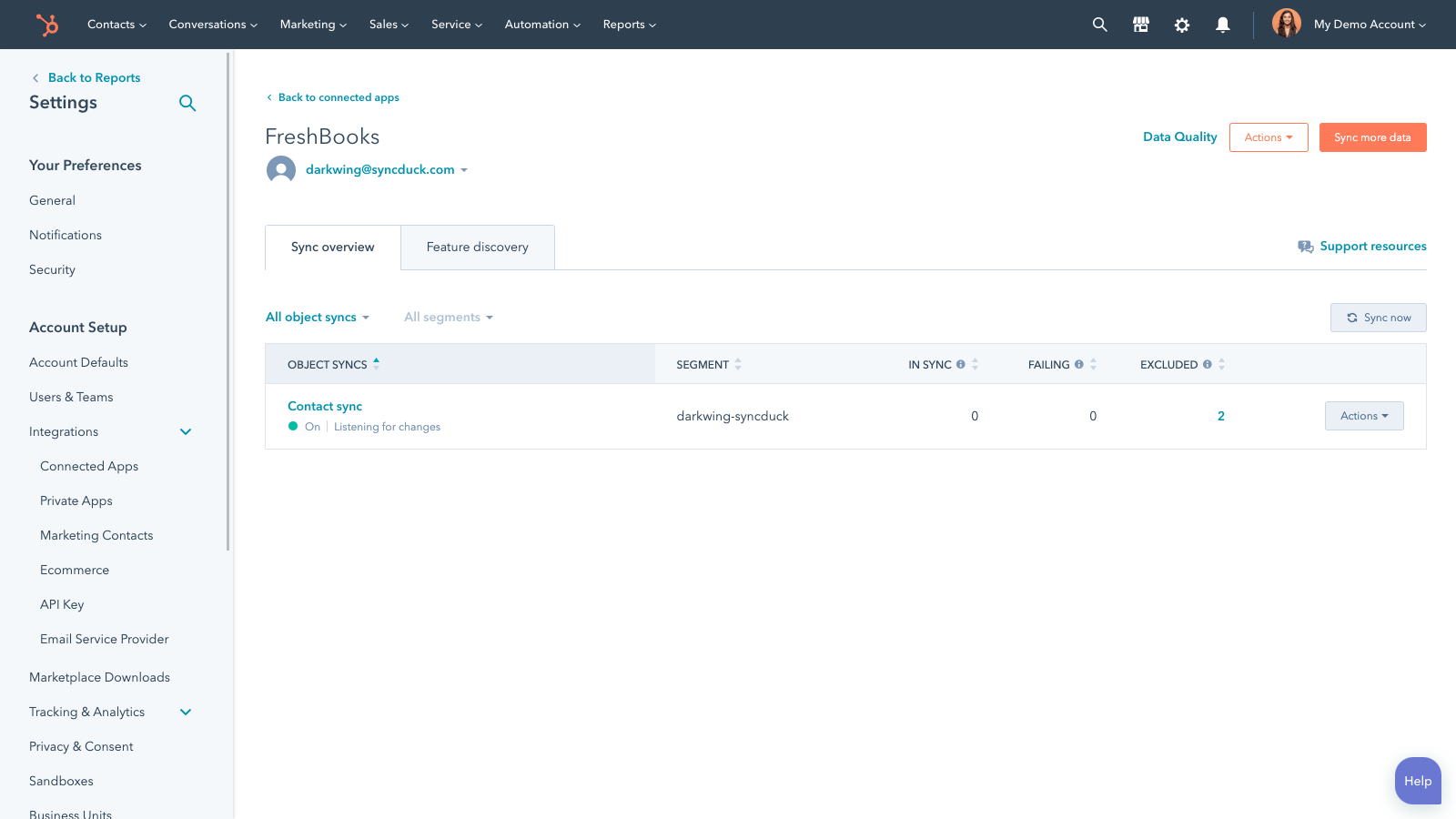
Sync FreshBooks and HubSpot data
Make manual data entry a thing of the past by syncing contacts between HubSpot and FreshBooks. When records are created or updated in either app, that information will be automatically shared with the other one. FreshBooks Classic is not supported.
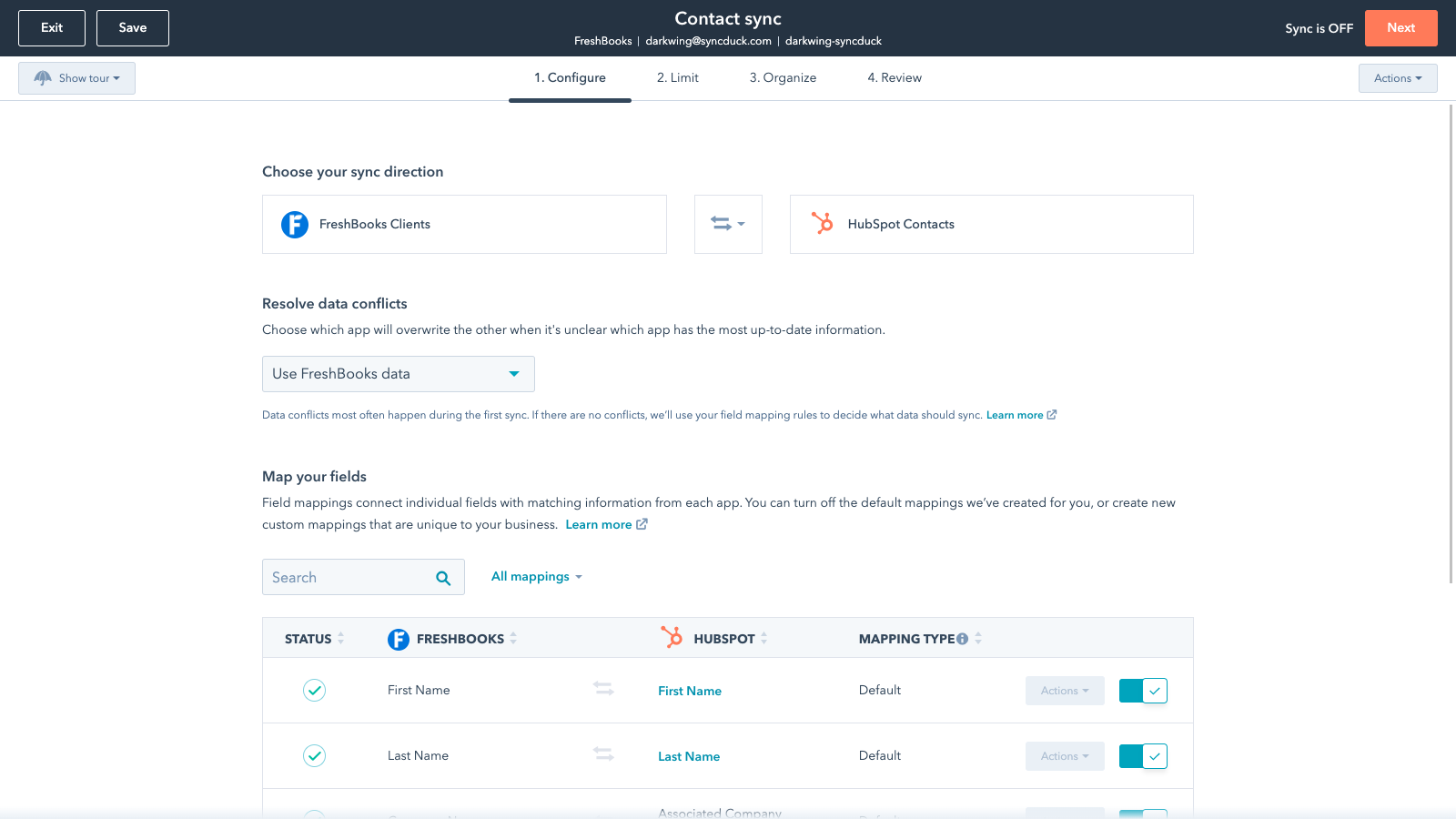
Custom field mappings
Custom field mappings are available with Data Hub Starter or Professional plans. Custom mappings add the flexibility to create your own mappings or make changes to your default ones.
App Functionality
Shared Data
Each object has field mappings that connect matching information from each app. Default mappings are listed below. If you want to change these default mappings or create your own, custom field mappings are available with Data Hub Starter and up.
Clients | ||
Invoices | ||
Items | ||
Services |
Reviews
- Oct 26, 2023
Baseline Functionality Missing
I appreciate the new freshbooks + HubSpot sync but the developers left off the option to associate by company record in HubSpot, so now all invoices only link to a specific contact. This defeats the purpose for our team as they won't know at a glance which contact will have the invoices linked.
Invoicing
Bieschke, R.
Marketing Services - 6 to 10 employees
- Dec 8, 2021
It stopped working
It doesn't really work anymore... and it pushes all of my contacts into Freshbooks vs a segment of my contacts, so now it's flooded with contacts when it shouldn't be.
I sync payments to contact/company records
Omoregie, A.
Marketing Services - 6 to 10 employees
Pricing
Review FreshBooks's Pricing Page
$0
Use the 'See all pricing options' link on the righthand side
Make sure to confirm the HubSpot subscription and FreshBooks subscription needed to install the integration
Note: "Free" is referring to the cost of the integration, not the app subscriptions.
Review FreshBooks's Pricing Page
$0
Use the 'See all pricing options' link on the righthand side
Make sure to confirm the HubSpot subscription and FreshBooks subscription needed to install the integration
Note: "Free" is referring to the cost of the integration, not the app subscriptions.
* The pricing here is for display purposes only. All prices do not include taxes, incentives, discounts, or other pricing variables. You should contact the partner for the most up to date and correct pricing information. HubSpot does not take any responsibility for this pricing information, which is provided by our partners. Pricing last updated: 09/03/2025
Getting attention today


