

Google Sheets
Create or update rows in Google Sheets using HubSpot workflows
Requirements
HubSpot Plan HubSpot Account permissions No permissions required Access Type Shared Google Sheets Subscription - Free plan
Overview
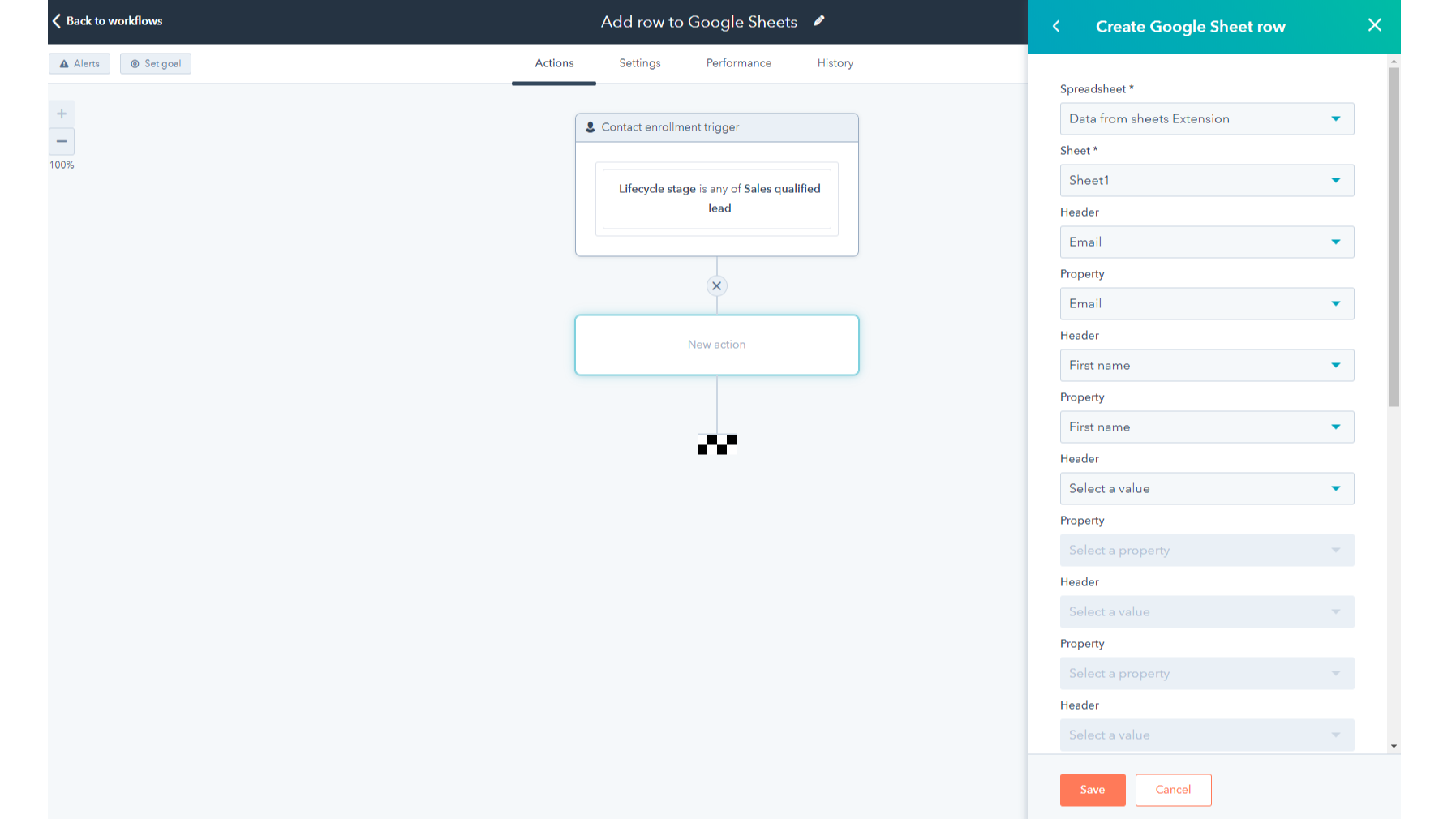
1/2 - Add the Google Sheets integration as a standard workflow action
Google Sheets is a powerful cloud-based spreadsheet and collaboration tool. This HubSpot workflow extension is compatible with all workflow types and it allows you to:
- Automate sending HubSpot object data to new or existing Google Sheets rows in just a few clicks- no code needed
- Customize which properties from your HubSpot records are sent to Google Sheets
- Reduce the number of manual CSV/Excel exports you do to get your data out of HubSpot
- Access your HubSpot data in Google Sheets to build custom reports, run processes like territory mapping and management, perform data hygiene, or forecast sales.
Features
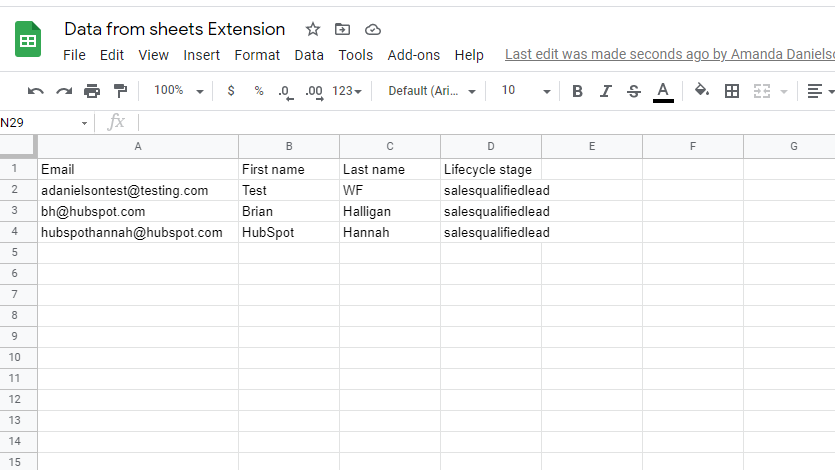
Create or update rows in Google Sheets
HubSpot workflows will create a new row or update an existing row in your selected spreadsheet each time the workflow action triggers. You can now add deal information to a Google sheet to calculate commissions or do sales forecasting, or use the integration to add new leads to a sheet where you format their phone numbers.
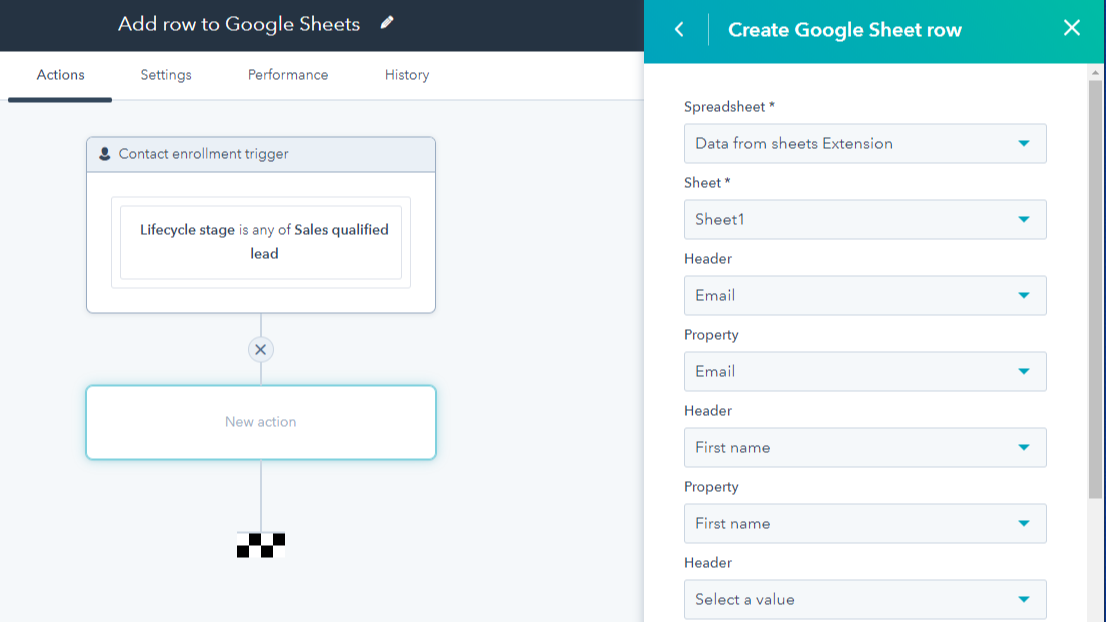
Map HubSpot properties to spreadsheet columns
Customize which properties from your HubSpot records you want to receive in Google Sheets by mapping them to columns in your spreadsheet.
App Functionality
Shared Data
Table Rows |
Reviews
2.7
242
2.7
242
- Apr 13, 2026
Excellent practical tool for commercial teams, but integration is very complicated to set up
Very good and complementary to our business operation.
Excellent, it is very practical and helps traditional commercial teams when they do not understand very well such robust tools as HubSpot, and then one is already in charge of optimizing ..... Ease of use after integration for teams to update information in real time.
It is very difficult to find out how to do the integration, it is not simple.
Mejia Martinez, D.A.
- Mar 27, 2026
With more than 20 values to be transferred, it becomes cumbersome
It works ok, but the functions are limited.
Connection is stable and runs almost in real time
If you want to transfer more than 20 properties (fill columns), it becomes cumbersome as you then have to use the update function. This makes the whole thing cumbersome, especially if duplicate data records are to be transferred. Then you also have to add a unique identifier.
Zingler, B.
Pricing
Free
$0
Create and update spreadsheets
Add custom formulas and visualizations
Saved in the cloud to prevent data loss
Free
$0
Create and update spreadsheets
Add custom formulas and visualizations
Saved in the cloud to prevent data loss
* The pricing here is for display purposes only. All prices do not include taxes, incentives, discounts, or other pricing variables. You should contact the partner for the most up to date and correct pricing information. HubSpot does not take any responsibility for this pricing information, which is provided by our partners. Pricing last updated: 12/15/2025
Most popular


