
Google Sheets
Krav
HubSpot-abonnement HubSpot-kontotillatelser Ingen tillatelse nødvendig Tilgangstype Delt Google Sheets-abonnement - Free-abonnement
Oversikt
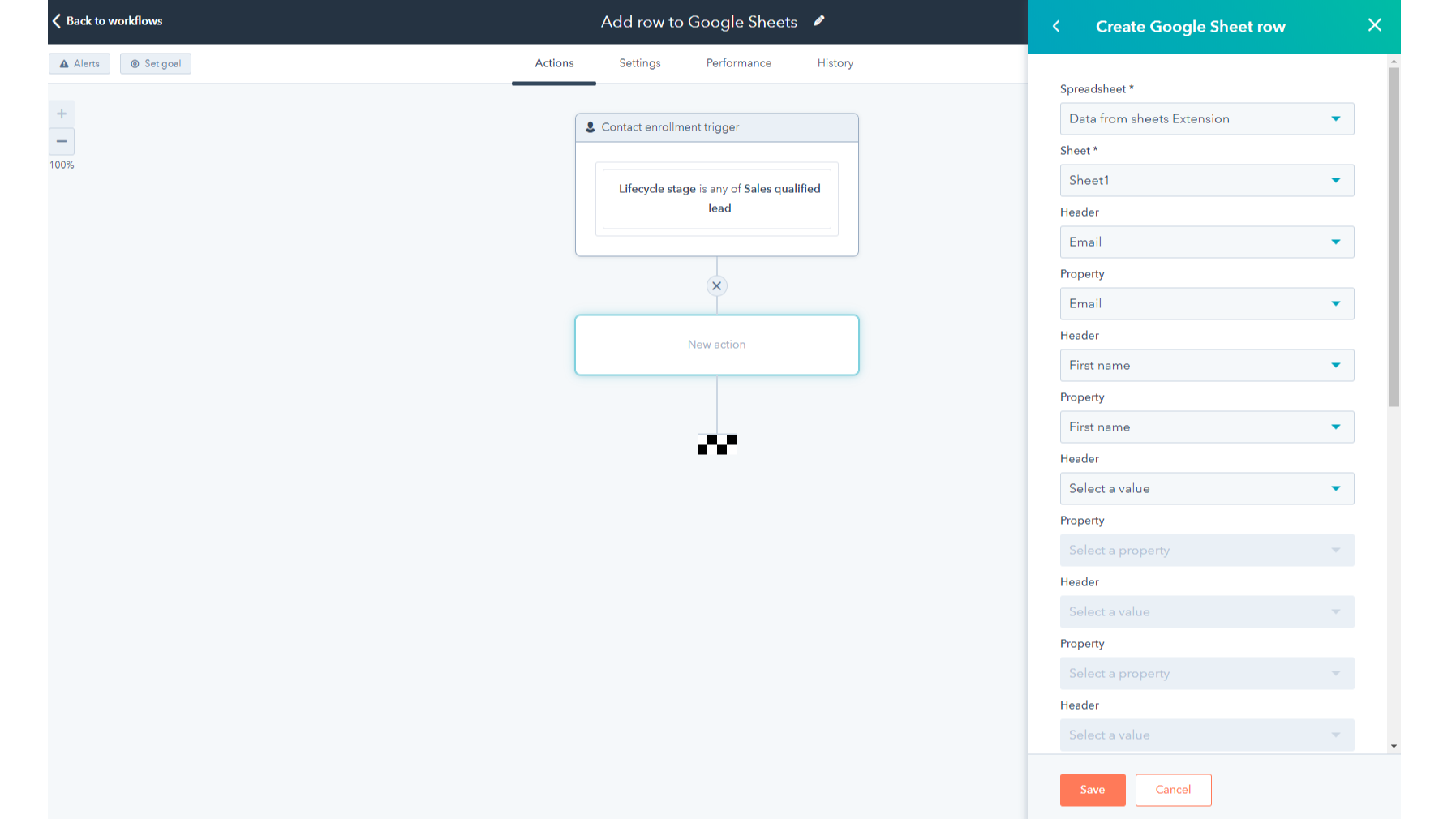
1/2 - Add the Google Sheets integration as a standard workflow action
Google Sheets is a powerful cloud-based spreadsheet and collaboration tool. This HubSpot workflow extension is compatible with all workflow types and it allows you to:
- Automate sending HubSpot object data to new or existing Google Sheets rows in just a few clicks- no code needed
- Customize which properties from your HubSpot records are sent to Google Sheets
- Reduce the number of manual CSV/Excel exports you do to get your data out of HubSpot
- Access your HubSpot data in Google Sheets to build custom reports, run processes like territory mapping and management, perform data hygiene, or forecast sales.
Funksjoner
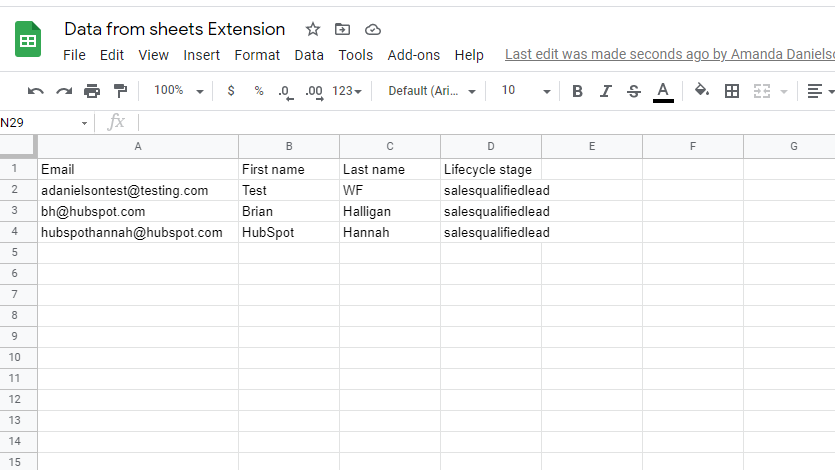
Create or update rows in Google Sheets
HubSpot workflows will create a new row or update an existing row in your selected spreadsheet each time the workflow action triggers. You can now add deal information to a Google sheet to calculate commissions or do sales forecasting, or use the integration to add new leads to a sheet where you format their phone numbers.
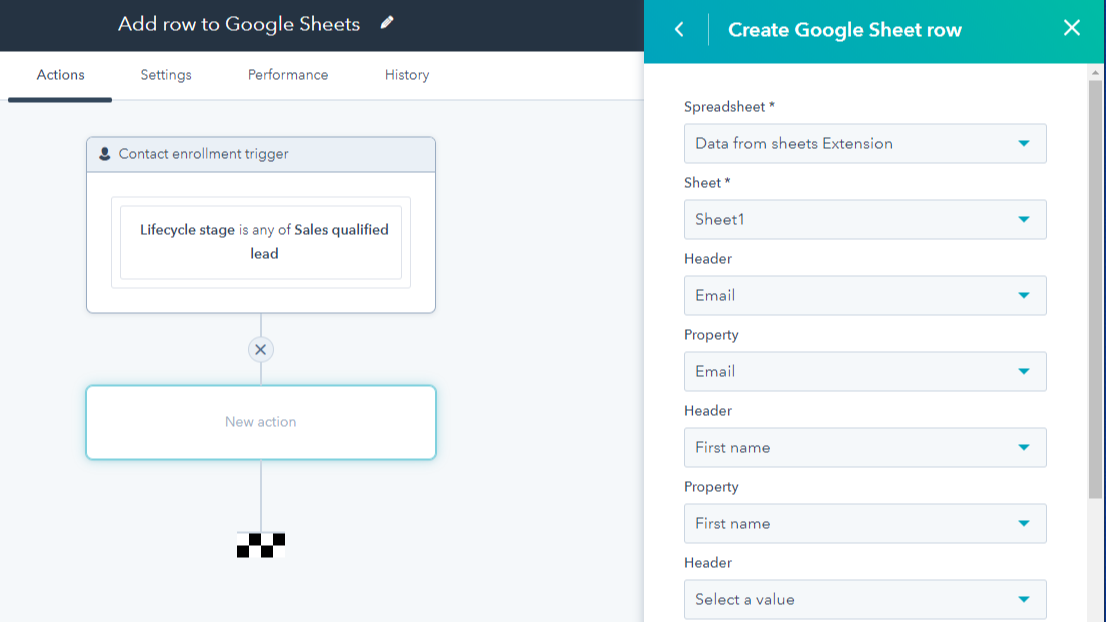
Map HubSpot properties to spreadsheet columns
Customize which properties from your HubSpot records you want to receive in Google Sheets by mapping them to columns in your spreadsheet.
Appfunksjonalitet
Delt data
Table Rows |
Gjennomganger
2,8
247
2,8
247
Selv om brukerne melder om sporadiske tilkoblingsbrudd og at datoer vises i Unix-tid, gir integrasjonen en nyttig måte å automatisere dataeksport på for deling med eksterne parter. Den innledende konfigurasjonen av arbeidsflyten får ros for å være enkel, selv om noen nevner at eksport av interne felt-ID-er i stedet for tekstetiketter krever ekstra opprydding i regnearket.
- 1. juli 2026
Fjord, D.
- 26. juni 2026
Wielenberg, S.
Priser
Free
USD 0
Create and update spreadsheets
Add custom formulas and visualizations
Saved in the cloud to prevent data loss
Free
USD 0
Create and update spreadsheets
Add custom formulas and visualizations
Saved in the cloud to prevent data loss
* Prissettingen her er kun for illustrasjonsformål. Prisene inkluderer ikke avgifter, insentiver, rabatter eller andre prissettingsvariabler. Kontakt partneren for å få oppdatert og riktig prissettingsinformasjon. HubSpot tar ikke ansvar for denne prissettingsinformasjonen, som gis av våre partnere. Prissetting sist oppdatert: 15.12.2025
Mest populært

Gmail
Bring HubSpot to your inbox with the HubSpot integration for Gmail.

Google Calendar
Book meetings quickly and easily with HubSpot and Google Calendar.
