

總覽
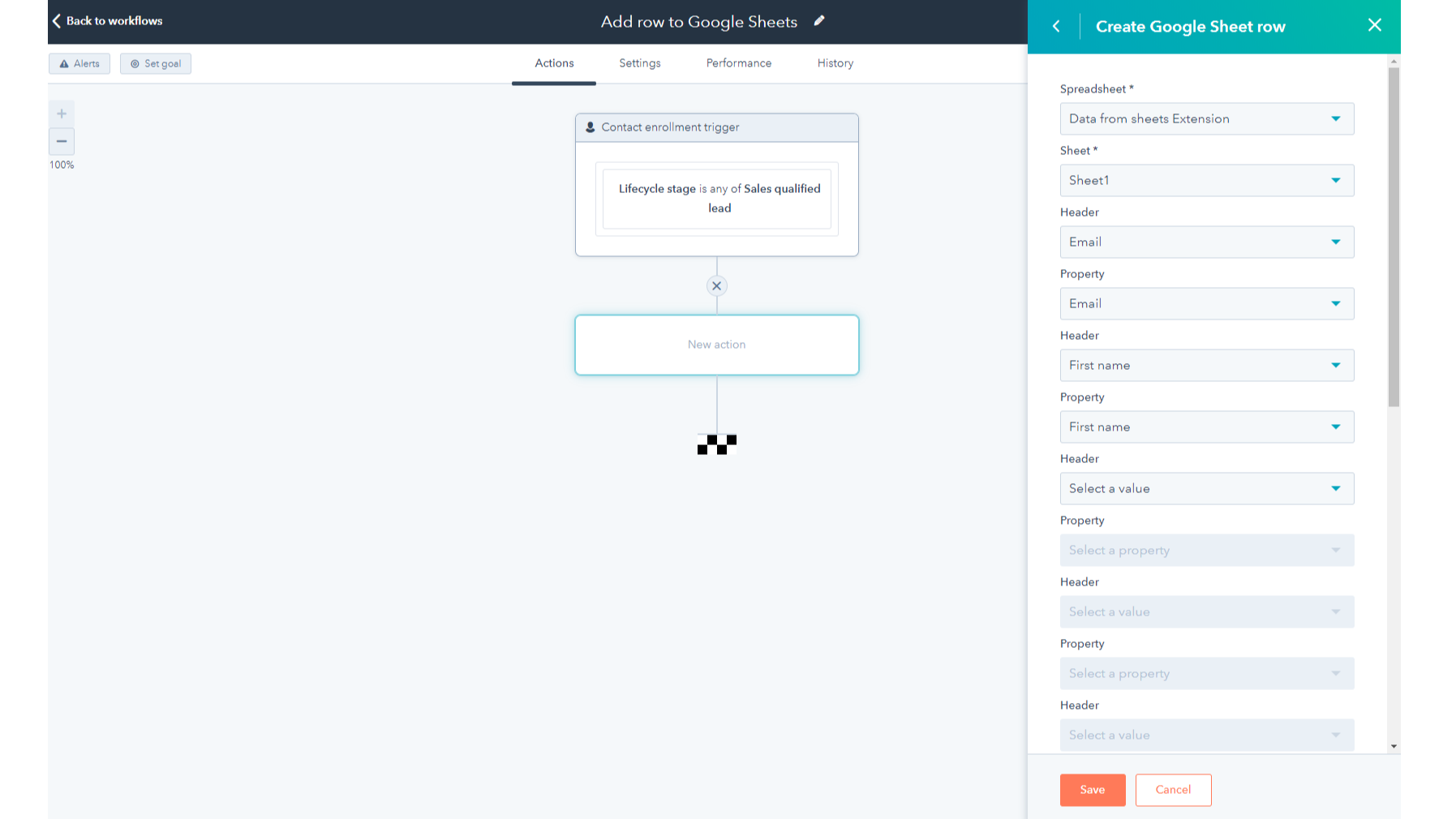
1/2 - Add the Google Sheets integration as a standard workflow action
Google Sheets is a powerful cloud-based spreadsheet and collaboration tool. This HubSpot workflow extension is compatible with all workflow types and it allows you to:
- Automate sending HubSpot object data to new or existing Google Sheets rows in just a few clicks- no code needed
- Customize which properties from your HubSpot records are sent to Google Sheets
- Reduce the number of manual CSV/Excel exports you do to get your data out of HubSpot
- Access your HubSpot data in Google Sheets to build custom reports, run processes like territory mapping and management, perform data hygiene, or forecast sales.
功能
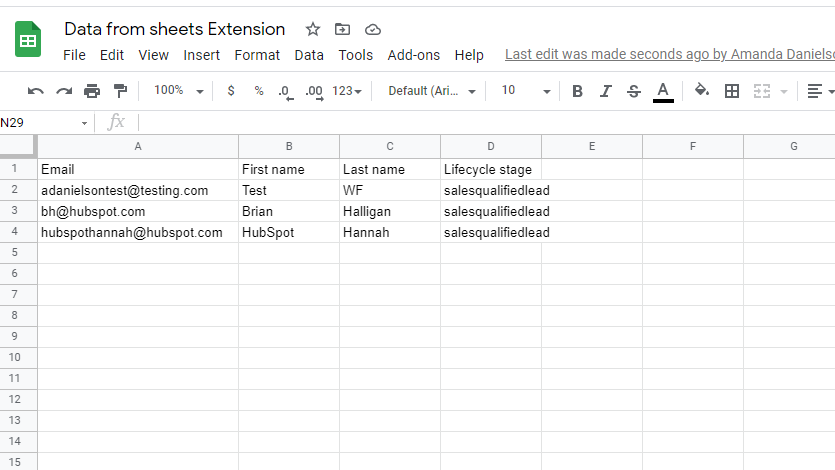
Create or update rows in Google Sheets
HubSpot workflows will create a new row or update an existing row in your selected spreadsheet each time the workflow action triggers. You can now add deal information to a Google sheet to calculate commissions or do sales forecasting, or use the integration to add new leads to a sheet where you format their phone numbers.
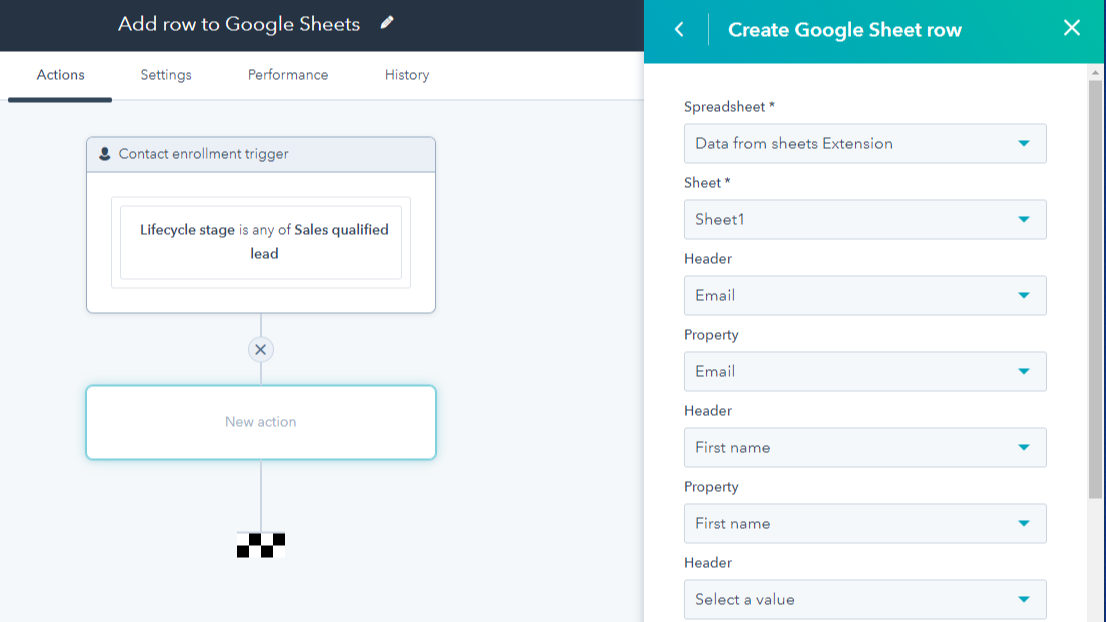
Map HubSpot properties to spreadsheet columns
Customize which properties from your HubSpot records you want to receive in Google Sheets by mapping them to columns in your spreadsheet.
評論
2.8
252
2.8
252
用户非常欣赏该功能能够将工作流中的数据自动导出至 Google 表格,从而取代手动生成报表。不过,评审人员指出,该集成生成的日期采用 Unix 格式,且对于“所有者”等属性,导出的是内部数字 ID 而非文本标签。虽然部分用户提到在修改列时会出现 API 连接错误和映射失效的问题,但用户仍高度评价其简便的初始设置,认为这有助于简化基础数据共享流程。
- 2026年8月26日
Schmidmeier, L.
- 2026年8月5日
Teja, R.
價格
Free
US$0
Create and update spreadsheets
Add custom formulas and visualizations
Saved in the cloud to prevent data loss
Free
US$0
Create and update spreadsheets
Add custom formulas and visualizations
Saved in the cloud to prevent data loss
* 此處顯示的價格僅供參考。所有價格均不包含稅金、獎勵、折扣或其他價格變數。如需最新的正確價格資訊,請連絡合作夥伴。HubSpot 對合作夥伴所提供的價格資訊不承擔任何責任。上次更新價格時間:2025/12/15
New arrivals

CrankWheel
Screen sharing, web conferencing and video sales platform.

SpeakSoon
Capture contact info and context via WhatsApp using text, voice notes or photos. SpeakSoon enriches them and pushes them cleanly into HubSpot
