
Kado Digital business cards
Next-gen branded digital business cards with contact capture.
Requirements
HubSpot Plan HubSpot Account permissions - View the required account permissions
Kado Digital business cards Subscription - Networker Lite (Free), Networker (price per person), Business Developer (price per user), or Relationship Builder (price per user) plans
Overview
1/6
Kado offers a fully branded and interactive digital business card where you can include not only your contact information but also your social links like LinkedIn, Instagram, Twitter and many others, as well as personalized videos, calls to actions and links.
Your prospects will be able to save your contact onto their phone with just a click and even revert their details back to you with autofill.
All contacts and notes captured in KADO will be automatically synched to your HubSpot account, together with their owners, to ensure CRM housekeeping
Features
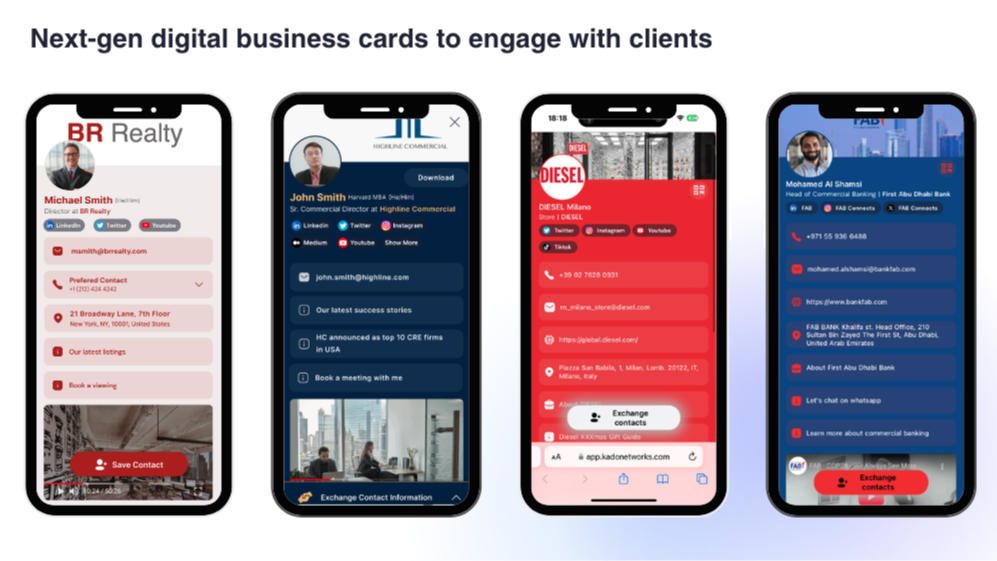
Fully branded digital business cards
No more paper cards and scribbling notes on the back of cards or lost paper notebooks. Easily share your digital business card via QR, link or a tap of your NFC card and send your details to the other party! Fully brand your digital business card to match your company's identification.
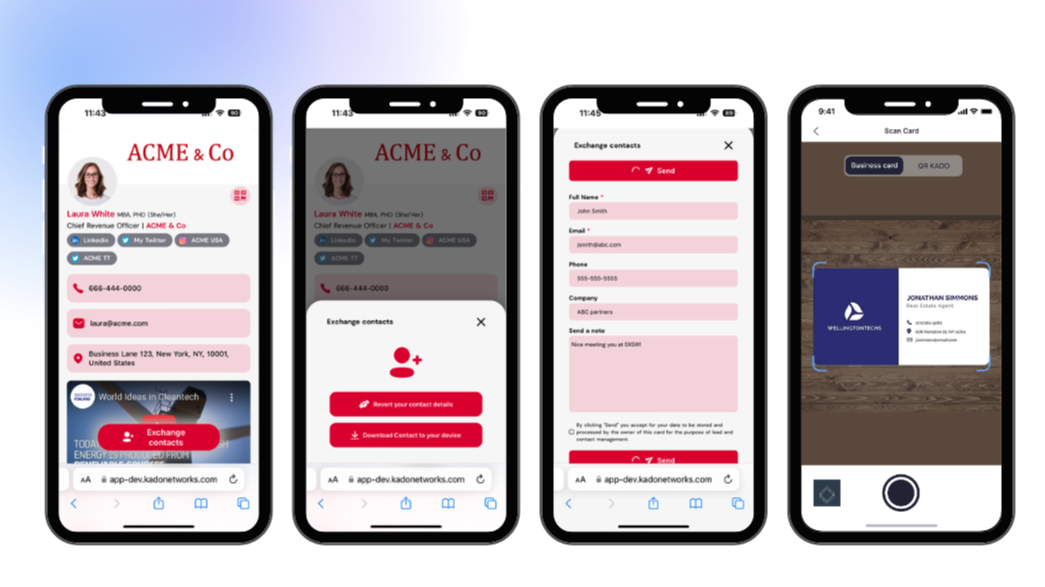
Capture leads via your digital business card or paper card scanner
Your counter-party may revert their details via the pop up form. Automatically sync the capture leads to HubSpot. You may also scan paper cards that automatically get transformed to contacts and synched with your HubSpot account!
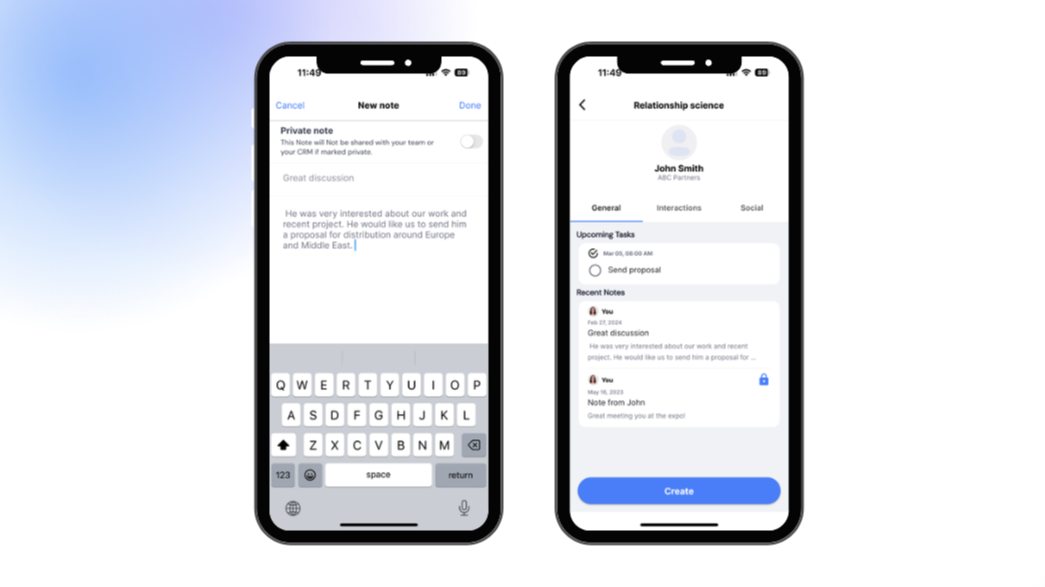
Add notes and tasks on the go
Add notes on-the-go, by hand or by voice, just as you capture someone's information. Immediate sync with your HubSpot account: forget about CRM housekeeping as all contacts, notes and edits get automatically pushed to your company’s CRM
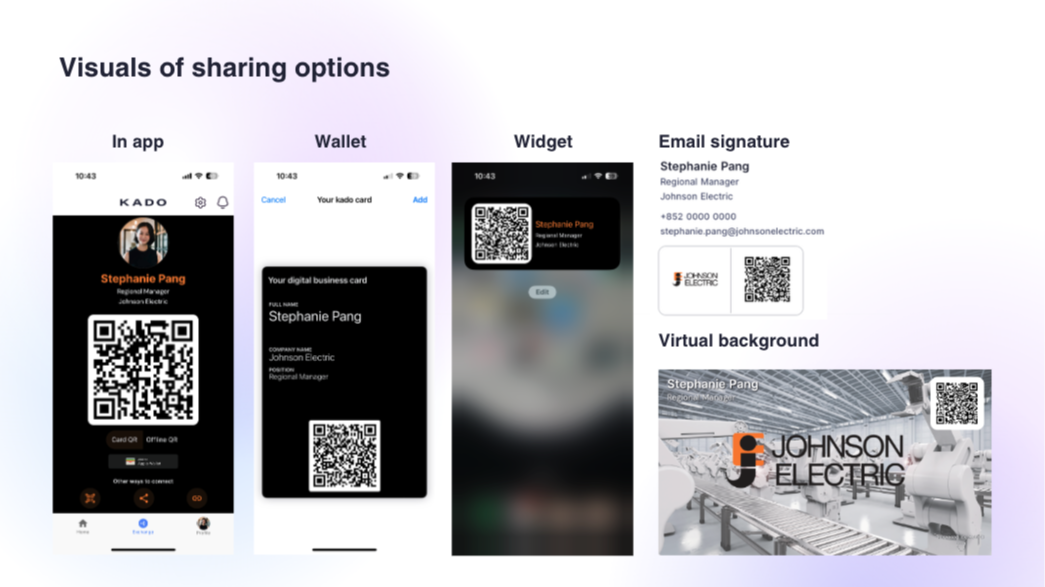
Different ways to share your business card
You may share your digital business card from the app, your wallet, a phone widget, a virtual background or your email signature!
App Functionality
Shared Data
Company | ||
Contact owner | ||
Contacts | ||
Note |
Reviews
- May 3, 2024
Welcome to modern networking
Just bought a company and had to go to an industry conference almost immediately and decided to try Kado. Walked the tradeshow, shared my QR and....the reps loved it. They could follow up immediately. They shared their information. One of the main reasons for me even going was to connect with a certain vendor and he point blank told me that he had followed up with me first because it made it so easy. I had already signed up with him when, even a week later he told me that he had barely followed up with anyone else he met at that show because traditional cards were such a pain. When I explained you could use Kado to import cards from a scan? I think he signed up the next day.
Replacing my traditional cards and importing cards into the CRM
Very easy to use.
Some people are NOT tech savvy. A few of them, I had to show how to download the information.
Mattice, M.
Banking/Financial Services - 11 to 25 employees
Pricing
Networker Lite (Free)
$0
For solopreneurs and professionals requiring a simple digital business card
For one user
Basic digital business card with KADO branded colors
Ability to add info, links, social and video
Ability to add own company cover
Contact capture tool
Contacts downloadable on CSV
Networker Lite (Free)
$0
For solopreneurs and professionals requiring a simple digital business card
For one user
Basic digital business card with KADO branded colors
Ability to add info, links, social and video
Ability to add own company cover
Contact capture tool
Contacts downloadable on CSV
* The pricing here is for display purposes only. All prices do not include taxes, incentives, discounts, or other pricing variables. You should contact the partner for the most up to date and correct pricing information. HubSpot does not take any responsibility for this pricing information, which is provided by our partners. Pricing last updated: 08/11/2025
Getting attention today


