

Tabular
Requirements
HubSpot Plan HubSpot Account permissions - View the required account permissions
Access Type Shared Tabular Subscription - Free, Tabular Plus, Pro, or Organization plans
Overview
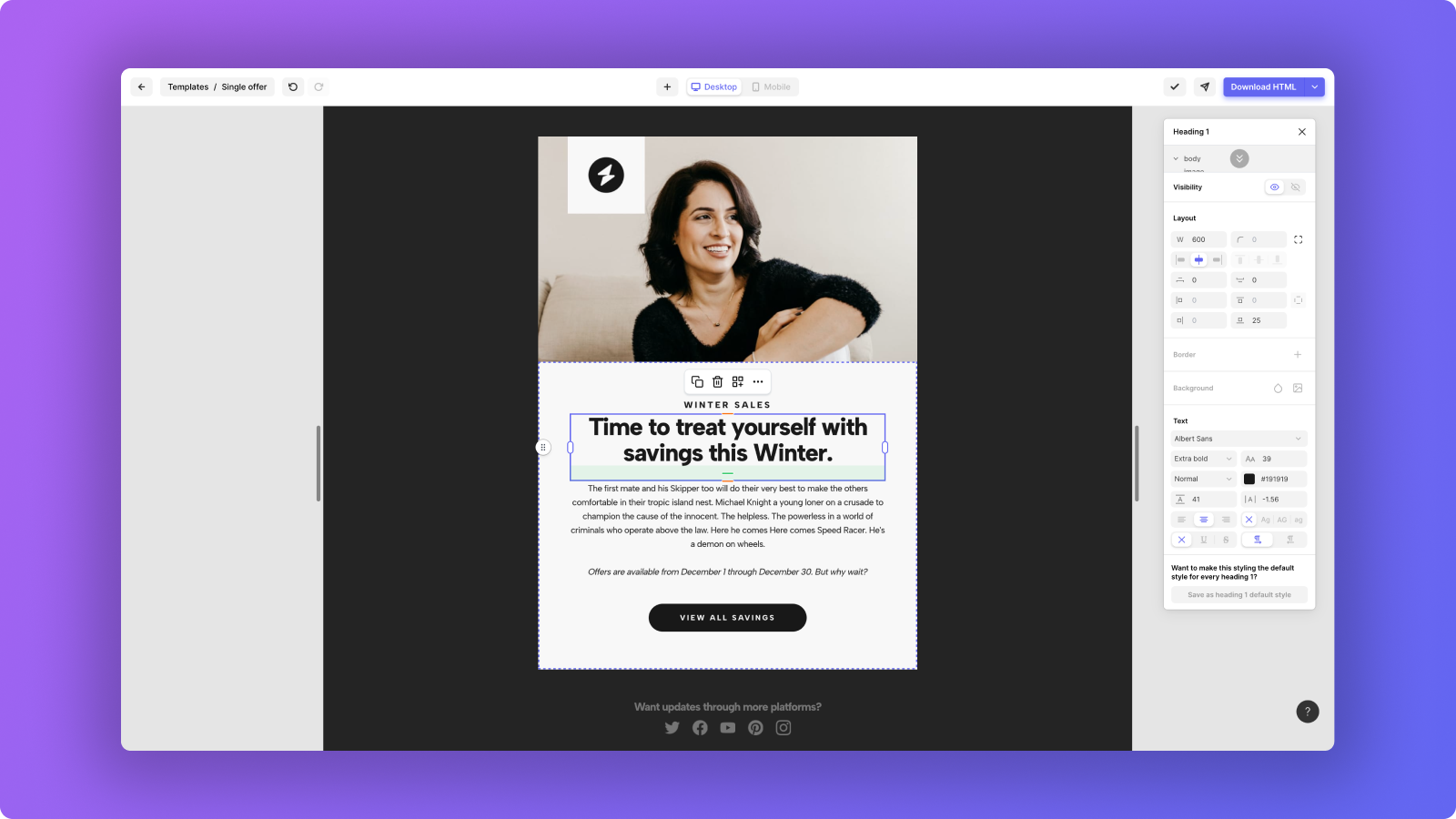
1/5 - Style email elements such as text, and layout elements
With Tabular, it's easy to create quality emails that look perfect on every inbox and device — without ever seeing a single line of code. Already thousands of marketers are loving it because of the intuitive design experience and ease of use. Many first reactions are that it feels like they’re using Canva or Figma — but for email design.
How can it help you?
- Design emails for your app or marketing campaign — intuitively
- Create reusable blocks — create blocks of content that you can update and reuse throughout different emails
- Style your email easily — style elements like you're using a design tool such as Figma or Sketch
- Speed up your email creation process — quickly create or iterate on designs
- Design drastically different experiences between mobile phones and desktop devices — get full control over responsiveness
- Cut costs and time, no coding skills required — emails you design from scratch look perfect in 50+ major email clients
- Collaborate with your team on email creation — create reusable team blocks, and structure projects in team folders
- Your dedicated email design tool — use it together with any email marketing platform
- Upload your Tabular email to HubSpot — with one click
Visit our website, and try out a random email to get a feeling of the design tool.
Features
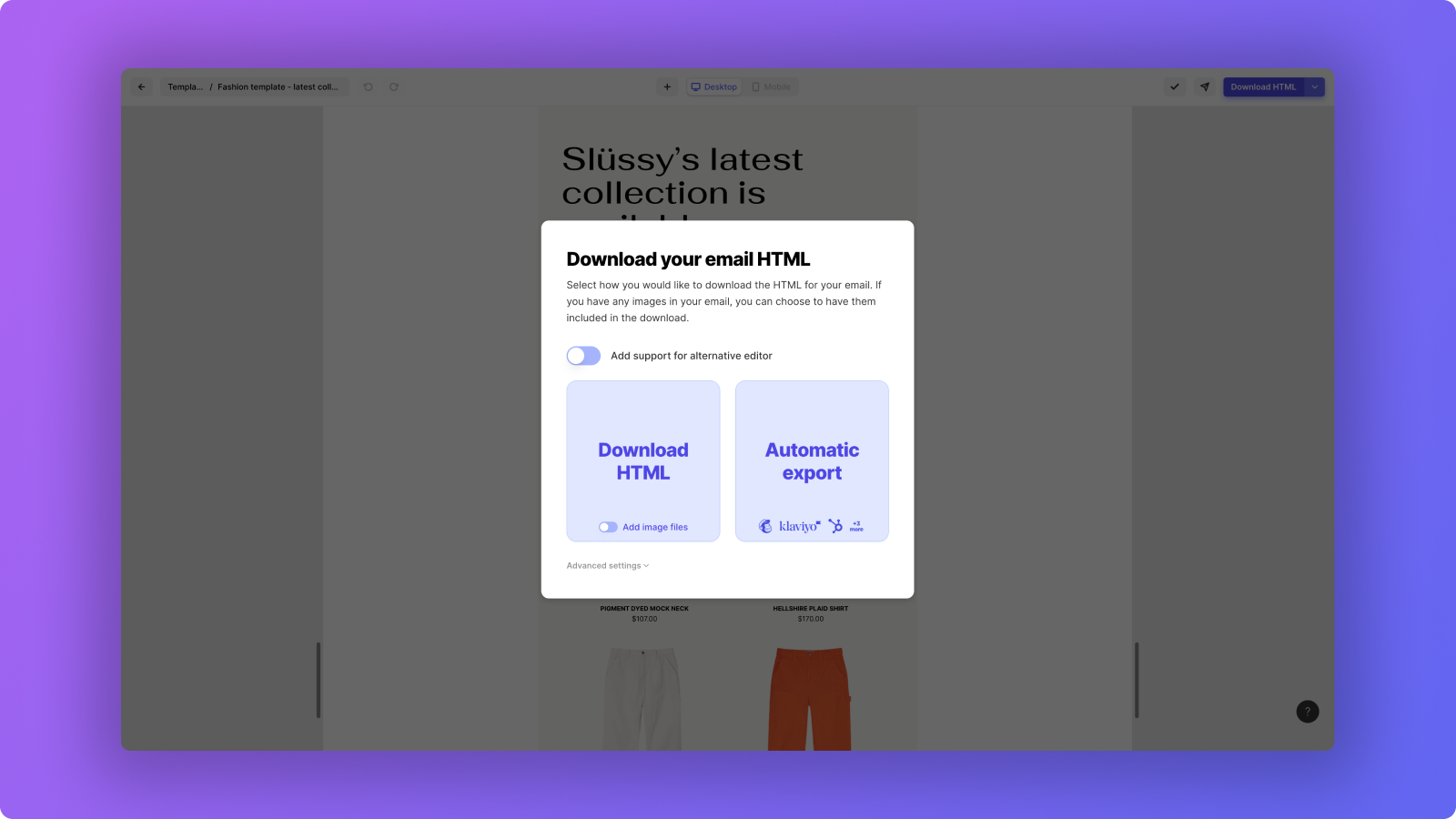
Upload Tabular emails to HubSpot in one click
You’ll need to have an active HubSpot Marketing Hub Professional or Enterprise subscription. Start from scratch or use our selection of email templates. Our blocks allow you to create any layout you have in mind — from transactional, relational, to promotional email. When you're done, click on ‘Automatic Export’ to export it to HubSpot.
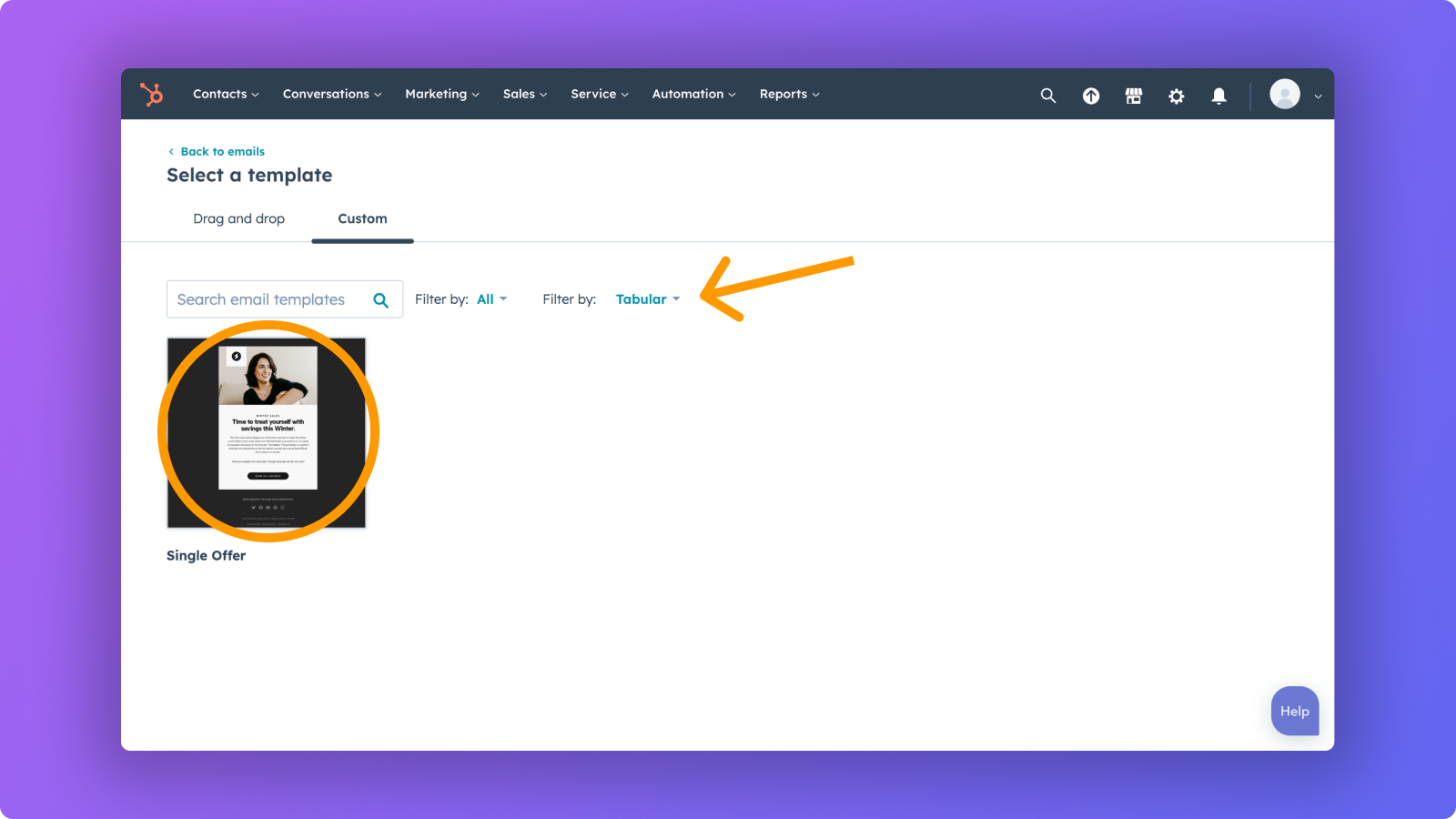
Start sending Tabular emails with HubSpot
You can use your Tabular email designs in your HubSpot marketing emails. When selecting a template, click on the ‘Custom’ tab to find your Tabular emails. In addition, you’ll be able to view the HTML files in HubSpot by navigating to ‘Marketing > Files and Templates > Design Tools’. Your Tabular emails will be located under the ‘tabular’ folder.
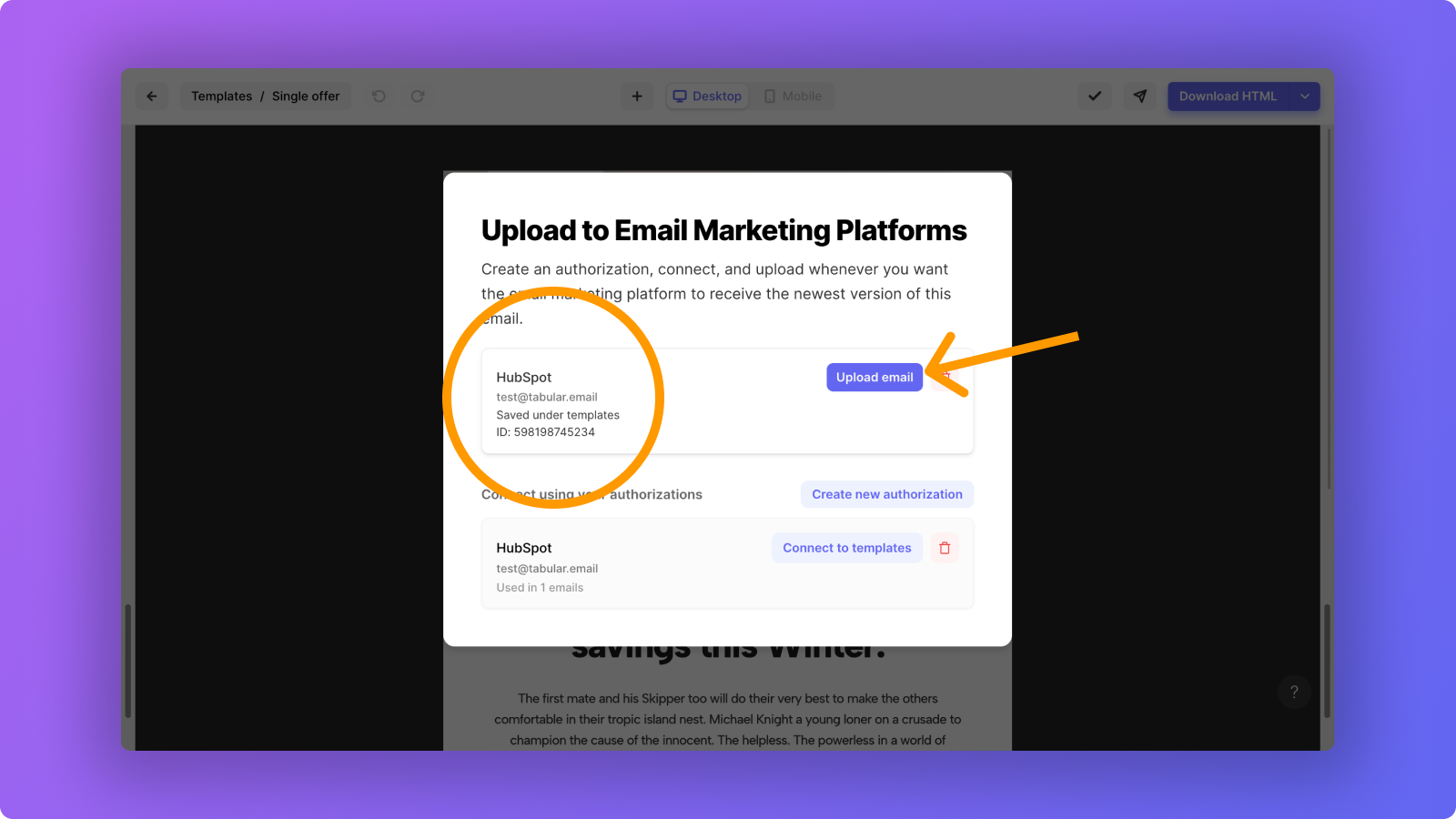
One click to synchronize changes you made in Tabular with HubSpot
If you make changes to an email that you’ve previously uploaded from Tabular to HubSpot, you probably want to upload the updated version to HubSpot. Simply click the ‘Upload’ button and the newer version will be uploaded to HubSpot.
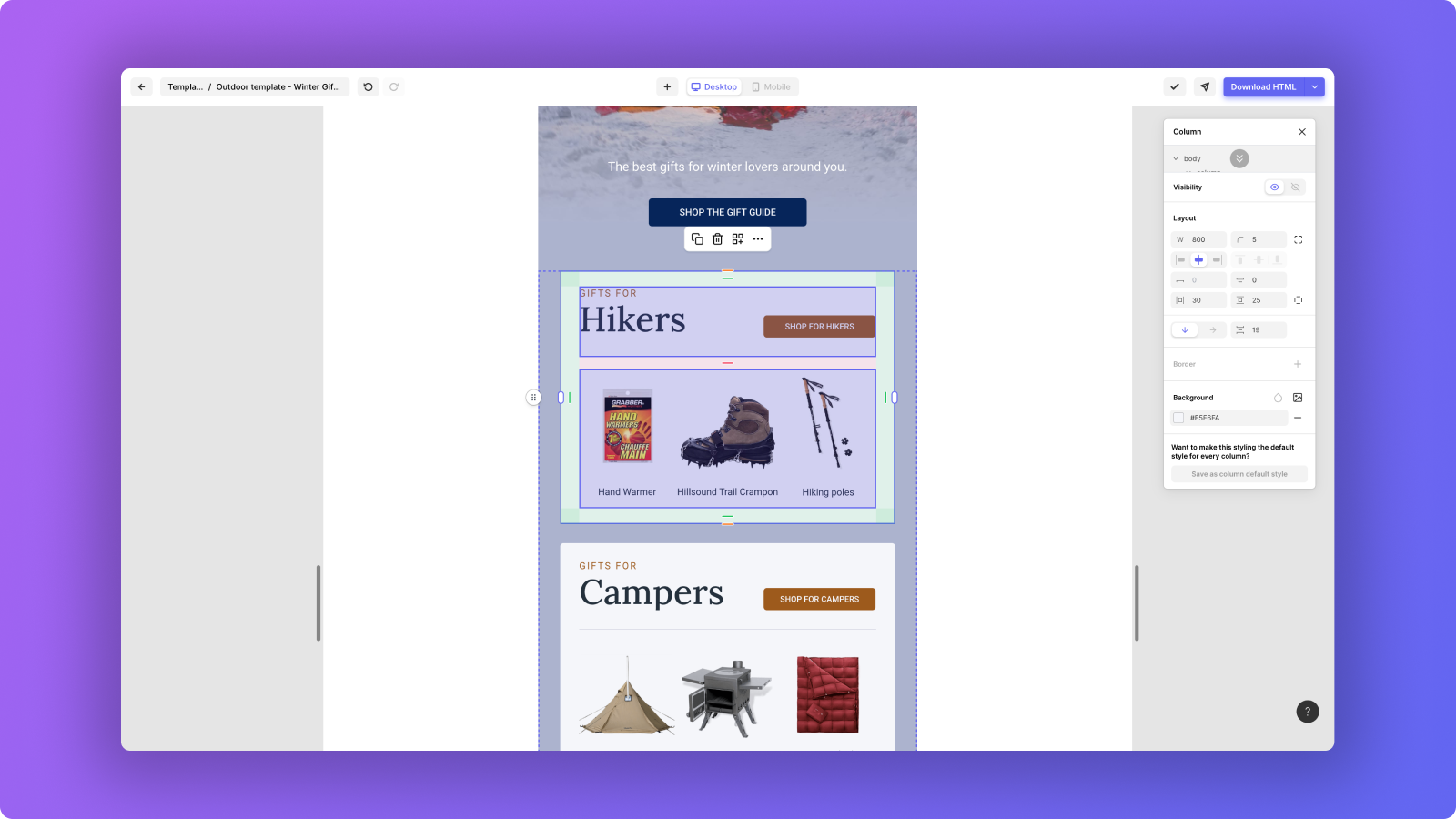
Design your emails without having to code HTML
We have programmed a smart algorithm that converts your design into bulletproof HTML code — so you don't have to. It makes sure that your emails look perfect on mobile and desktop devices, even the older Outlook clients. When you’re done designing, directly use the email in HubSpot to start sending.
App Functionality
Shared Data
Email Templates |
Reviews
- May 16, 2023
non compatible
Na pas bien fonctionné. Les courriels ne sortait pas bien du tout sur PC et Android mais tout était ok sur MAC.
pour mettre du texte par dessus les images
Roy, C.
Marketing Services - 51 to 200 employees
- Jan 26, 2023
Tabular Sets the Standard for Email Software Design
We researched all of the top email template design softwares and weren't happy with any of them except Tabular for two primary reasons: 1) they were too focused on B2C (mainly retail) marketing, and 2) their designs were amateur. Enter Tabular, which for the extraordinary price of $12 per month (paid up front annually) provides you with a fleet of superbly-styled email templates and all of the intricate design nuances you could possibly want (spacing, logo and image placement versatility, dark backgrounds).
To create compelling, interactive emails that are on-brand for both our outbound email campaigns and our day-to-day app notifications.
Tough-to-beat pricing (at least for now) and if the stunning designs aren't enough for you, know that all of the nerdy tech stuff you need to watch out for (refined integration into your HubSpot CRM, preview set-up, footer compliance) have all been taken care of for you. Plus, the customer service is impeccable, with personalized guidance at the ready.
Still a little in diapers, with customer service support docs and videos on the near horizon. Steep learning curve but definitely worth it given the results.
Menes, R.
Banking/Financial Services - 6 to 10 employees
Pricing
Free
$0
For anyone wanting to design emails, on your own or with others.
Create any custom email using our easy-to-use editor
3 emails
Download up to 3 email HTMLs per month
Send up to 5 email previews per day
Invite others to collaborate on emails
Free high-quality email templates
Free
$0
For anyone wanting to design emails, on your own or with others.
Create any custom email using our easy-to-use editor
3 emails
Download up to 3 email HTMLs per month
Send up to 5 email previews per day
Invite others to collaborate on emails
Free high-quality email templates
* The pricing here is for display purposes only. All prices do not include taxes, incentives, discounts, or other pricing variables. You should contact the partner for the most up to date and correct pricing information. HubSpot does not take any responsibility for this pricing information, which is provided by our partners. Pricing last updated: 08/11/2025