

Portal Grader - Estimate Data & Assets
Inventory and Analyze Your Marketing Assets in Minutes
Built by - SyncMatters
Installs - 20+ installs

Leading
Requirements
HubSpot Plan HubSpot Account permissions - View the required account permissions
Access Type Shared Portal Grader - Estimate Data & Assets Subscription - Free (Starter), Basic, or Pro plans
Overview
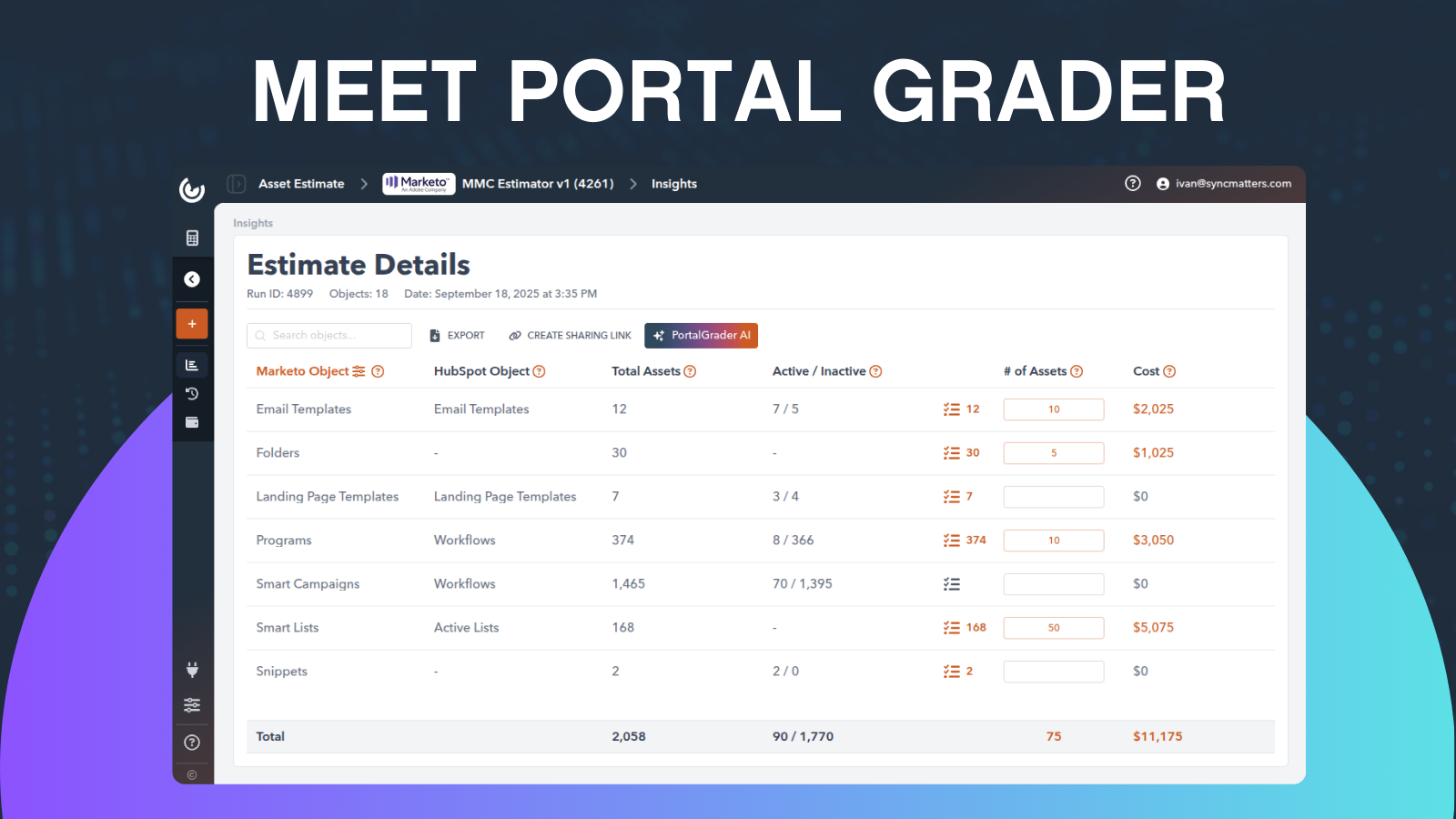
1/3 - We Calculate Your Marketing Assets
Portal Grader – Asset Estimator Tool
Overview
Portal Grader is a smart analytics application that helps HubSpot users evaluate, measure, and maximize the value of their marketing assets directly within their HubSpot environment. In a digital-first world, businesses invest heavily in websites, campaigns, and content — yet many lack a clear, data-backed method to understand what truly drives performance.
This integration bridges that gap by bringing data-driven grading, benchmarking, and optimization insights right into HubSpot. By connecting with your HubSpot data, Portal Grader transforms asset evaluation from a manual, time-consuming process into an automated, insight-rich experience that empowers teams to make faster, smarter marketing decisions.
Why It’s a Game Changer
Scoping and planning re-platforming projects has traditionally been complex, subjective, and slow. The Marketing Automation Re-Platforming Estimator — powered by Portal Grader — simplifies this process by analyzing your marketing ecosystem and identifying where efficiency gains and ROI improvements can be made.
For HubSpot customers, this means clearer insight into which assets and campaigns deliver the greatest value — enabling better budgeting, prioritization, and measurable growth outcomes.
Integration Features & Value
Audit & Score Assets
Automatically scans your HubSpot-hosted marketing assets (websites, landing pages, ad creatives, blogs, and more) and assigns performance grades based on engagement, SEO, conversion, and ROI metrics.
→ Value: Instantly see which assets drive the most impact and where your marketing spend delivers the best returns — no manual analysis required.
Identify Strengths & Weaknesses
Breaks down performance insights into clear categories, revealing what’s working well and what needs improvement.
→ Value: Empowers marketing teams to focus efforts on high-impact optimizations and demonstrate measurable progress to stakeholders.
Benchmarking
Compares your HubSpot assets against industry benchmarks and competitors.
→ Value: Gives you actionable context to understand how your marketing performance stacks up — helping you set realistic goals and outperform peers.
Actionable Recommendations
Provides tailored optimization steps for each asset to improve visibility, engagement, and conversions.
→ Value: Translates analytics into concrete actions, so teams can execute improvements directly, driving faster ROI from HubSpot campaigns.
Customizable Dashboards
Offers visual, easy-to-digest dashboards designed for marketers, executives, and teams to monitor performance trends over time.
→ Value: Simplifies reporting and decision-making by consolidating data into one HubSpot-integrated view — no external tools needed.
Why It Matters
Every marketing asset represents an investment. Without clear visibility into its true impact, businesses risk wasted effort and missed opportunities.
Portal Grader ensures every HubSpot asset is measurable, comparable, and optimizable — helping your team continuously improve marketing effectiveness, justify spend, and turn performance data into growth strategy.
Features
-1-1.png)
1. Scan and Organize Main and Custom Assets Data in Your Portal
Quickly scan and organize your Asset objects.
-2-1.png)
2. API Powered X-Ray of Your Marketing Portal
Organized Inventory of Your Marketing Assets
-1.png)
3. Organized Inventory of Your Marketing Assets
While going deeper, you can check the status of your marketing assets and organize the data you would like to move.
-1.png)
4. Leverage Native Ai to Guide Planning
Use built-in AI capabilities to enhance and streamline your planning process.
-1.png)
5. Create a Collaborate Space for Your Team
Create a collaborative workspace for your team and share it effortlessly through a single link across teams.
App Functionality
Shared Data
Blog Authors | ||
Blog Comments | ||
Blogs | ||
Campaigns | ||
CMS Files | ||
CMS HubDB | ||
Email Subscription | ||
Forms | ||
Lists | ||
Marketing Emails | ||
Owners | ||
Website Pages | ||
Workflows |
Reviews
Be the first to write a customer review
Pricing
Free (Starter)
$0
5 records in detail view
Can't access Active/Inactive view
Can't access report download
No Rates managment
1 estimate in total
Free (Starter)
$0
5 records in detail view
Can't access Active/Inactive view
Can't access report download
No Rates managment
1 estimate in total
* The pricing here is for display purposes only. All prices do not include taxes, incentives, discounts, or other pricing variables. You should contact the partner for the most up to date and correct pricing information. HubSpot does not take any responsibility for this pricing information, which is provided by our partners. Pricing last updated: 03/31/2026
More info
Built by - SyncMatters
Installs - 20+ installs
Categories Languages this app is available in English
Getting attention today

-1.png)
