

Contrast webinars

Leading
Requirements
HubSpot Plan HubSpot Account permissions - View the required account permissions
Access Type Shared Contrast webinars Subscription - Free plan, Pro, or Premium plans
Overview
1/7 - Max explains Contrast Webinars in 5 minutes
NEW: Contrast Engagement Timeline shows you all engagement data on a unique tab in HubSpot. The data is displayed on your contacts and shows all registration (live, replay view) and engagement data (chat, poll answers) etc...
Contrast is the webinar platform built for HubSpot.
Stand out with rich engagement features that appear on top of the video. Brand the webinar experience with your colors, logo and themes to match.
Repurpose Ai helps you turn your webinar into short clips with subtitles for social media. It creates blog articles, newsletters and more from the webinar transcript. In the click of a button.
The HubSpot and Contrast bi-directional integration builds an end-to-end funnel for your webinars. The integration makes it easy to push webinar and contact data to HubSpot. Helps you enrich contact data and ensures that HubSpot remains a source of truth.
Contrast Custom properties enrich contact data with all activity taken on Contrast, such as registrations, live views, replay views and original source. And engagement data (polls, chat, view time etc..). Helping you nurture your leads.
Use HubSpot Forms to register attendees on Contrast without having to use the Contrast registration form. In combination with Workflows, customize the funnel in the way that best fits your needs.
With 1-Click Lists you create lists of registrants and viewers (live or replay) directly on HubSpot. In the click on a button. All lists are active and thus update automatically.
With accurate Original Source tracking and raw UTM values (source, medium, campaign, content) to easily calculate your webinar ROI over the complete funnel. Use advanced segmentation for better lead attribution analysis reports with the Contrast HubSpot integration.
Features
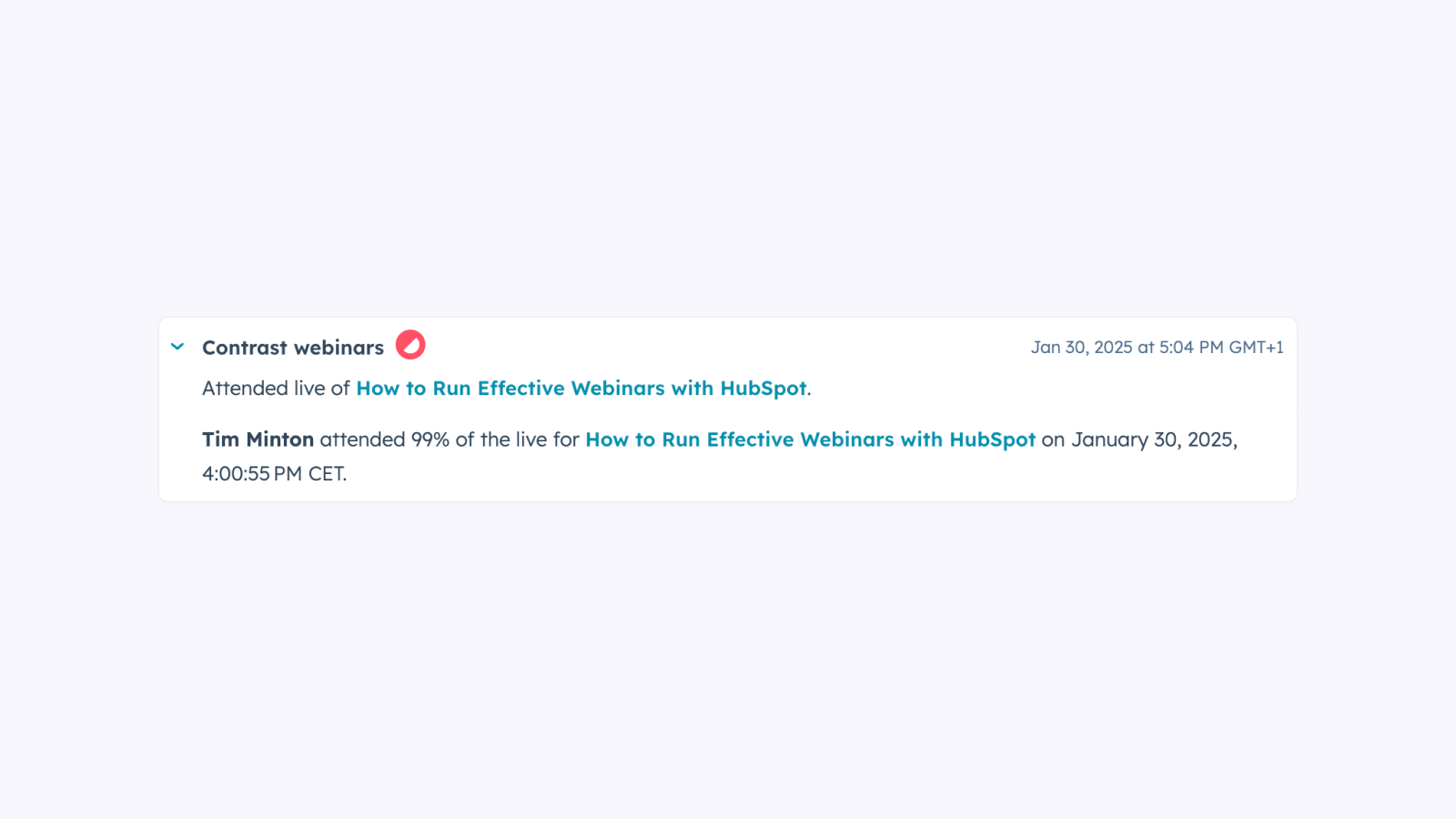
Webinar registrants data in HubSpot
Automatically synchronize registrants from Contrast in HubSpot. Understand who registered and how long they watched for, live or on replay. Use custom properties to put this data into action.
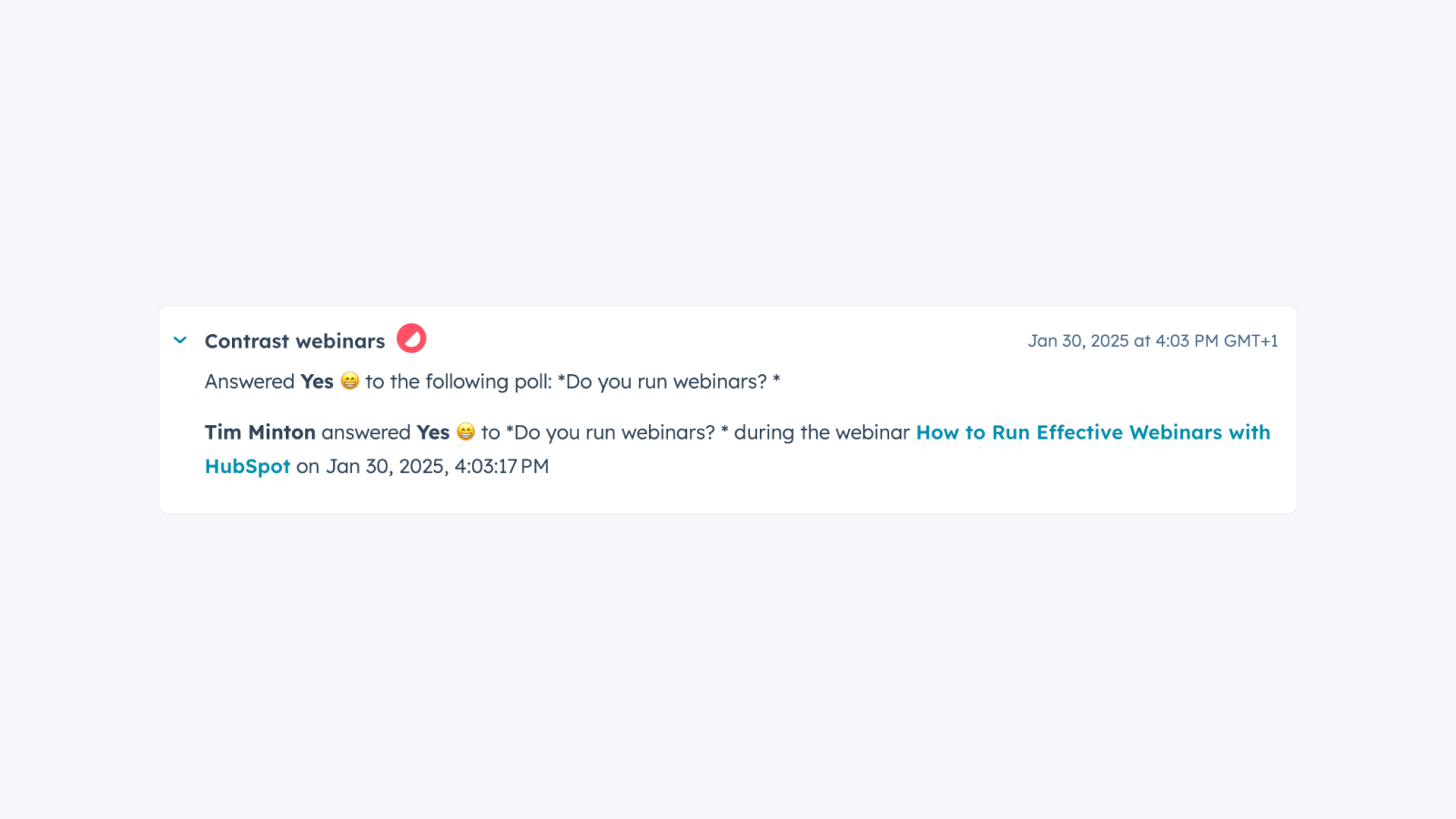
Webinar engagement data in HubSpot
Automatically send webinar engagement data to HubSpot. Understand how people engaged during your webinars. Use that data for personalization in your webinar follow-up.
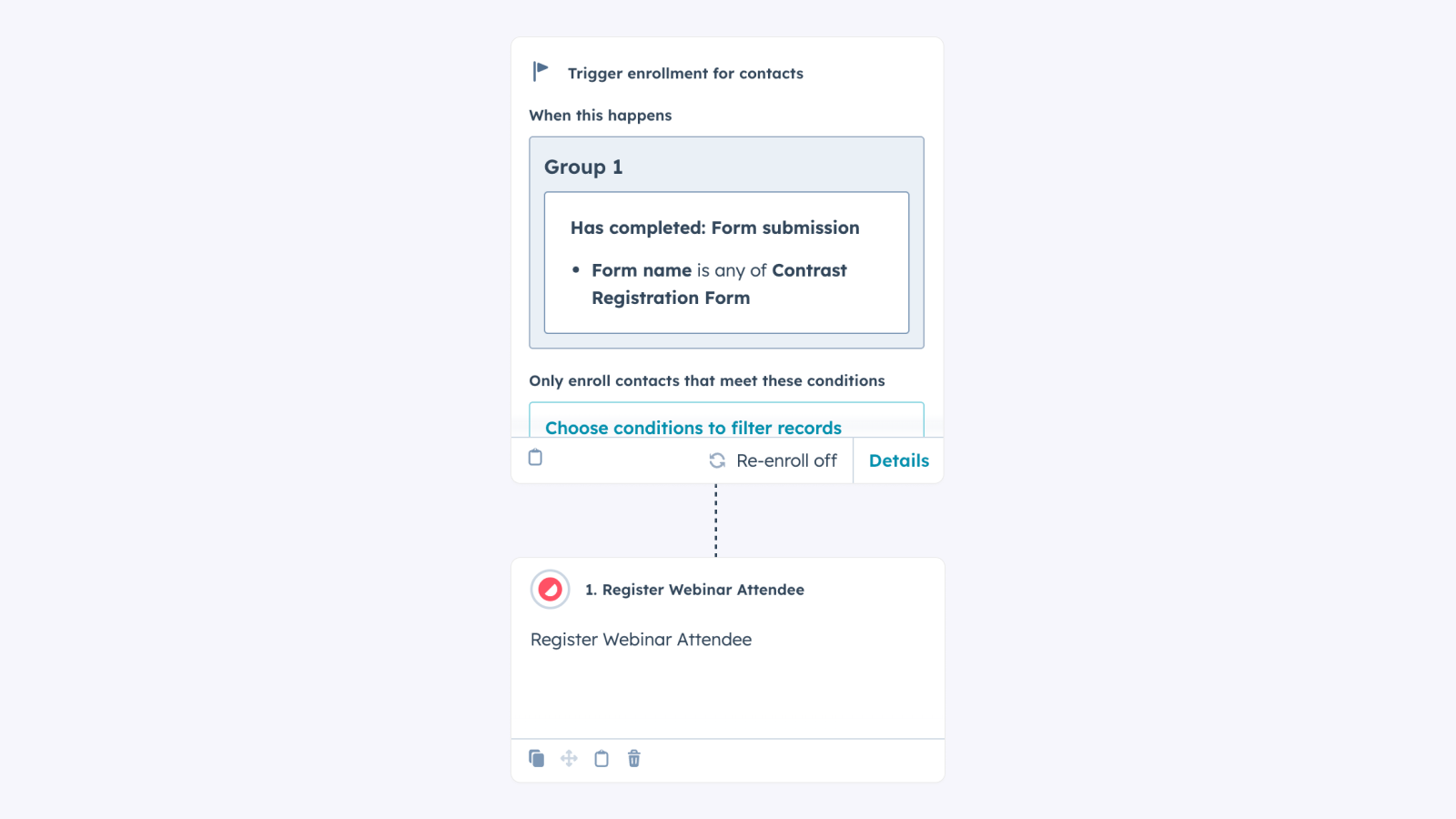
Register webinar attendees from workflows
Register webinar attendees from anywhere to Contrast using a simple workflow.
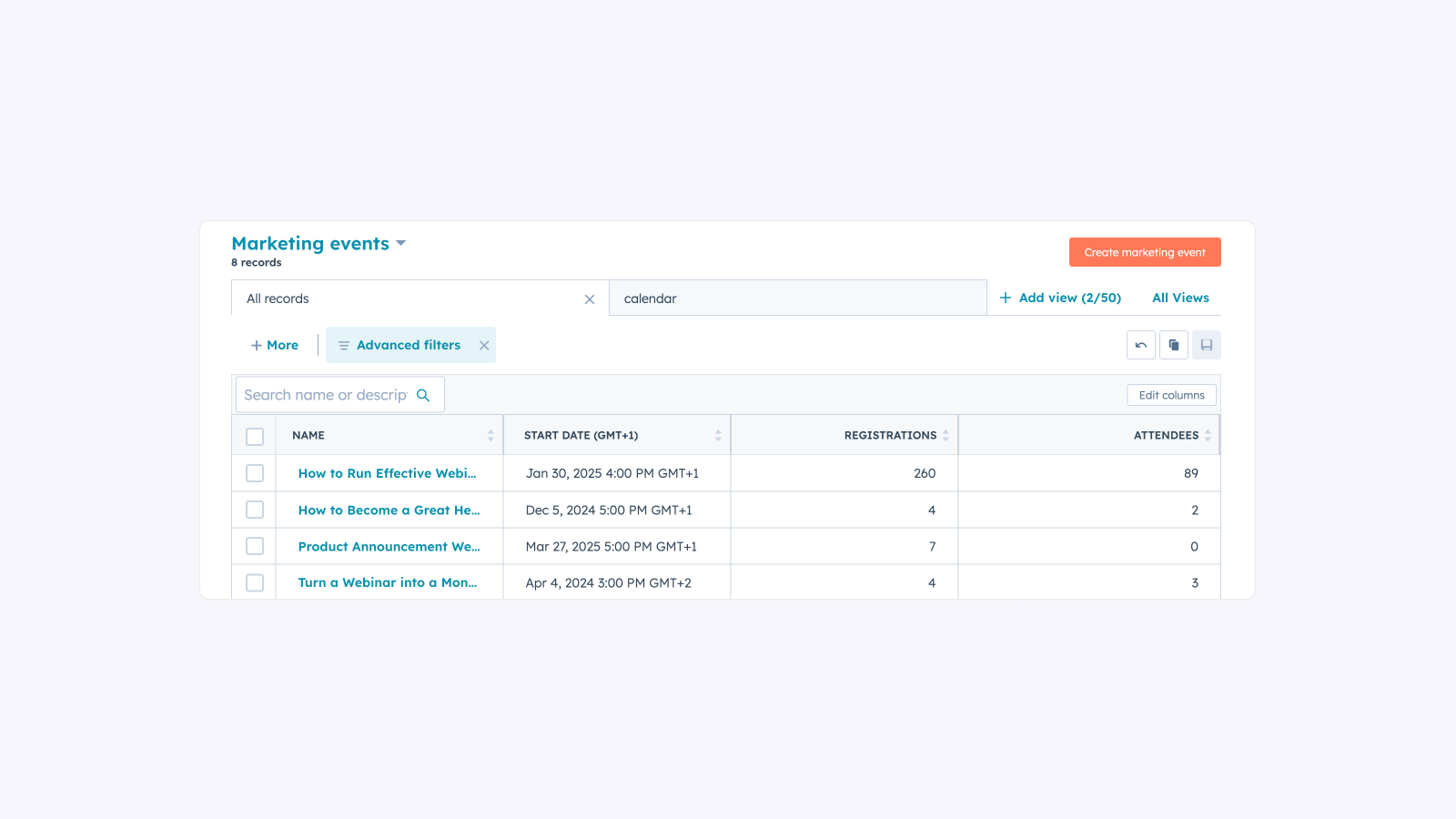
Marketing events data in HubSpot
Automatically sync your webinar and other event data with HubSpot Marketing Events.
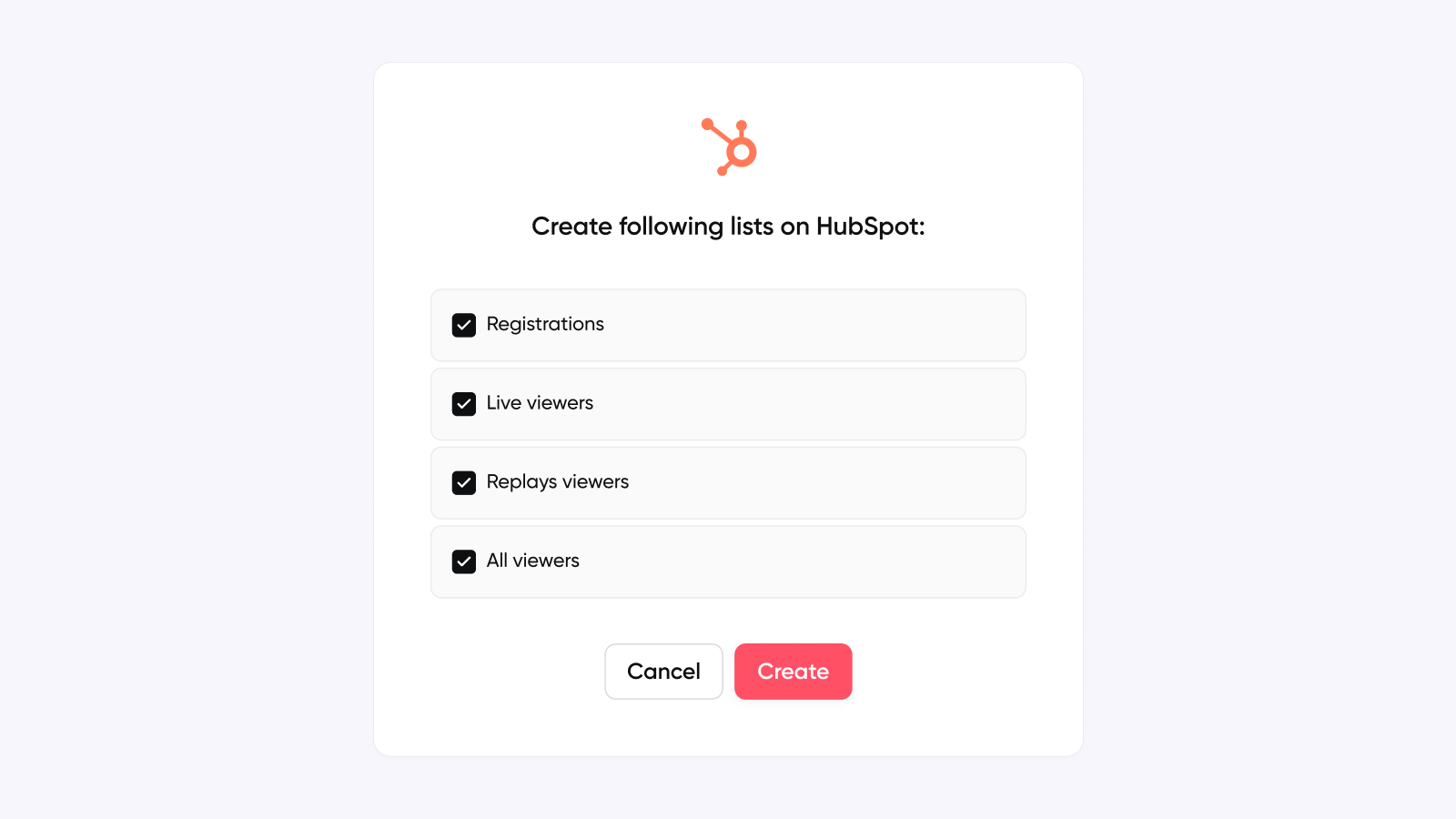
1-Click lists
Easily create dynamic lists from registration data in HubSpot. In a single click from Contrast. You can create lists for: 1. All registrations 2. Live viewers 3. Replay viewers 4. All viewers
App Functionality
Registrants | ||
Attendee | ||
Registration | ||
Live attendance | ||
Replay View | ||
Registrants | ||
Registrant Properties | ||
Webinars | ||
Registrants |
Reviews
4.9
95
4.9
95
- Sep 23, 2026
Gampl, M.
- Jul 20, 2026
Easy to use
We use Contrast on a daily basis to onboard our new clients and share market intelligence.
Easy to learn
No particular drawbacks
Huet, C.
Pricing
Free plan
$0
Perfect to try Contrast or get started with webinars
Up to 30 registrants per month
Up to 10 stored videos
Videos stored for up to 30 days
Up to 45 minutes per webinar
Up to 9 speakers per webinar
Unlimited webinars
Unlimited team members
Free plan
$0
Perfect to try Contrast or get started with webinars
Up to 30 registrants per month
Up to 10 stored videos
Videos stored for up to 30 days
Up to 45 minutes per webinar
Up to 9 speakers per webinar
Unlimited webinars
Unlimited team members
* The pricing here is for display purposes only. All prices do not include taxes, incentives, discounts, or other pricing variables. You should contact the partner for the most up to date and correct pricing information. HubSpot does not take any responsibility for this pricing information, which is provided by our partners. Pricing last updated: 09/02/2026
Most popular

Gmail
Bring HubSpot to your inbox with the HubSpot integration for Gmail.

Google Calendar
Book meetings quickly and easily with HubSpot and Google Calendar.
