

TeamScore.io
Make Remote Work. Performance Intelligence without spyware.
Built by - Ascendius Inc
Installs - <10 installs
Requirements
HubSpot Plan HubSpot Account permissions - View the required account permissions
Access Type Shared TeamScore.io Subscription - Team, Growth, Business, or Enterprise plans
Overview
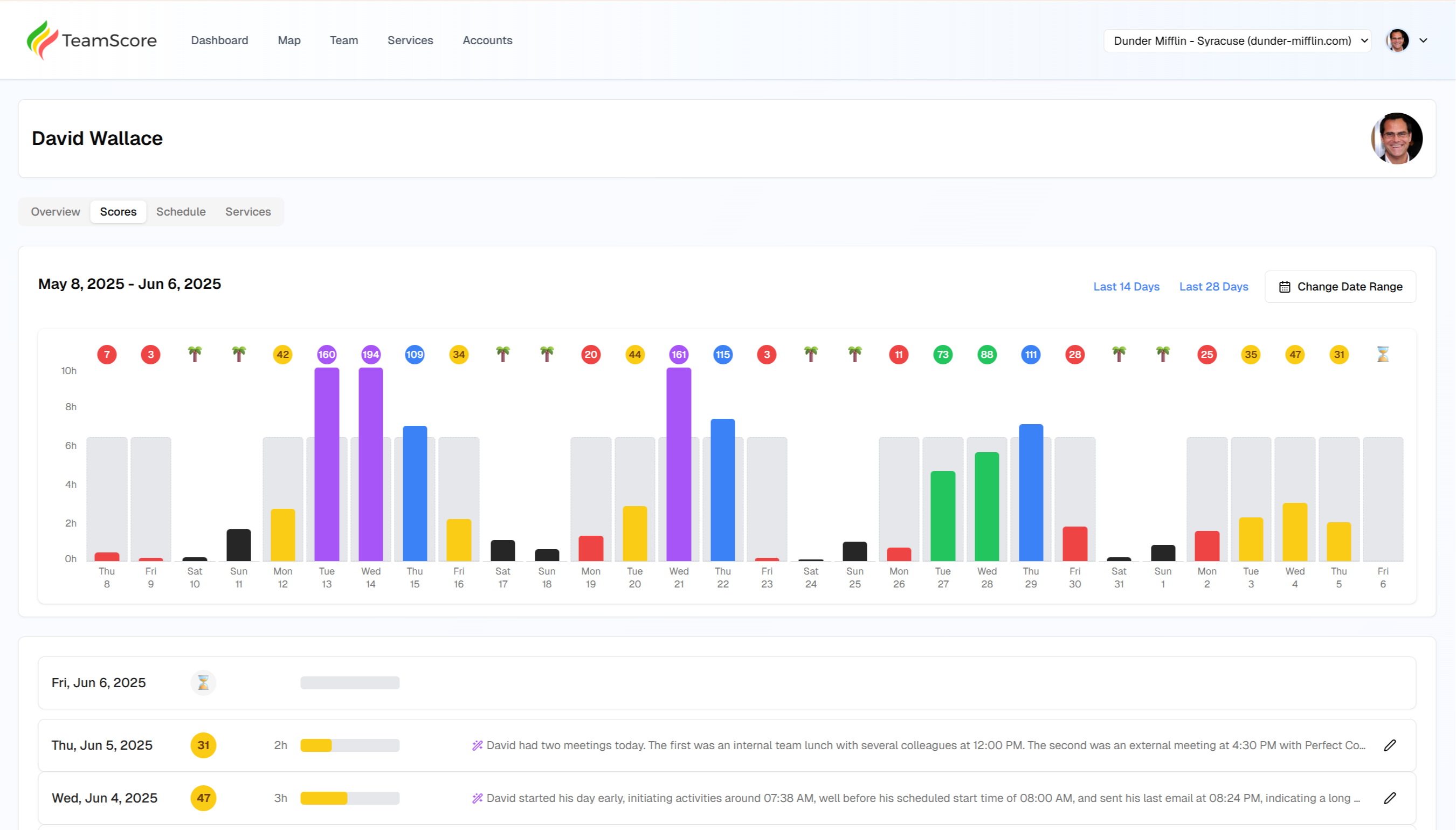
1/1 - TeamScore User Scores
Modern teams live inside HubSpot - yet leaders often have surprisingly little visibility into what their people are actually working on day to day. Work happens asynchronously, teams are remote or hybrid, and managers are left guessing: Who’s actually moving deals forward? Who’s overloaded? Who’s quietly stuck? Who’s coasting?
TeamScore gives managers clarity.
By securely ingesting the activity your team already creates in HubSpot - like updates to Contacts, Companies, Deals, Tickets, Notes, Calls, Emails, and Tasks - TeamScore surfaces a clear picture of effort, engagement, and momentum across your go-to-market teams.
There are no desktop agents, no surveillance tools, and no monitoring software to install. TeamScore passively listens to HubSpot’s event webhooks and transforms them into meaningful insights within minutes.
The result: leaders get objective visibility into workload and contribution, without micromanagement and without compromising trust.
With TeamScore connected to HubSpot, you can:
See real effort, not just outcomes. Understand what reps and CSMs are actually touching, updating, creating, and following up on throughout the day.
Spot blockers earlier. Identify when deals or tickets are stalling because activity has dropped off—or when someone is drowning and needs support.
Run a tighter, higher-performing team. Make smarter decisions about coaching, capacity, and prioritization using real data instead of gut feel.
Protect team morale and avoid "surveillance culture." TeamScore tracks work, not screens. It respects privacy while giving leaders the visibility they need to run a great team.
In short, TeamScore solves the biggest challenge of modern distributed work: seeing the work you can’t see.
Features
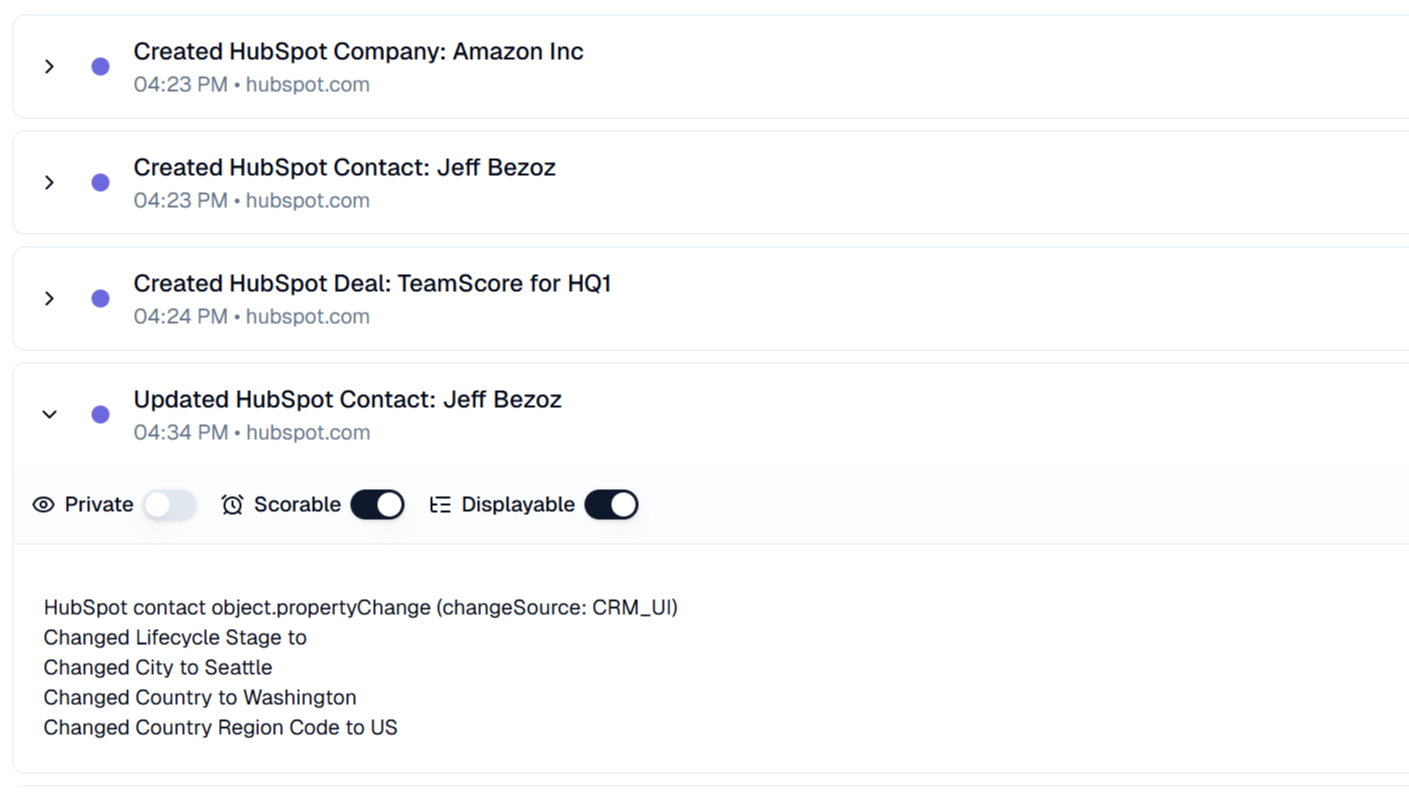
Track work on Companies, Contacts, Deals, Tickets & More
TeamScore automatically captures your team’s work on core HubSpot CRM objects—such as creating, updating, and progressing Companies, Contacts, Deals, Tickets, Quotes and more. This gives managers clear visibility into when meaningful CRM work happens during the day, without extra effort.
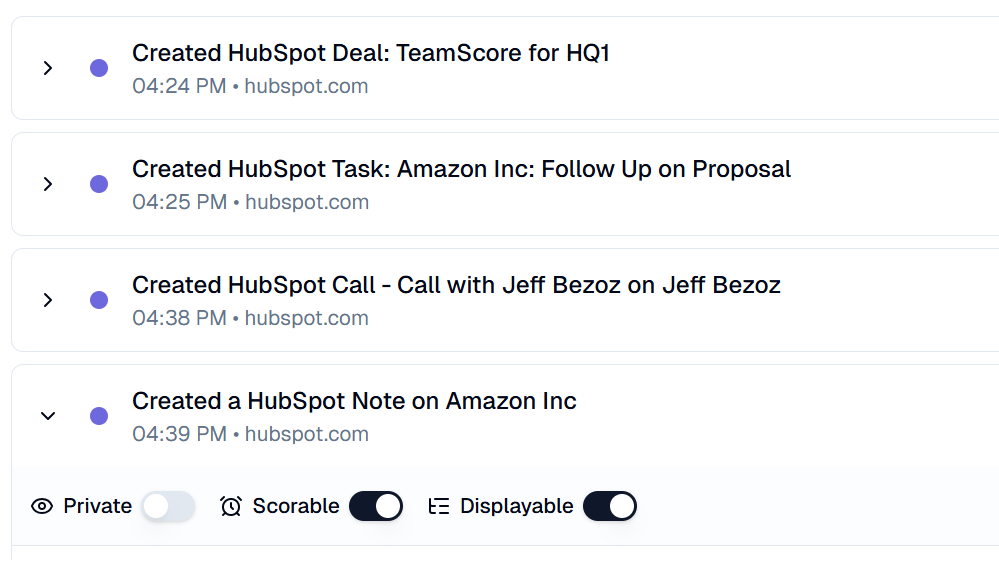
See Tasks, Emails, Notes, Calls & Client Activity in One Place
TeamScore centralizes your team’s client-facing activity from HubSpot - Tasks, Emails, Notes, Meetings, Calls and more - alongside work from tools like Google Workspace. All of the effort that goes into interacting with prospects and customers becomes visible automatically, without micromanagement.
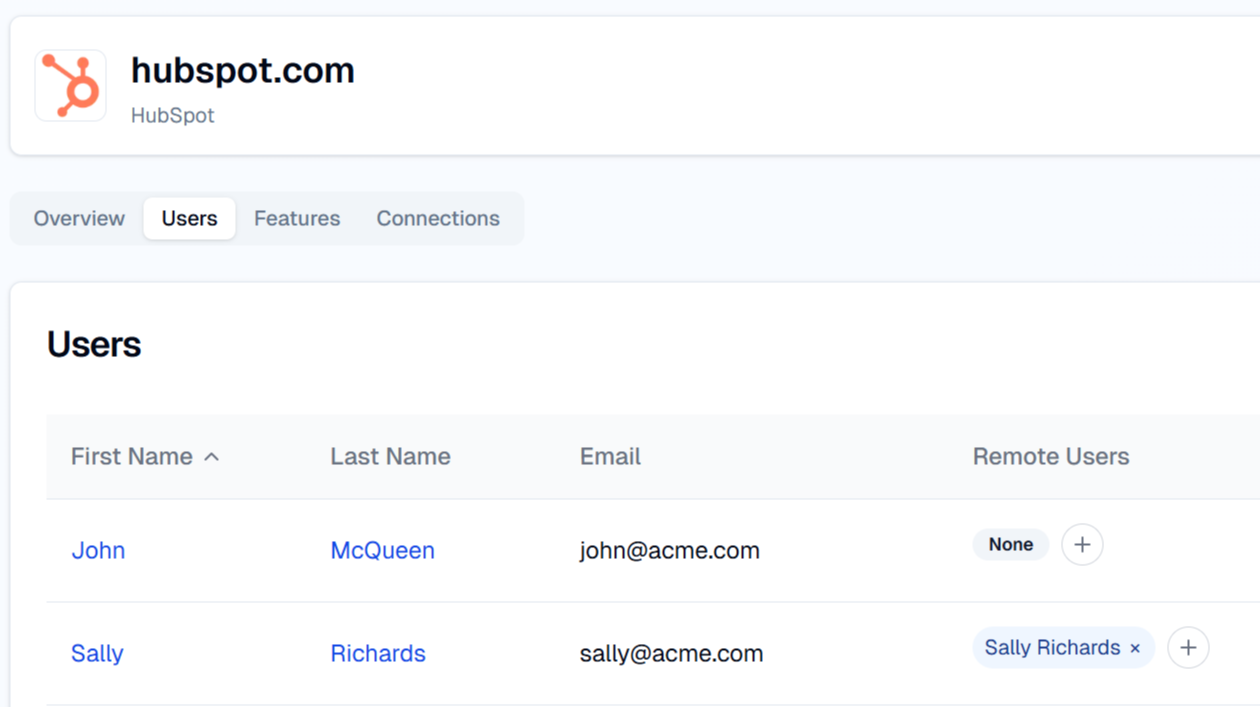
Sync HubSpot Users Automatically
TeamScore keeps your team list in sync with HubSpot automatically. New users, updates, and role changes flow into TeamScore without manual setup. The integration is smart enough to ignore bots and system users, ensuring only real team members appear in your dashboards.
App Functionality
Shared Data
Call Activities | ||
Company Activities | ||
Contact Activities | ||
Deal Activities | ||
Invoice Activities | ||
Note Activities | ||
Order Activities | ||
Quote Activities | ||
Sent Email Activities | ||
Task Activities | ||
Ticket Activities | ||
Users |
TeamScore only ingests metadata from HubSpot. We focus on who performed an action and when it occurred, along with minimal contextual details needed to understand the activity.
Specifically:
We collect event metadata such as creation, updates, or deletions of CRM objects (e.g., Companies, Contacts, Deals, Tickets).
We capture timestamps, the user who performed the action, and basic identifying fields like the object’s name or title.
We do not ingest full record content, notes bodies, email bodies, file attachments, or any sensitive free-text fields.
All data is used solely to show a timeline of work activity inside TeamScore—never for monitoring behavior on devices or outside of HubSpot.
TeamScore’s goal is visibility into effort, not surveillance. By limiting ingestion to lightweight metadata, we help managers understand when HubSpot work happens without exposing sensitive customer data or private communications.
Reviews
Be the first to write a customer review
Pricing
Team
$8.25
/monthUnlock all integrations, including HubSpot, and look-back up to 30 days for teams of up to 20 people.
Includes 20 team members
Unlimited integration connections
AI summaries via Slack
Up to 30 day look-back in reports
Team
$8.25
/monthUnlock all integrations, including HubSpot, and look-back up to 30 days for teams of up to 20 people.
Includes 20 team members
Unlimited integration connections
AI summaries via Slack
Up to 30 day look-back in reports
* The pricing here is for display purposes only. All prices do not include taxes, incentives, discounts, or other pricing variables. You should contact the partner for the most up to date and correct pricing information. HubSpot does not take any responsibility for this pricing information, which is provided by our partners. Pricing last updated: 01/09/2026
More info
Built by - Ascendius Inc
Installs - <10 installs
Categories Languages this app is available in English
Most popular


