

Conturs Lead Scoring
Built by - Conturs
Installs - <10 installs
Requirements
HubSpot Plan HubSpot Account permissions - View the required account permissions
Access Type Shared Conturs Lead Scoring Subscription - Free, Starter, Core, or Scale plans
Overview
1/9 - conturs-tutorial
Most sales teams treat all leads equally — spending the same time on cold contacts as on high-intent prospects. This leads to wasted effort, missed opportunities, and longer sales cycles. Conturs connects to your HubSpot CRM and scores every contact from 0 to 100 based on how similar they are to your best existing customers. The score is calculated using 9 weighted factors — including seniority, email validity, profile completeness, lifecycle stage, and more.
Each score comes with a full transparent breakdown: you see exactly which factors contributed and how much. No black box, no guessing.
Your reps instantly see which leads to prioritize — right inside the HubSpot contact sidebar. No manual sorting, no spreadsheets, no expensive enterprise tools.
Conturs is privacy-safe by design: lead data is processed securely and never shared with third parties
Features
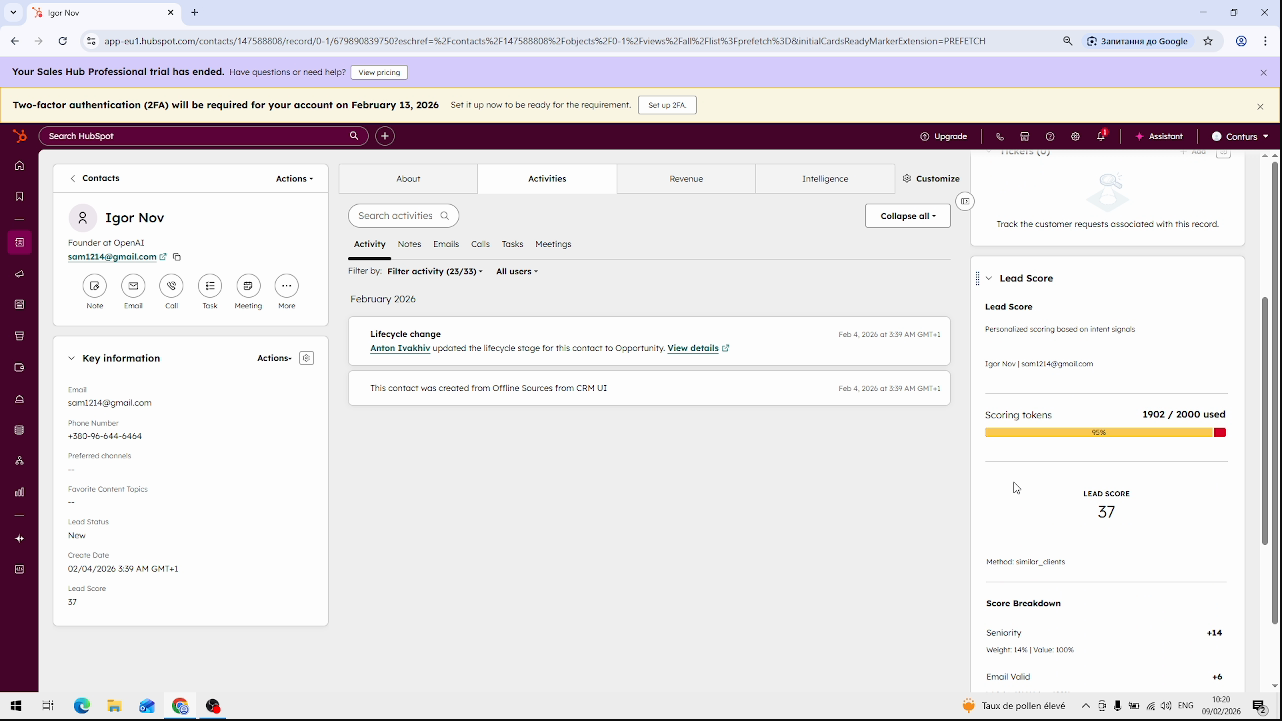
AI Lead Scoring
Automatically scores and prioritizes your HubSpot leads from 0 to 100 using AI, so your sales team focuses on the ones most likely to convert. Each lead gets a detailed breakdown of the top scoring factors.
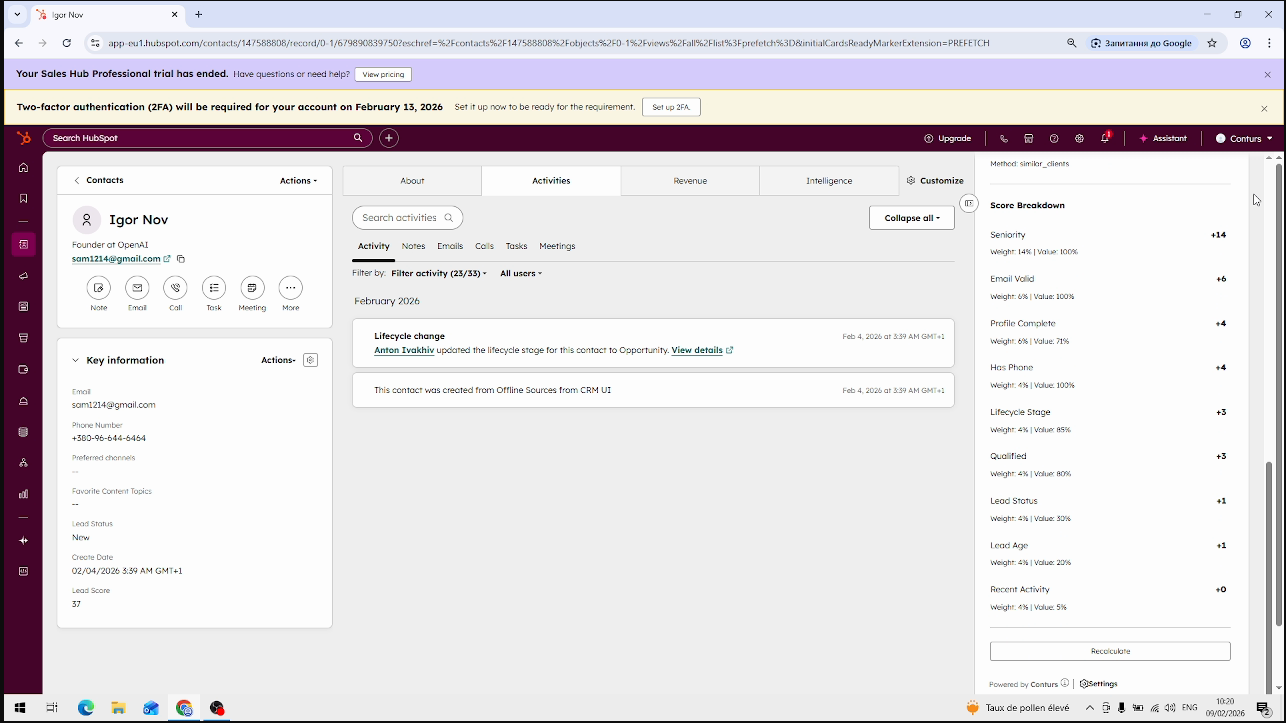
Score Breakdown by Factors
See exactly why each lead got its score. Conturs breaks down the result into weighted factors like seniority, email validity, company size, and engagement — so your team knows what makes a lead hot or cold
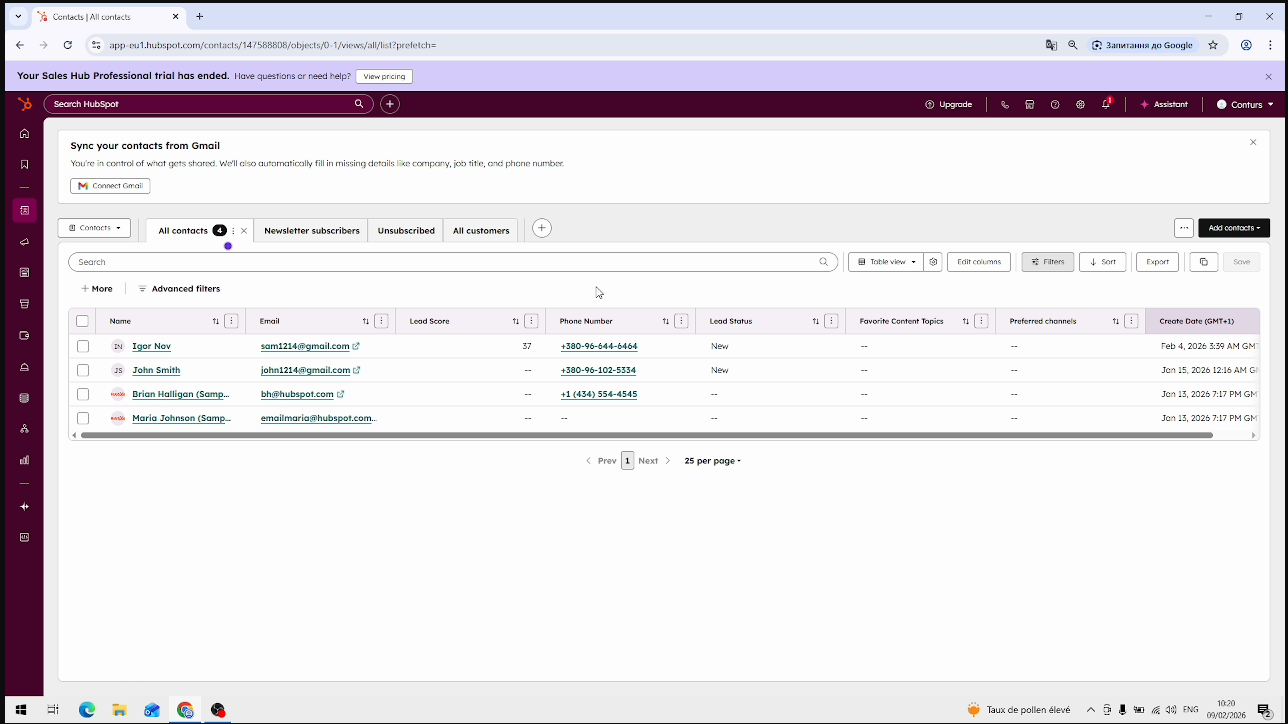
Bulk Score Recalculation
Recalculate scores for all your contacts in one click. As your data changes or new leads arrive, run a bulk recalculation to keep every lead score fresh and accurate across your entire CRM.
App Functionality
Shared Data
Leads |
Data Conturs READS from HubSpot:
• Contact properties: name, email, company, job title, industry, lifecycle stage, lead status, phone, create
date
Data Conturs WRITES to HubSpot:
• Lead Score (numeric, 0–100) — overall similarity score
• Score Breakdown — weighted factors including seniority, email validity, profile completeness, lifecycle stage,
lead status, engagement signals, and more. The number of factors depends on available contact data.
• Scoring method (e.g. similar_clients)
All data is processed securely via API and never shared with third parties. No data is deleted or overwritten.
Reviews
Pricing
Free
$0
Free forever — score up to leads per month
30 scored leads per month
10 requests per minute
1 user seat
AI score breakdown
Free
$0
Free forever — score up to leads per month
30 scored leads per month
10 requests per minute
1 user seat
AI score breakdown
* The pricing here is for display purposes only. All prices do not include taxes, incentives, discounts, or other pricing variables. You should contact the partner for the most up to date and correct pricing information. HubSpot does not take any responsibility for this pricing information, which is provided by our partners. Pricing last updated: 02/20/2026
More info
Built by - Conturs
Installs - <10 installs
Categories Languages this app is available in English
New arrivals
VoiceValet
AI Voice Agents that Handle Calls, Book Jobs, and Integrate with HubSpot - all while sounding like a human.

Shopify Sidekick by MakeWebBetter
Access HubSpot CRM in Shopify Sidekick with Natural Language
