

Entflow - Workflow Mapper & Duplicate Tool
Requirements
HubSpot Plan HubSpot Account permissions - View the required account permissions
Access Type Shared Entflow - Workflow Mapper & Duplicate Tool Subscription - Starter, Growth, Pro, or Enterprise plans
Overview
1/9 - Brief Overview
Entflow — Visual Workflow Map for HubSpot
Ever wondered what would break if you changed a workflow? Entflow gives you the answer.
Connect your HubSpot portal and instantly see how every workflow relates to every other - through shared properties, cross-enrolments, list references, and email overlaps. No setup, no configuration. Just connect and see the full picture.
What you get:
A visual dependency map that shows your entire automation architecture in one canvas. Click any workflow to see its actions, enrolment criteria, and every connection it has to other workflows. Spot property write collisions where two workflows fight over the same field. Catch circular dependencies before they cause infinite loops. Find orphaned enrolments pointing to workflows that no longer exist. Duplicate workflows from one portal to another.
Built for RevOps teams who manage complex HubSpot portals:
Track every change between syncs with a full changelog and side-by-side diff view. Tag workflows by team, campaign, or function. Use the FigJam-style canvas to annotate your map with sections, shapes, sticky notes, and connectors. Export to PNG, SVG, or PDF for stakeholder presentations.
How it works:
Connect your HubSpot portal (30 seconds, read-only access)
Entflow syncs your workflows and builds the dependency graph
Explore, filter, annotate, and share
We never access your CRM records. We never modify your portal. We only read workflow configurations, properties, and metadata.
Free for up to 25 workflows. Paid plans from $9/mo.
Features
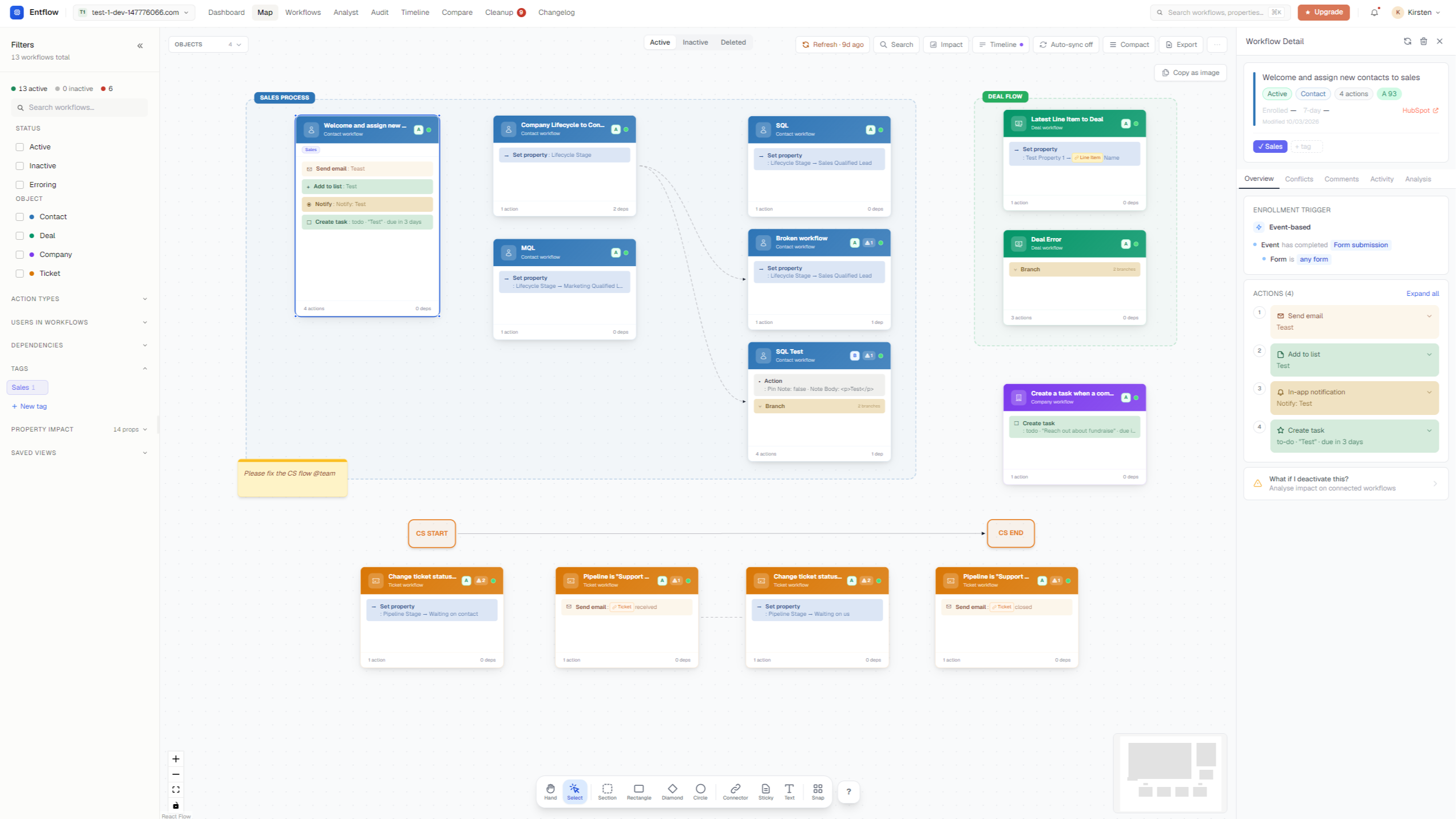
Visual Workflow Map with Dependencies
Syncs all HubSpot Workflows to our Workflow Canvas
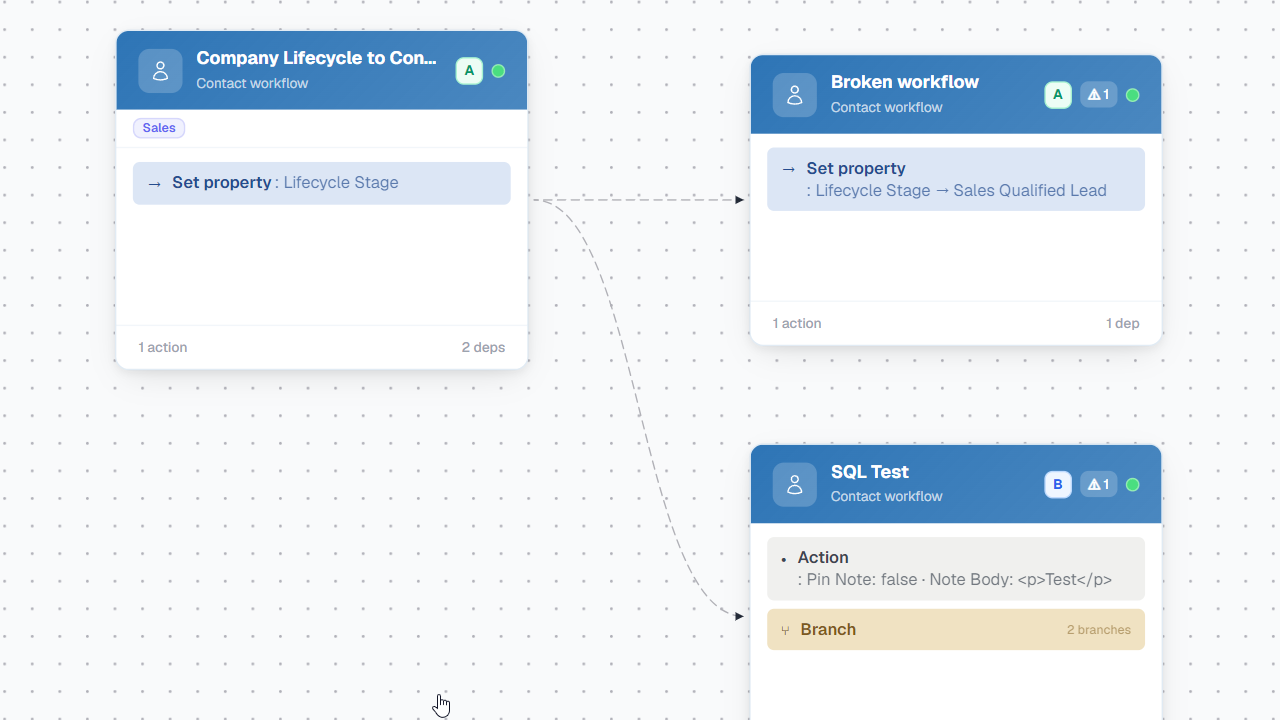
Workflow Triggers & Steps
Shows all actions within a workflow
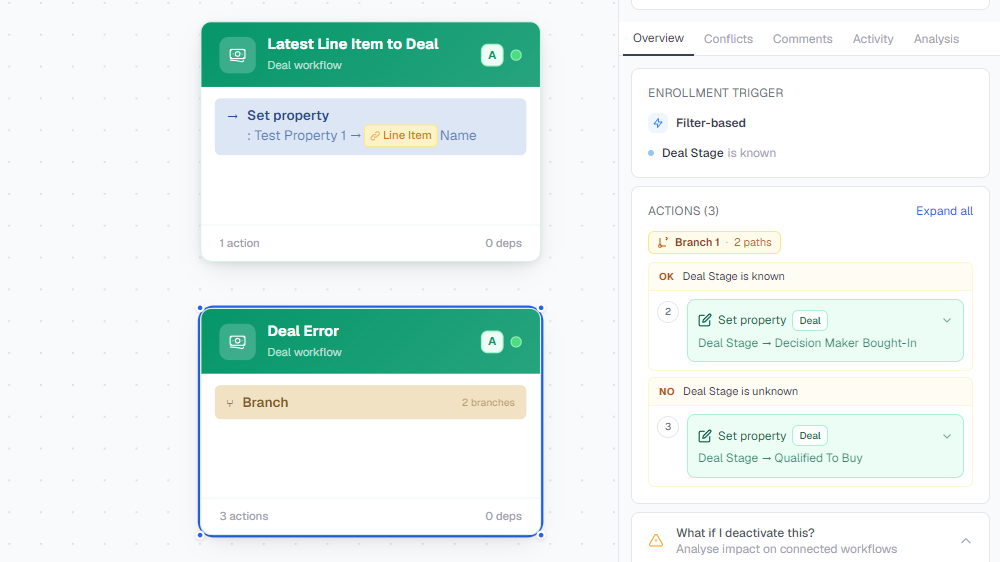
Workflow Details/Conflicts
Enrollment Triggers, Workflow Actions and Conflicts
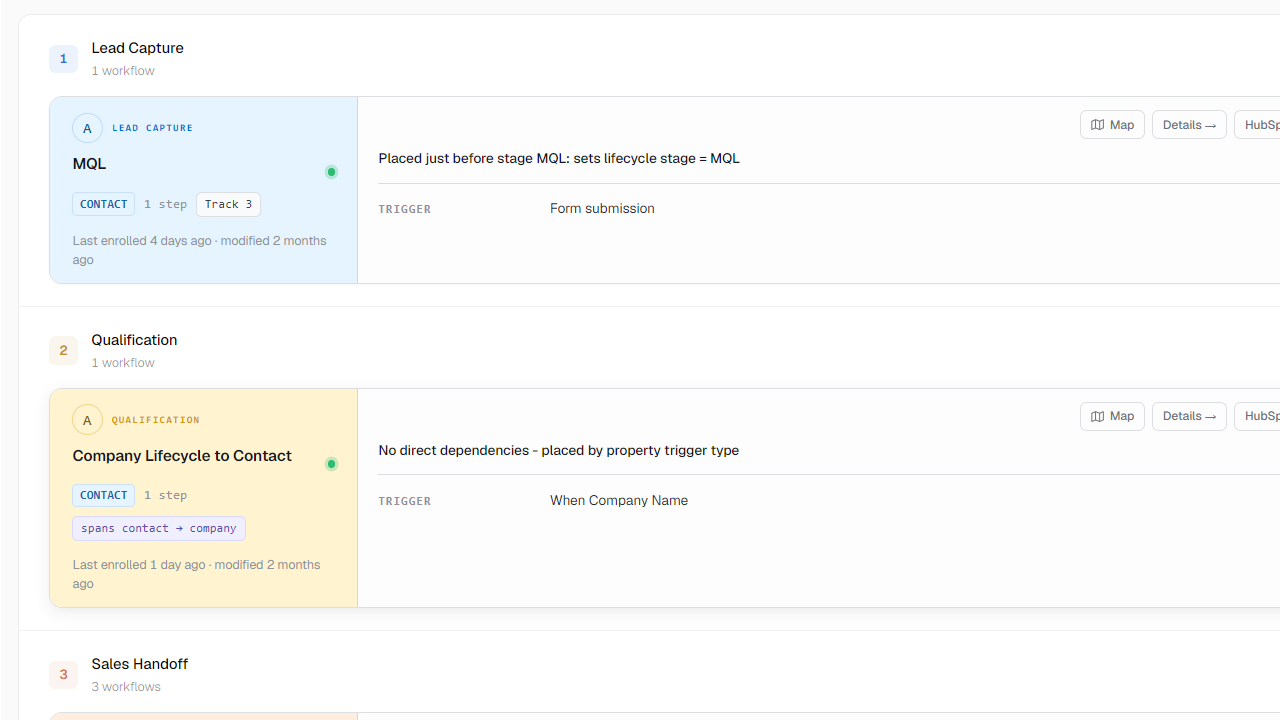
Flow Timeline / Journey
Which workflows trigger which downstream workflows through property updates, cross-enrollments, and list memberships.
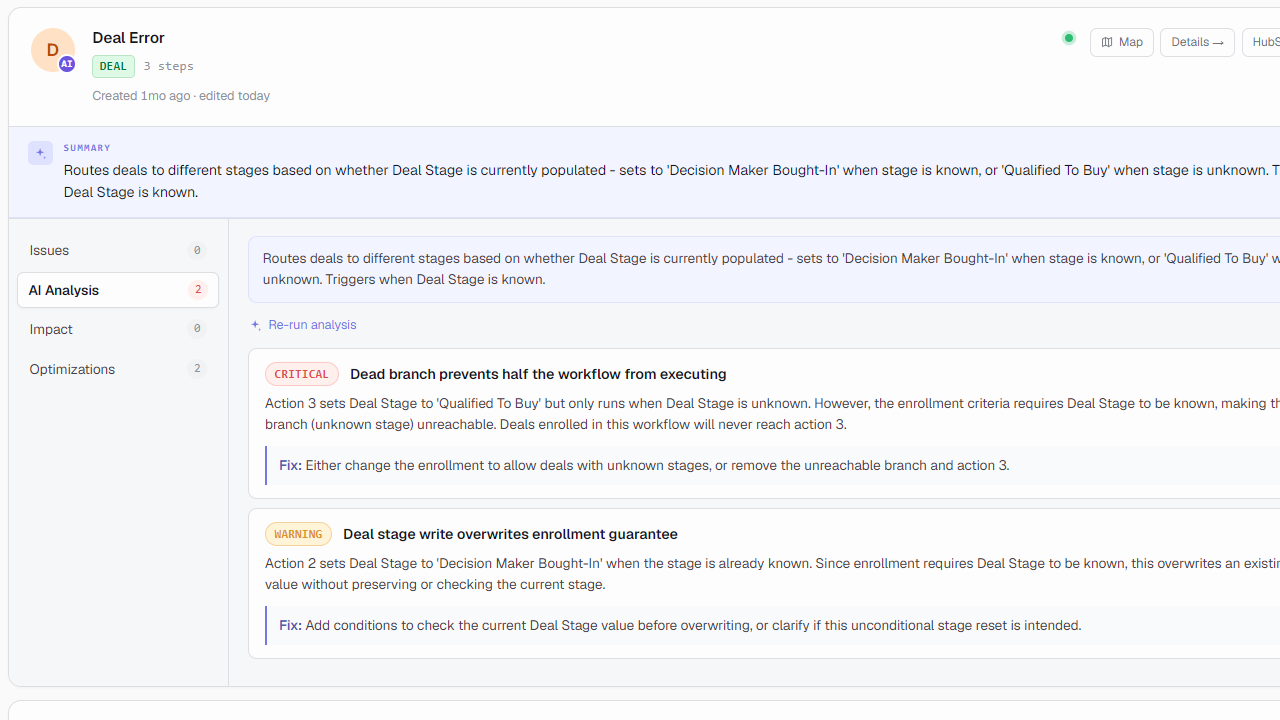
AI Workflow Analyst
Every workflow gets an instant A–F health score the moment you sync
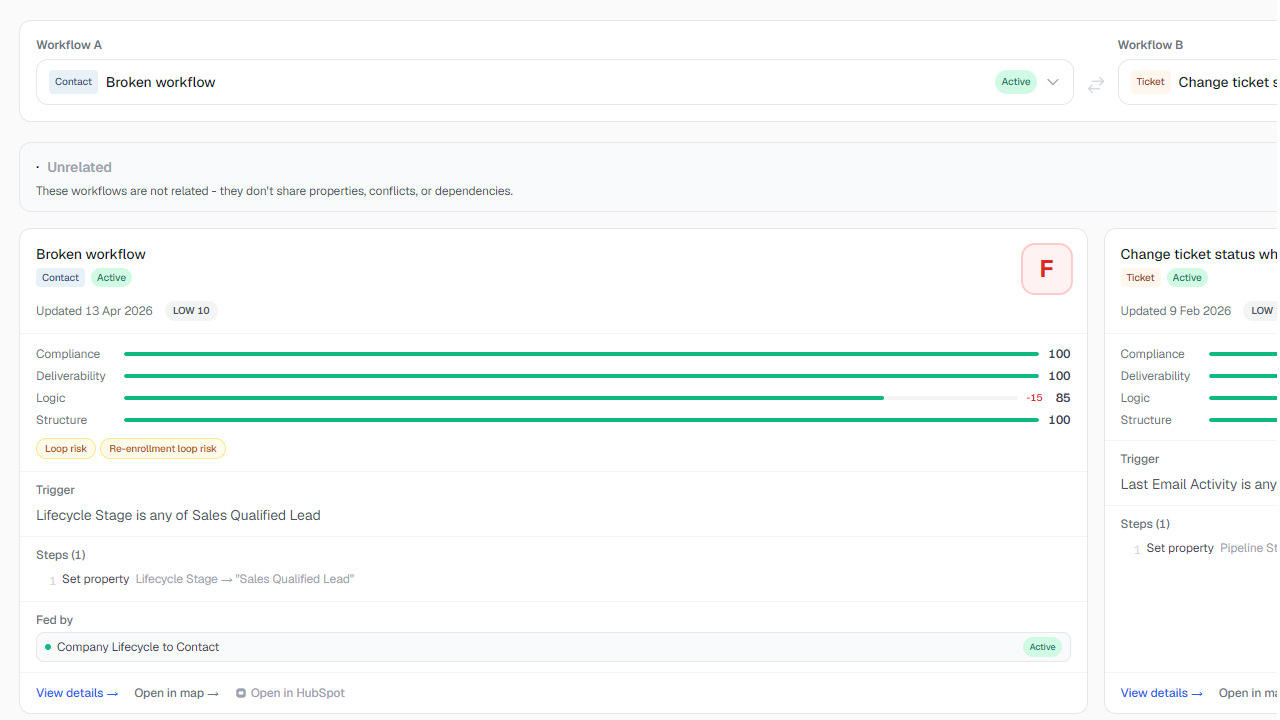
Compare
elect any two workflows and Entflow fetches their full details - enrollment triggers, filter conditions, and every action step. Both are rendered in matched columns so you can scan down the page and immediately see where they diverge. No more switching tabs or reading JSON exports.
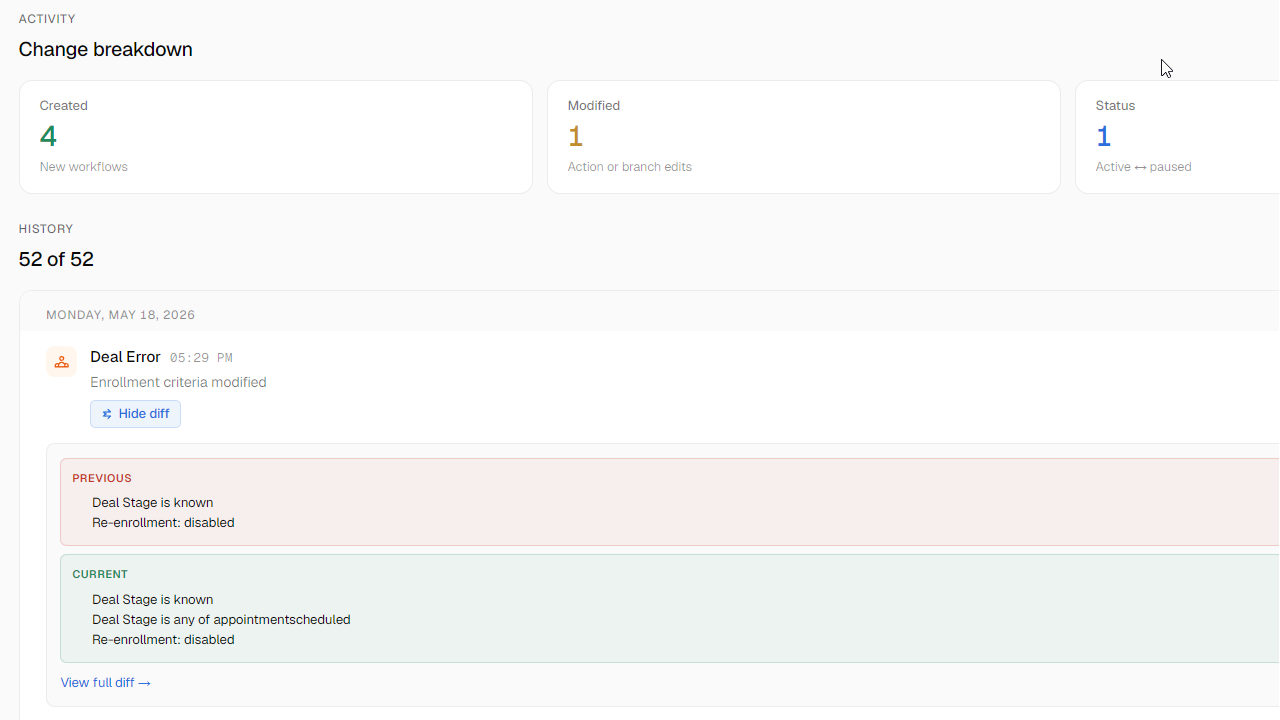
Changelog
Someone changed a workflow last week. You don't know who, what they changed, or why. HubSpot doesn't track action-level changes. Entflow does. Every sync diffs your current portal state against the previous one and records exactly what changed - down to which action was added and which enrollment criteria was modified.
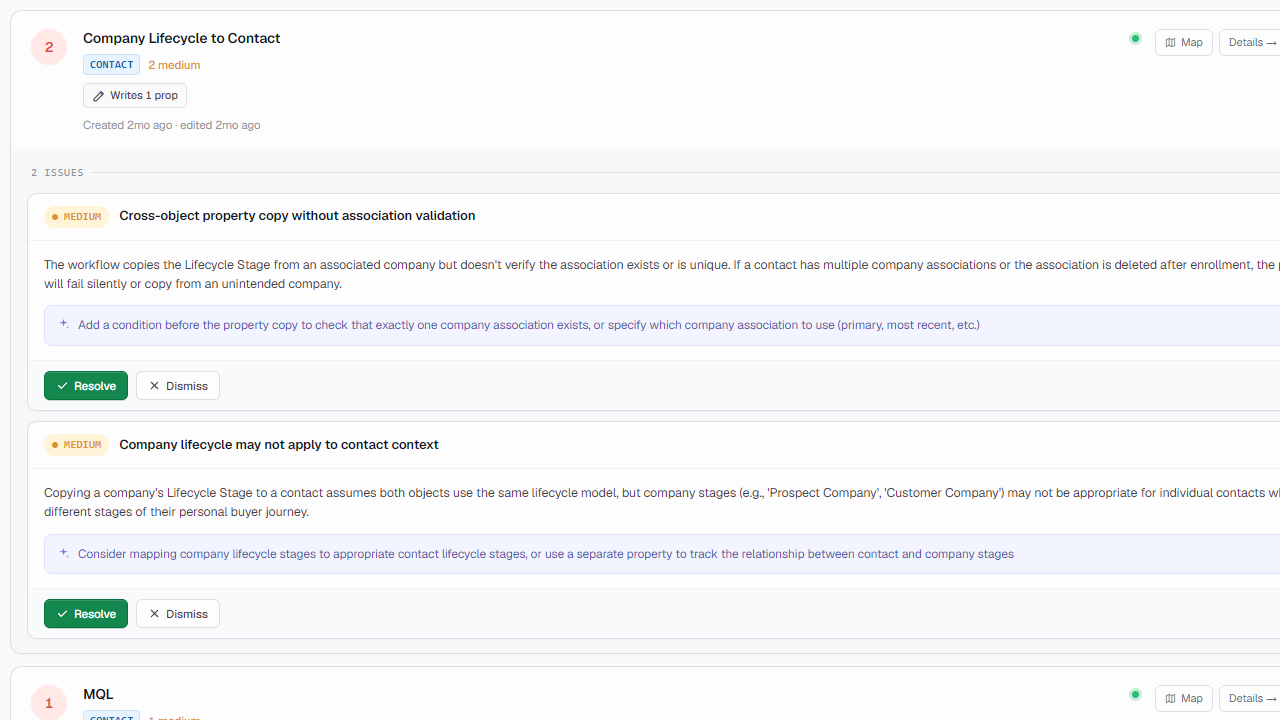
Clean-up / Recommendations
Entflow analyses your full workflow library and generates a ranked list of cleanup tasks - conflicts, stale workflows, duplicate logic, broken references, and erroring automations. Every item is categorised, prioritised HIGH/MEDIUM/LOW, and linked directly to the affected workflows.
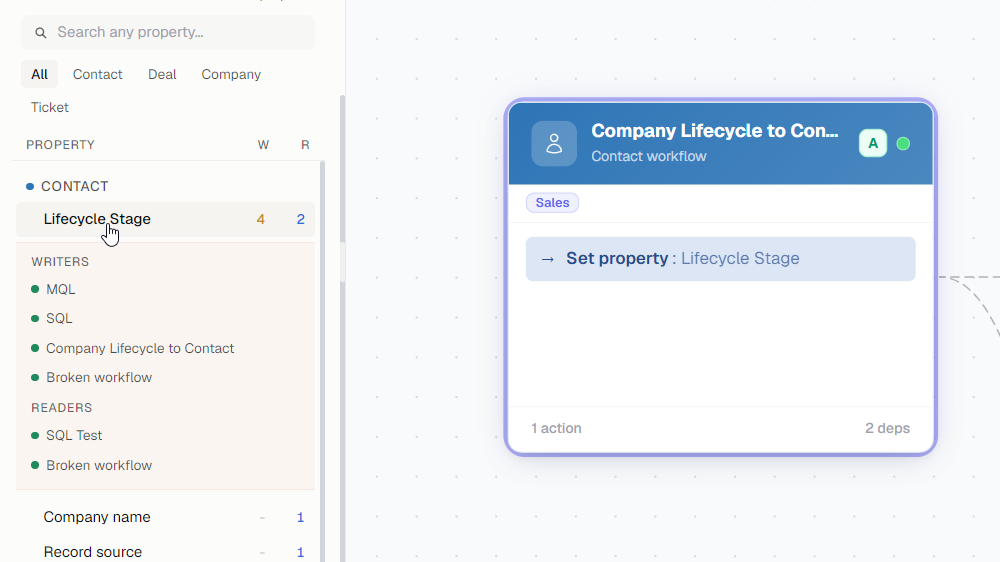
Property Impact
Renaming a property. Changing its values. Deleting a field. Any of these can quietly break a dozen workflows - and HubSpot won't tell you which ones until contacts start falling through the cracks. Entflow maps every workflow that reads or writes every property in your portal. Before you change anything, you know the full blast radius.
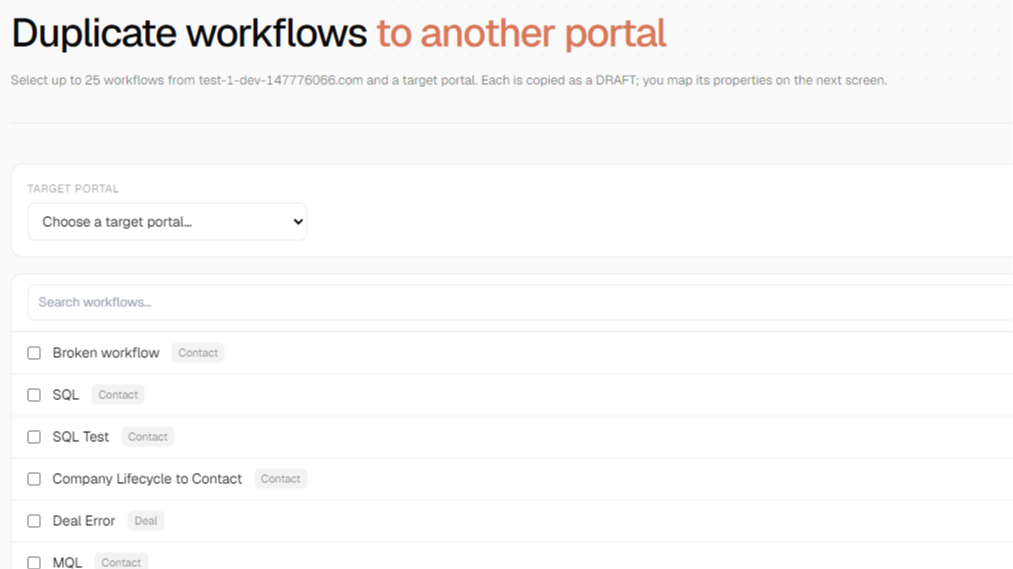
Duplicate Workflow Across Portals
Duplicate workflows across portals - saving agencies countless hours
App Functionality
Shared Data
Workflows | ||
Contact Properties | ||
Form Names | ||
Company Properties | ||
List Names | ||
Deal Properties | ||
Custom Object Properties |
In order to display custom object properties used in Workflows, we need to be able to read the property names.
Reviews
- Jun 26, 2026
Makes HubSpot workflow review effortless
Entflow has been a great tool for reviewing and managing HubSpot workflows across our company. The UI is clean, intuitive, and easy to navigate, which makes the platform simple to use even when reviewing a large number of workflows. It helps us better understand how workflows are organized, where improvements are needed, and which workflows may no longer be useful and can be retired.
The biggest advantages are the clean UI, workflow tagging, organization features, and how easy it makes workflow review for the entire company. It saves time, improves visibility, and helps teams stay aligned on which workflows are active, important, or need attention.
Resler, J.
- Apr 20, 2026
Been looking for something like this for years
As a Revops Specialist I find myself constantly running HubSpot audits. I can't tell you what a lifesaver this tool is being able to quickly map out which workflows are active in the portal and how they relate to each other without having to manually go through each one one-by-one. This is literally saving me hours of work when auditing.
Time saver. Gives me a better idea of the automation process in a client's HubSpot portal than I could gather before.
Marchenko, I.
Starter
$7
/monthFor solo RevOps or admins with a compact portal who want unlimited manual syncs and tagging.
Multi-portal support
Property impact index
Dependency map, conflict detection, changelog, health scores
Unlimited manual sync (no cooldown)
Workflow tagging + organisation
10 AI workflow analyses / month
Up to 50 workflows
Starter
$7
/monthFor solo RevOps or admins with a compact portal who want unlimited manual syncs and tagging.
Multi-portal support
Property impact index
Dependency map, conflict detection, changelog, health scores
Unlimited manual sync (no cooldown)
Workflow tagging + organisation
10 AI workflow analyses / month
Up to 50 workflows
* The pricing here is for display purposes only. All prices do not include taxes, incentives, discounts, or other pricing variables. You should contact the partner for the most up to date and correct pricing information. HubSpot does not take any responsibility for this pricing information, which is provided by our partners. Pricing last updated: 08/21/2026
More info
Built by - Entflow
Installs - 50+ installs
Categories Languages this app is available in English ,English - South Africa ,English - United Kingdom , andEnglish - United States
New arrivals

Twilio SMS + Workflows
Two-way Twilio SMS in your inbox, contact records, and workflows. One flat price, unlimited messages.

Strivelabs.ai
Connect HubSpot to StriveLabs and bring your marketing data into one place. Sync contacts, campaigns, and deals with Google Ads, GA4, and Search Console to understand what drives pipeline. AI agents suggest next steps and write back to HubSpot with your approval. Built for growth and revenue teams.
