

Google Drive
Link drives, folders, and files to CRM records, automate file and…
Requirements
HubSpot Plan HubSpot Account permissions No permissions required Access Type Shared Google Drive Subscription - Business Starter, Business Standard, or Business Plus plans
Overview
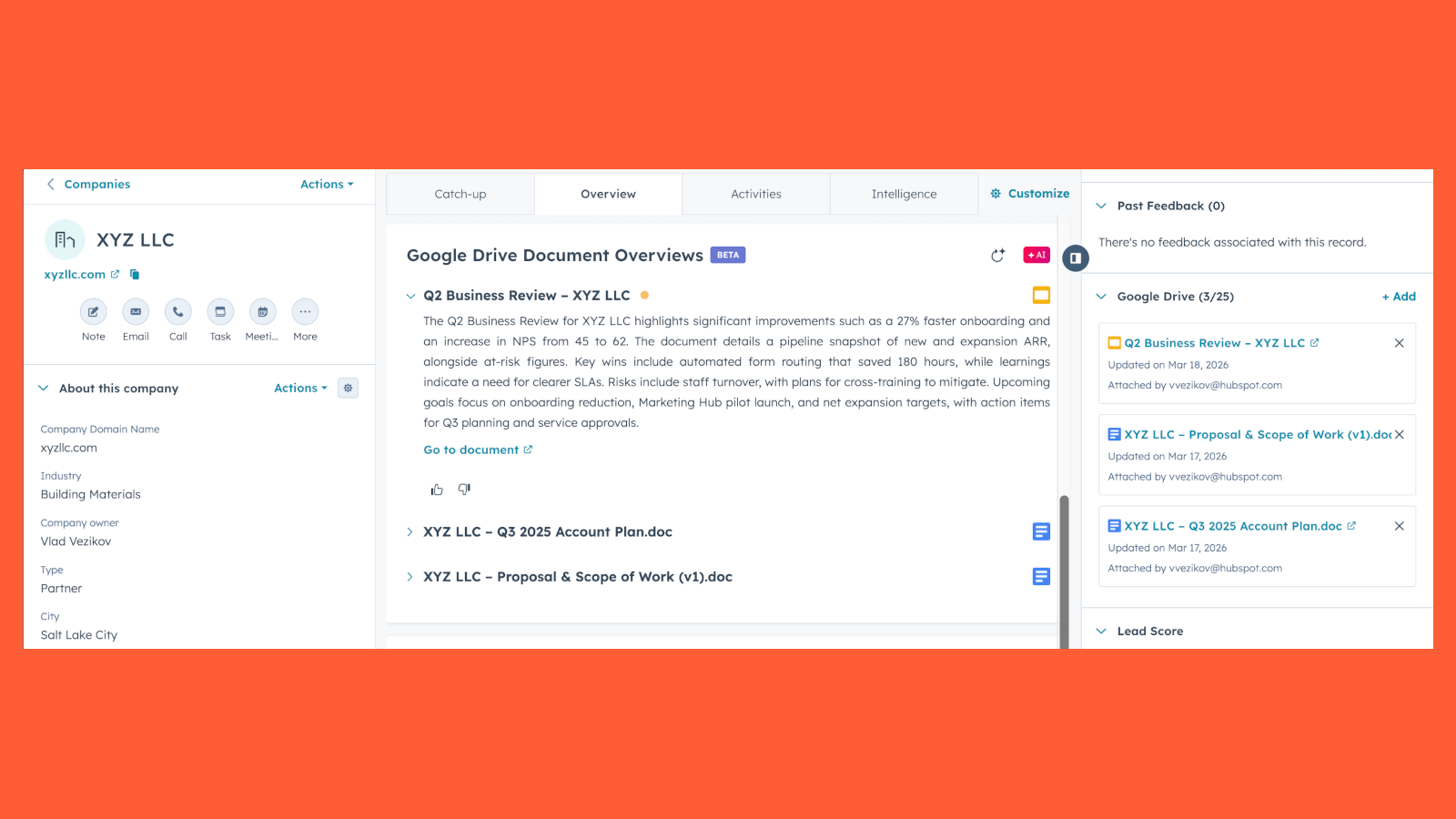
1/6 - View document overviews directly on record pages
Use HubSpot's integration with Google Drive to link drives, folders, and files to CRM records, automate file and folder management through workflows, and get AI-powered document overviews — all without leaving HubSpot.
For example, sales reps can link a proposal to a deal record, automatically create a folder when a new company is added, or get a quick overview of an attached contract in the context of the deal.
Add Google Drive files to HubSpot records
After connecting the Google Drive integration, you'll be able to access the Google Drive card on records in HubSpot. From there, you can link existing drives, folders, and files or browse and search your Google Drive directly.
View document overviews
After adding Google Drive files to a record, you can view AI-powered document overviews that summarize what's in each file in the context of the HubSpot record it's attached to.
Automate file and folder management
Use HubSpot workflows to automate Google Drive actions triggered by CRM events. Create folders, upload files from record properties, and link existing resources to records — all automatically as your pipeline moves forward.
Use Google Drive files in Content Remix
After connecting the Google Drive integration, repurpose Google Drive files with Content Remix to create new content, like blog drafts, campaign plans, or pitch decks.
Learn more about repurposing existing content with Content Remix.
Features

Connect Google Drive files, folders, and drives to HubSpot records
After installing the Google Drive app, you can access the Google Drive card on the right sidebar of HubSpot records. This will allow you to add new attachments and view existing ones.
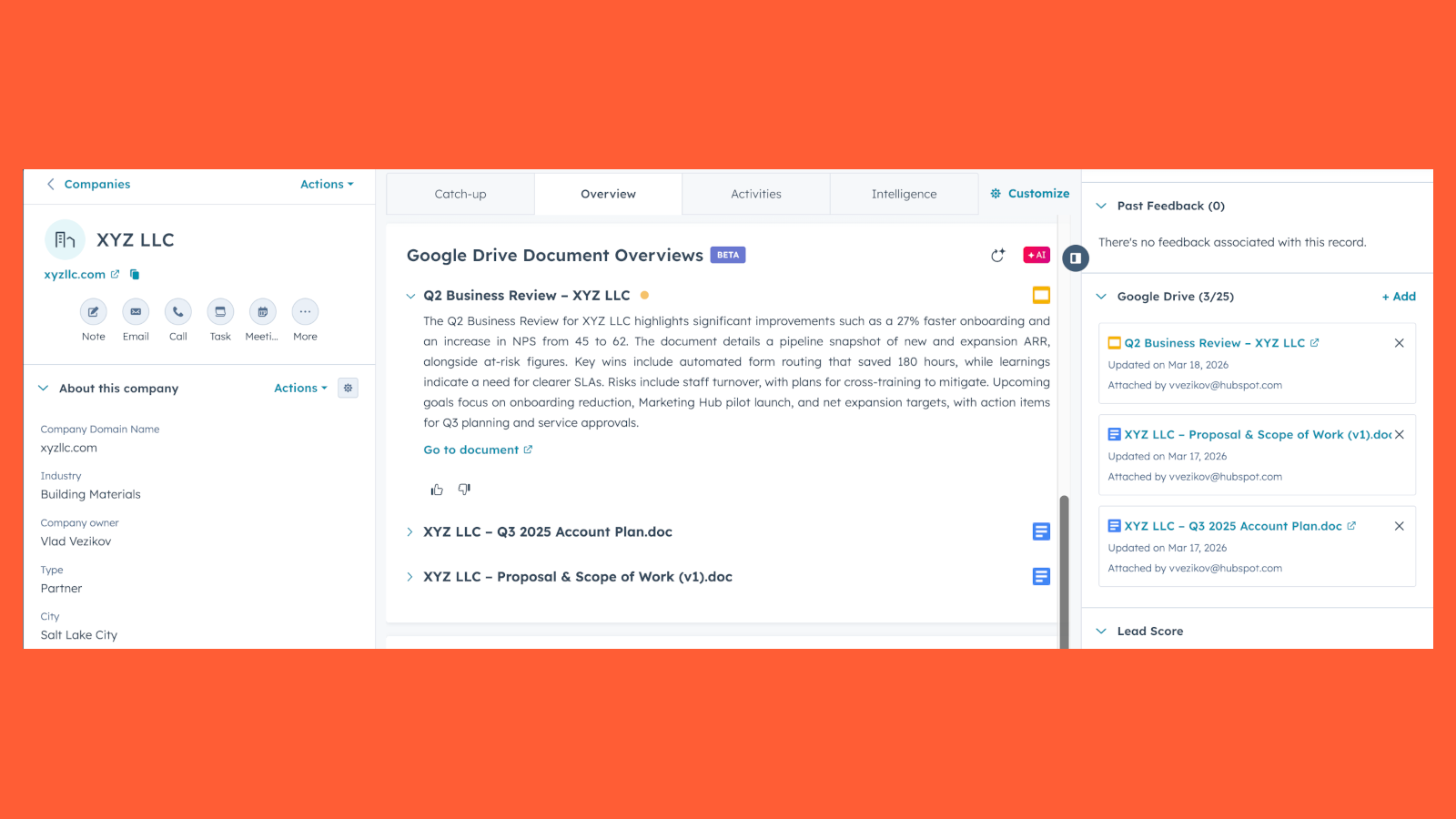
View document overviews directly on record pages
View Breeze-powered document overviews directly on corresponding record pages. These overviews are generated from the document contents and the record context.
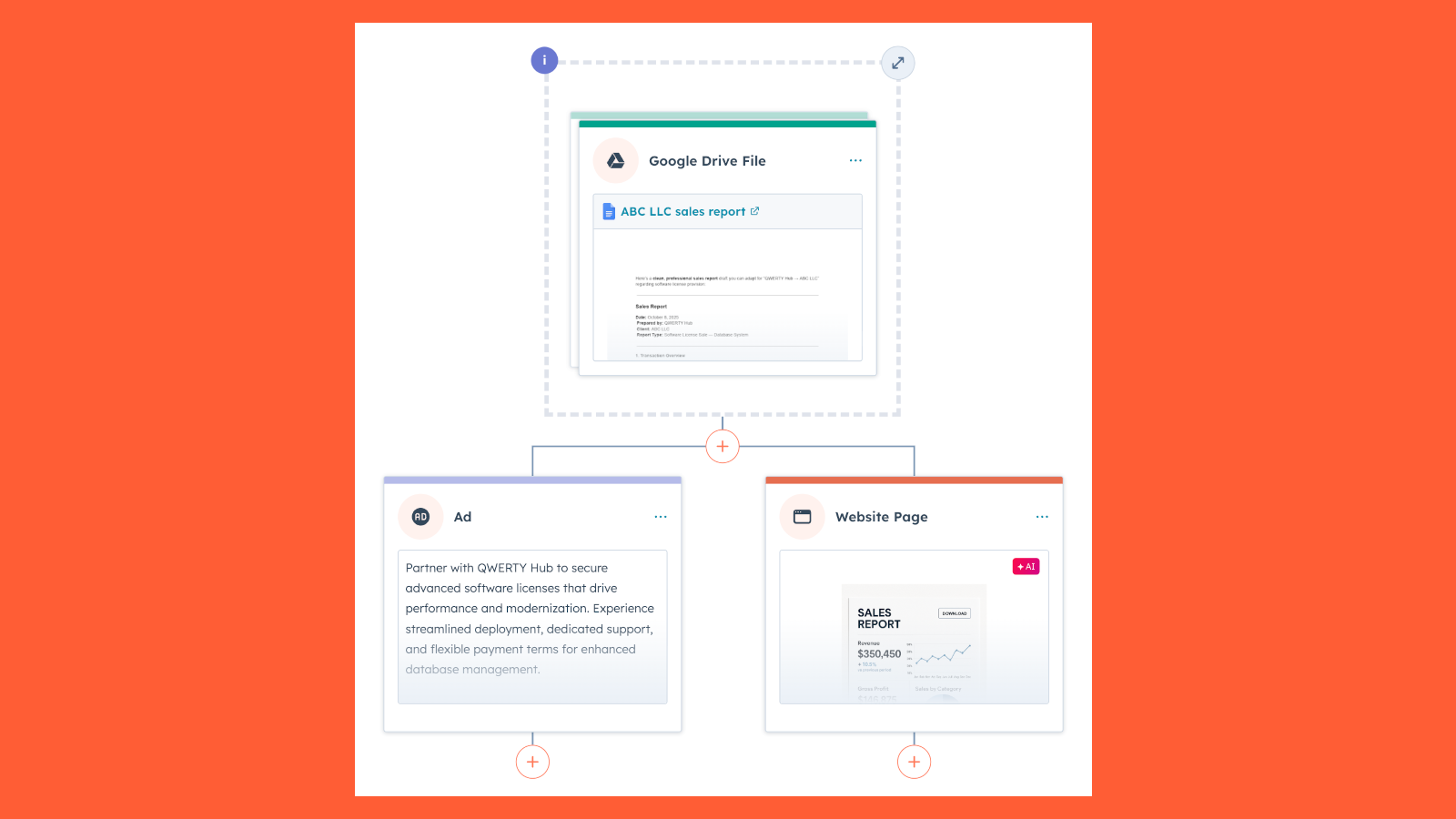
Use Google Drive files in Content Remix
After connecting the Google Drive integration, repurpose Google Drive files with Content Remix to create new content, like blog drafts, campaign plans, or pitch decks.
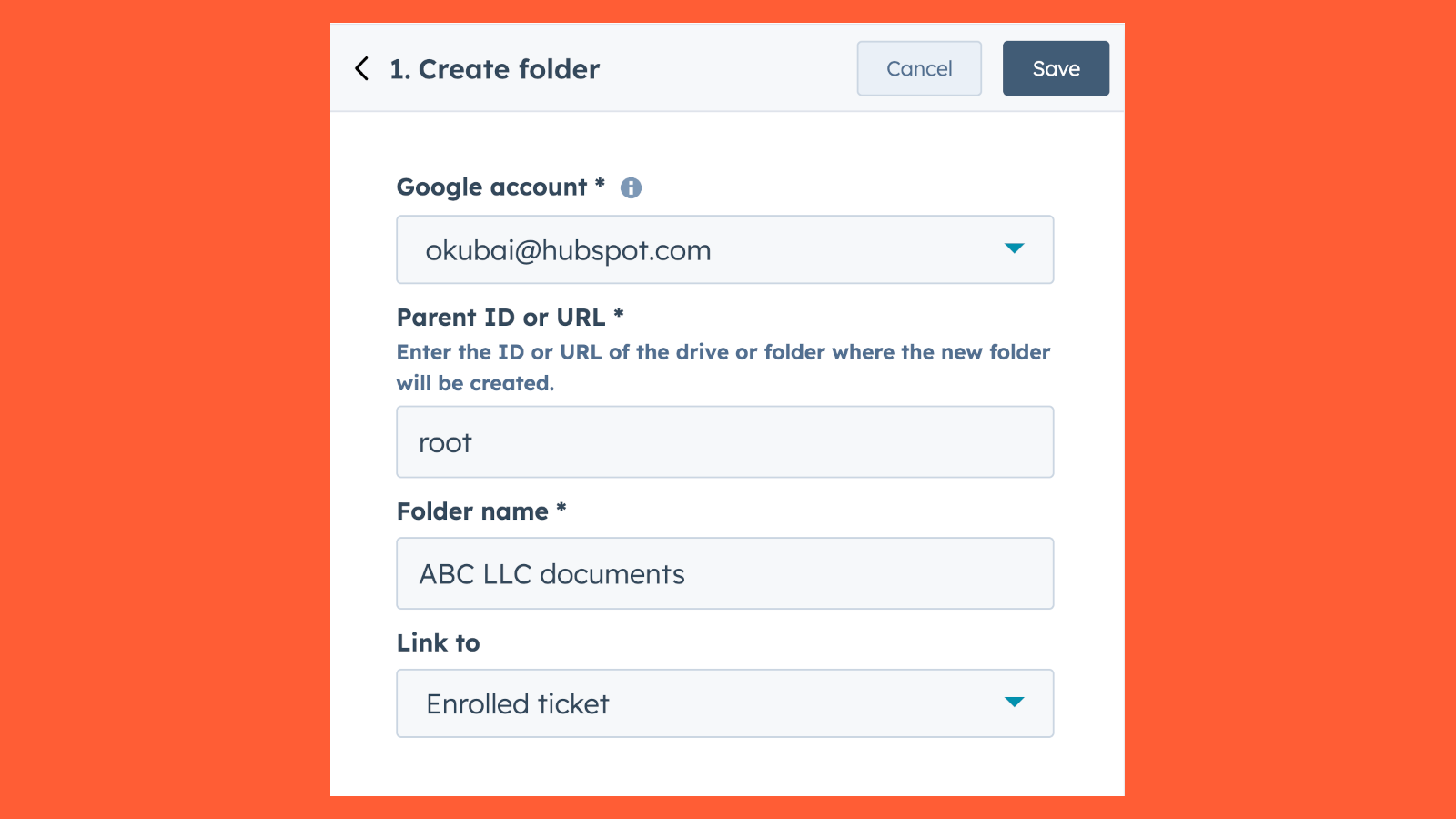
Create folders via workflows
Create folders in Google Drive locations automatically and link the folder directly to the underlying CRM record.
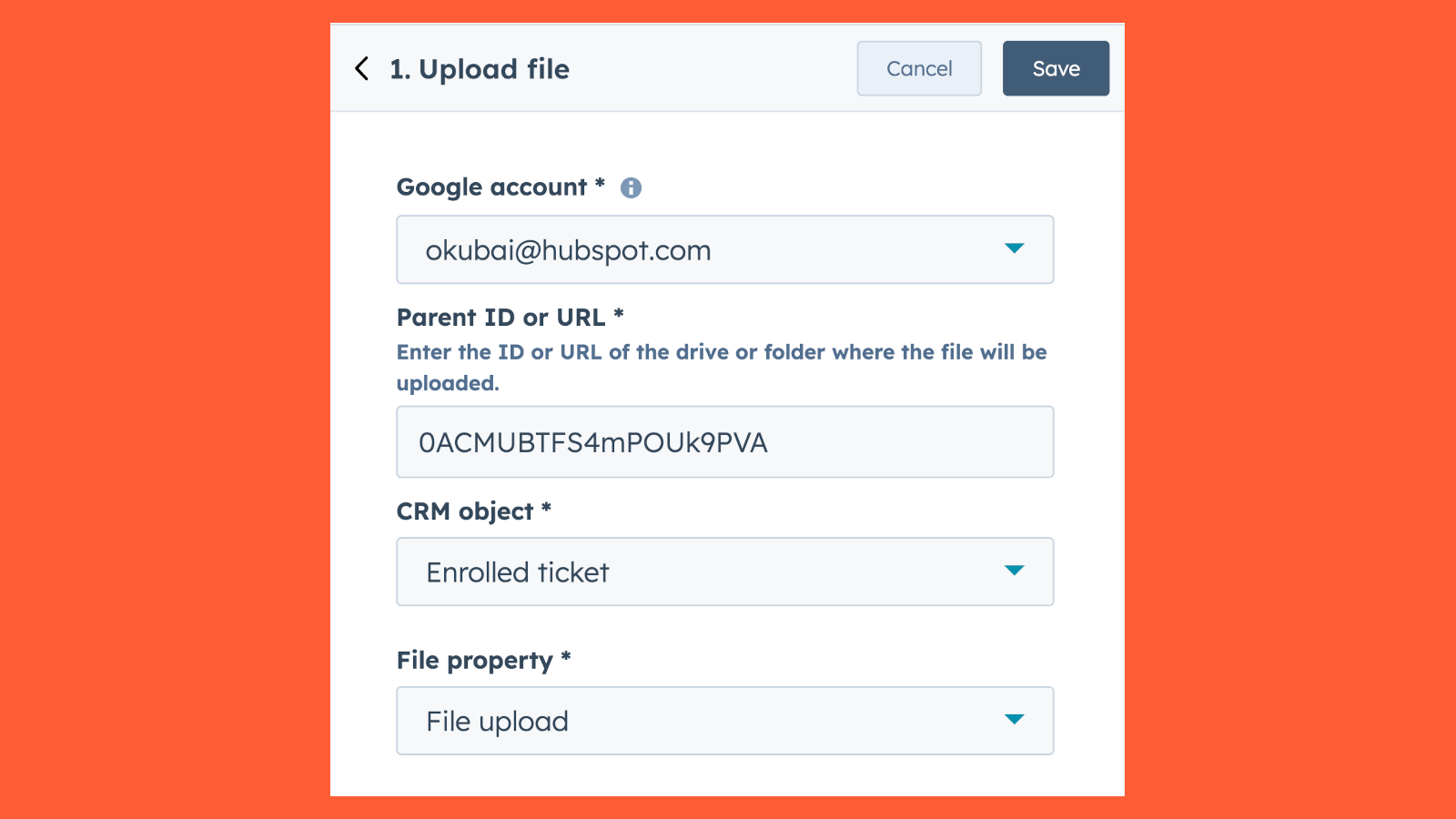
Upload files via workflows
Upload files from CRM object file-type properties to Google Drive folders or drives.
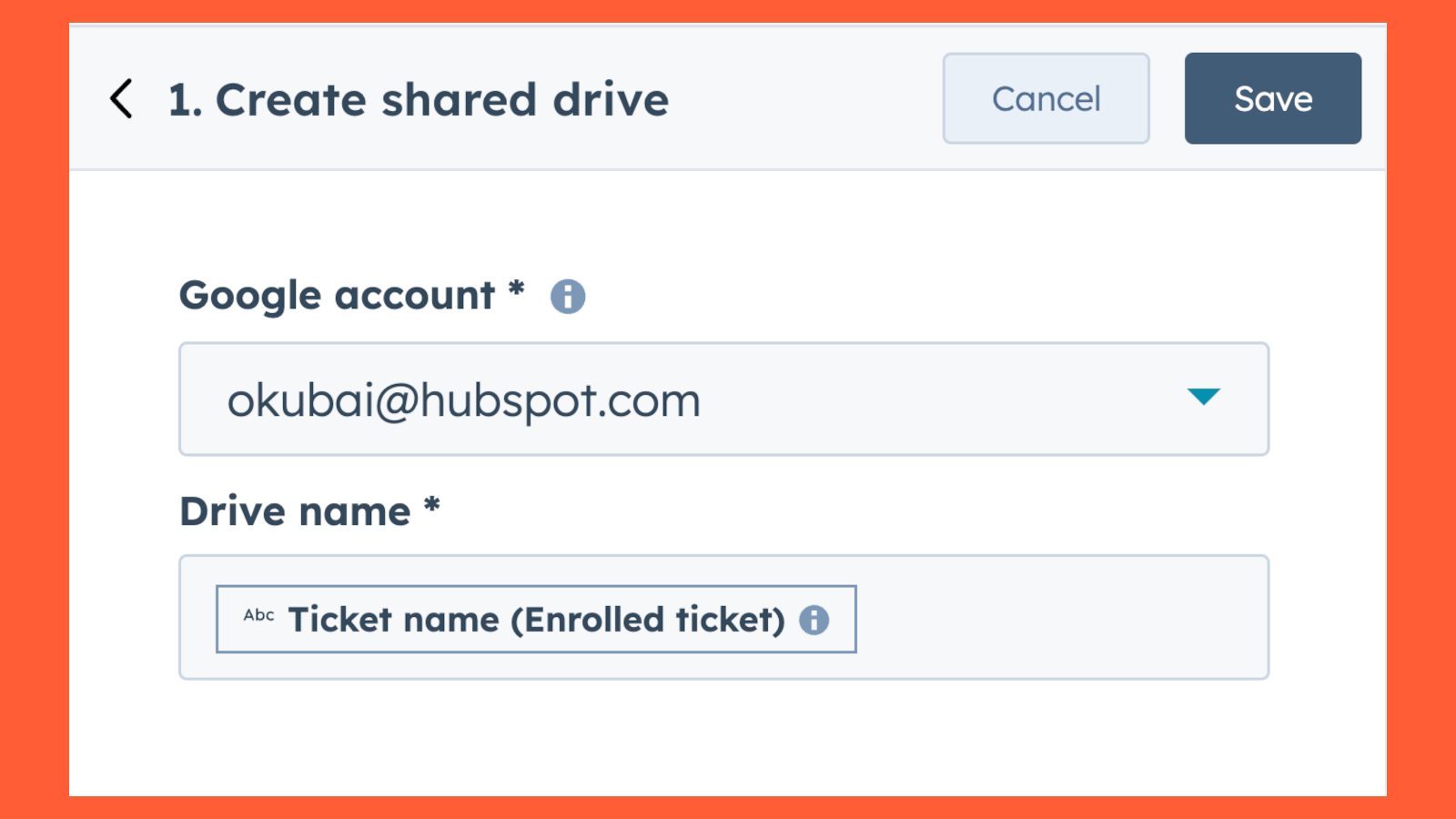
Create shared drives via workflows
Create shared drives in Google Drive automatically via HubSpot workflows.
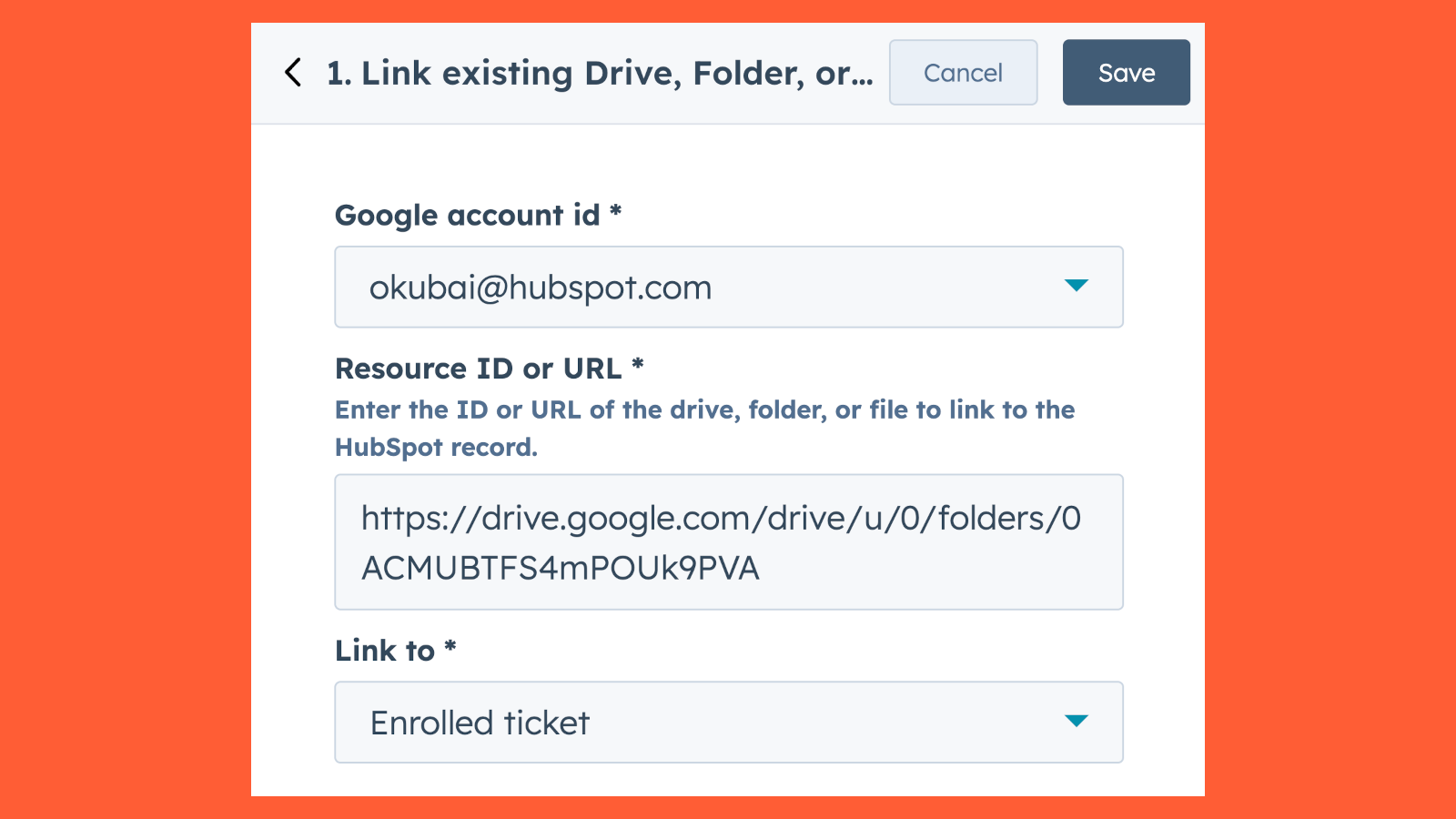
Link existing drives, folders, or files via workflows
Automatically link existing drives, folders, or files in Google Drive to HubSpot records.
App Functionality
Shared Data
Google Drive documents | ||
Google Drive documents | ||
Google Drive documents | ||
Google Drive documents |
Reviews
- Jan 20, 2026
Excellent organization tool that saves time and streamlines our workflow - planning to roll out to more teams
It appears to be working well and we intend to expand our usage to other teams. It is helping us to organize information for multiple processes which saves us time.
It keeps all our documents in one place.
None know so far
Croy, R.
- Nov 24, 2025
Sharrow, A.
Pricing
Business Starter
$7
/monthBusiness Starter
$7
/month* The pricing here is for display purposes only. All prices do not include taxes, incentives, discounts, or other pricing variables. You should contact the partner for the most up to date and correct pricing information. HubSpot does not take any responsibility for this pricing information, which is provided by our partners. Pricing last updated: 03/31/2026
Most popular


