Google Drive
Link drives, folders, and files to CRM records, automate file and…
ข้อกำหนด
แผน HubSpot สิทธิ์บัญชี HubSpot ไม่จำเป็นต้องมีสิทธิ์ ประเภทสิทธิ์การเข้าถึง แชร์แล้ว การสมัครใช้บริการ Google Drive - Business Starter, Business Standard หรือ Business Plus แพ็กเกจ
ภาพรวม
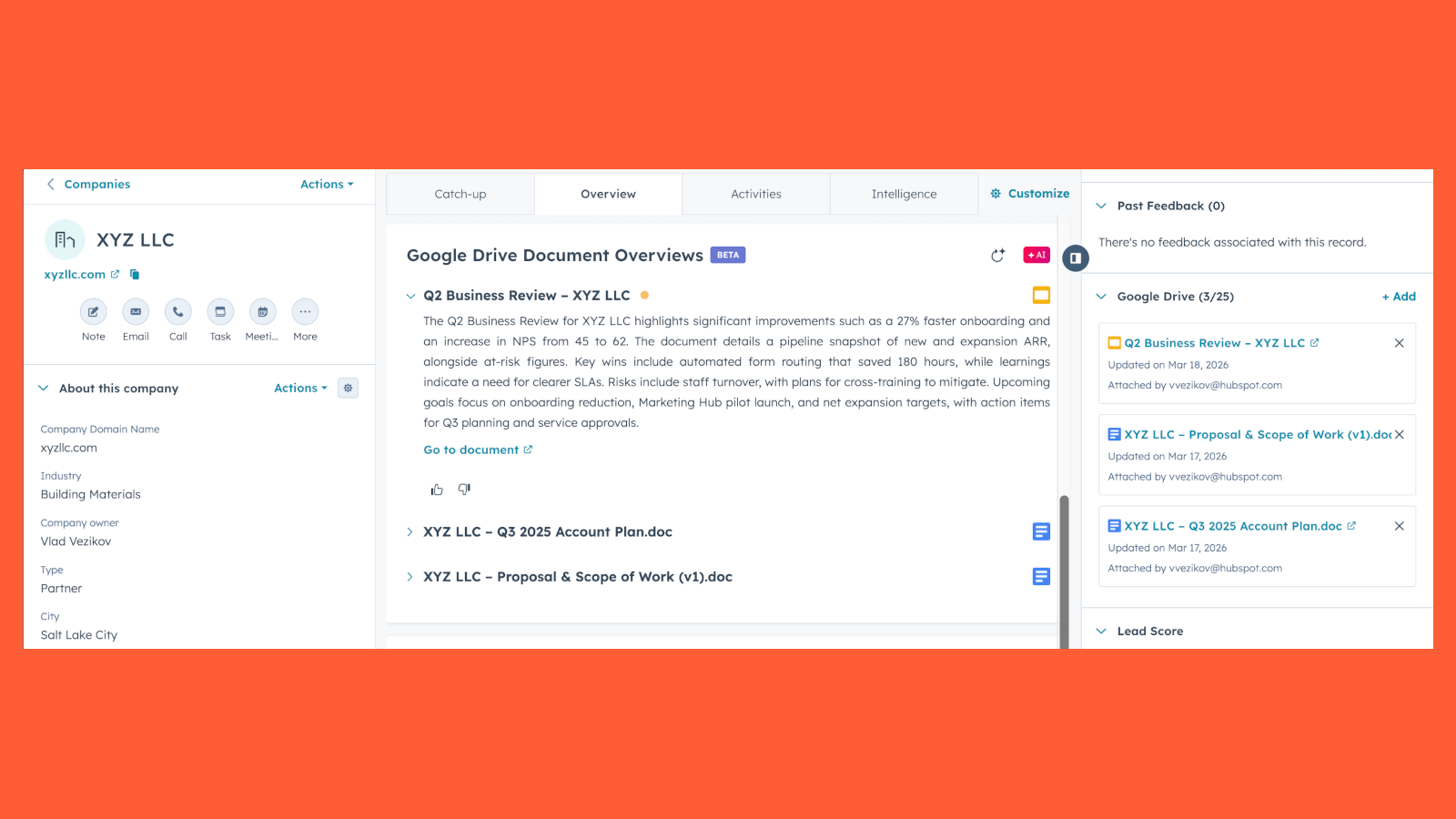
1/7 - View document overviews directly on record pages
Use HubSpot's integration with Google Drive to link drives, folders, and files to CRM records, automate file and folder management through workflows, and get AI-powered document overviews — all without leaving HubSpot.
For example, sales reps can link a proposal to a deal record, automatically create a folder when a new company is added, or get a quick overview of an attached contract in the context of the deal.
Add Google Drive files to HubSpot records
After connecting the Google Drive integration, you'll be able to access the Google Drive card on records in HubSpot. From there, you can link existing drives, folders, and files or browse and search your Google Drive directly.
View document overviews
After adding Google Drive files to a record, you can view AI-powered document overviews that summarize what's in each file in the context of the HubSpot record it's attached to.
Automate file and folder management
Use HubSpot workflows to automate Google Drive actions triggered by CRM events. Create folders, upload files from record properties, and link existing resources to records — all automatically as your pipeline moves forward.
Use Google Drive files in Content Remix
After connecting the Google Drive integration, repurpose Google Drive files with Content Remix to create new content, like blog drafts, campaign plans, or pitch decks.
Learn more about repurposing existing content with Content Remix.
ฟีเจอร์

Connect Google Drive files, folders, and drives to HubSpot records
After installing the Google Drive app, you can access the Google Drive card on the right sidebar of HubSpot records. This will allow you to add new attachments and view existing ones.
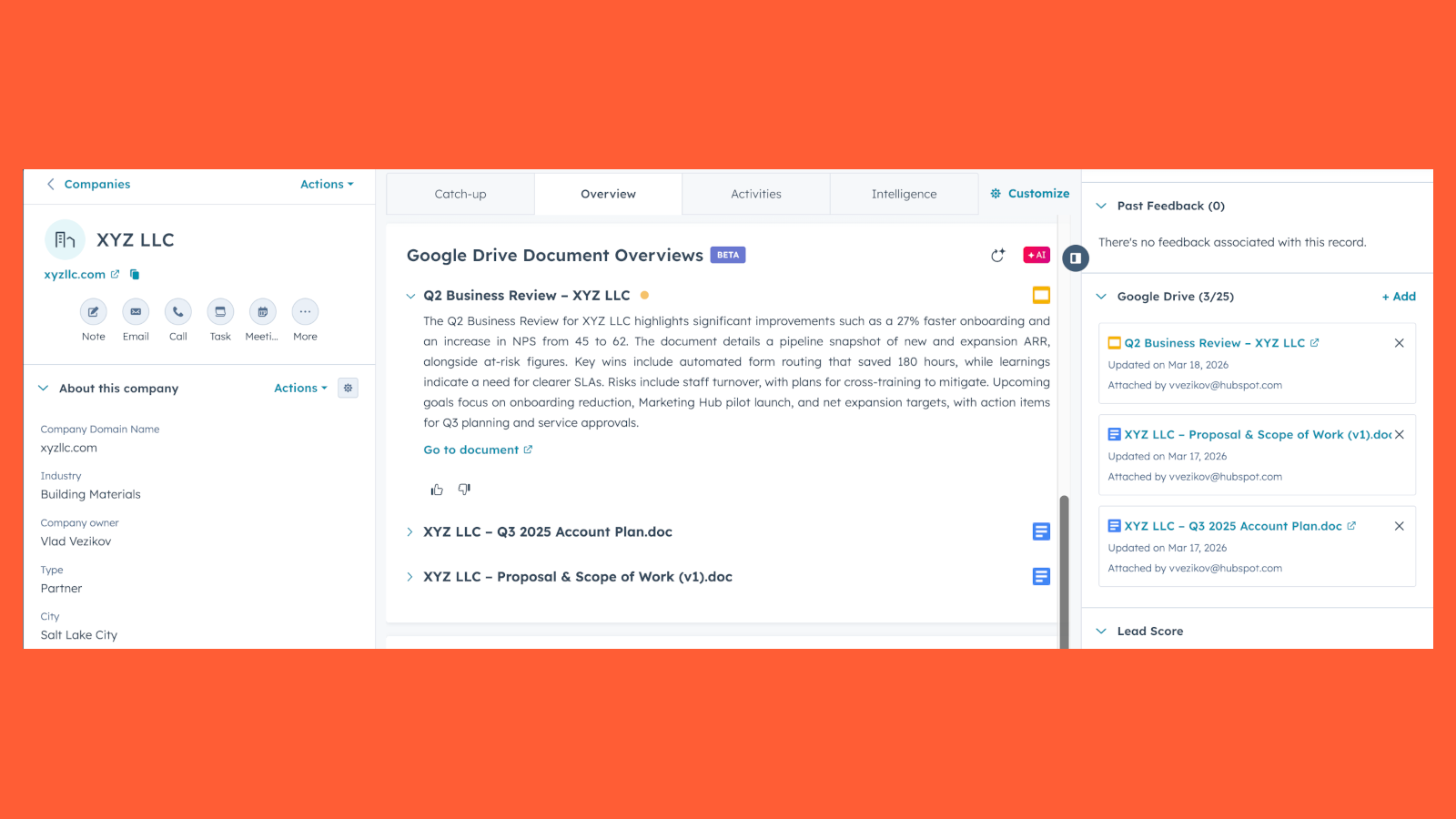
View document overviews directly on record pages
View Breeze-powered document overviews directly on corresponding record pages. These overviews are generated from the document contents and the record context.
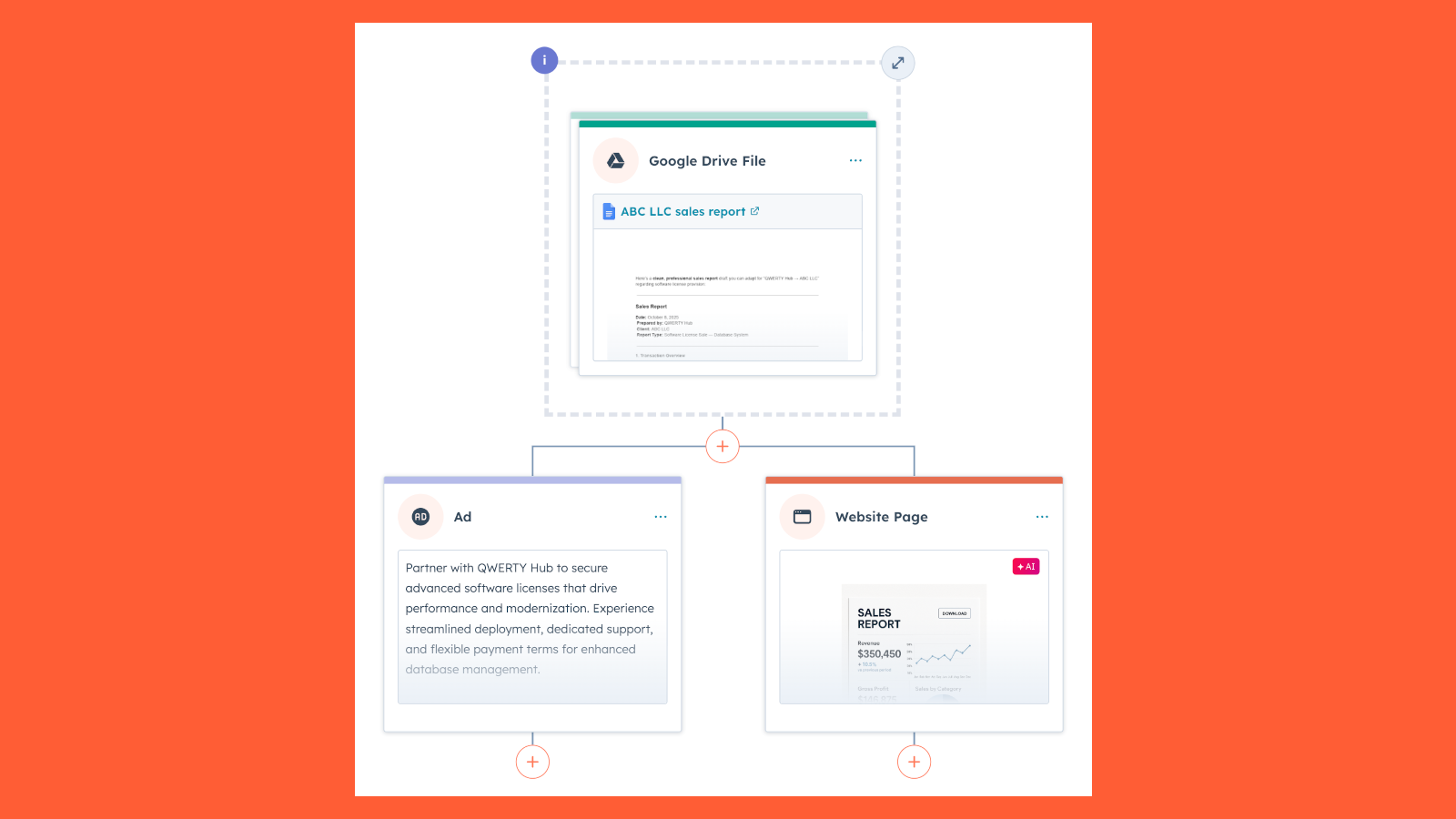
Use Google Drive files in Content Remix
After connecting the Google Drive integration, repurpose Google Drive files with Content Remix to create new content, like blog drafts, campaign plans, or pitch decks.
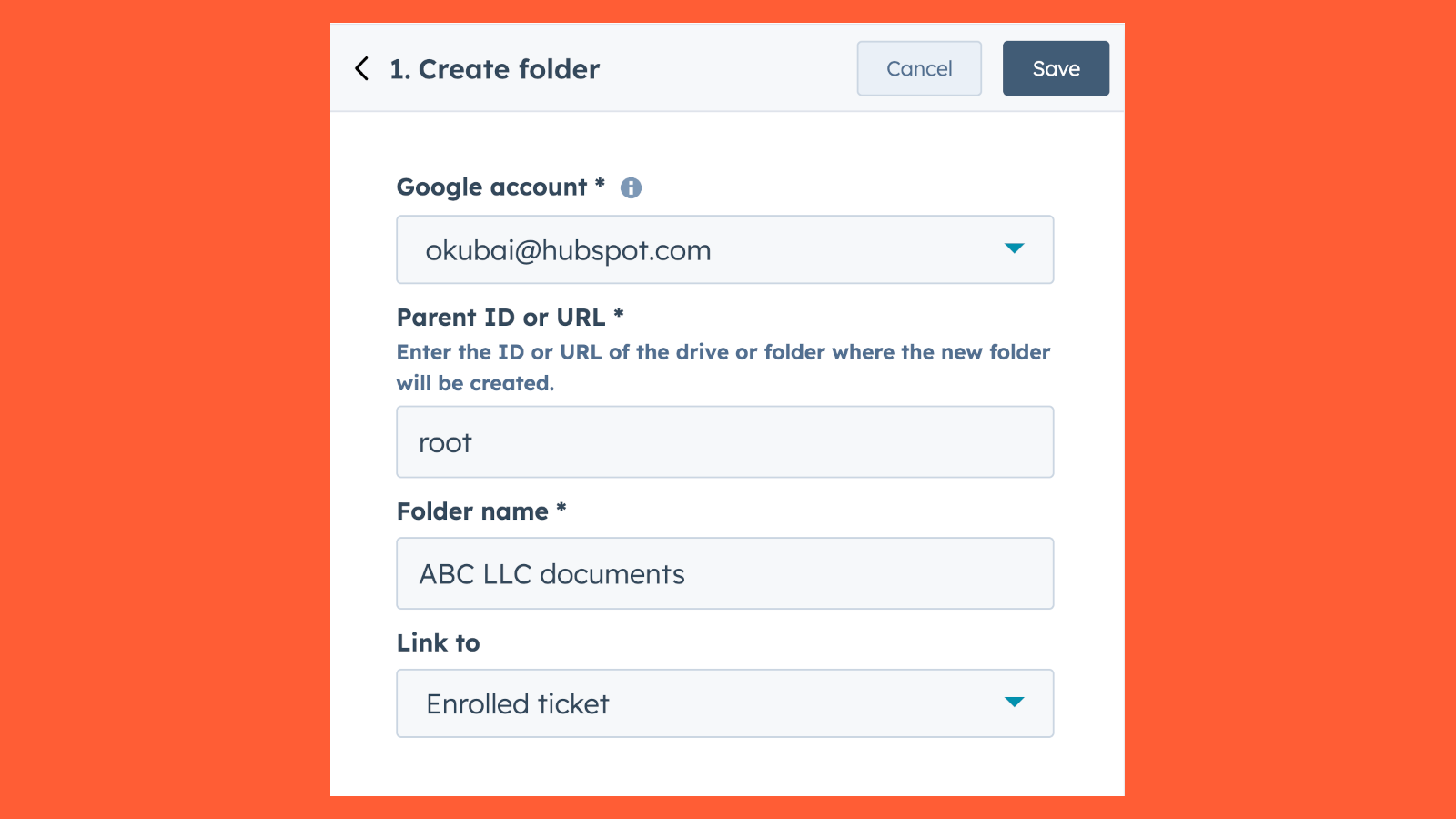
Create folders via workflows
Create folders in Google Drive locations automatically and link the folder directly to the underlying CRM record.
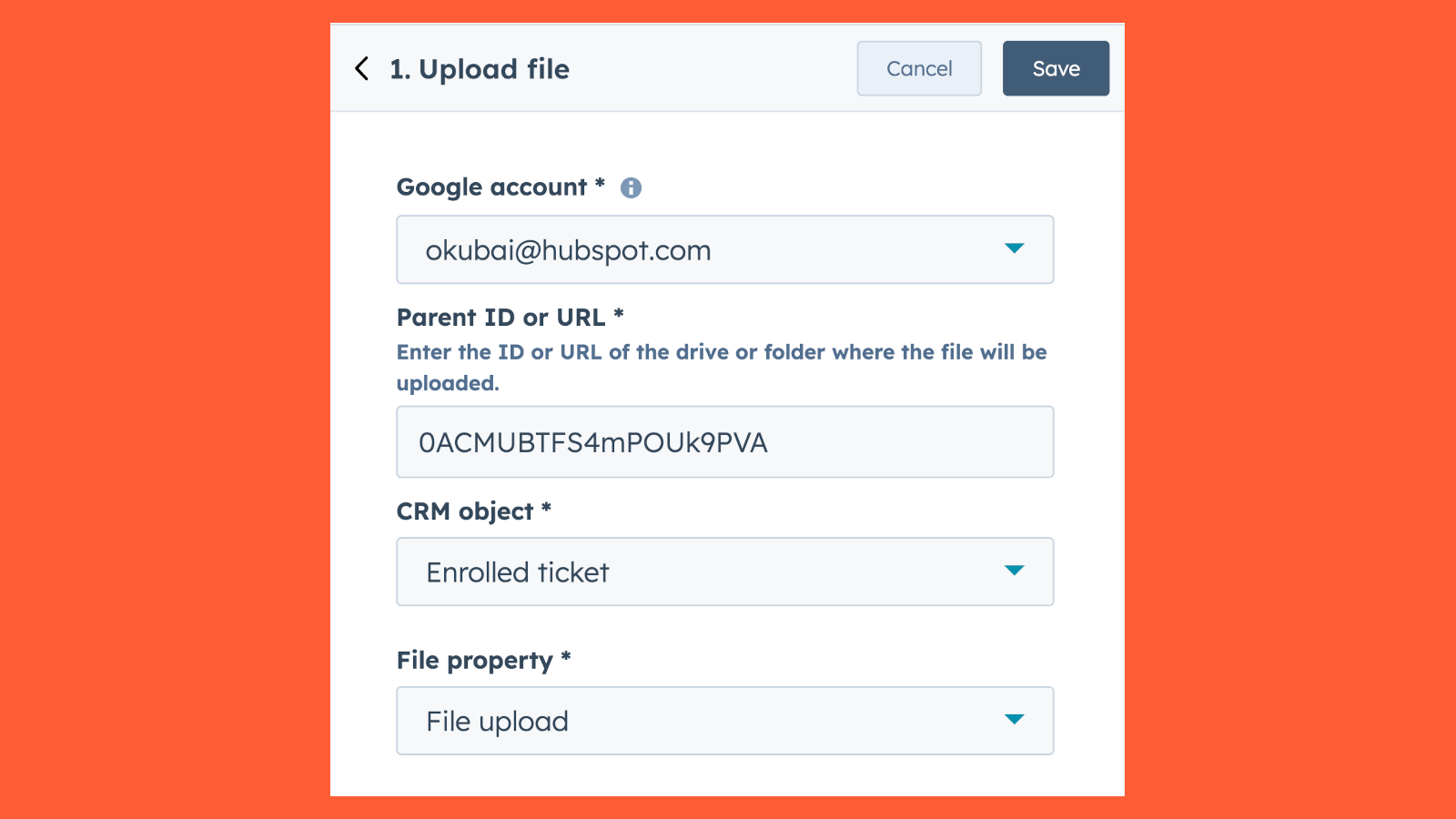
Upload files via workflows
Upload files from CRM object file-type properties to Google Drive folders or drives.
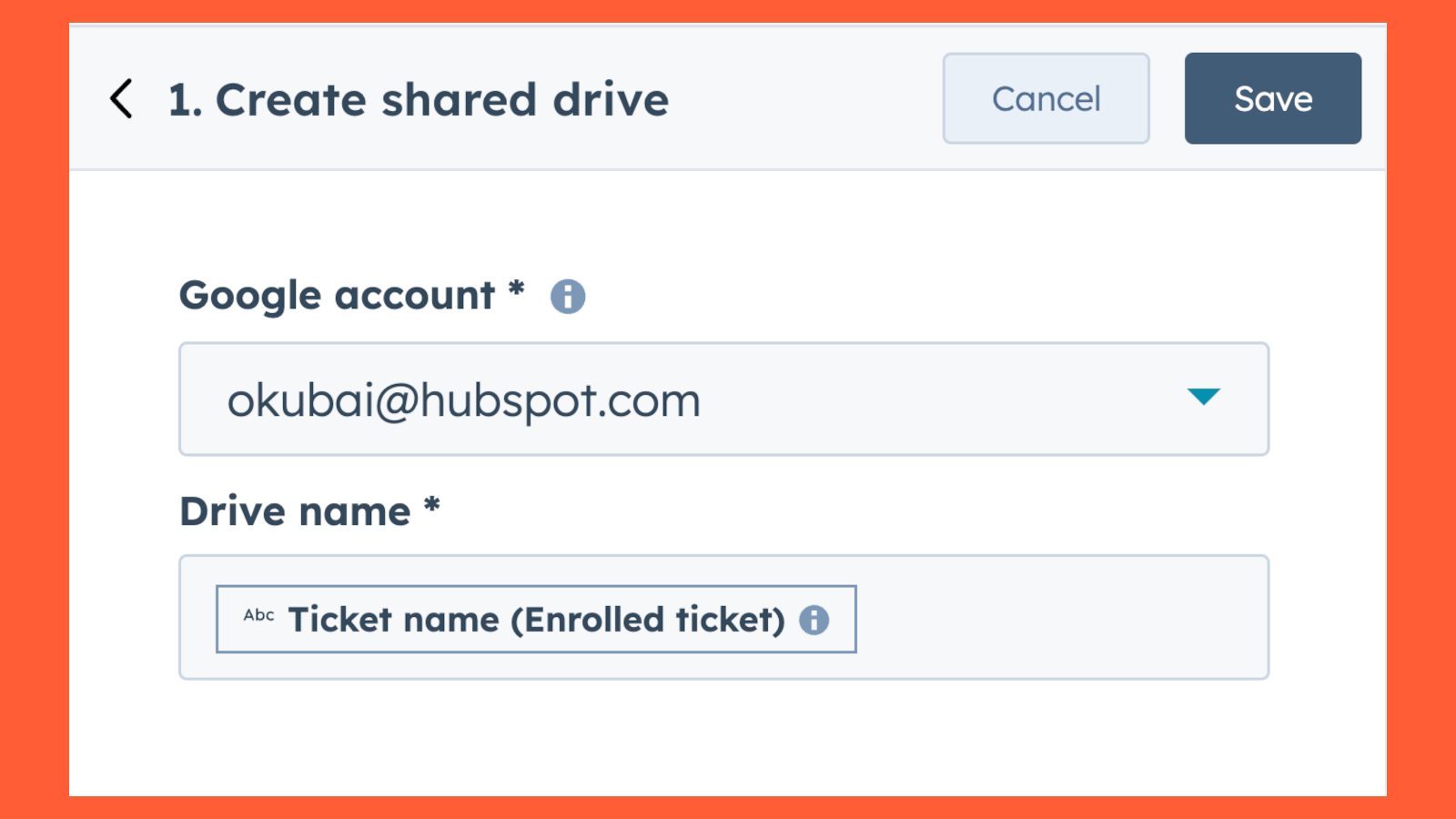
Create shared drives via workflows
Create shared drives in Google Drive automatically via HubSpot workflows.
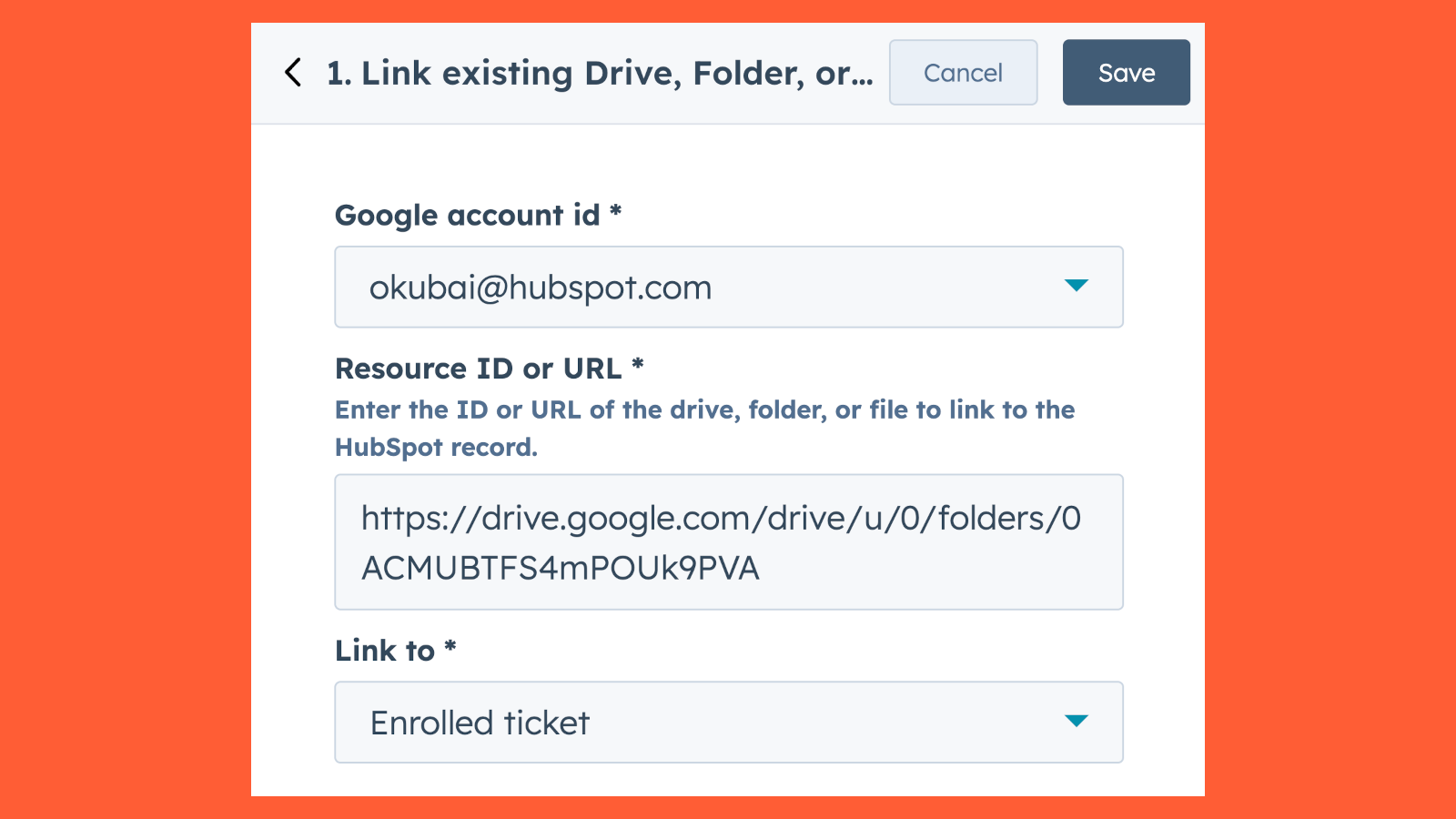
Link existing drives, folders, or files via workflows
Automatically link existing drives, folders, or files in Google Drive to HubSpot records.
ฟังก์ชันการทำงานแอป
ข้อมูลที่แบ่งปัน
Google Drive documents | ||
Google Drive documents | ||
Google Drive documents | ||
Google Drive documents |
รีวิว
4.5
11
4.5
11
- 22 พ.ค. 2026
Tablan, J.
- 22 พ.ค. 2026
It has been an excellent experience using HubSpot for almost 4 years now. Any issues or questions I would have, our super user/Admin is always there to help.
Very well and any snag, help is always timely and efficient
Timely reply to inquiries, questions etc. A few times it would be down, I am fully advised and updated.
Help desk/support is not a real person, mostly AI
Layug, N.
การกำหนดราคา
Business Starter
US$7
/เดือนBusiness Starter
US$7
/เดือน* ราคาที่แสดงนี้มีไว้เพื่อแสดงข้อมูลเท่านั้น ราคาทั้งหมดยังไม่รวมภาษี สิทธิพิเศษ ส่วนลด หรือตัวแปรราคาอื่นๆ คุณควรติดต่อพาร์ทเนอร์เพื่อรับข้อมูลราคาล่าสุดและถูกต้องที่สุด HubSpot จะไม่รับผิดชอบใดๆ ต่อข้อมูลราคานี้ซึ่งจัดทำโดยพาร์ทเนอร์ของเรา การกำหนดราคาอัปเดตล่าสุด: 03/05/2026
ข้อมูลเพิ่มเติม
กำลังได้รับความสนใจในวันนี้