

Google Meet
Requirements
HubSpot Plan HubSpot Account permissions No permissions required Access Type Personal Google Meet Subscription - Free, Google Workspace Essentials, or Google Workspace Enterprise plans
Overview
-1.jpeg)
1/5 - Create a meeting link via the ‘select location’ dropdown
Integrate with HubSpot meetings - turn every meeting booked in your HubSpot CRM into a Google Meet meeting.
How Google Meet integrates with HubSpot:
Schedule Google Meet meeting from the contact timeline
Want to check in on a lead or a customer? As a sales or service rep, there's nothing better than a quick meeting to get a pulse on what your lead or customer needs from you to succeed. Easily schedule a Google Meet meeting from any contact record to get your meeting on the books.
Quick and easy confirmation
Once you send your meeting invitation, you’ll see Google Meet confirm that the call email was sent to your contact in the same place you scheduled the meeting.
Automatically record, transcribe, and analyze your meetings
Preview meetings on associated records and automatically record and transcribe meetings for playback. In the HubSpot index page, you can access a full list of team's meetings, filter meetings by object properties, and search across meetings for key terms.
'Auto-Record' your Google Meet Meetings via HubSpot
Never forget to record an important meeting again by allowing HubSpot to enable 'auto-record' in your Google Meet account. Combined with 'meetings recording & transcript sync' in HubSpot will ensure all your important meeting data is captured
Use HubSpot within your Live Google Meet meetings
See HubSpot’s contact records for meeting participants and add notes to them during Google Meet meetings. Plus, you can associate meetings and notes to HubSpot companies, deals, and tickets. Or access playbooks to guide your conversations with customers.
Features
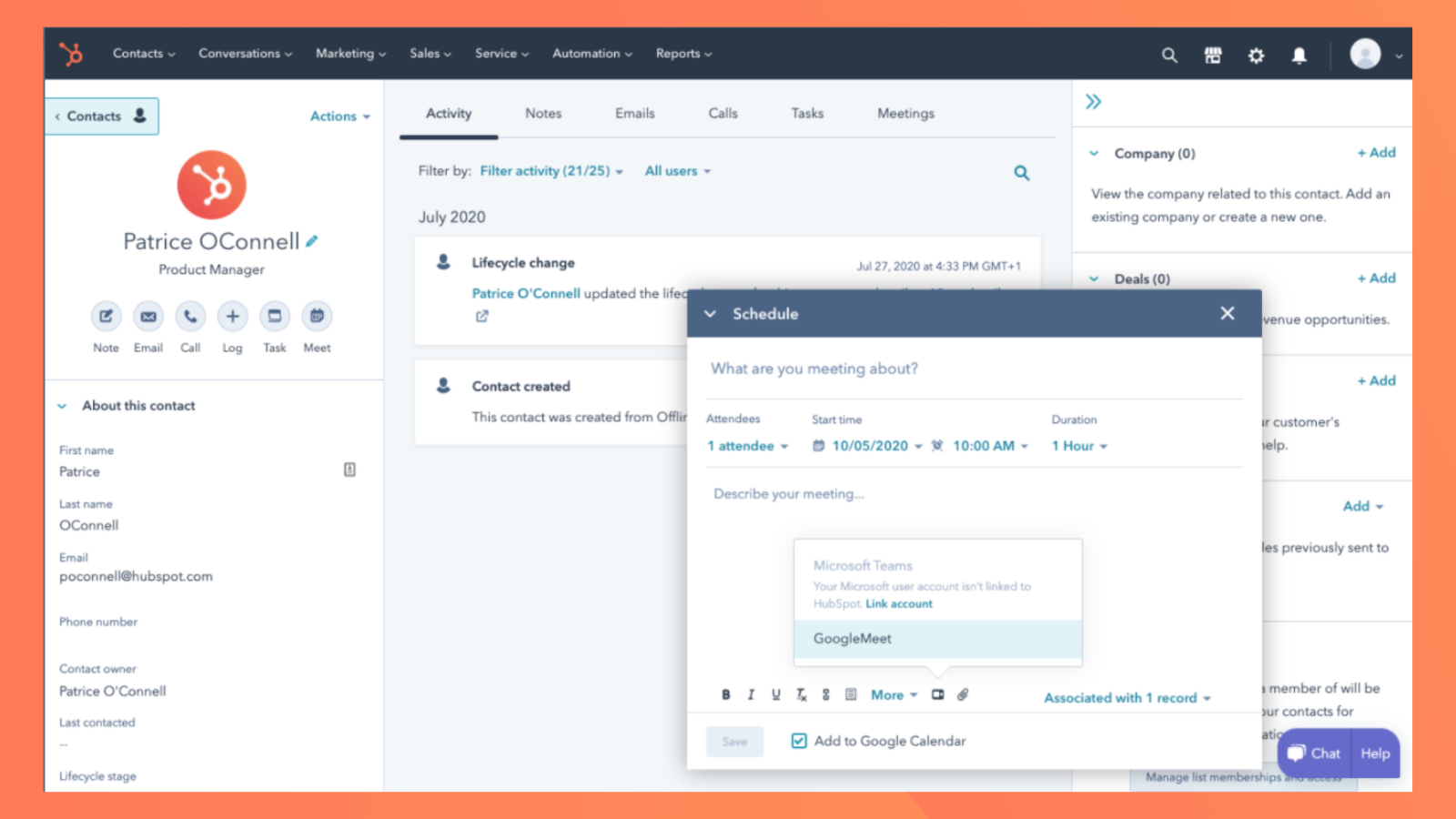
Create a meeting link for Google Meet within HubSpot
Easily schedule a Google Meet meeting from any contact record to get your video chat on the books.
-2-1.png)
Configure Google Meet meetings in HubSpot
Make all your meetings a Google Meets meeting by configuring your integration for all meetings.
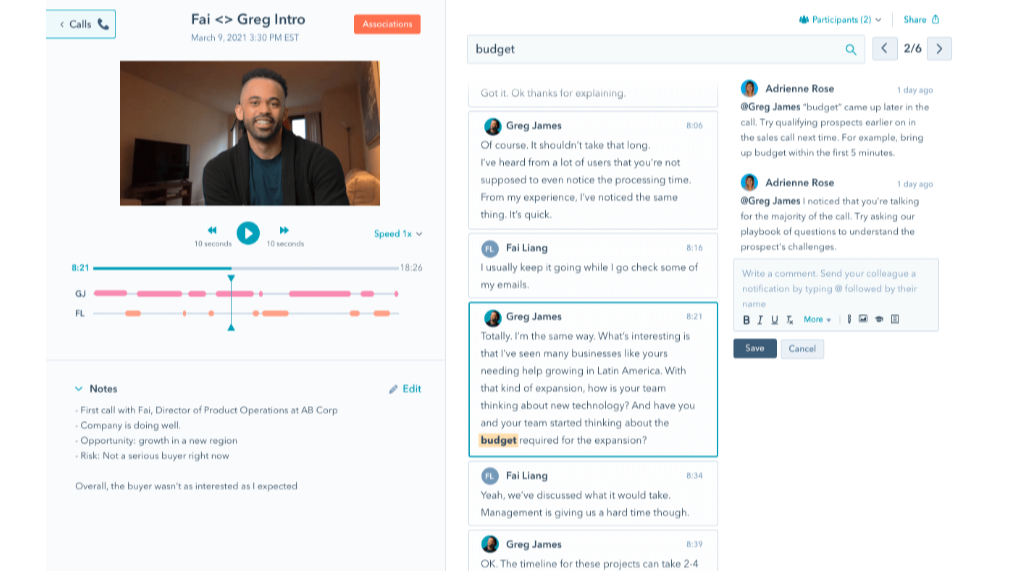
Automatically record, transcribe, and analyze your meetings
Preview meetings on associated records and automatically record and transcribe meetings for playback. In the HubSpot index page, you can access a full list of team's meetings, filter meetings by object properties, and search across meetings for key terms.
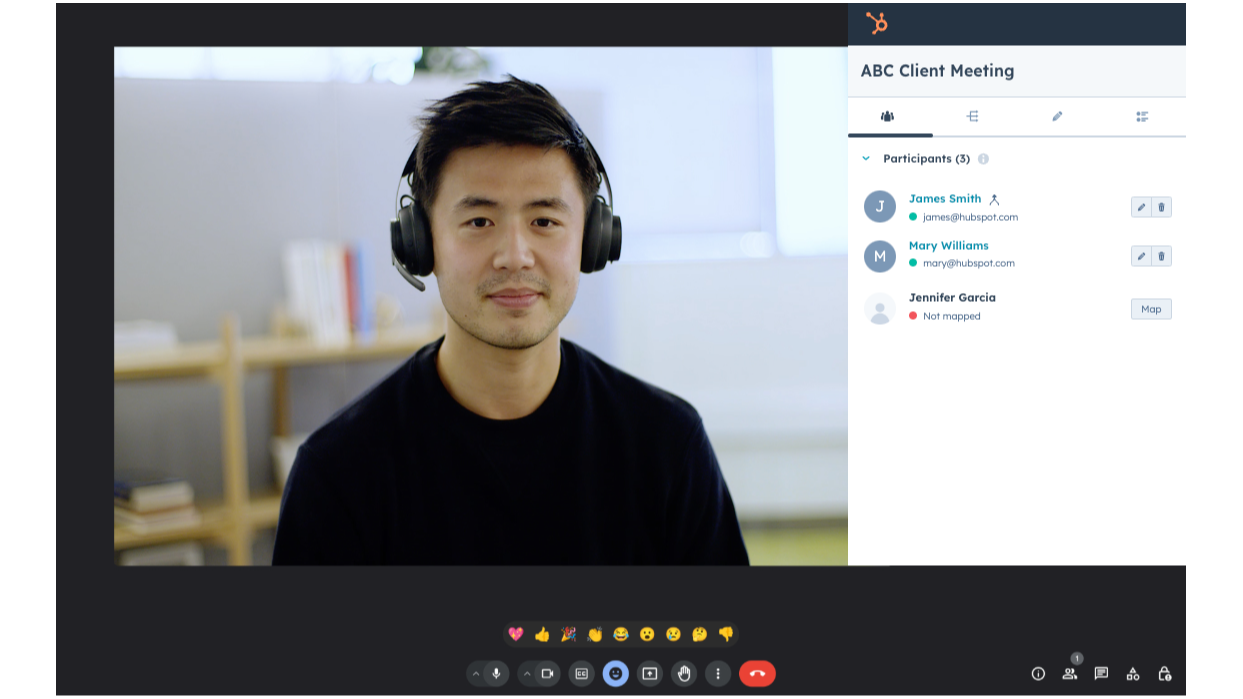
Use HubSpot within your Google Meet meetings
See HubSpot’s contact records for meeting participants and add notes to them during Google Meet meetings. Plus, you can associate meetings and notes to HubSpot companies, deals, and tickets. Or access playbooks to guide your conversations with customers.
App Functionality
Shared Data
Contacts |
Reviews
4.1
433
4.1
433
Users highlight the integration as a seamless way to automate scheduling and generate Google Meet links directly within the platform. Although some note issues with missing links in reminder emails or the inability to sync meeting recordings, the tool effectively simplifies the booking process and provides an easy way for clients to join calls.
- Sep 21, 2025
Functional but overly invasive with unwanted meeting logging
Works well, but should allow individual meeting recordings on a meeting-by-meeting basis via a button within Google Meet (like literally all other call recorders)
Works, if you want to give it complete access to your calendar and have it log unnecessary meetings
Requires WAY too much Calendar permissions, logs unnecessary meetings
MacDonald, J.
- Aug 29, 2025
Savaliya, S.
Pricing
Free
$0
Always free
Max meeting length of 1 hour
100 participants
number of meetings unlimited
Google Drive storage 15GB per user
Free
$0
Always free
Max meeting length of 1 hour
100 participants
number of meetings unlimited
Google Drive storage 15GB per user
* The pricing here is for display purposes only. All prices do not include taxes, incentives, discounts, or other pricing variables. You should contact the partner for the most up to date and correct pricing information. HubSpot does not take any responsibility for this pricing information, which is provided by our partners. Pricing last updated: 05/26/2026
Getting attention today

Microsoft Teams
Use Microsoft Teams and HubSpot for meetings, conversations, and more!

Slack
Manage CRM records, get AI-powered assistance from Breeze, send real-time notifications, and collaborate with your team — without leaving Slack.
