

LeadSuccess CRM
Built by - Convey Information Systems GmbH
Installs - 10+ installs
Requirements
HubSpot Plan HubSpot Account permissions - View the required account permissions
Access Type Shared LeadSuccess CRM Subscription - LeadSuccess License plan
Overview
1/7
LeadSuccess CRM connects your LeadSuccess Portal to HubSpot. Leads your team captures are sent to HubSpot as contacts, created or updated, right from the Portal, so sales can follow up right away. No CSV exports, no manual data entry.
LeadSuccess by Convey helps teams capture qualified leads. With the LeadSuccess CRM integration, those leads can be sent directly into your own HubSpot account. Setup takes a few minutes: connect your HubSpot account securely via OAuth from the LeadSuccess Portal, then send leads to HubSpot whenever you choose, one at a time or in a batch. You can disconnect at any time.
Features
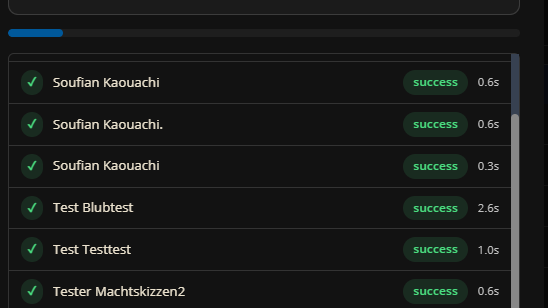
One-click lead transfer
Captured leads are sent to HubSpot contacts on demand, one at a time or in a batch, without exports or imports. Contacts are created or updated right from the LeadSuccess Portal, so sales teams can follow up while the conversation is still fresh.
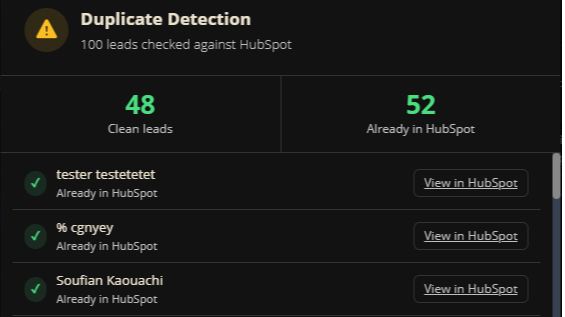
Clean data without duplicates
Lead fields such as name, company, email, phone, notes and qualification answers are mapped to your existing HubSpot contact properties. Once a unique identifier field is mapped, existing contacts are updated instead of duplicated. Related files such as business card scans can be uploaded too.
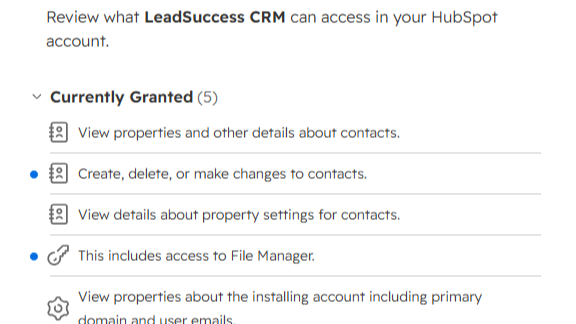
Secure OAuth connection
Connect your HubSpot account in a few minutes via OAuth from the LeadSuccess Portal. LeadSuccess only accesses the data it needs to send leads to HubSpot, and you can disconnect at any time.
App Functionality
Shared Data
Leads | ||
Field mapping | ||
Lead attachments |
Reviews
Pricing
LeadSuccess License
HubSpot integration included with your LeadSuccess license
Single or batch lead transfer
Business card and attachment upload
Custom field mapping to HubSpot contact properties
Secure OAuth connection
LeadSuccess License
HubSpot integration included with your LeadSuccess license
Single or batch lead transfer
Business card and attachment upload
Custom field mapping to HubSpot contact properties
Secure OAuth connection
* The pricing here is for display purposes only. All prices do not include taxes, incentives, discounts, or other pricing variables. You should contact the partner for the most up to date and correct pricing information. HubSpot does not take any responsibility for this pricing information, which is provided by our partners. Pricing last updated: 10/16/2026
More info
Built by - Convey Information Systems GmbH
Installs - 10+ installs
Categories Languages this app is available in English ,French ,German , andItalian
Getting attention today

Microsoft Teams
Use Microsoft Teams and HubSpot for meetings, conversations, and more!

Zoom
Use Zoom with HubSpot meetings, workflows, contact records and more.
