
-1.png)
nBold
Built by - Salestim SAS
Installs - <10 installs
Requirements
HubSpot Plan HubSpot Account permissions - View the required account permissions
Access Type Shared nBold Subscription - HubSpot in Microsoft Teams plan
Overview
1/6
nBold makes the sales collaboration process efficient at scale in your organization. It provides you with digital workspaces in Teams that incorporate all the tools, file templates, documentation, tasks, and data necessary to work on closing deals, executing customer success, and collaborating around your key accounts.
Deal Room, Key Account Management, Customer Success Management - address any sales collaboration process with Teams and HubSpot.
• A collaboration space inside Microsoft Teams for each new relevant opportunity created in HubSpot
• Your Deal Room follows your Sales Playbook: it incorporates guidelines, file templates, folder structure, boards of tasks, etc.
• Automatic notifications about the deal stage or amount of changes in specific teams and channels
• The ownership of the created team is synced with the deal owner in HubSpot
• Ability to manage the team’s end-of-life once the deal is closed
• Fully customizable to follow your sales playbook and internal requirements
Features
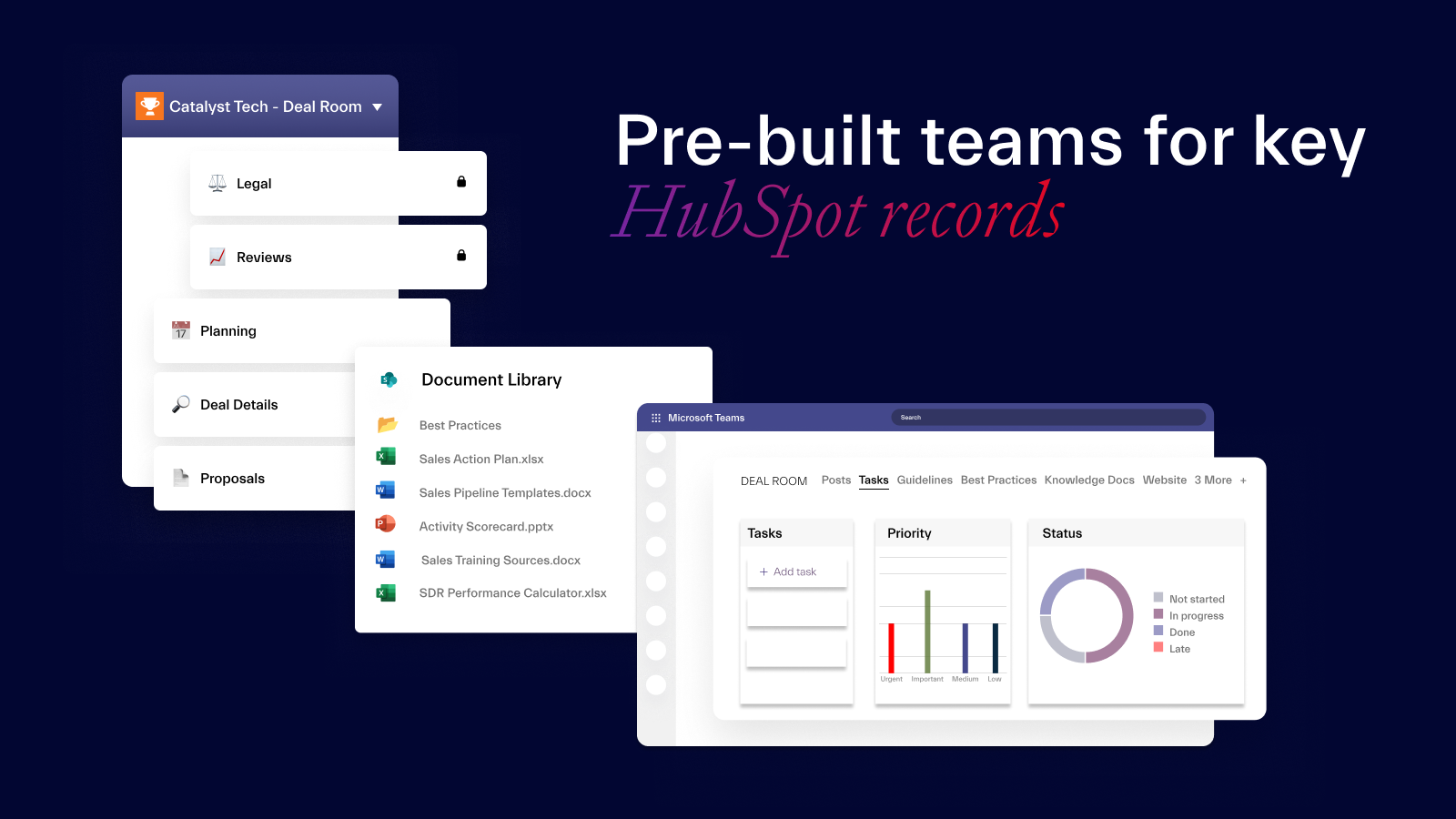
Pre-built teams for key HubSpot records
Translate your sales playbook into your own Collaboration Templates for any sales collaboration scenario – sales deal, key account, customer success, and others. Add all required data – from channel structure and documents to integrated apps. You can use these templates to automatically create teams for relevant HubSpot records.
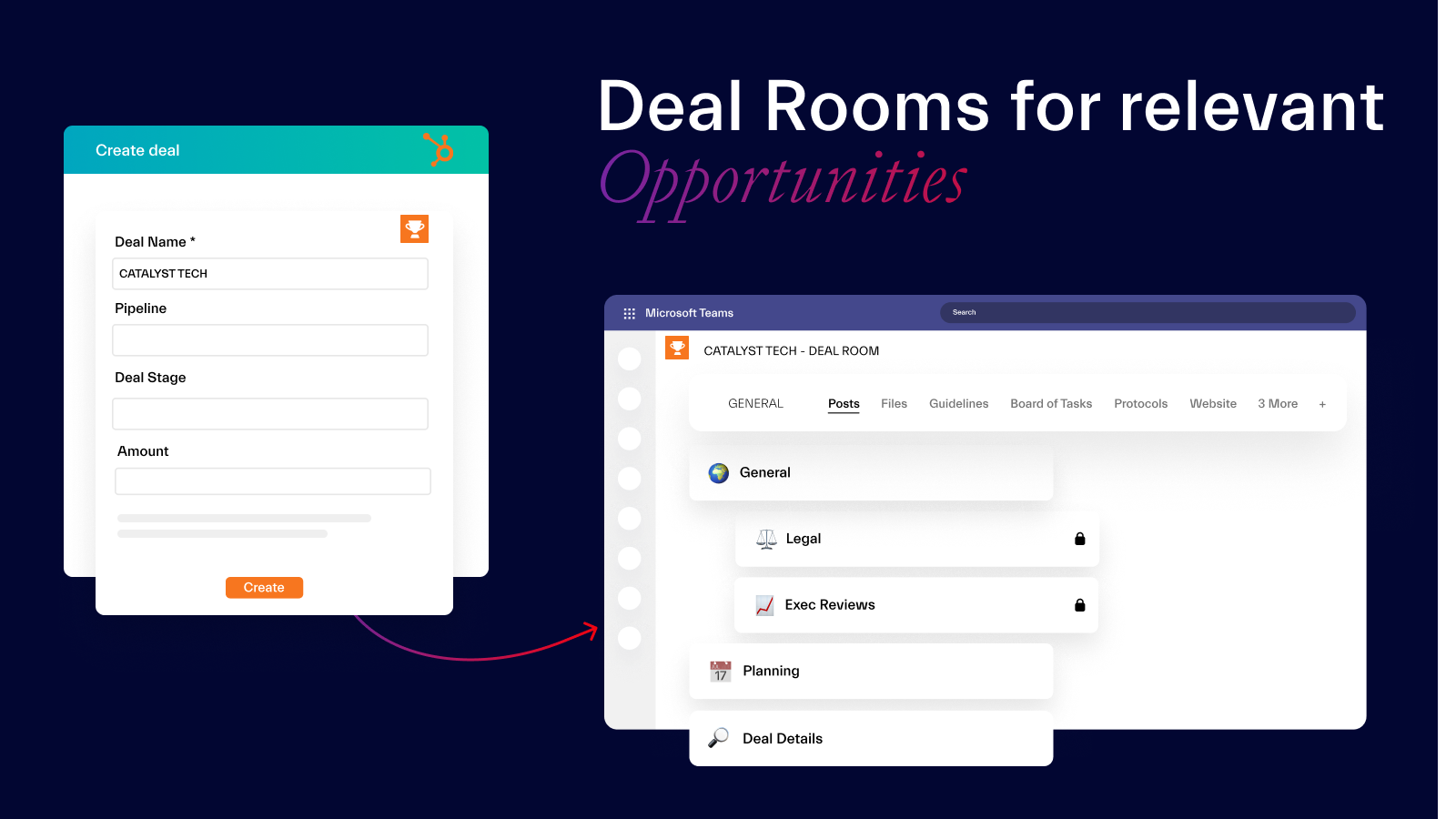
Deal Rooms for relevant Opportunities
Get ready-to-go fully equipped Deal Rooms in Microsoft Teams whenever a relevant Opportunity appears in HubSpot. Set up filters such as Opportunity stage and Deal Amount to trigger automatic team creation and start collaborating straight away – having everything you need to successfully work on a deal already in place.
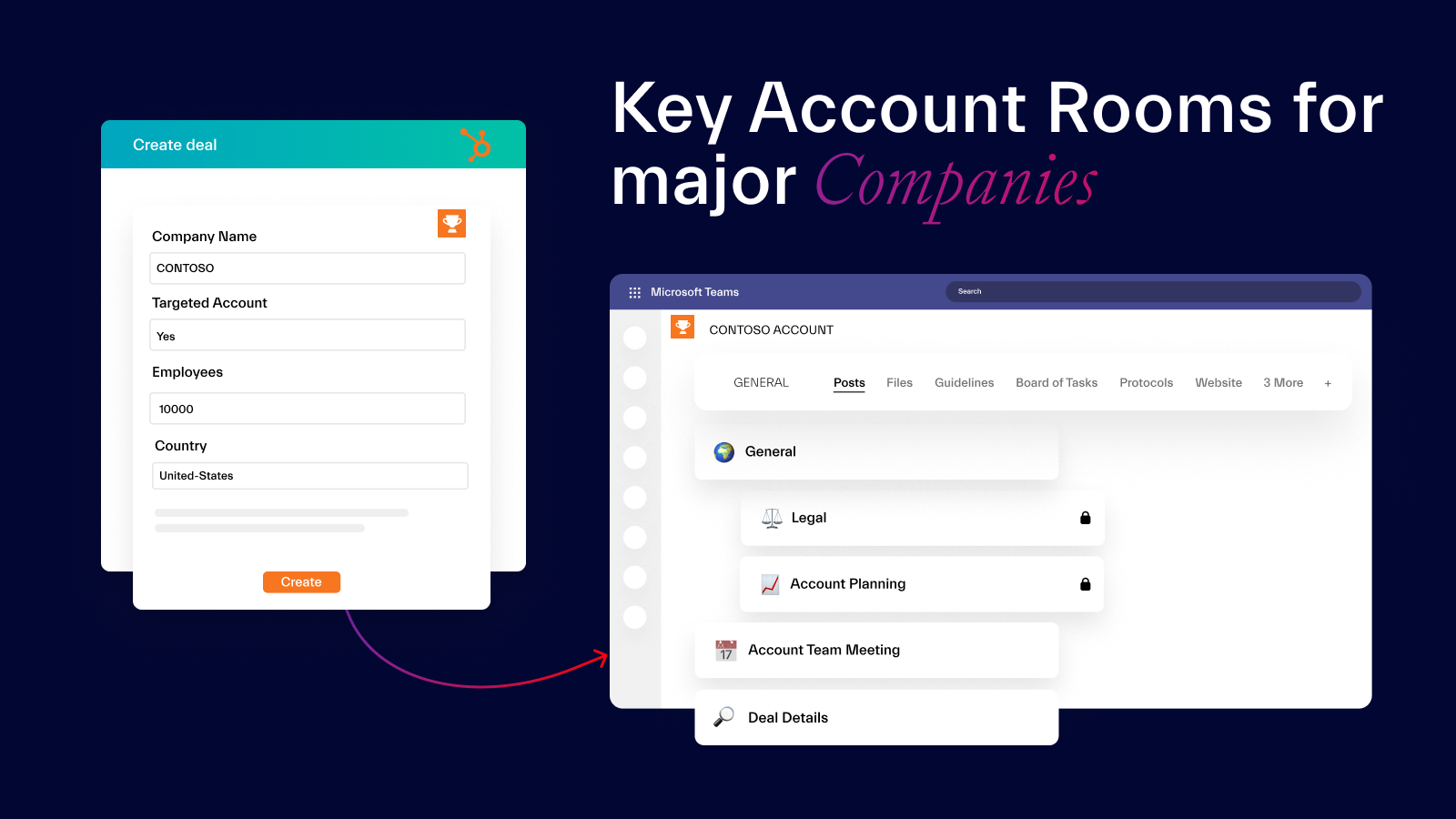
Key Account Rooms for major Companies
Collaborate on your major accounts through Key Account Rooms in Microsoft Teams. Get channels for all deals associated with the Company, receive automatic notifications about important changes in the Company’s records, and work together with your team on the account matters from one location.
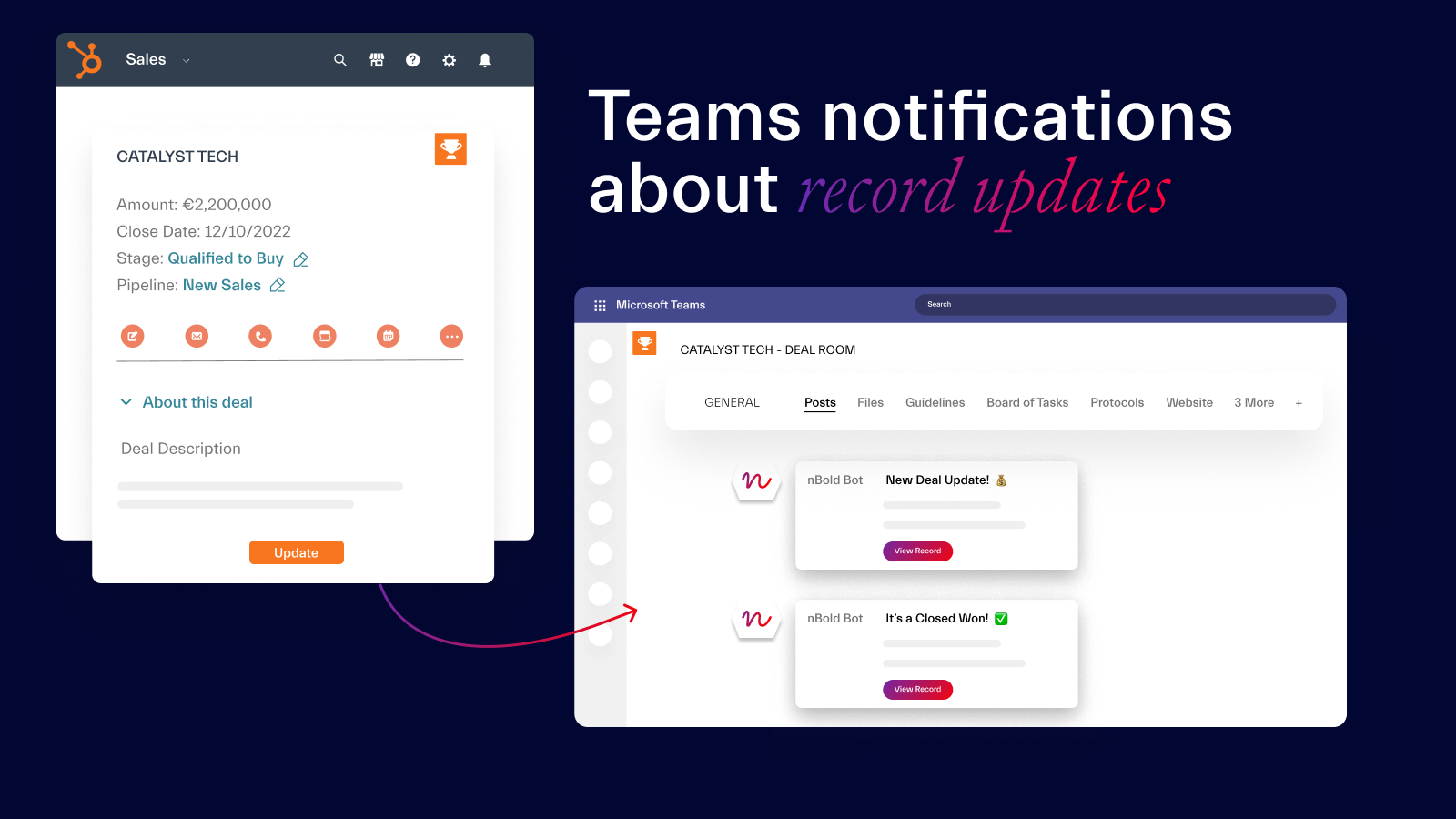
Teams notifications about record updates
Your Digital Sales Rooms are live – they reflect all important changes happening in HubSpot. So, whenever a key event occurs in your CRM – e.g. Opportunity Stage or Deal Amount change - your team members will be automatically notified, allowing them to always be in the loop about important HubSpot updates even without respective licenses.
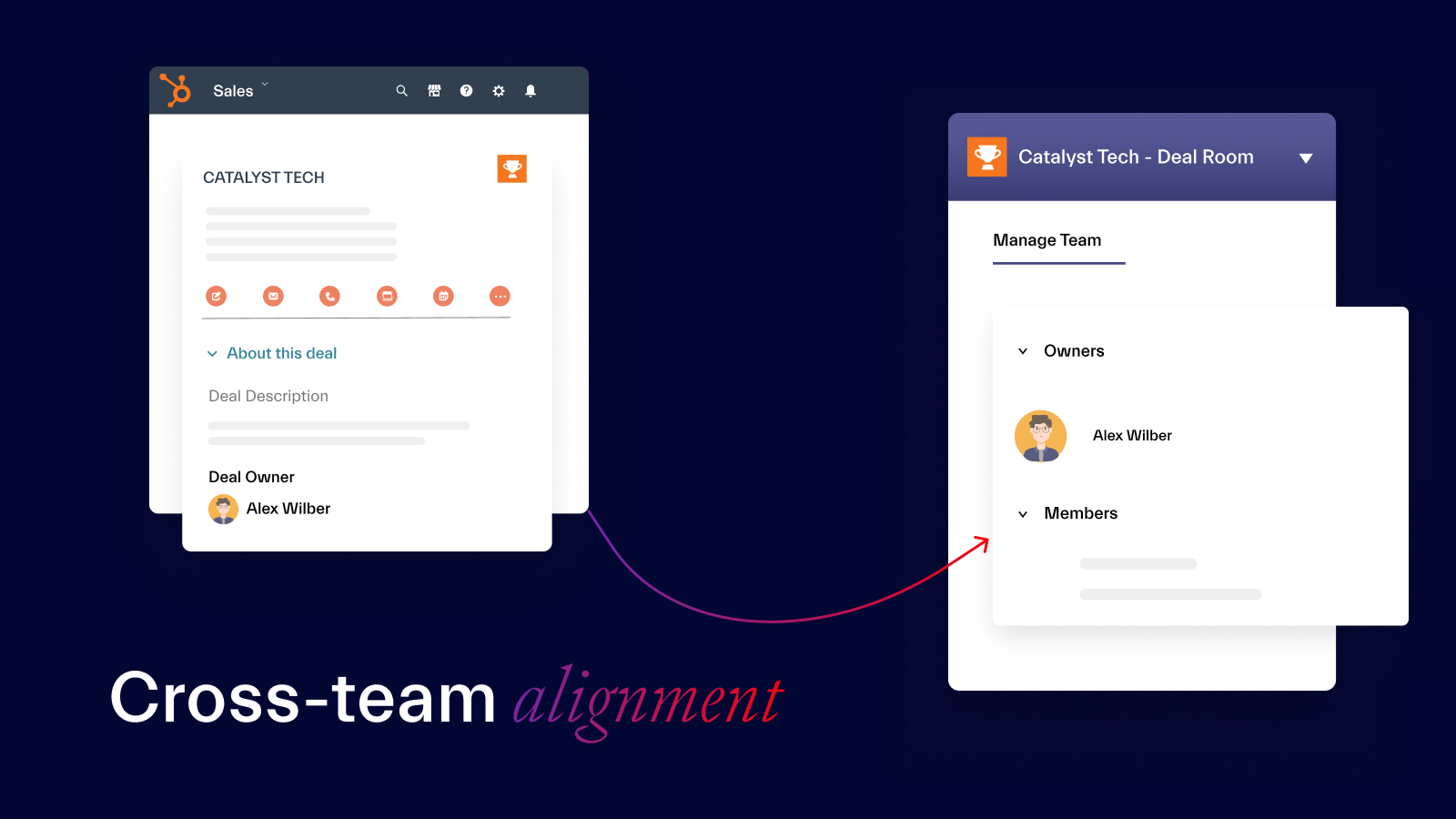
Cross-team alignment
Digital Sales Rooms bring together sales reps and members of other teams working on the same deal or account. Due to seamless integration of Teams and HubSpot, everyone is updated on key events happening in the CRM through Teams notifications and always know what to do, having all key data, tasks, and tools readily available.
App Functionality
Shared Data
Connected Apps | ||
Connected Apps | ||
Connected Apps | ||
Connected Apps | ||
Connected Apps |
Reviews
Pricing
HubSpot in Microsoft Teams
$15
/monthFor Sales team collaborating in Teams & HubSpot
HubSpot in Microsoft Teams
$15
/monthFor Sales team collaborating in Teams & HubSpot
* The pricing here is for display purposes only. All prices do not include taxes, incentives, discounts, or other pricing variables. You should contact the partner for the most up to date and correct pricing information. HubSpot does not take any responsibility for this pricing information, which is provided by our partners. Pricing last updated: 08/11/2025
More info
Built by - Salestim SAS
Installs - <10 installs
Categories Languages this app is available in English ,French ,German ,Italian , andSpanish
Getting attention today

Fortnox
Convert deals to Fortnox invoices, see invoice status, and track customer revenue without leaving HubSpot.
Microsoft SharePoint & OneDrive
Link files and folders from SharePoint & OneDrive to CRM records, and automate file management through workflows.
