
-1.png)
nBold
Utworzone przez - Salestim SAS
Instaluje - <10 instalacji
Wymagania
Plan HubSpot Uprawnienia konta HubSpot - Wyświetl wymagane uprawnienia konta
Typ dostępu Udostępniono Subskrypcja nBold - HubSpot in Microsoft Teams plan
Przegląd
1/6
nBold makes the sales collaboration process efficient at scale in your organization. It provides you with digital workspaces in Teams that incorporate all the tools, file templates, documentation, tasks, and data necessary to work on closing deals, executing customer success, and collaborating around your key accounts.
Deal Room, Key Account Management, Customer Success Management - address any sales collaboration process with Teams and HubSpot.
• A collaboration space inside Microsoft Teams for each new relevant opportunity created in HubSpot
• Your Deal Room follows your Sales Playbook: it incorporates guidelines, file templates, folder structure, boards of tasks, etc.
• Automatic notifications about the deal stage or amount of changes in specific teams and channels
• The ownership of the created team is synced with the deal owner in HubSpot
• Ability to manage the team’s end-of-life once the deal is closed
• Fully customizable to follow your sales playbook and internal requirements
Cechy
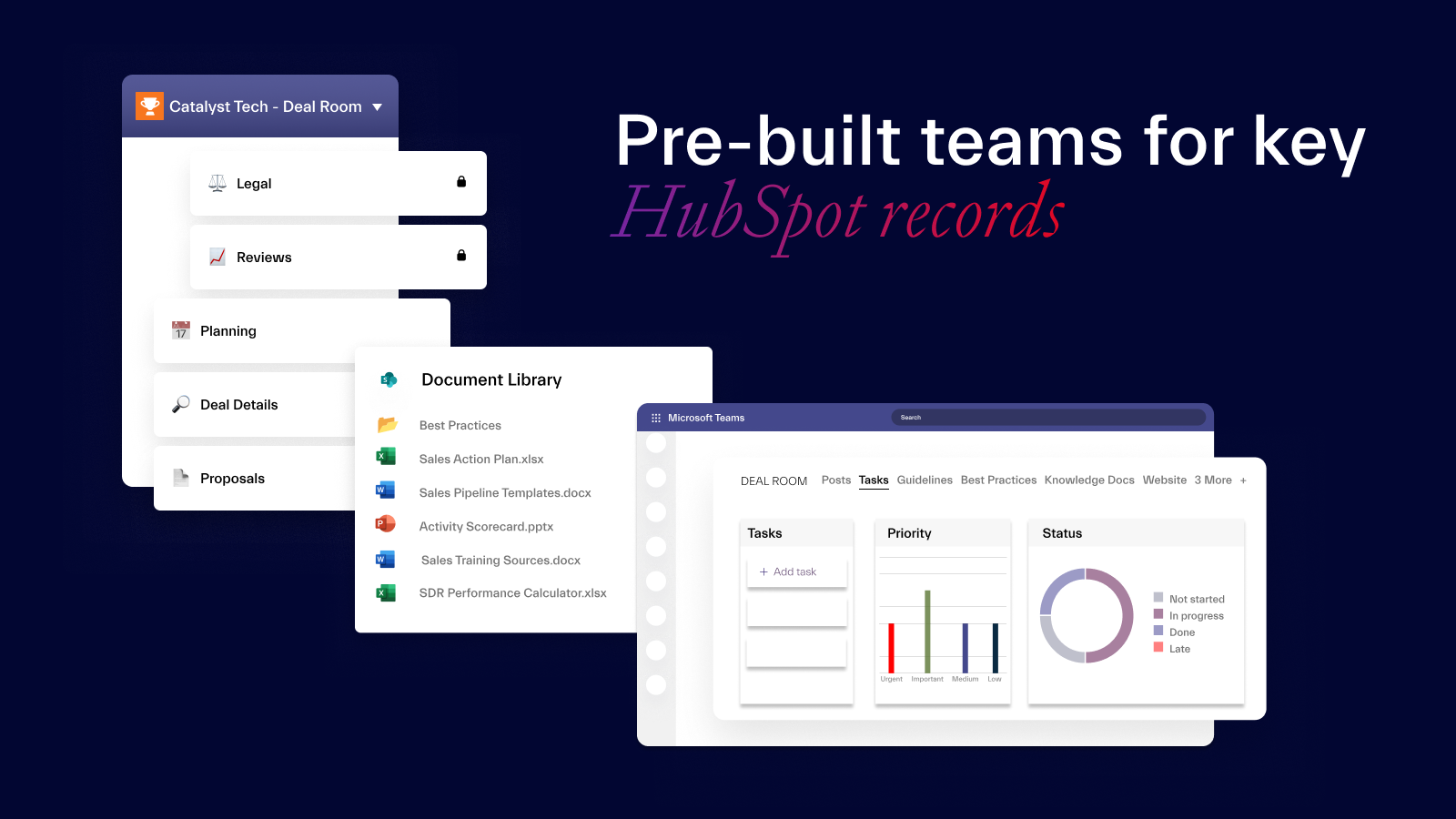
Pre-built teams for key HubSpot records
Translate your sales playbook into your own Collaboration Templates for any sales collaboration scenario – sales deal, key account, customer success, and others. Add all required data – from channel structure and documents to integrated apps. You can use these templates to automatically create teams for relevant HubSpot records.
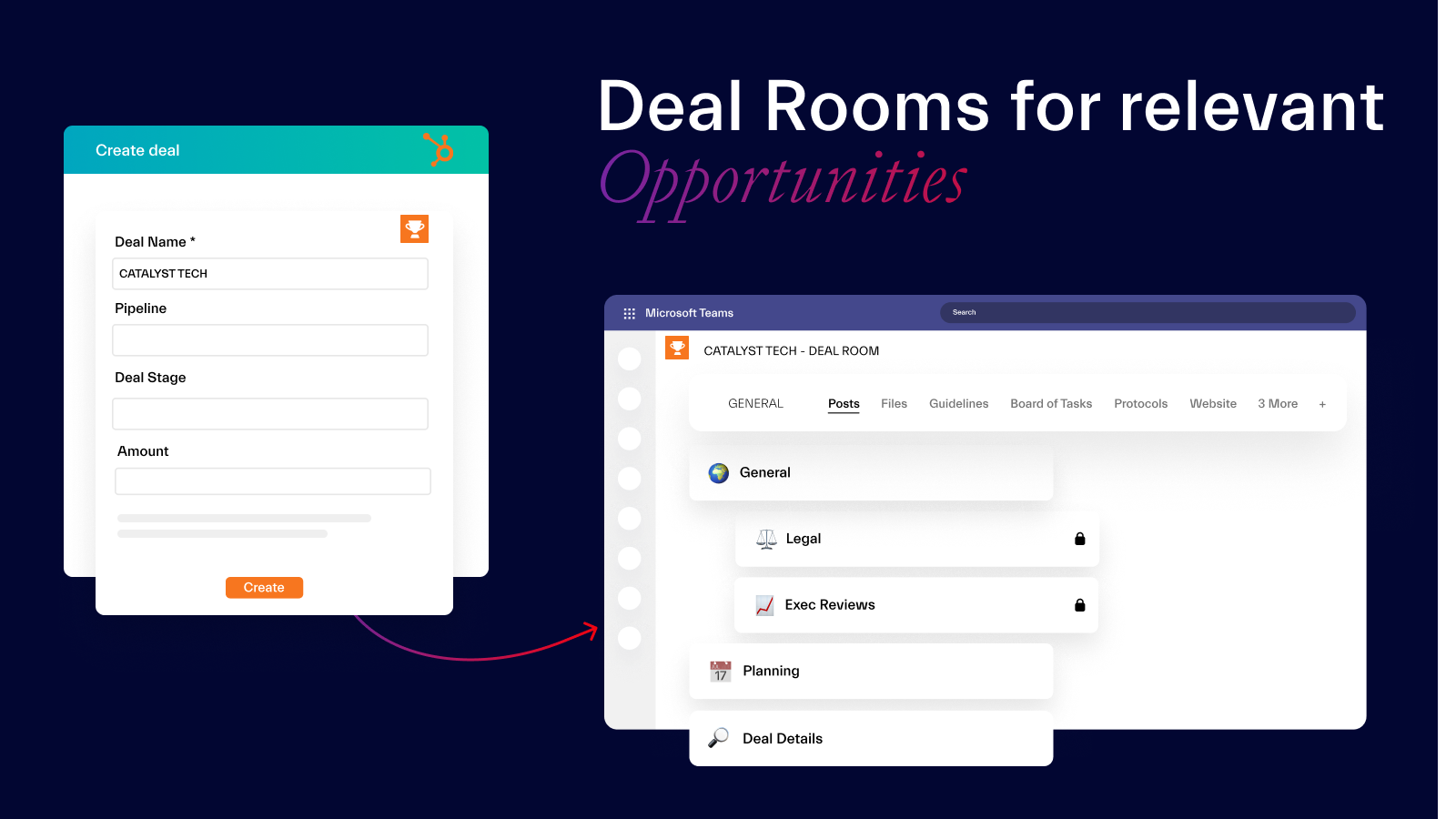
Deal Rooms for relevant Opportunities
Get ready-to-go fully equipped Deal Rooms in Microsoft Teams whenever a relevant Opportunity appears in HubSpot. Set up filters such as Opportunity stage and Deal Amount to trigger automatic team creation and start collaborating straight away – having everything you need to successfully work on a deal already in place.
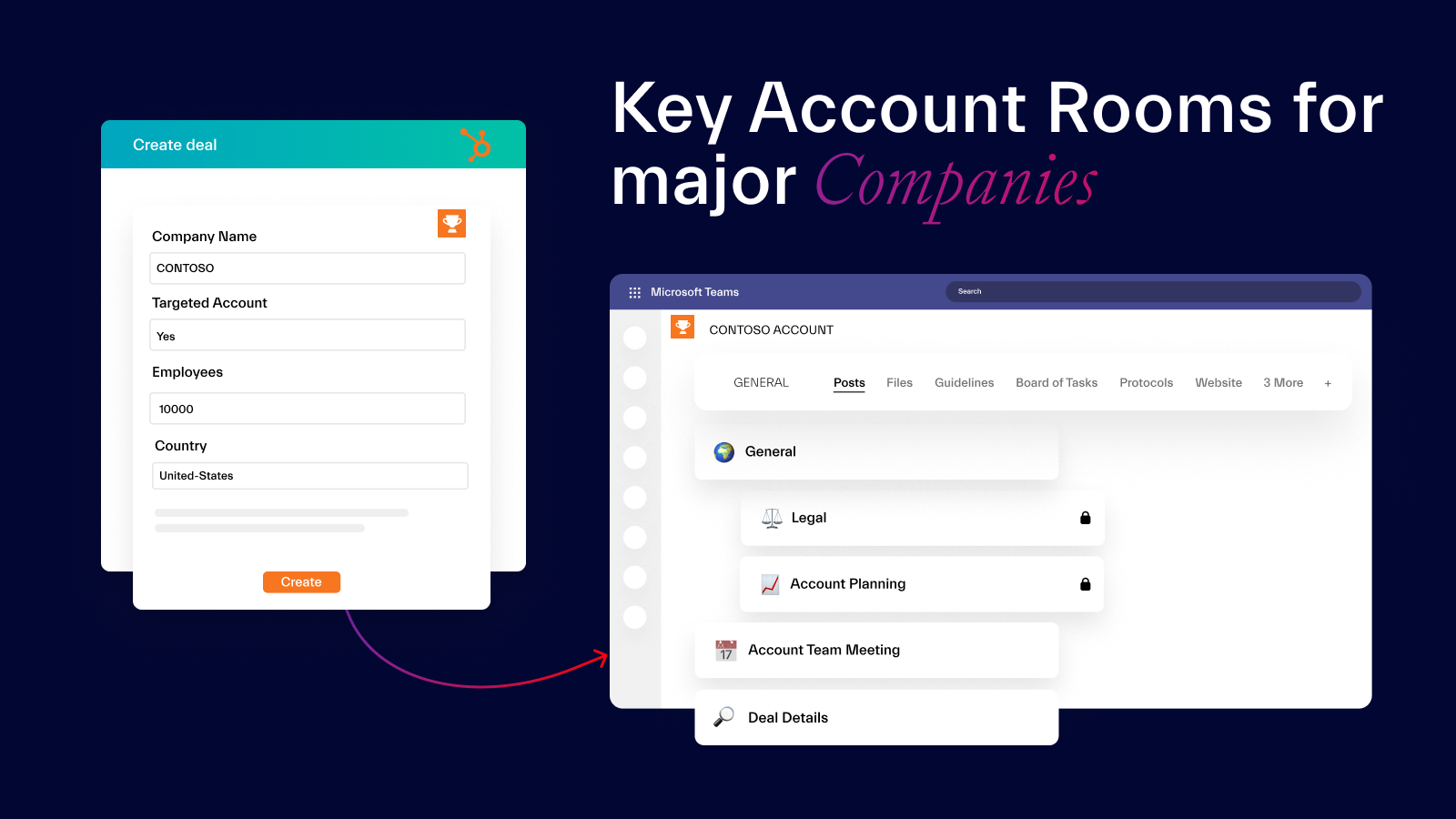
Key Account Rooms for major Companies
Collaborate on your major accounts through Key Account Rooms in Microsoft Teams. Get channels for all deals associated with the Company, receive automatic notifications about important changes in the Company’s records, and work together with your team on the account matters from one location.
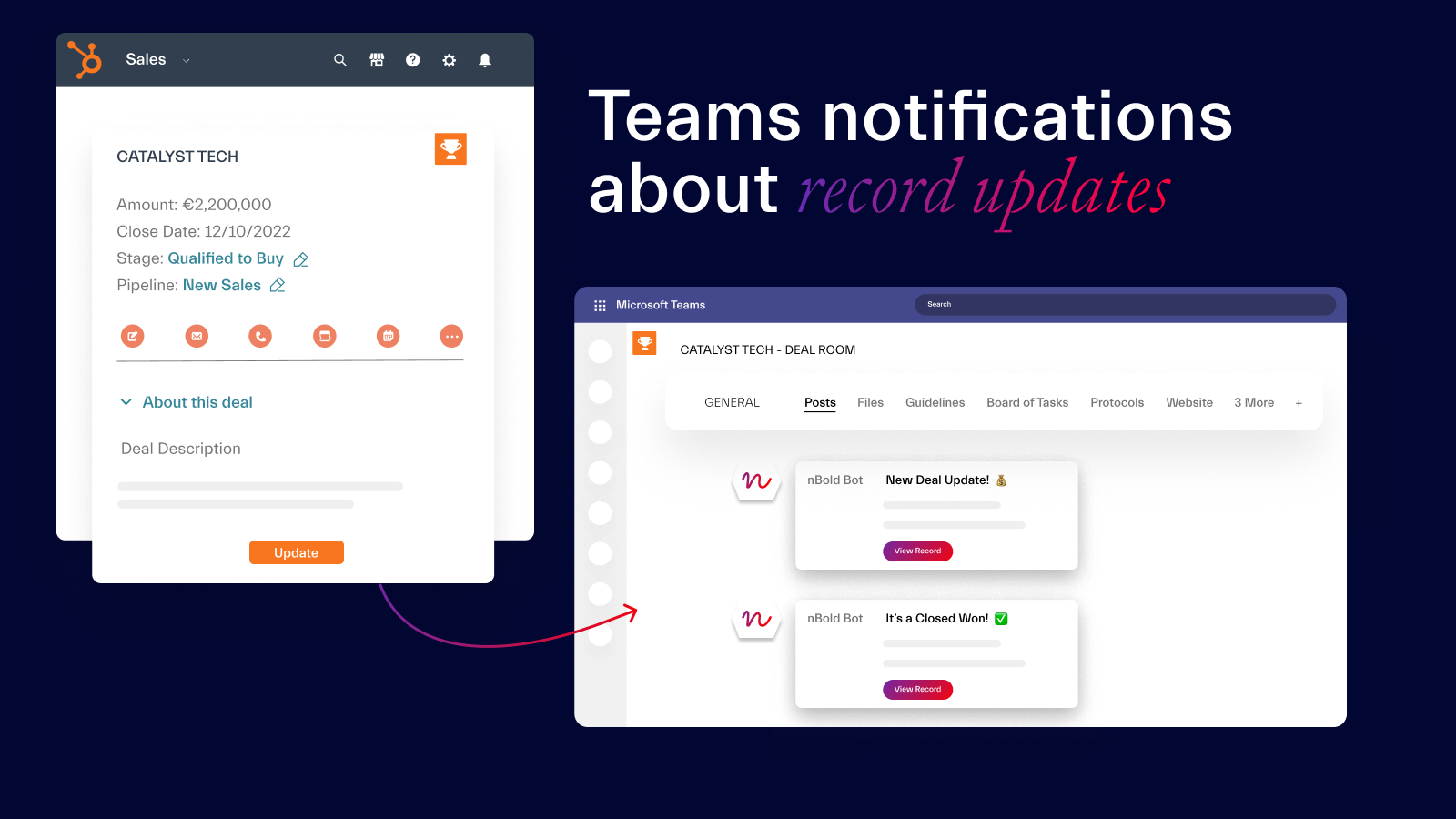
Teams notifications about record updates
Your Digital Sales Rooms are live – they reflect all important changes happening in HubSpot. So, whenever a key event occurs in your CRM – e.g. Opportunity Stage or Deal Amount change - your team members will be automatically notified, allowing them to always be in the loop about important HubSpot updates even without respective licenses.
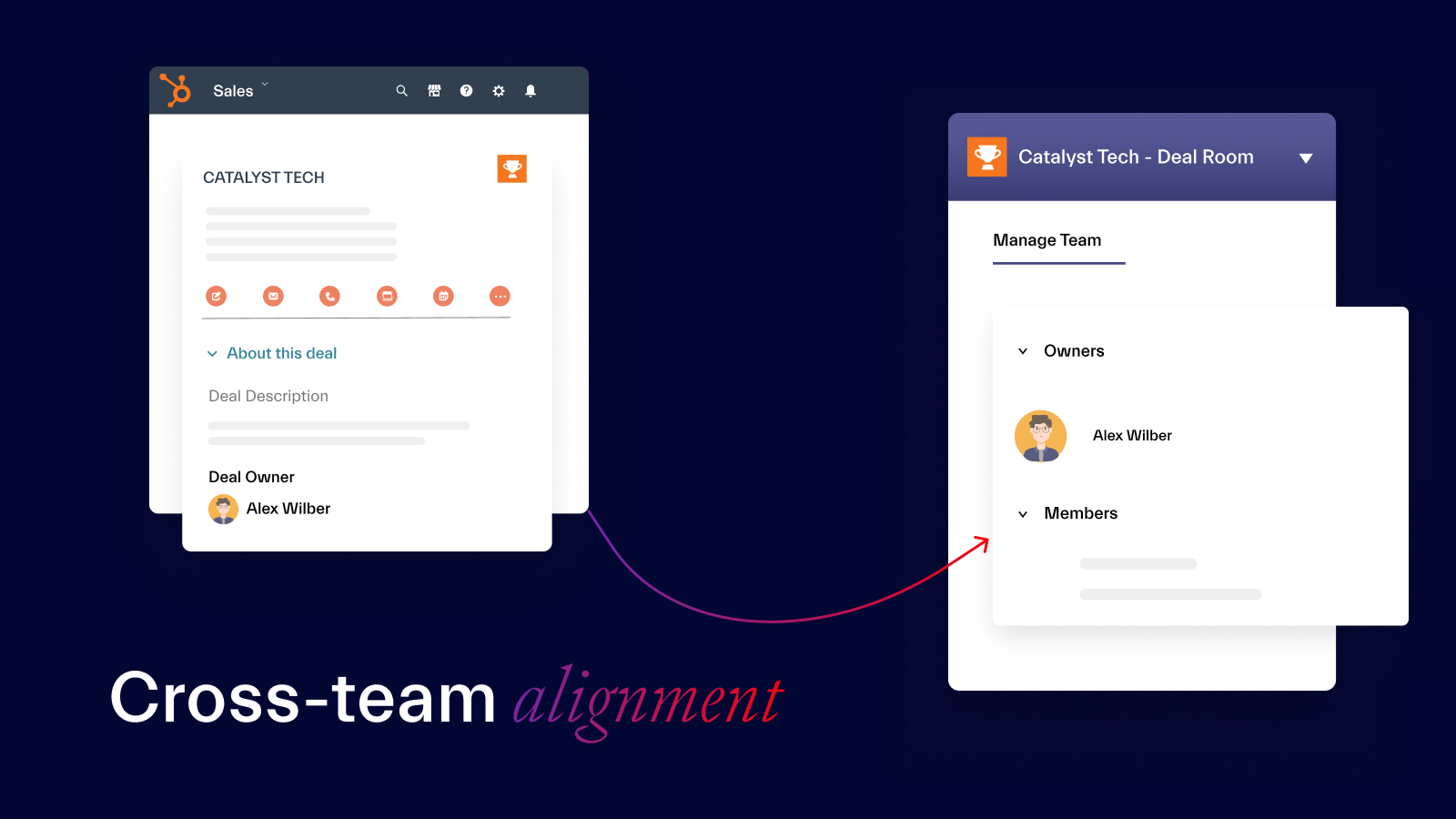
Cross-team alignment
Digital Sales Rooms bring together sales reps and members of other teams working on the same deal or account. Due to seamless integration of Teams and HubSpot, everyone is updated on key events happening in the CRM through Teams notifications and always know what to do, having all key data, tasks, and tools readily available.
Funkcjonalność aplikacji
Udostępnione dane
Connected Apps | ||
Connected Apps | ||
Connected Apps | ||
Connected Apps | ||
Connected Apps |
Recenzje
Ceny
HubSpot in Microsoft Teams
15 USD
/mies.For Sales team collaborating in Teams & HubSpot
HubSpot in Microsoft Teams
15 USD
/mies.For Sales team collaborating in Teams & HubSpot
* Powyższe ceny zostały podane wyłącznie w celach informacyjnych. Nie zawierają one podatków, premii, zniżek lub innych zmiennych cenowych. Skontaktuj się z partnerem w celu uzyskania najbardziej aktualnych i poprawnych informacji o cenach. HubSpot nie ponosi żadnej odpowiedzialności za informacje cenowe, które są dostarczane przez naszych partnerów. Ostatnia aktualizacja cen: 11.08.2025
Więcej informacji
Utworzone przez - Salestim SAS
Instaluje - <10 instalacji
Kategorie Języki, w których dostępna jest ta aplikacja Angielski ,Francuski ,Hiszpański ,Niemiecki iWłoski
Przyciąganie uwagi już dziś
Zoom Phone for HubSpot
Enhance your HubSpot experience and streamline your workflows.

Zapier
The easiest way to automate and connect HubSpot to 8,000+ apps
