Pixee - Facebook Pixel
Easily Add Facebook Pixel to Your HubSpot CMS
Built by - Codfer
Installs - 100+ installs
Requirements
HubSpot Plan HubSpot Account permissions - View the required account permissions
Access Type Shared Pixee - Facebook Pixel Subscription - Free or PRO PLAN plans
Overview
1/4 - Add Facebook Pixel
Pixee is the app that enables you to easily connect your Facebook pixel to your HubSpot pages in little to no time. The Facebook Pixel can be used to collect essential data about your page's visitors, which can then be used to create targeted Facebook ads. This in turn leads to new visits and purchases on your online pages. For those who want to improve marketing campaigns using Facebook with ease, the Pixel app can be a helpful tool.
Features
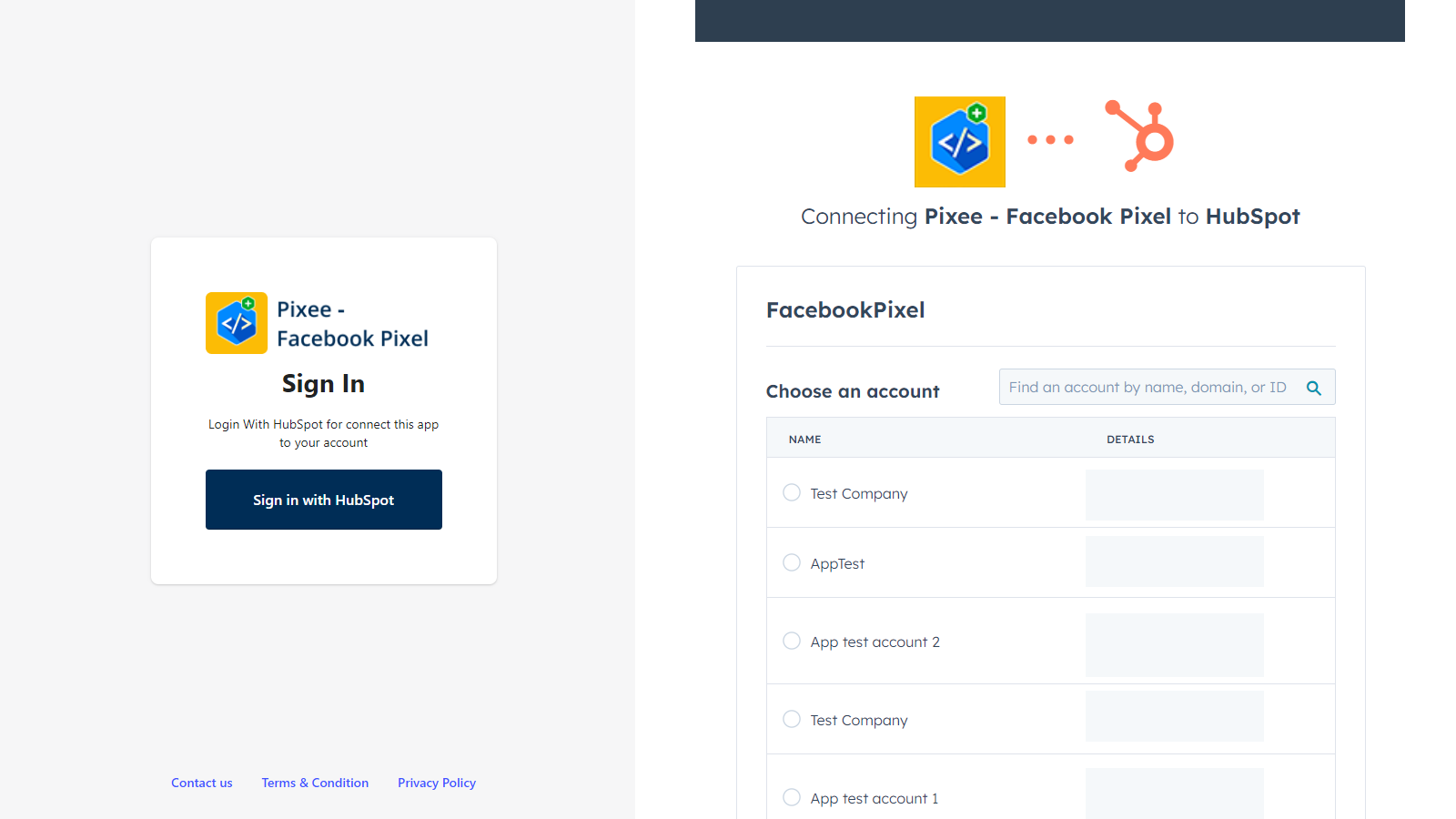
Sign In with HubSpot & Connect to your HubSpot Account
Once you've installed it. You'll need to click on the Sign in with HubSpot button to sign in and connect to your HubSpot Account.
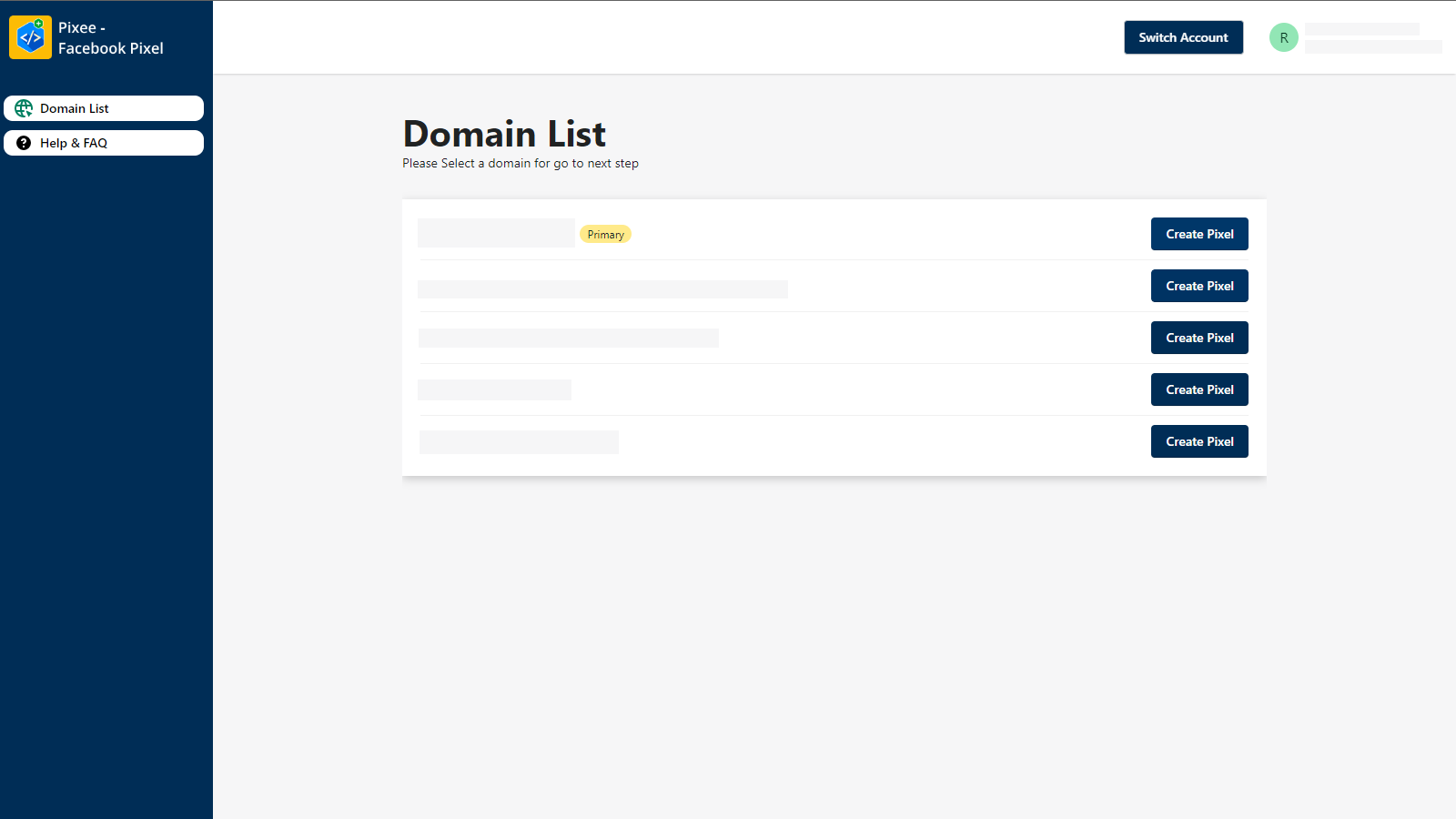
Easily Domain Selection
Once you confirm your HubSpot Account, you'll be sent to the Pixel domain list page to select your domain.
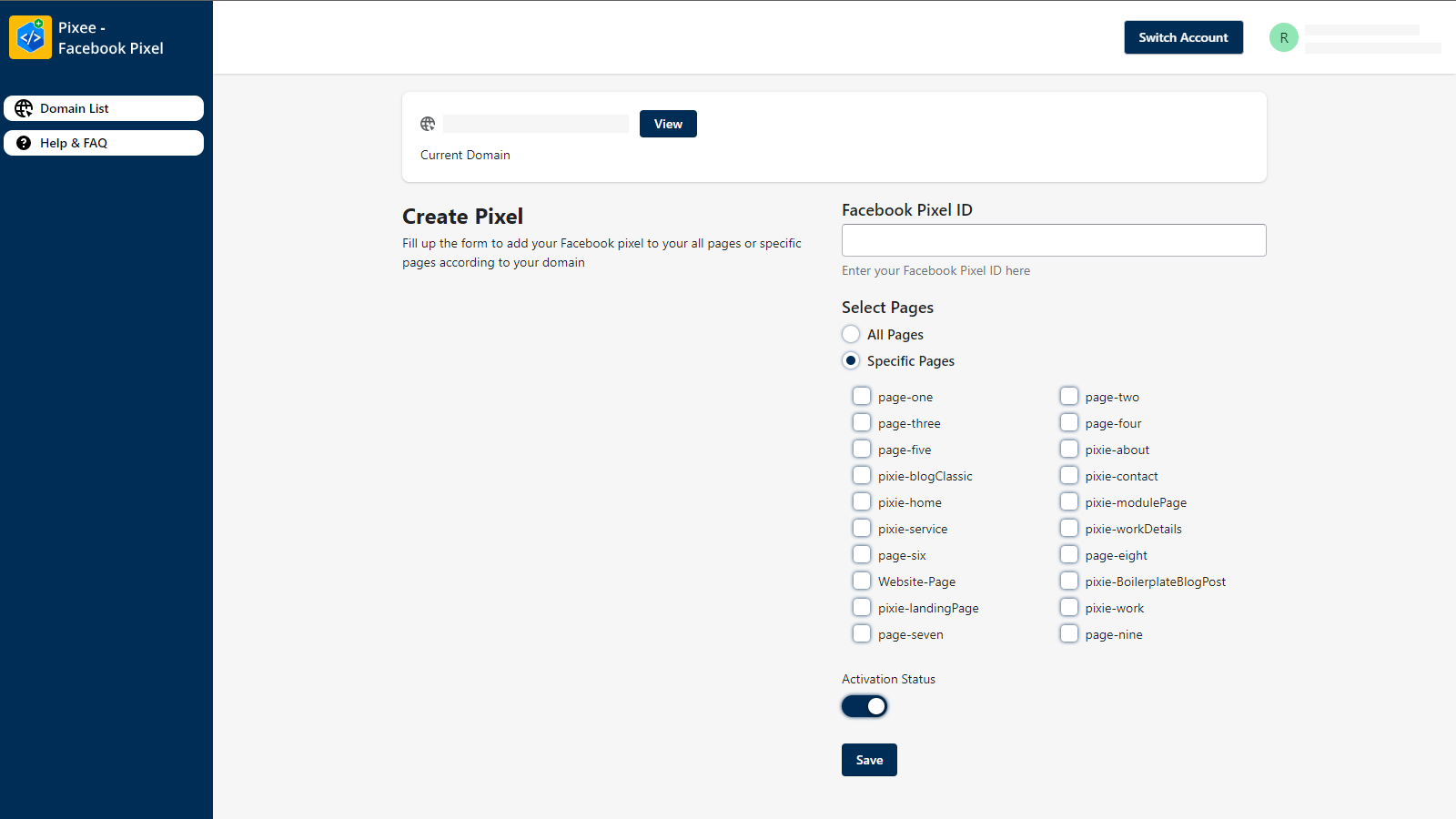
Easily Facebook Pixel Setup
Fill in the Pixel ID field, select all pages or specific pages and if you want to activate or deactivate your pixel you can toggle the switcher. After that, click on the “Save” button to save the Facebook pixel on your pages
App Functionality
Shared Data
Domains | ||
Pages |
Reviews
Be the first to write a customer review
Pricing
Free
$0
Browser Side Tracking
Free
$0
Browser Side Tracking
* The pricing here is for display purposes only. All prices do not include taxes, incentives, discounts, or other pricing variables. You should contact the partner for the most up to date and correct pricing information. HubSpot does not take any responsibility for this pricing information, which is provided by our partners. Pricing last updated: 08/11/2025
Getting attention today