

Superframe
Built by - Superframe
Installs - <10 installs
Requirements
HubSpot Plan HubSpot Account permissions - View the required account permissions
Access Type Shared Superframe Subscription - Free plan
Overview
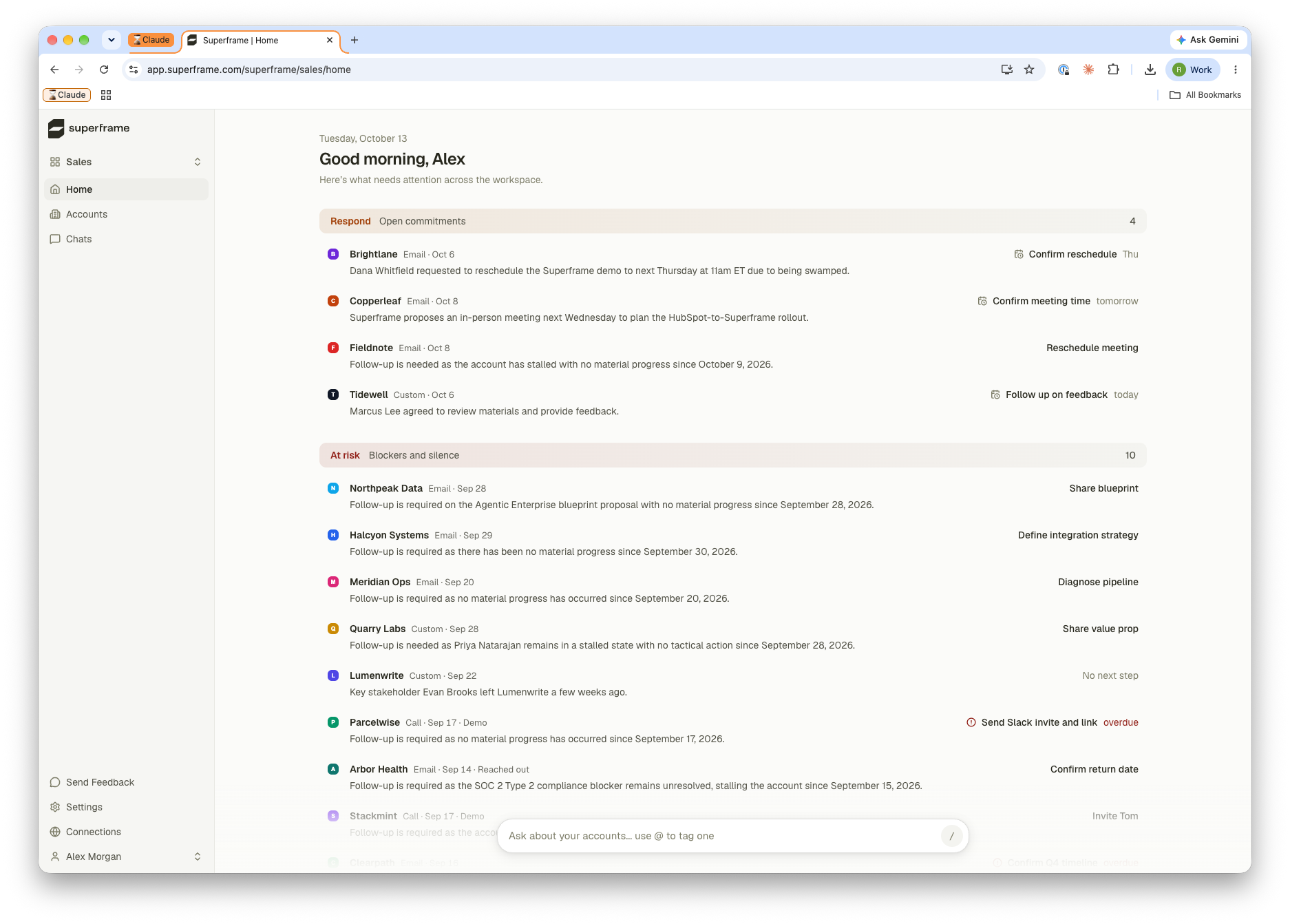
1/2 - Superframe home screen
Your customer data lives across calls, emails, CRM activity, and product tools — and none of them were built to talk to each other. Superframe ingests, indexes, and intelligently aggregates it all to let you ask and answer any question you have about your accounts.
Features
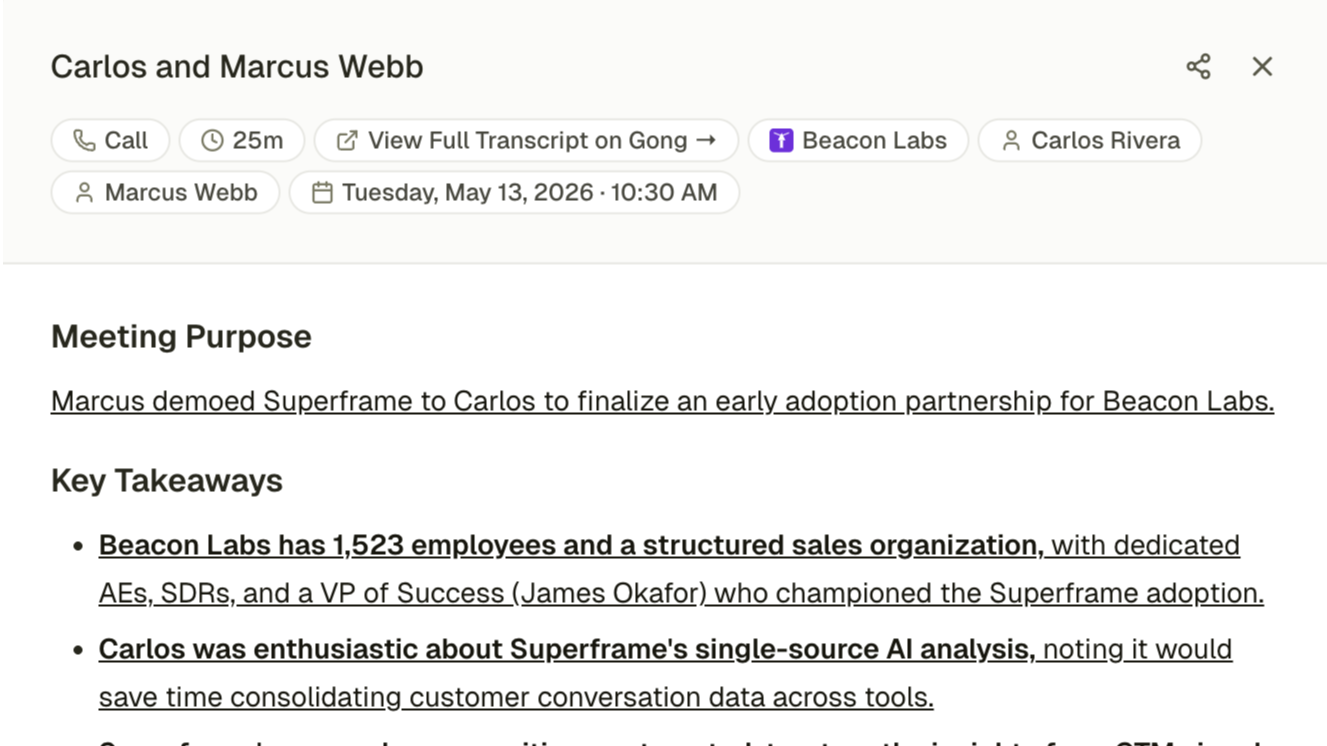
Context Engine
Superframe combines your HubSpot companies, contacts, deals and leads with emails, calls, meetings and product usage into one view of each account. Use it to power AI chat, agents and other AI products.
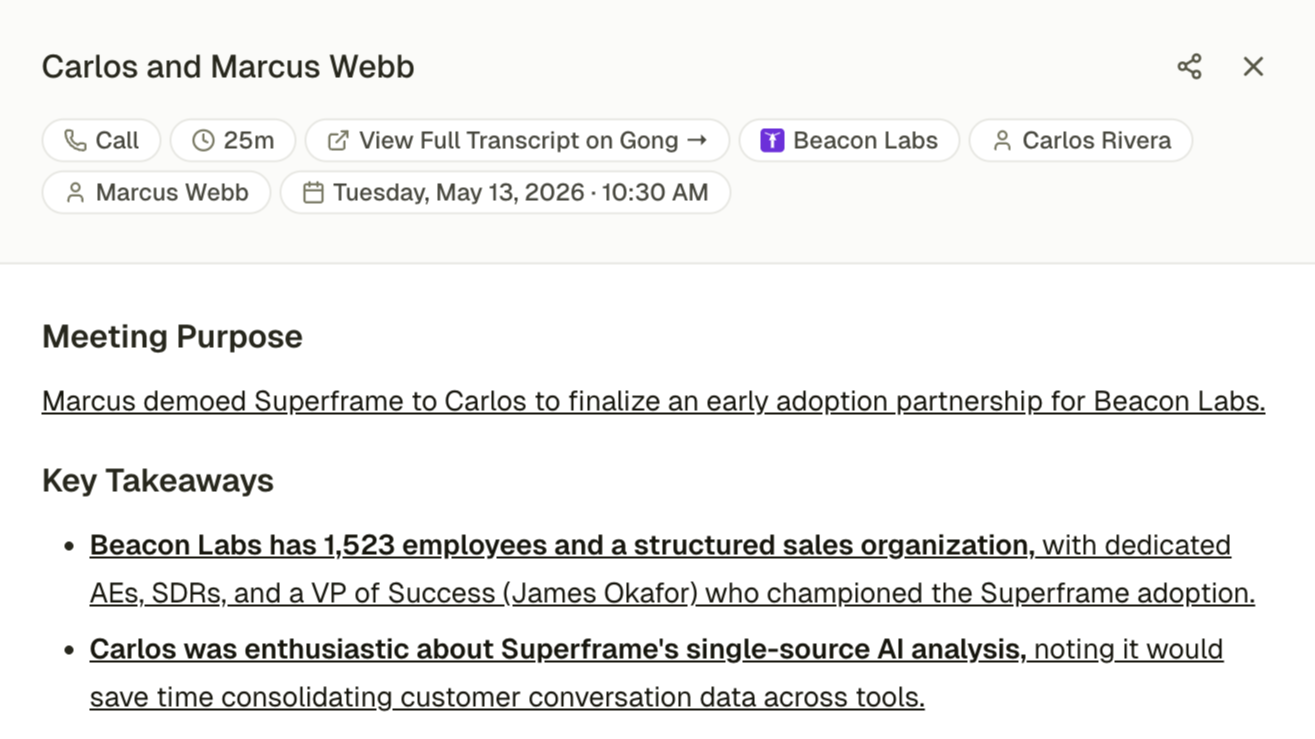
Citations behind everything
Every answer in Superframe links to its sources, from the HubSpot records to the emails and meetings behind it, so your reps and your agents can check any answer for themselves.
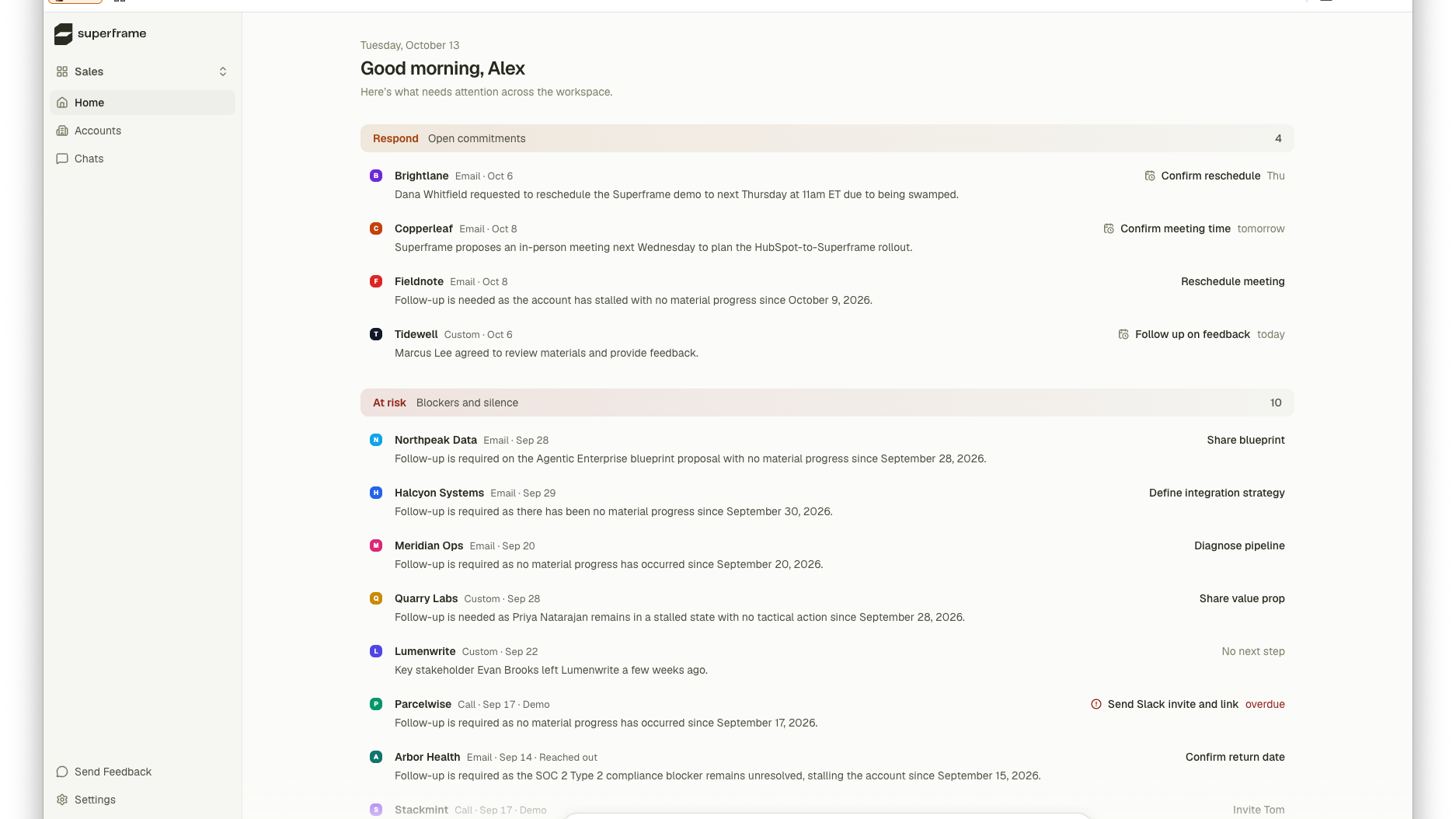
Proactive Account Insights
Superframe's Home screen shows what needs attention across your HubSpot accounts: open commitments to respond to, and accounts at risk from blockers or silence. Each item is drawn from real email, call, and meeting activity, with a suggested next step and due date, so reps start the day knowing where to act.
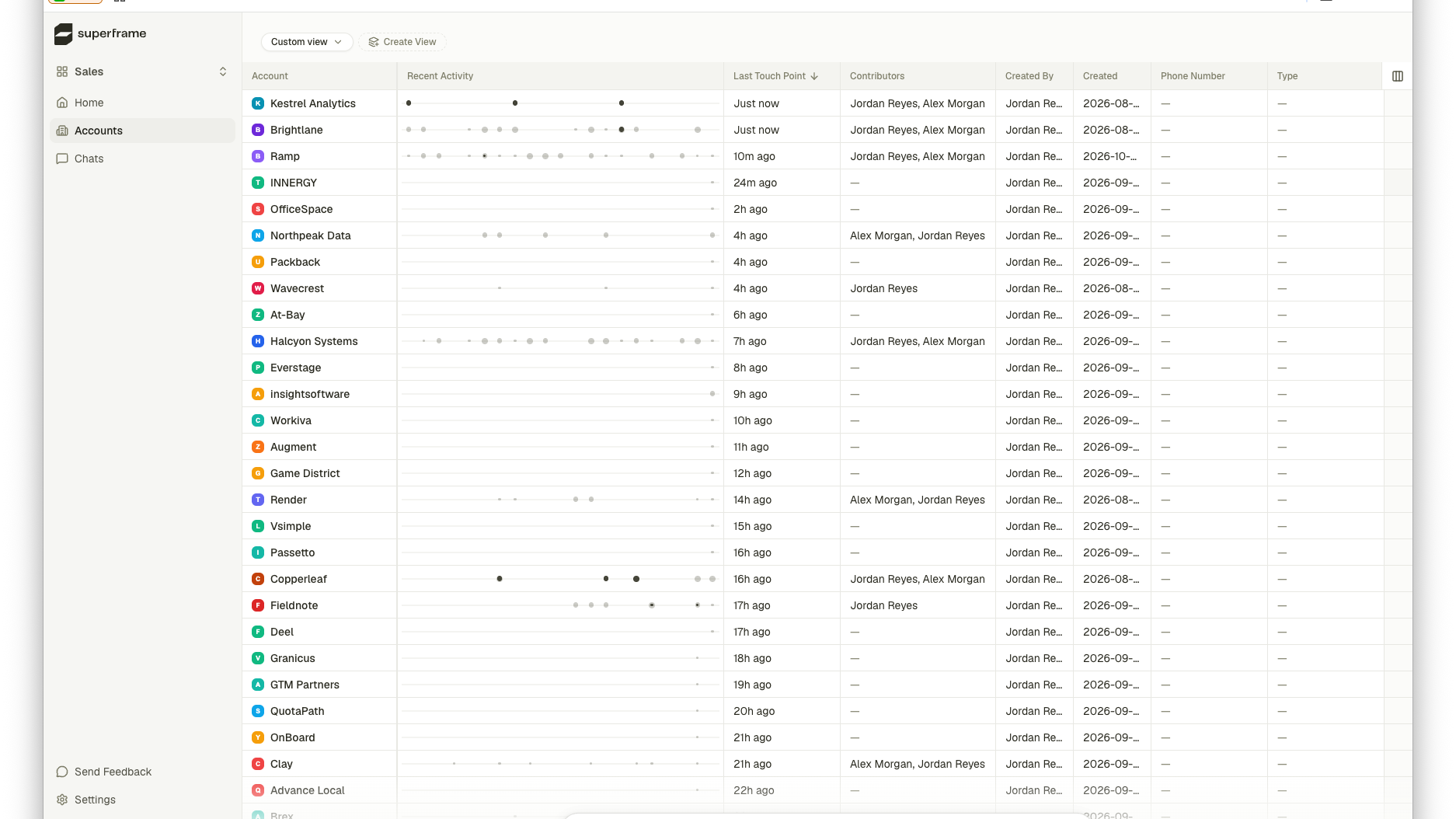
Accounts List
Your HubSpot companies become Superframe accounts, kept in sync automatically. The accounts list shows each one's recent activity timeline, last touch point, and contributors next to HubSpot fields like company owner and deal stage. Build custom views to spot which accounts are active and which have gone quiet.
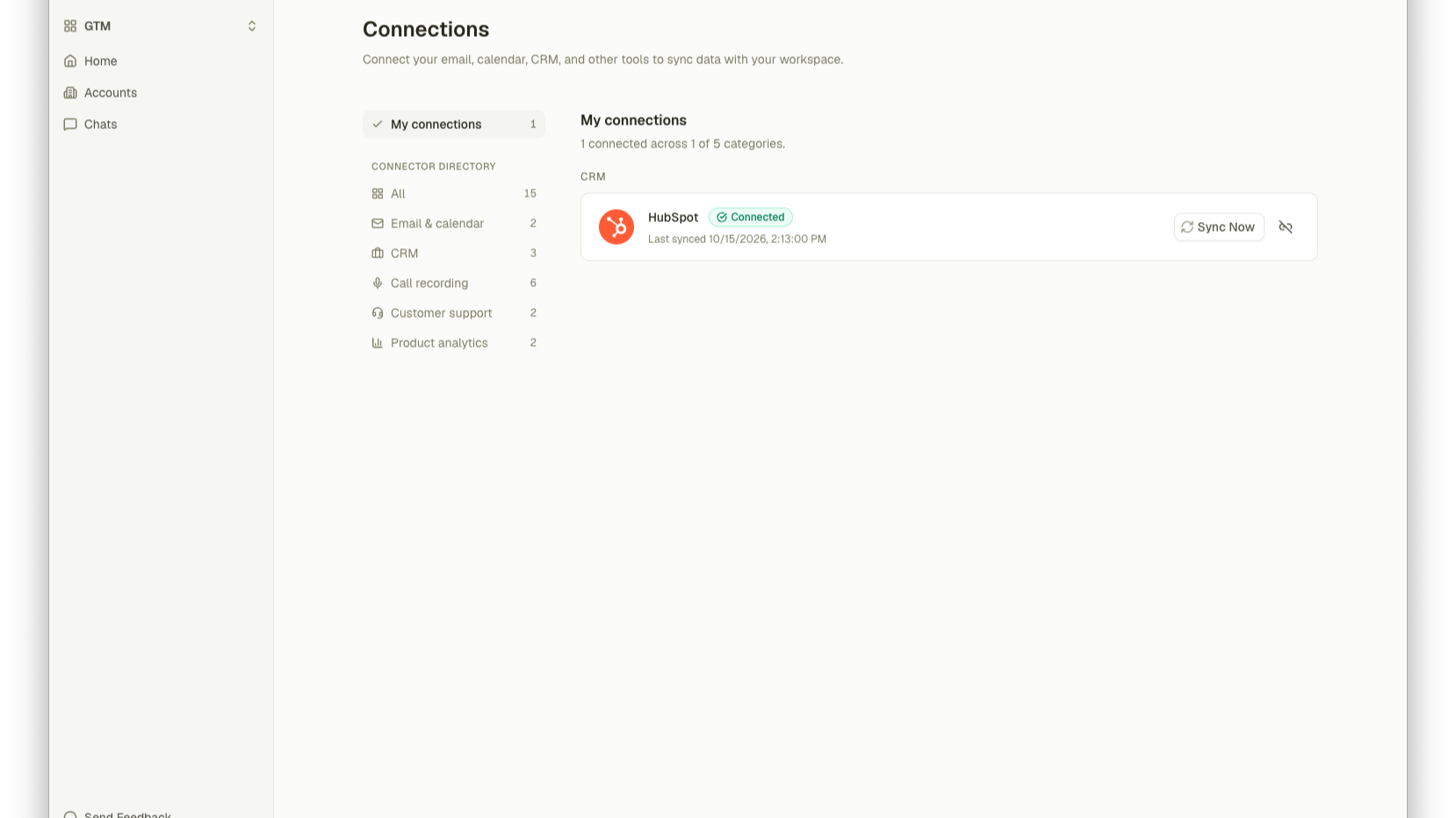
Initial Sync
Connect HubSpot once for your workspace. Superframe imports your companies, contacts, deals (with pipeline stages), leads and owners, using HubSpot's bulk export so large portals load quickly. After that, an incremental sync keeps everything up to date about every 15 minutes. Read-only: Superframe never writes to HubSpot.
App Functionality
Shared Data
Accounts | ||
Contacts | ||
Deals | ||
Leads | ||
Deal Properties | ||
Team members |
Superframe's HubSpot integration is read-only: it never creates, updates, or deletes anything in your HubSpot portal. A workspace admin connects HubSpot once for their Superframe workspace. Superframe then imports companies, contacts, deals (including pipeline stages), leads, and owners, and keeps them up to date with an incremental sync roughly every 15 minutes. HubSpot companies become accounts in Superframe, with their contacts, deals, leads, and owners attached. Superframe combines this CRM data with email, calendar, and meeting activity to surface account insights.
Reviews
Pricing
Free
$0
For individuals and small teams ready to put their GTM data to work
0Free
$0
For individuals and small teams ready to put their GTM data to work
0* The pricing here is for display purposes only. All prices do not include taxes, incentives, discounts, or other pricing variables. You should contact the partner for the most up to date and correct pricing information. HubSpot does not take any responsibility for this pricing information, which is provided by our partners. Pricing last updated: 10/19/2026
More info
Built by - Superframe
Installs - <10 installs
Categories Languages this app is available in English
Getting attention today

Slack
Manage CRM records, get AI-powered assistance from Breeze, send real-time notifications, and collaborate with your team — without leaving Slack.

Zoom
Use Zoom with HubSpot meetings, workflows, contact records and more.
