
Triggr for HubSpot
Drive More Pipeline With Account Insights and Alerts
Built by - Triggr
Installs - 20+ installs
Requirements
HubSpot Plan HubSpot Account permissions - View the required account permissions
Access Type Shared Triggr for HubSpot Subscription - Individual, Team License, or Company Plan plans
Overview
1/9
The HubSpot integration, developed by Triggr, feeds real-time account insights, directly into your CRM, along with the right contact. You define the important company changes that you want to know about, and Triggr sends the alert, along with the Ideal Persona for you to reach out to.
How Triggr Events Works:
- Enroll - Define your Ideal Client Profile
- Triggr Event - Setup the event you want to know about
- Persona - Build your top-down Persona list, so Triggr can find the right contact every time.
- Playbook - Set your team up for success with a Playbooks to follow based on any scenario, inserted directly into the Task
Enrichment
Use Triggr's embedded Account Insights card on the Contact and Company object, to find the right contact in any account and one-click push into HubSpot. Plan your account strategy, with contact details of the entire buying committee, so no deal ever slips.
New Accounts
Find new accounts, with HubSpot's Lookalikes tool, which surfaces companies that match the Technographic, Firmographic, and Growth profile of your best customers.
Some Example Triggr Events include:
- Funding
- Technology adoption
- Customer Advocate moves to Prospect Account
- New Employee, matching Persona Profile
- Hiring Advertisements for Senior Executives
- Appointment of a new CEO
Currently available in Australia.
Features
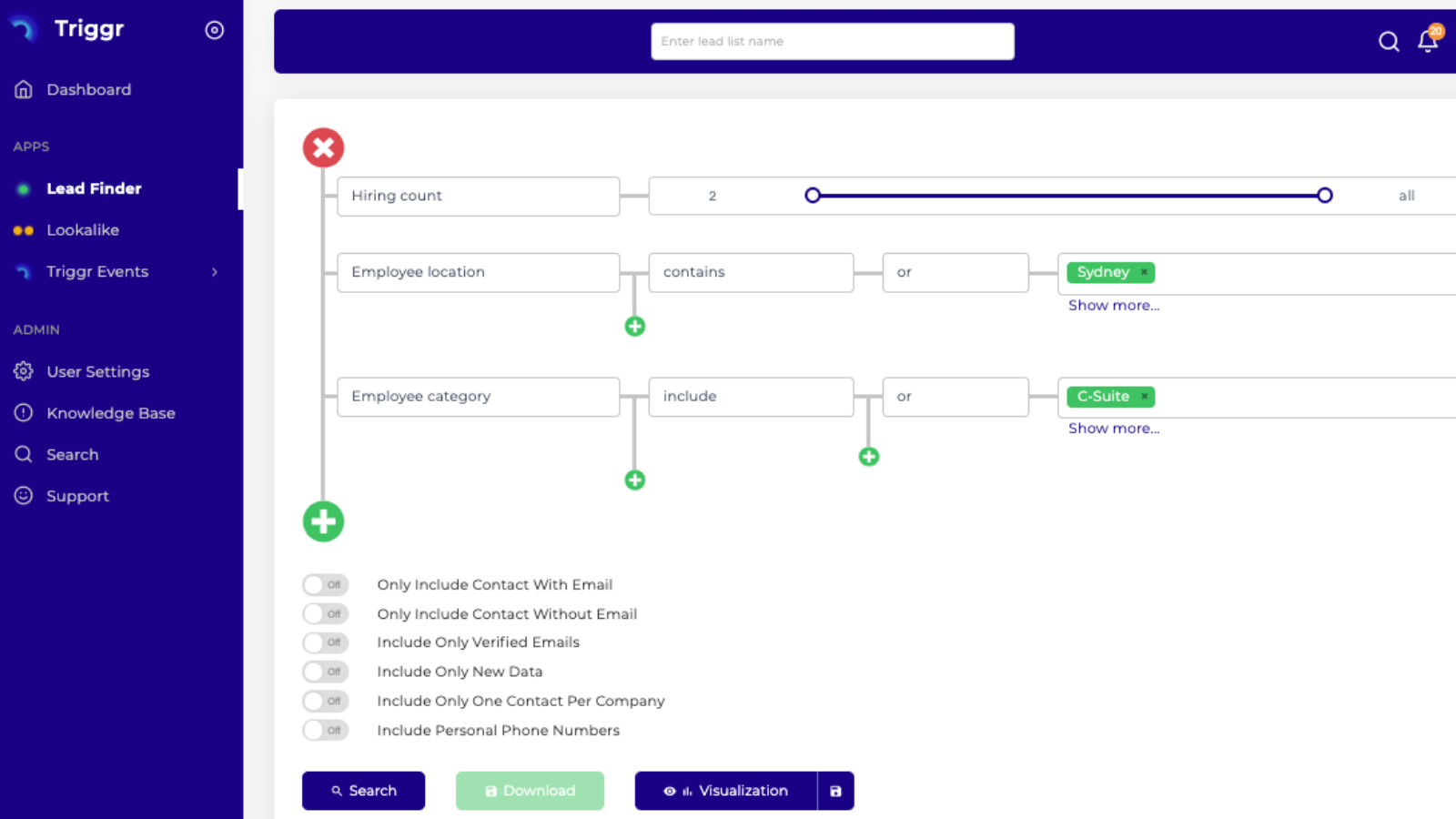
Surface the Ideal Accounts within your Territory
Find new accounts to target, along with the contact details of your Ideal Persona within the Account. And find context for conversation, to open any account.
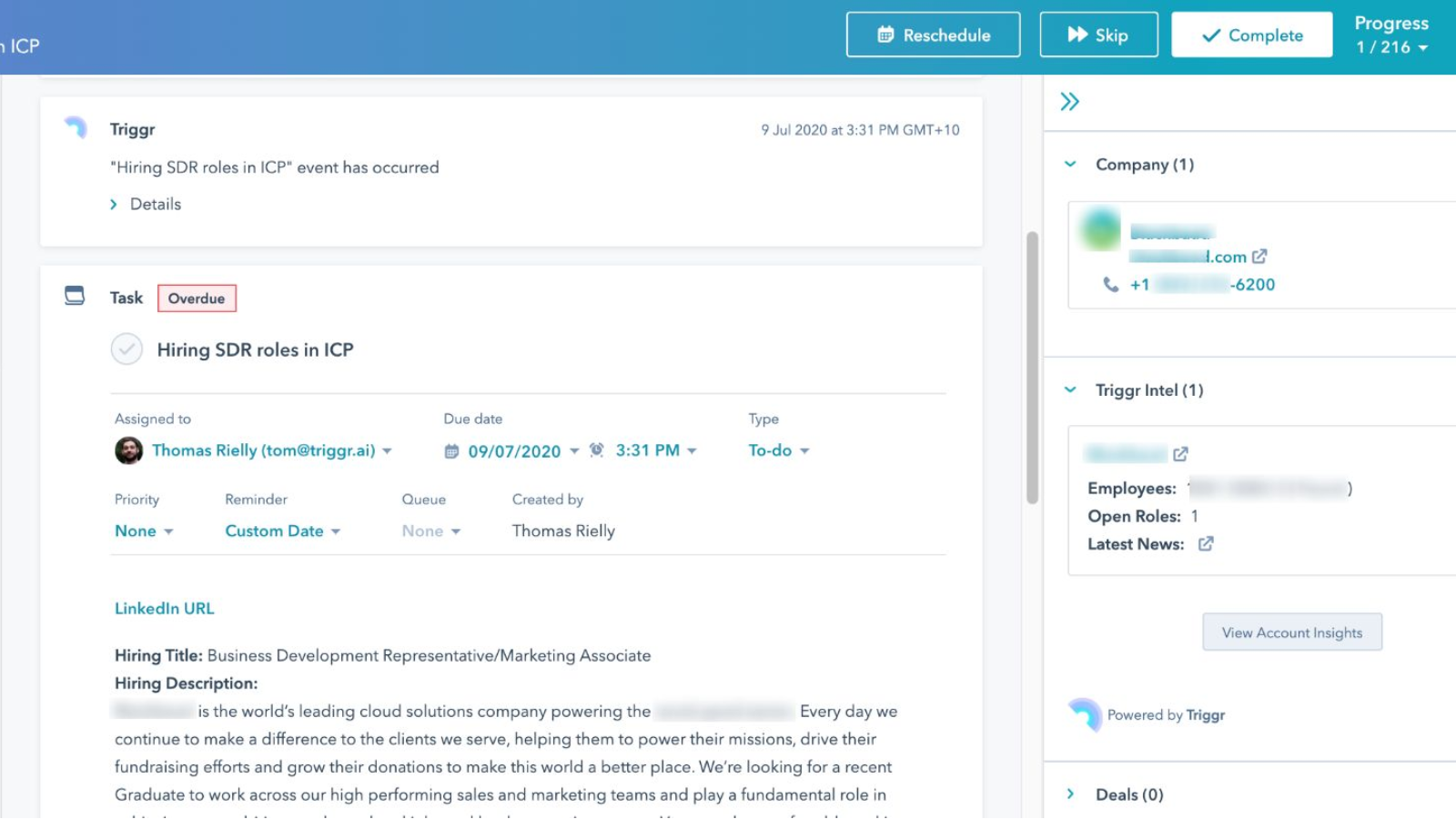
Triggr Events you want to know about
Ensure Task Follow up on any important Triggr Event, with the context for conversation, along with contact details provided. Segment or enroll in workflows your Triggr Events, using the Timeline stamp added.
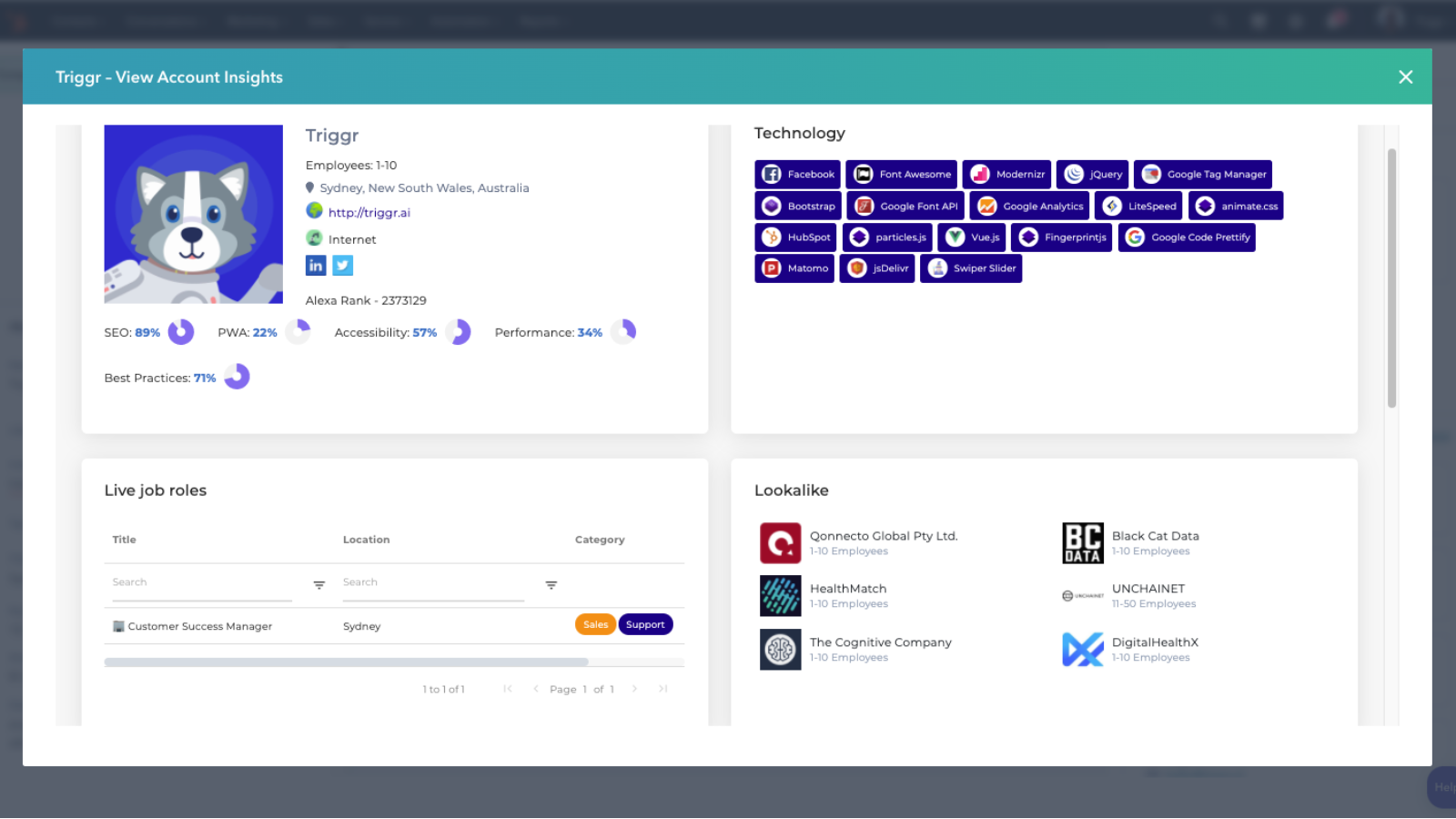
Account Insights and Planning
With on-click push to CRM, you can find the details of the entire buying committee, while you plan any account; All without leaving HubSpot.
App Functionality
Shared Data
Company | ||
Contacts | ||
Triggr Events | ||
Triggr Events |
Reviews
Be the first to write a customer review
Pricing
Individual
$1,188
/yearFor the solo sales rep who wants an unfair advantage
1 User
500 Contacts per month
40 Direct Dials
HubSpot Integration
Access to Lead Finder
Individual
$1,188
/yearFor the solo sales rep who wants an unfair advantage
1 User
500 Contacts per month
40 Direct Dials
HubSpot Integration
Access to Lead Finder
* The pricing here is for display purposes only. All prices do not include taxes, incentives, discounts, or other pricing variables. You should contact the partner for the most up to date and correct pricing information. HubSpot does not take any responsibility for this pricing information, which is provided by our partners. Pricing last updated: 08/09/2025
Getting attention today