

Teamwork.com
Built by - Teamwork.com
Installs - 700+ installs
Rating 3.1
(9)
Requirements
HubSpot Plan HubSpot Account permissions - View the required account permissions
Access Type Shared Teamwork.com Subscription - Grow, Scale, or Enterprise plans
Overview
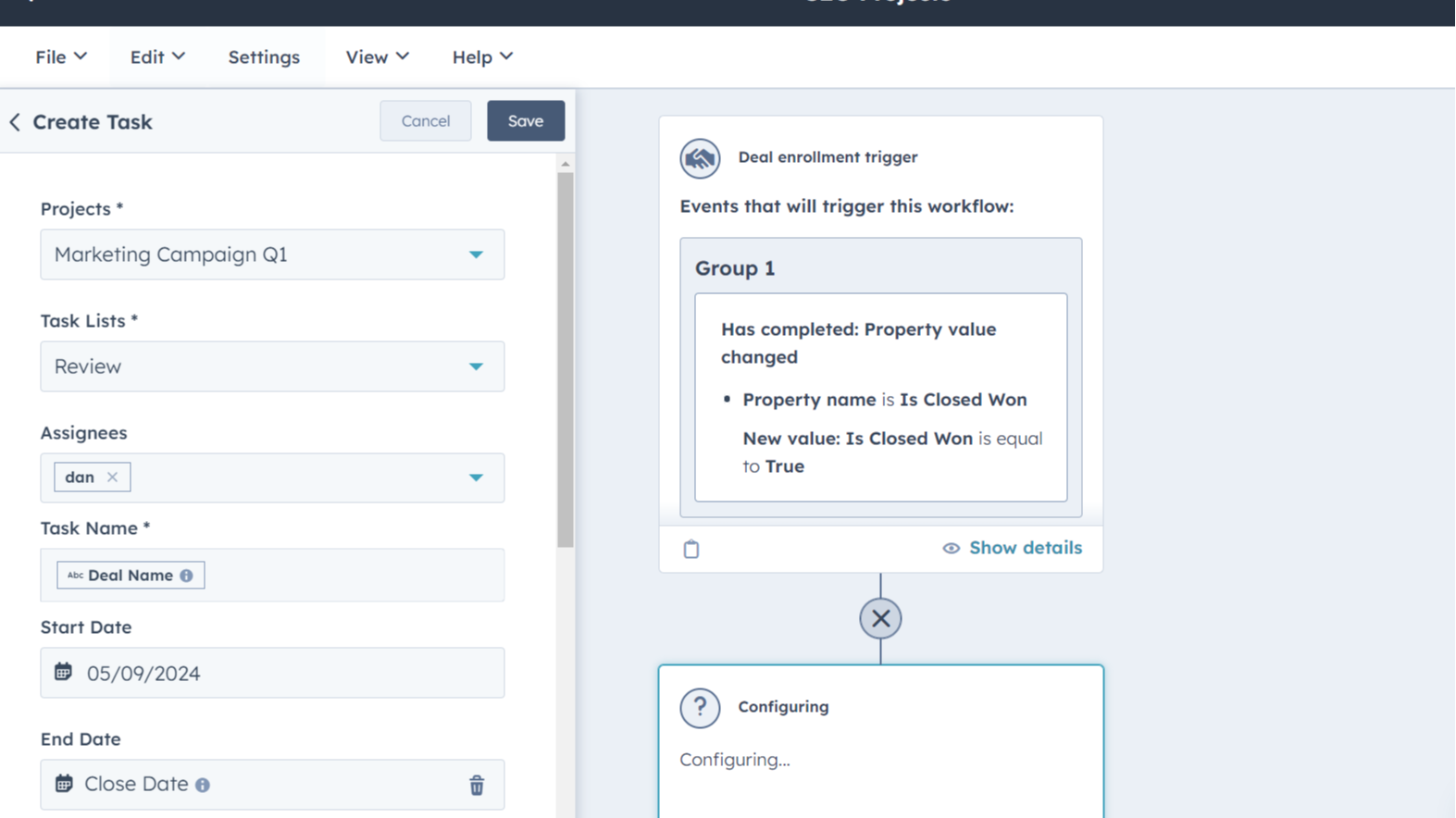
1/8 - Teamwork Tasks & HubSpot Workflows
Teamwork.com is the only platform that combines best-in-class client operations with easy-to-use project management, loved by agencies and client service teams.
The Teamwork.com HubSpot App addresses the pain of disconnected Project Management Systems & CRM systems. Now, you can effortlessly link Projects & Tasks to Deals, Companies, Contacts, and Tickets directly within HubSpot. Plus, Create & View Teamwork project & task details without ever leaving your CRM.
This update enhances productivity, ensures seamless integration, and future-proofs your setup—all while providing a stable and user-friendly experience. It’s the solution you need to supercharge your HubSpot and Teamwork connection.
Features
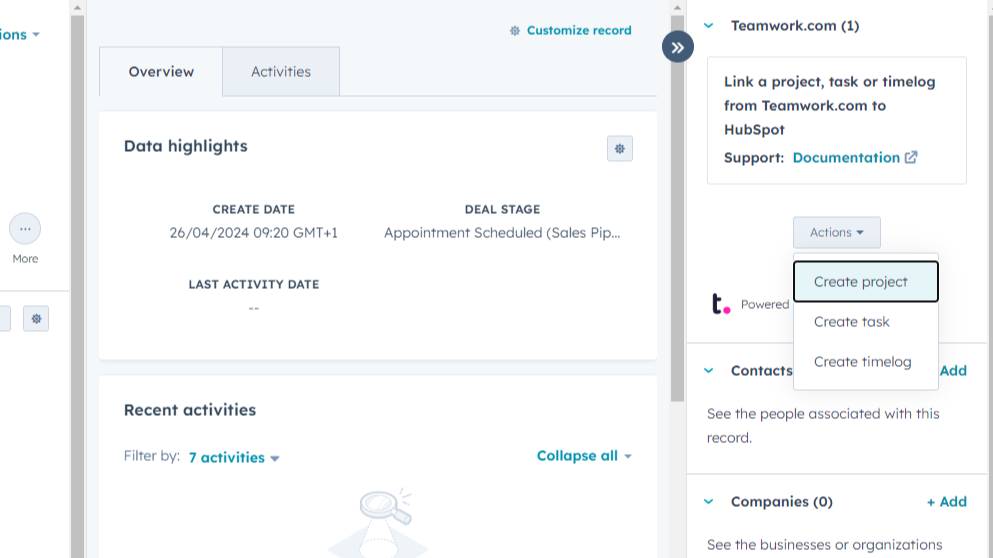
Link Teamwork Tasks, Projects, and Time Logs
View, create, and link Teamwork tasks, projects, and time logs directly to your HubSpot CRM objects, such as Deals, Companies, Contacts, and Tickets. This seamless integration keeps your sales, support, and project management teams aligned, ensuring that everyone has the latest information at their fingertips.
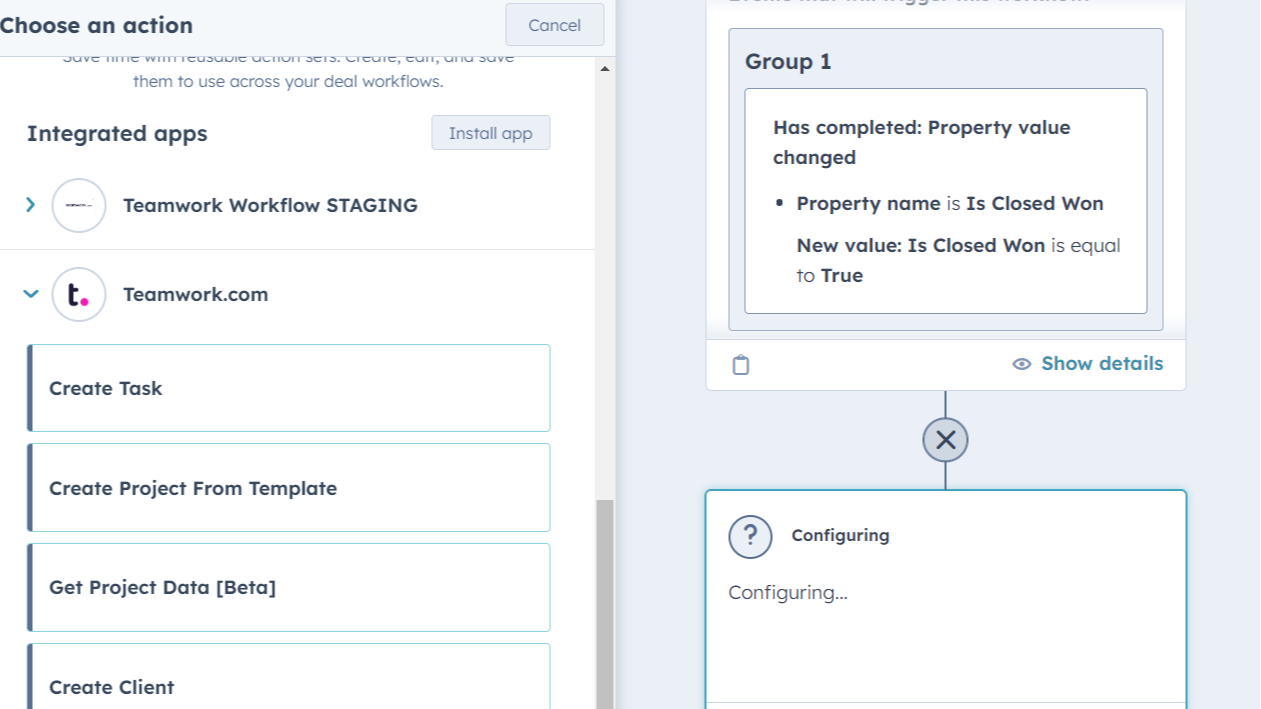
Automate Project Management with Workflows
Easily automate the creation of Teamwork tasks, projects, and clients directly from HubSpot workflows. Once installed, simply select the desired Teamwork.com action in HubSpot's workflow builder to streamline your processes.
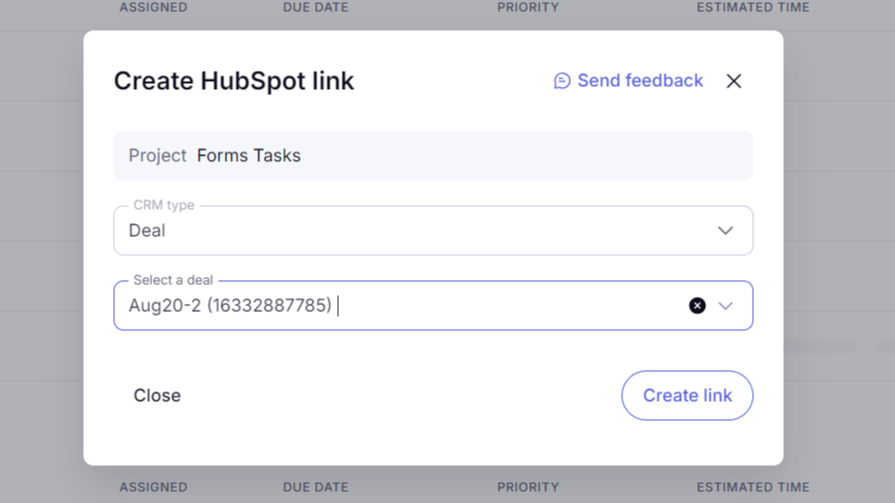
Link CRM Objects via Teamwork.com
Link HubSpot items—such as Deals, Companies, Contacts, and Tickets—directly from your Teamwork projects or tasks. By linking CRM objects from Teamwork, you can effortlessly track the progress of deals, manage client relationships, and keep all project-related information in up-to-date with HubSpot.
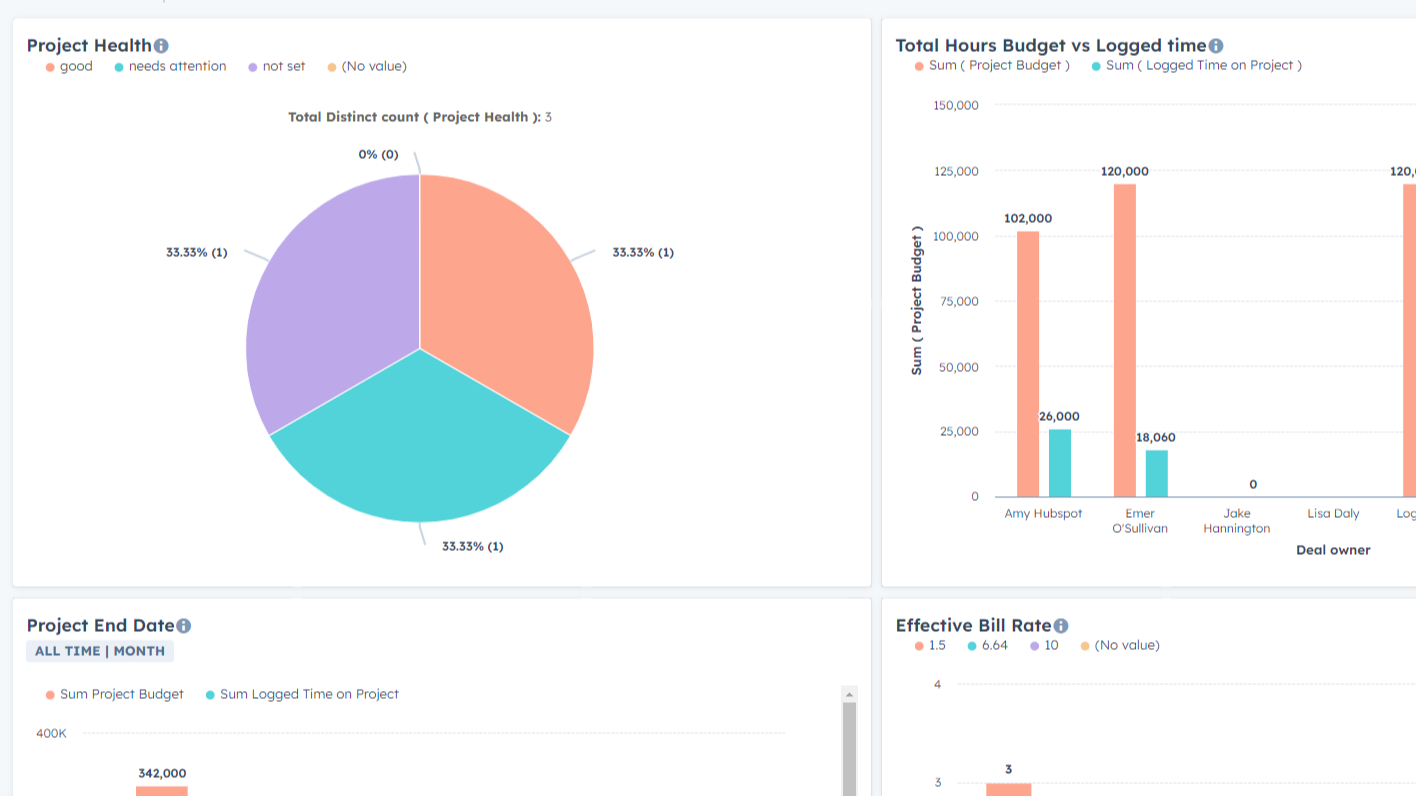
Sync Project Data to HubSpot Custom Properties
Sync Teamwork project data with HubSpot custom properties on Deals, Companies, and Contacts. This integration is a one-way scheduled import (from Teamwork to HubSpot) of standard project fields, such as health, profitability, etc. Report on project data within HubSpot dashboards, ensuring your team has all the information needed to drive success.
App Functionality
Project | ||
Tasks | ||
Client | ||
Project | ||
Task | ||
Log time | ||
Project | ||
Task | ||
Log Time | ||
Log time | ||
Tasks | ||
Log Time |
Reviews
3.1
9
3.1
9
- Jun 17, 2026
Nothing works as advertised - after a short trial run
Even though logging into both ends as a super admin, watching tutorials & making sure I don't have anything interfering - I get "unauthorized" when trying to do anything. Look elsewhere.
Vetengl, L.
- Mar 4, 2025
Doesnt work
Needs work and better implementation. Needs two way syncing for project updates.
None, doesnt work
Doesnt work
Talbott, W.
Grow
€19.99
/monthManage complex client projects.
- All our standard features
- All Integrations
- Workload & Capacity Management
- Advanced Budgeting
- Powerful Reports
Grow
€19.99
/monthManage complex client projects.
- All our standard features
- All Integrations
- Workload & Capacity Management
- Advanced Budgeting
- Powerful Reports
* The pricing here is for display purposes only. All prices do not include taxes, incentives, discounts, or other pricing variables. You should contact the partner for the most up to date and correct pricing information. HubSpot does not take any responsibility for this pricing information, which is provided by our partners. Pricing last updated: 06/27/2026
More info
Built by - Teamwork.com
Installs - 700+ installs
Categories Languages this app is available in English
New arrivals

Template Manager
Capture properties, workflows, segments, and forms from any portal. Deploy them in the right order, every time — or let your AI assistant do it via MCP. Pull from a growing library of proven setups and utilize dynamic variables to set values like CampaignName, EventDate, and ContentName within your workflows, forms, and segments. If you're a consultant or agency, save your core architecture and deploy it across your client base, ensuring consistent delivery and allowing you to perfect your approach.

Pipedrive Migration via MigrateMyCRM
Pipedrive to HubSpot Migration, Made Simple
