
-1.png)
ZapSign | E-Signature
The easy-to-use electronic signature
Krav
HubSpot-abonnement HubSpot-kontotillatelser - Vis nødvendige kontotillatelser
ZapSign | E-Signature-abonnement - Essential, Personal, Professional, Corporate API eller Enterprise-abonnementer
Oversikt
1/7
Centralize your business processes in HubSpot with the ZapSign integration: create, send, and sign documents securely and with legal validity. Now, your team can have greater visibility of the document status without leaving HubSpot. Reduce manual tasks and spend more time on what really matters: growing your business and building relationships with your customers. With this integration, you can:
Monitor the status of ZapSign documents directly from the HubSpot deal.
View document details: number of signers, status, creation date, and author.
Edit an ongoing document: add/edit signers, send reminders, add documents to the envelope.
Send one-time documents from a HubSpot deal with just a few clicks.
Create a document from a ZapSign template and fill in the fields with HubSpot properties.
Funksjoner
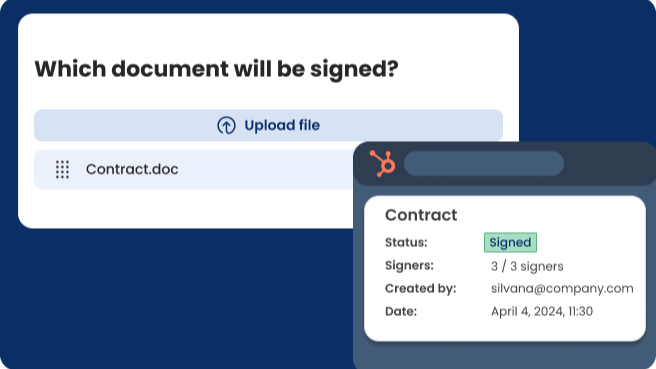
Send documents requesting signature from a deal
From a HubSpot deal, send documents to clients, suppliers, or employees to be signed from any device, ensuring full legal validity. Additionally, track if the contract was signed directly from HubSpot.
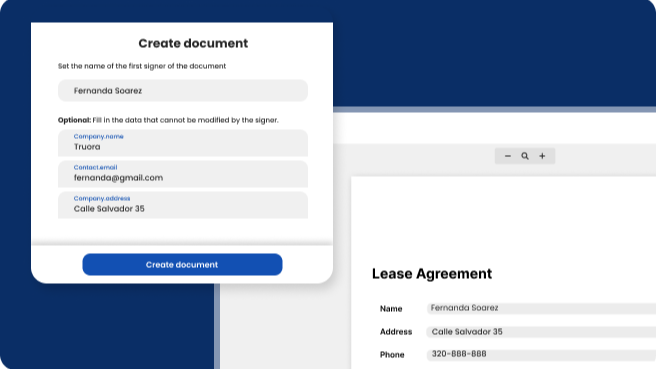
Create a document with HubSpot properties
Automate the creation and sending of documents using ZapSign templates that have fields populated with HubSpot properties (deal, company, contact, and ticket).
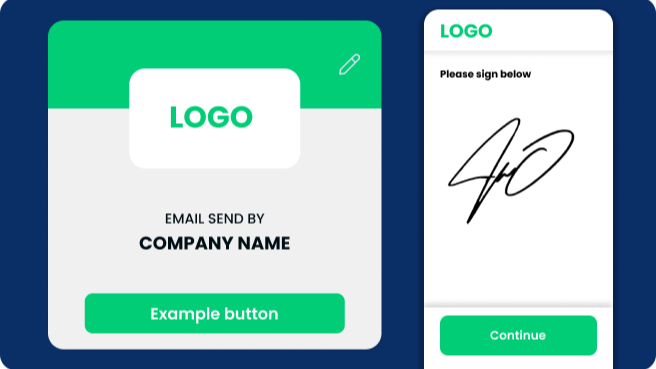
Customize Your Brand Experience
Leave a lasting impact by customizing the signing experience to align with your brand. Build brand awareness and recognition by incorporating your brand elements throughout the signing process. With ZapSign's customizable branding features (available for paid plans), you can ensure a professional and cohesive experience.
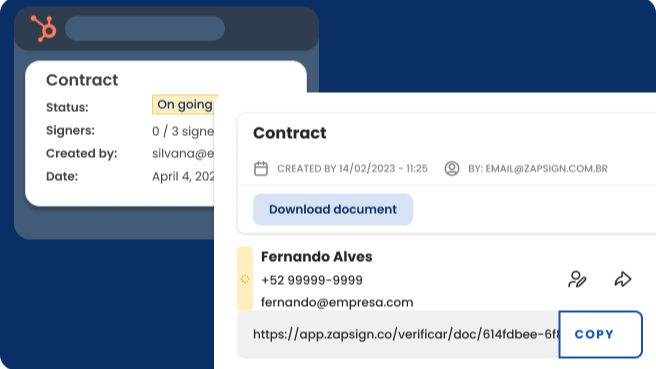
Efficient Tracking and Accessibility in Your CRM
Stay informed about the status of your documents without the need to toggle between different platforms. Each document signed using ZapSign includes an audit trail page, providing you with valuable insights into signer activities. Monitor when the document was opened, the number of views it received, and the precise moment it was signed.
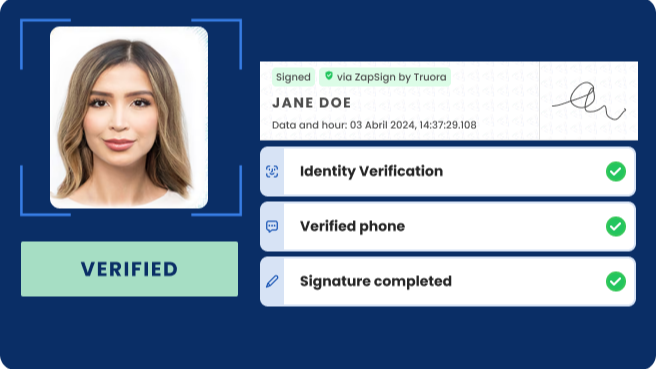
Enhanced Security Measures for Signer Identification
ZapSign offers multiple methods to verify the signer's identity. Depending on the plan you select, you can validate the signer's email and mobile number through a code sent via SMS, WhatsApp, or email. You can also request a photo of their face, document ID, or perform a face-to-ID document validation.
Appfunksjonalitet
Delt data
Documents and Envelopes | ||
Recipient | ||
Template fields | ||
Template fields | ||
Template fields | ||
Template fields |
Gjennomganger
4,6
9
4,6
9
- 20. mai 2025
Simple E-Signing That Customers Love
Customers love ut
Easy to use and setup Clients love it
Be nice if the flow of necessary initials and signatures were in order from beginning to end
Larsson, G.
- 11. des. 2024
Pegorin, C.
Priser
Essential
USD 0
5 documents per month
1 user
5 documents per month
Essential
USD 0
5 documents per month
1 user
5 documents per month
* Prissettingen her er kun for illustrasjonsformål. Prisene inkluderer ikke avgifter, insentiver, rabatter eller andre prissettingsvariabler. Kontakt partneren for å få oppdatert og riktig prissettingsinformasjon. HubSpot tar ikke ansvar for denne prissettingsinformasjonen, som gis av våre partnere. Prissetting sist oppdatert: 11.08.2025
Å få oppmerksomhet i dag


