
ClearoutPhone-Phone validator
Validate & Enrich data by Line type,Carrier detail, E164 Format & more
Utworzone przez - ClearoutPhone
Instaluje - Ponad 100 instalacji
Ocena 5
(1)
Wymagania
Plan HubSpot Uprawnienia konta HubSpot - Wyświetl wymagane uprawnienia konta
Typ dostępu Shared Subskrypcja ClearoutPhone-Phone validator - Pay as You Go lub Subscription Plan planu
Przegląd
1/5
Why ClearoutPhone?
- Valid data holds significance in each field of marketing, but this validity holds higher value in marketing through phone and email marketing as these two forms of marketing are at its peak of growth and their ROI depends majorly on quality data. Phone validation is becoming an industry standard as 9 out of 10 companies are securing their customers through mobile phones.
- WIth the ClearoutPhone support, you can enrich your HubSpot CRM with line-type, location, carrier info. & E164 format for auto dialers or SMS Campaigns.
- The enrichment data pointers from ClearoutPhone helps you plan perfectly timed SMS campaigns and cold calling schedules based on the timezone and location of your prospects.
- The integration will also help you broaden your telecommunication and SMS messaging strategy and reduce the chances of having your text treated as spam.
Cechy
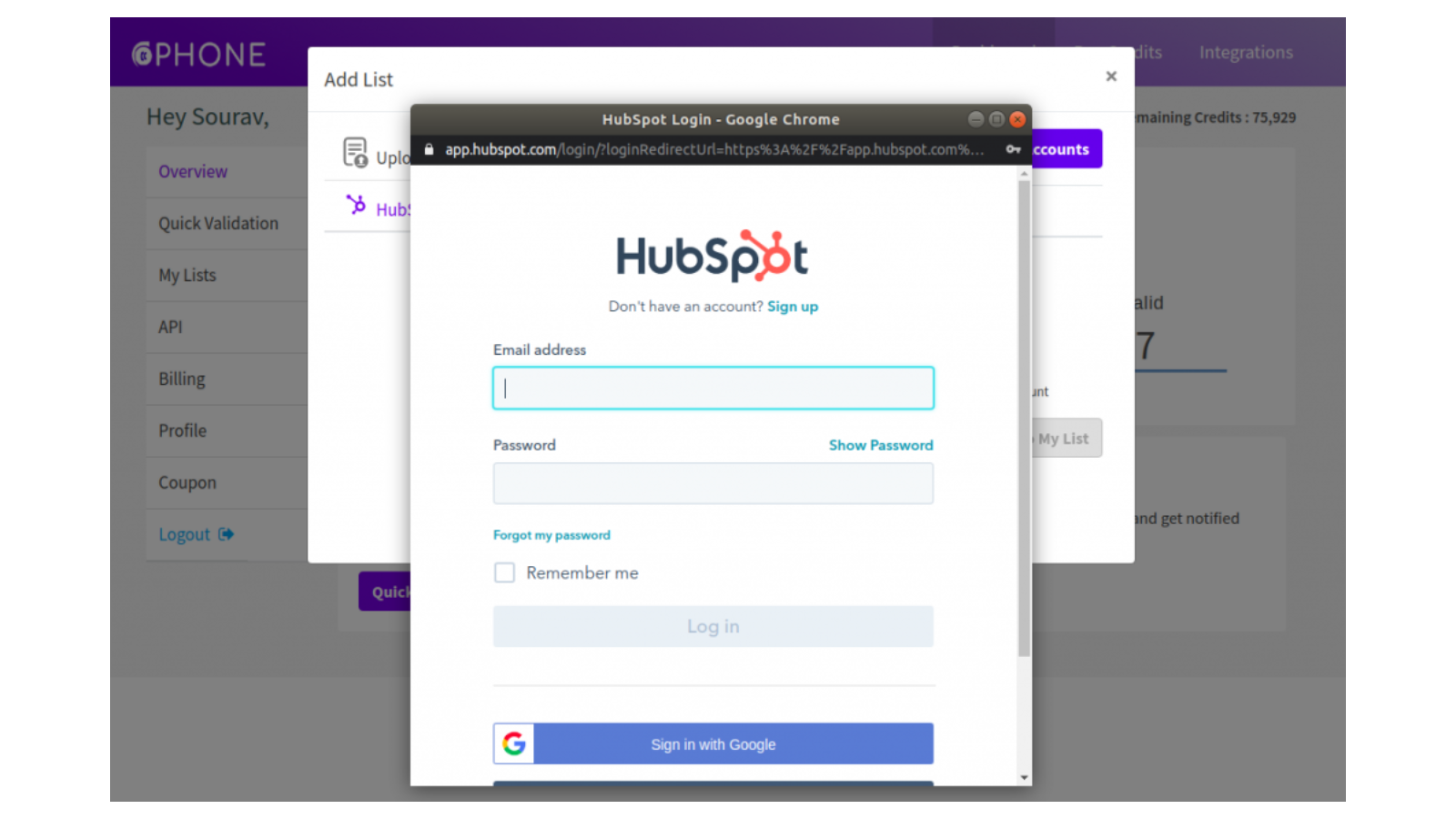
1. Connect account
After logging in to your ClearoutPhone account, go to the 'Integration' page and select 'HubSpot'. Click on "Add Account" to add your HubSpot account. Then login to the HubSpot account. If already connected: Click on the HubSpot integration to see the list of the contacts
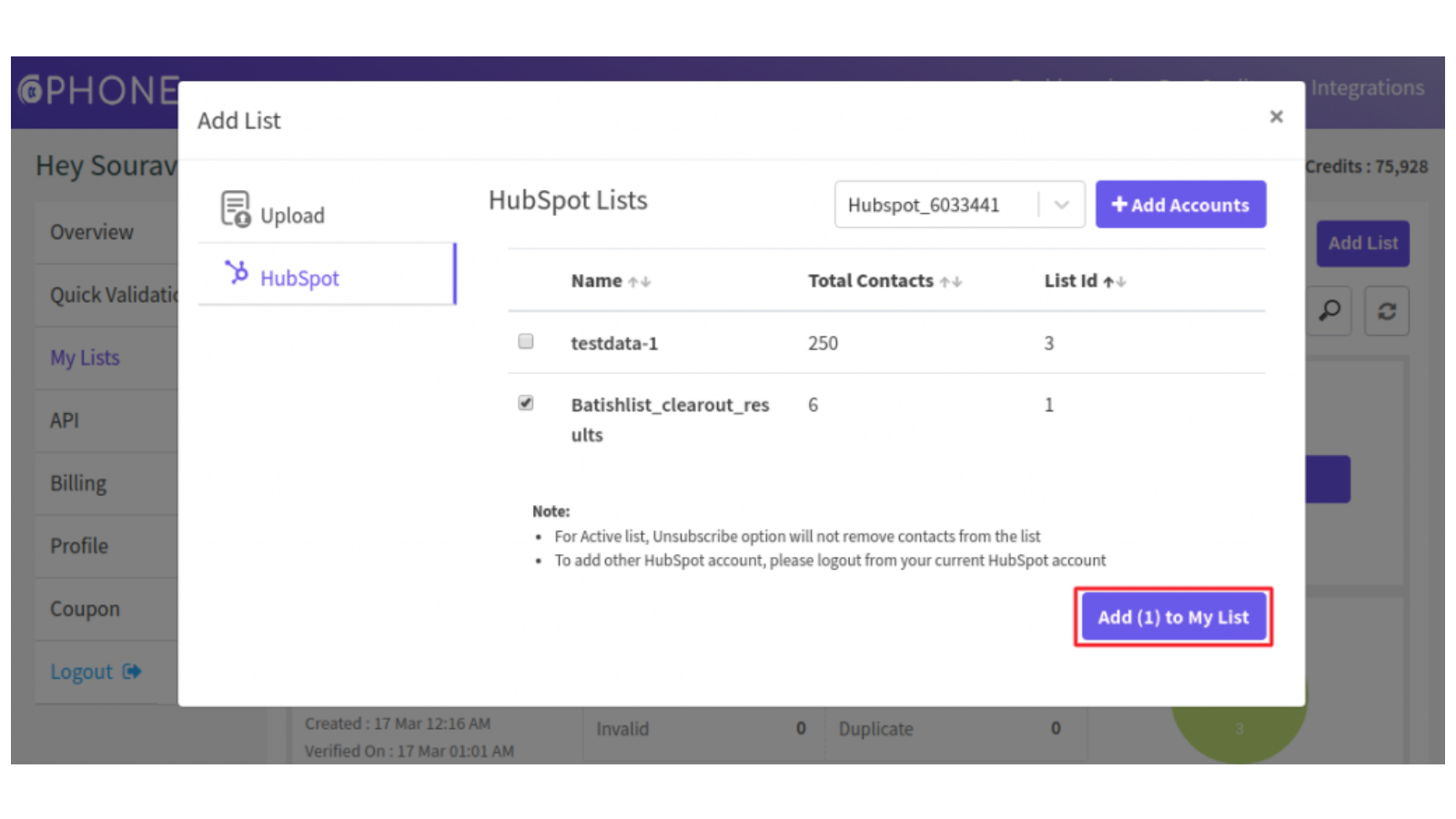
2. Add the Contacts list
Validate & enrich your list by easily adding them from the HubSpot account. After successful login, select the list(s) you wish to validate from the HubSpot account linked. Once the lists are selected click on 'Add to my list'
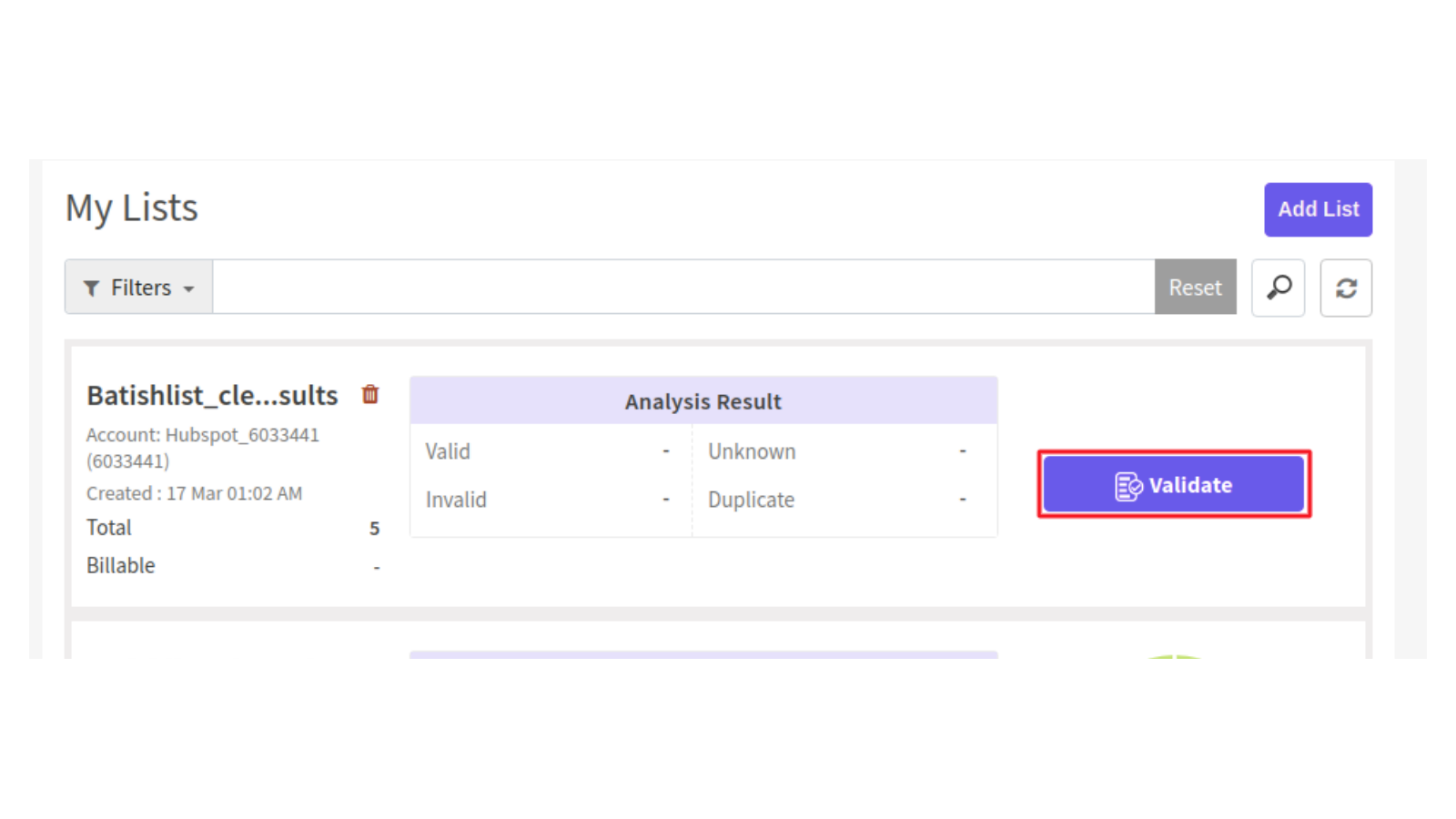
3. Validate the Contacts list
Once the contact list is successfully added, click on the "Validate" to start validating the added list.
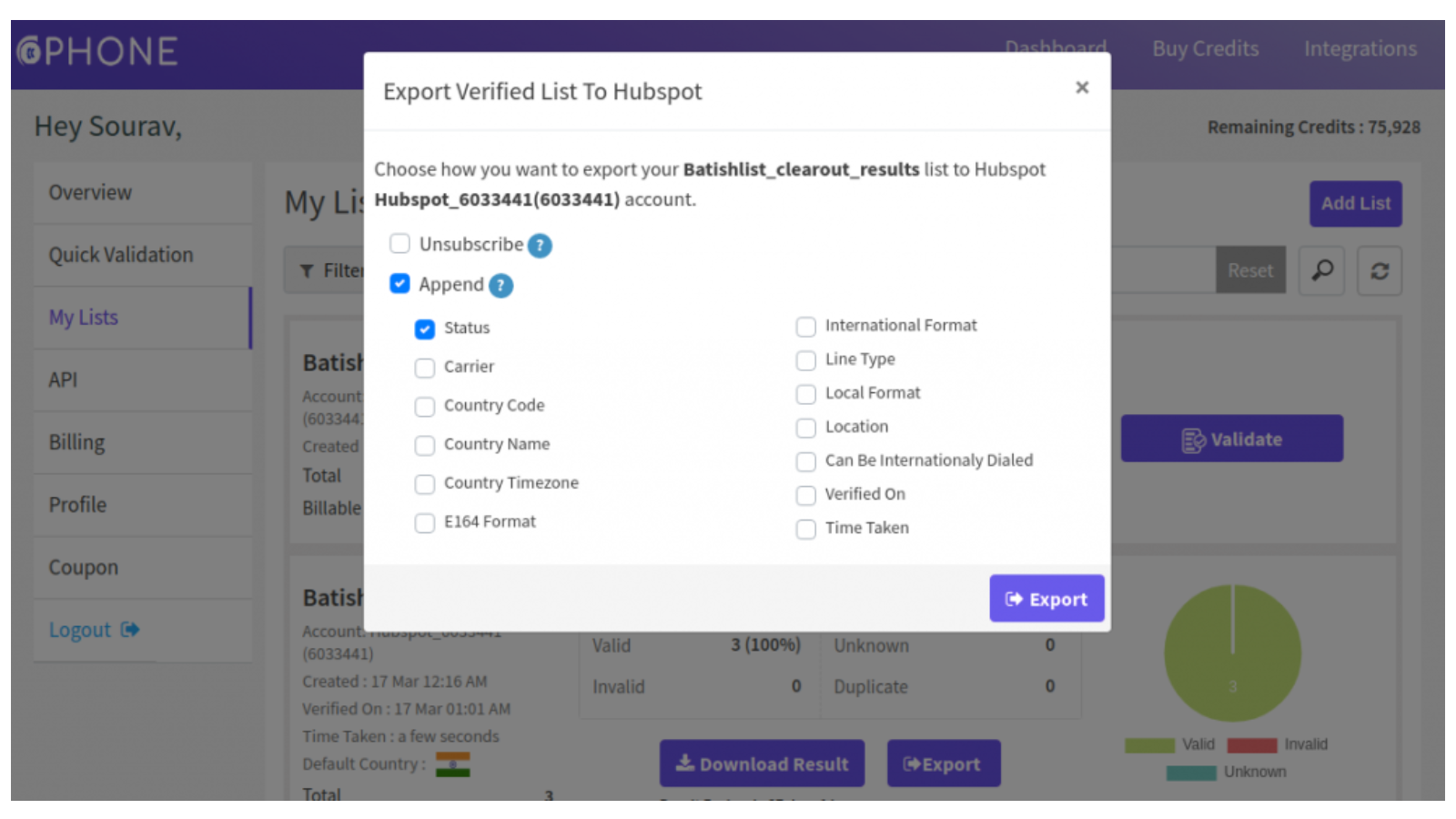
4. Export the validated results
Once the validation is complete, the user can either download the result (in CSV, XLSX) or directly export it to the HubSpot account. The user can export the result by selecting either unsubscribe, append or both.
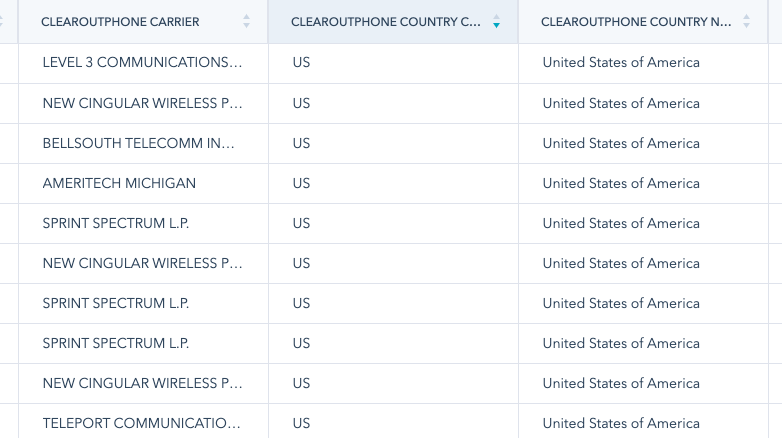
5. Export view in HubSpot
Once the file is exported you can navigate to HubSpot account-->Contacts-->List and Select the validated list. You can see the validated contacts in the list with the appended result.
Funkcjonalność aplikacji
Udostępnione dane
Phone numbers |
Recenzje
- 9 kwi 2025
Mingey, P.
Pay as You Go
25 USD
– opłata jednorazowaOne Time Payment - Get 100 Free credits
Sign up using No-card attached
Instant or Quick Validation
Bulk Verification
Data enrichment like Location,Line Type,carrier info etc
Zapier and HubSpot integrations
Real-time API validation
File Download (xlsx or .csv)
Pay as You Go
25 USD
– opłata jednorazowaOne Time Payment - Get 100 Free credits
Sign up using No-card attached
Instant or Quick Validation
Bulk Verification
Data enrichment like Location,Line Type,carrier info etc
Zapier and HubSpot integrations
Real-time API validation
File Download (xlsx or .csv)
* Powyższe ceny zostały podane wyłącznie w celach informacyjnych. Nie zawierają one podatków, premii, zniżek lub innych zmiennych cenowych. Skontaktuj się z partnerem w celu uzyskania najbardziej aktualnych i poprawnych informacji o cenach. HubSpot nie ponosi żadnej odpowiedzialności za informacje cenowe, które są dostarczane przez naszych partnerów. Ostatnia aktualizacja cen: 11.08.2025
Więcej informacji
Utworzone przez - ClearoutPhone
Instaluje - Ponad 100 instalacji
Kategorie Języki, w których dostępna jest ta aplikacja Angielski
Przyciąganie uwagi już dziś