
Grapevine SMS for HubSpot
Send and Automate messages with Grapevine SMS
Utworzone przez - Ulgebra
Instaluje - <10 instalacji

Leading
Wymagania
Plan HubSpot Uprawnienia konta HubSpot - Wyświetl wymagane uprawnienia konta
Typ dostępu Shared Subskrypcja Grapevine SMS for HubSpot - Business Plan plan
Przegląd
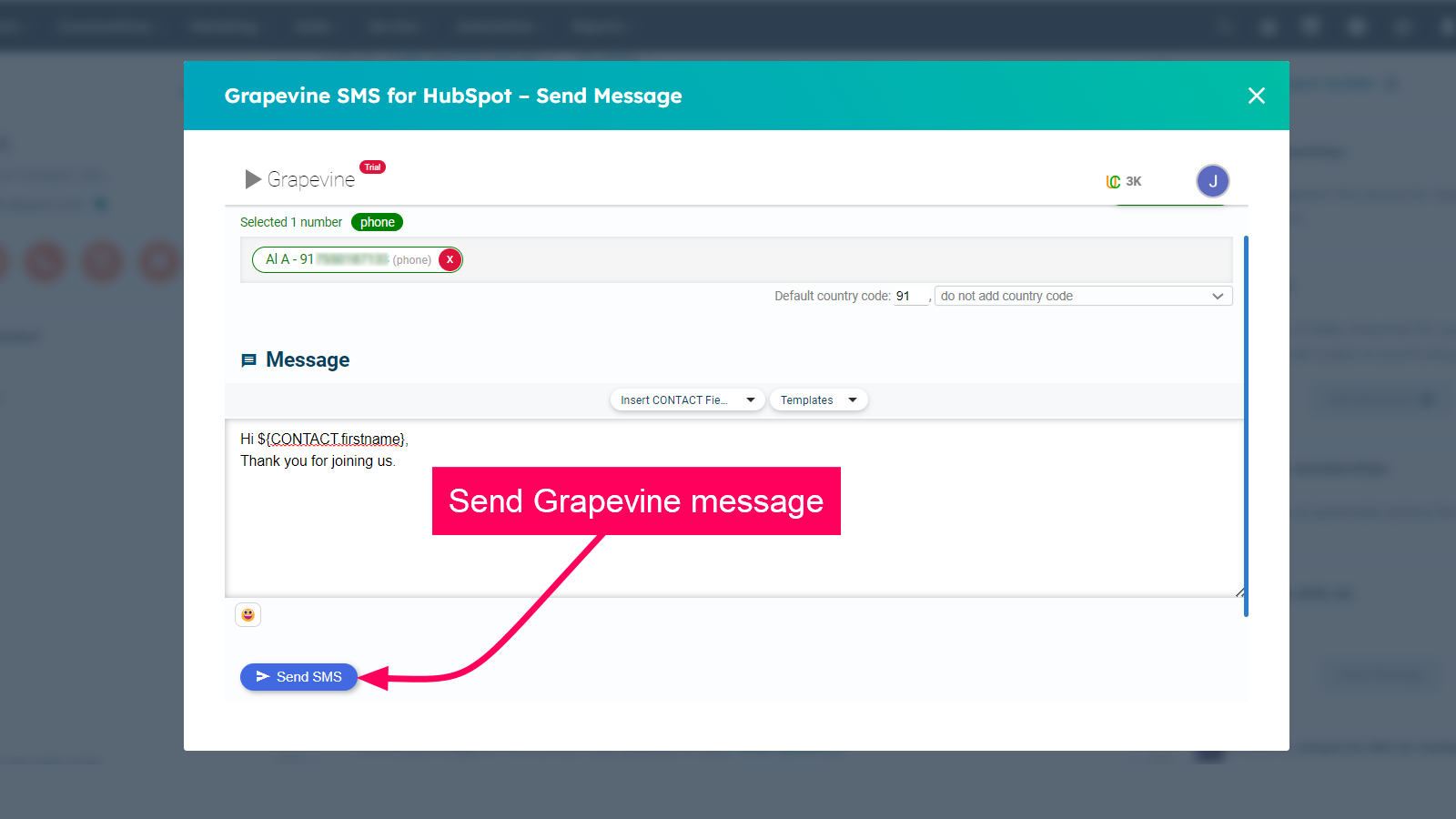
1/4 - Send SMS to contacts from HubSpot
The extension helps to stay connected with your whole database of customers, a sub-group, or even an individual through SMS with Grapevine and HubSpot CRM integration. You can now deliver a seamless customer experience that allows you to share rich content with your clients and customers.
This extension allows you to contact your customers from HubSpot CRM by sending SMS through Grapevine. Keep your clients and customers in the loop by sending automated messages using workflows.
The features you can find with the extension are as follows:
- Send an SMS to any contact from HubSpot CRM.
- Instantly start an SMS conversation with any of your HubSpot contacts.
- The messages sent will be saved as history in the activity timeline inside your HubSpot contact.
- Send automated bulk messages via the workflow from your HubSpot using the pre-approved templates using the merge fields option.
Cechy
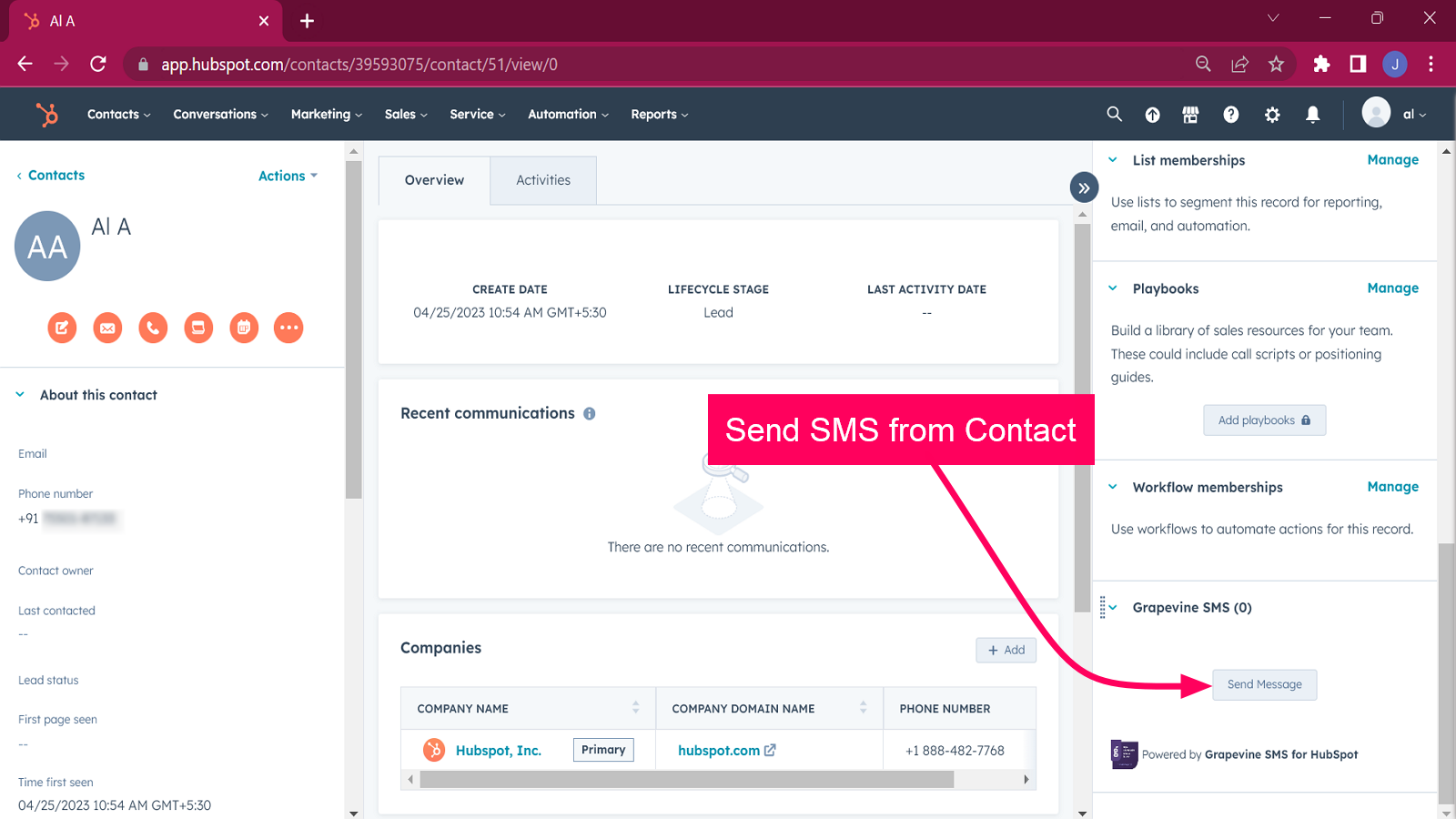
Access Grapevine within HubSpot
Access Grapevine within any HubSpot Contact, Company, Deal or Ticket. Authorize the HubSpot and Grapevine accounts. To get Grapevine credentials. Please contact info@vine.co.za.
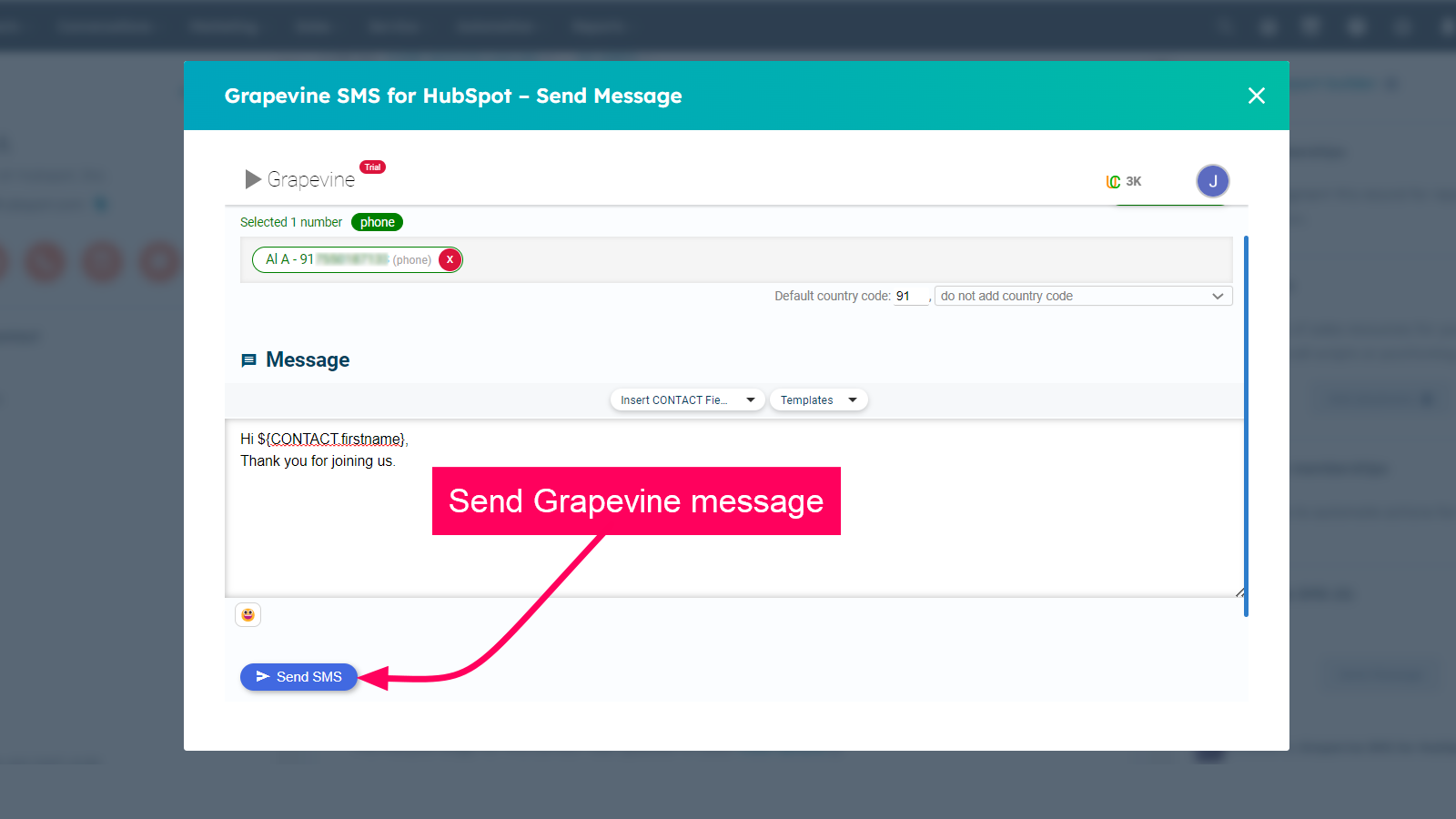
Send SMS Message from Contact
Go to any contact. Access Grapevine SMS at the panel on the right side of the contact. Click on Send Message to send the Grapevine SMS to the contact.

Send Bulk Messages using Workflows
Create a workflow in HubSpot. Add the action as "Send Grapevine SMS" and enter the required details as instructed. Save the workflow and click "Review and Publish". Whenever you wish to send bulk messages to HubSpot contacts, then go to the workflow and enroll the contacts to whom you want to send the messages.
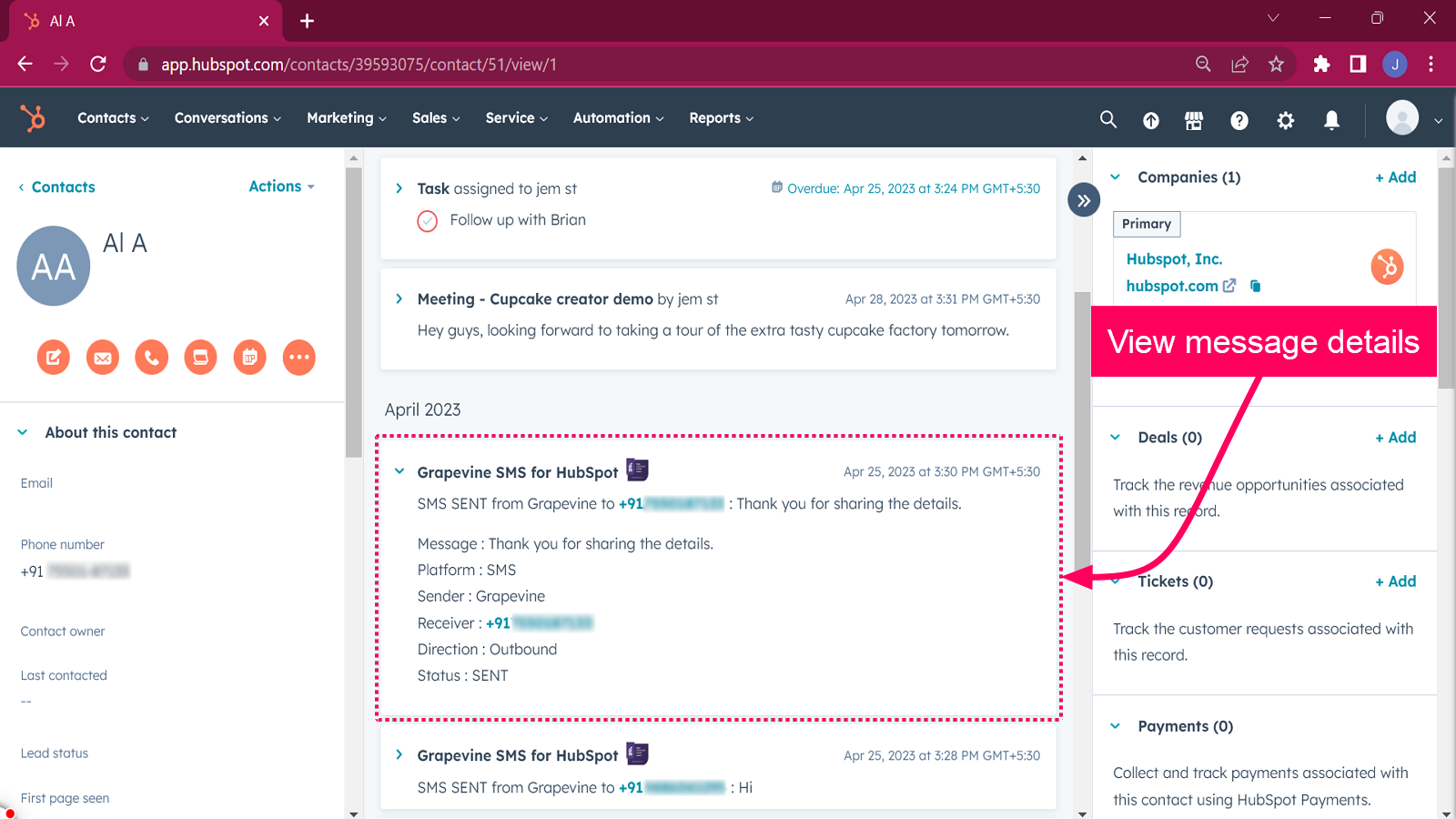
Message history in HubSpot Activity Timeline
Go to any of your HubSpot contacts. You will be able to view the history of all the Grapevine outgoing messages inside the Activity timeline. Use "Filter Activity" and select the option "Grapevine SMS for HubSpot" for viewing the message history.
Funkcjonalność aplikacji
Udostępnione dane
Grapevine Messages |
Recenzje
Napisz pierwszą recenzję klienta
Business Plan
8 USD
/mies.Send SMS from HubSpot
Send Bulk SMS Messages to HubSpot Contacts
Messages History in notes
Business Plan
8 USD
/mies.Send SMS from HubSpot
Send Bulk SMS Messages to HubSpot Contacts
Messages History in notes
* Powyższe ceny zostały podane wyłącznie w celach informacyjnych. Nie zawierają one podatków, premii, zniżek lub innych zmiennych cenowych. Skontaktuj się z partnerem w celu uzyskania najbardziej aktualnych i poprawnych informacji o cenach. HubSpot nie ponosi żadnej odpowiedzialności za informacje cenowe, które są dostarczane przez naszych partnerów. Ostatnia aktualizacja cen: 11.08.2025
Więcej informacji
Przyciąganie uwagi już dziś