
Grapevine SMS for HubSpot
Send and Automate messages with Grapevine SMS
Built by - Ulgebra
Installs - <10 installs

Leading
Requirements
HubSpot Plan HubSpot Account permissions - View the required account permissions
Access Type Shared Grapevine SMS for HubSpot Subscription - Business Plan plan
Overview
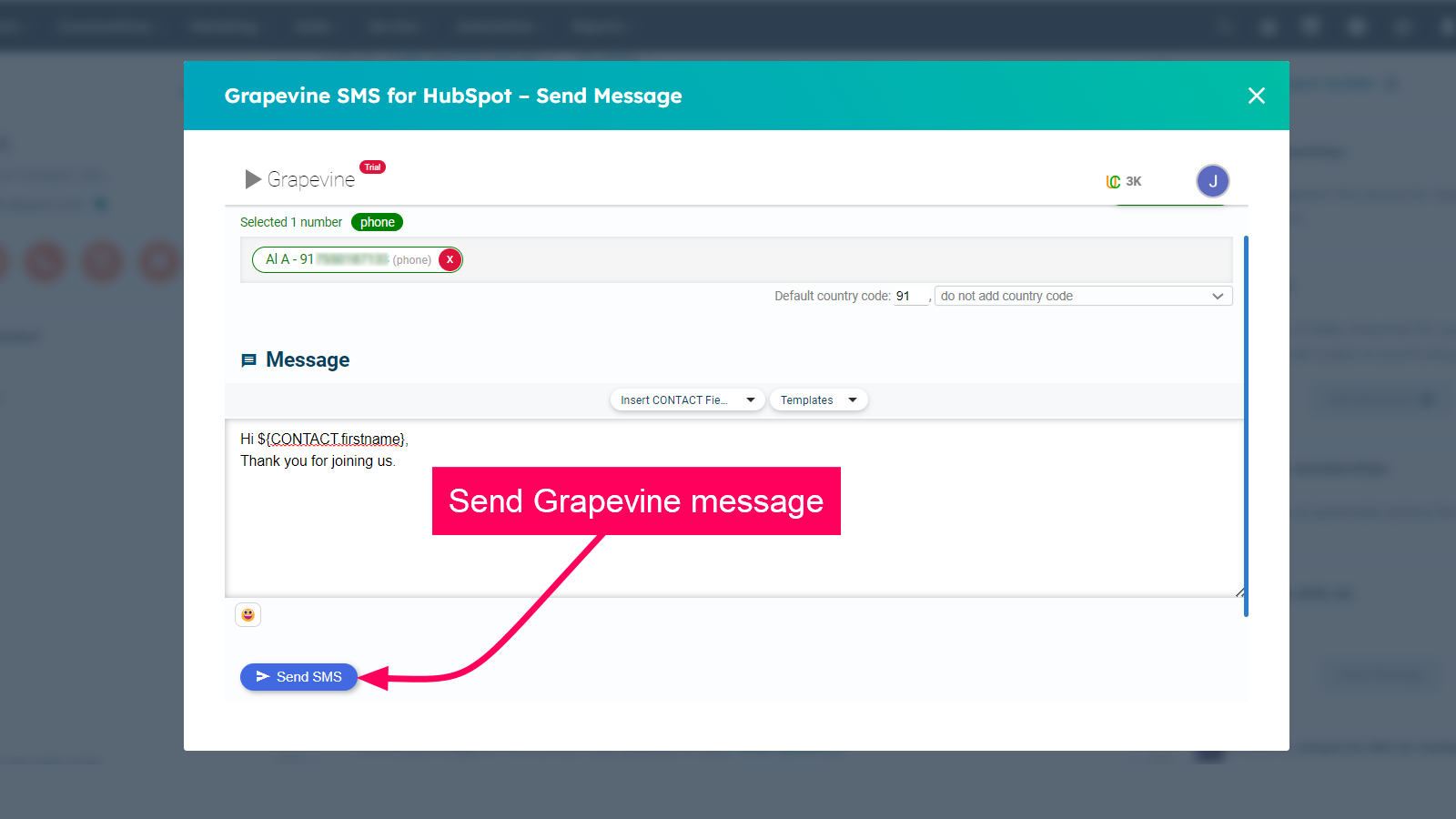
1/4 - Send SMS to contacts from HubSpot
The extension helps to stay connected with your whole database of customers, a sub-group, or even an individual through SMS with Grapevine and HubSpot CRM integration. You can now deliver a seamless customer experience that allows you to share rich content with your clients and customers.
This extension allows you to contact your customers from HubSpot CRM by sending SMS through Grapevine. Keep your clients and customers in the loop by sending automated messages using workflows.
The features you can find with the extension are as follows:
- Send an SMS to any contact from HubSpot CRM.
- Instantly start an SMS conversation with any of your HubSpot contacts.
- The messages sent will be saved as history in the activity timeline inside your HubSpot contact.
- Send automated bulk messages via the workflow from your HubSpot using the pre-approved templates using the merge fields option.
Features
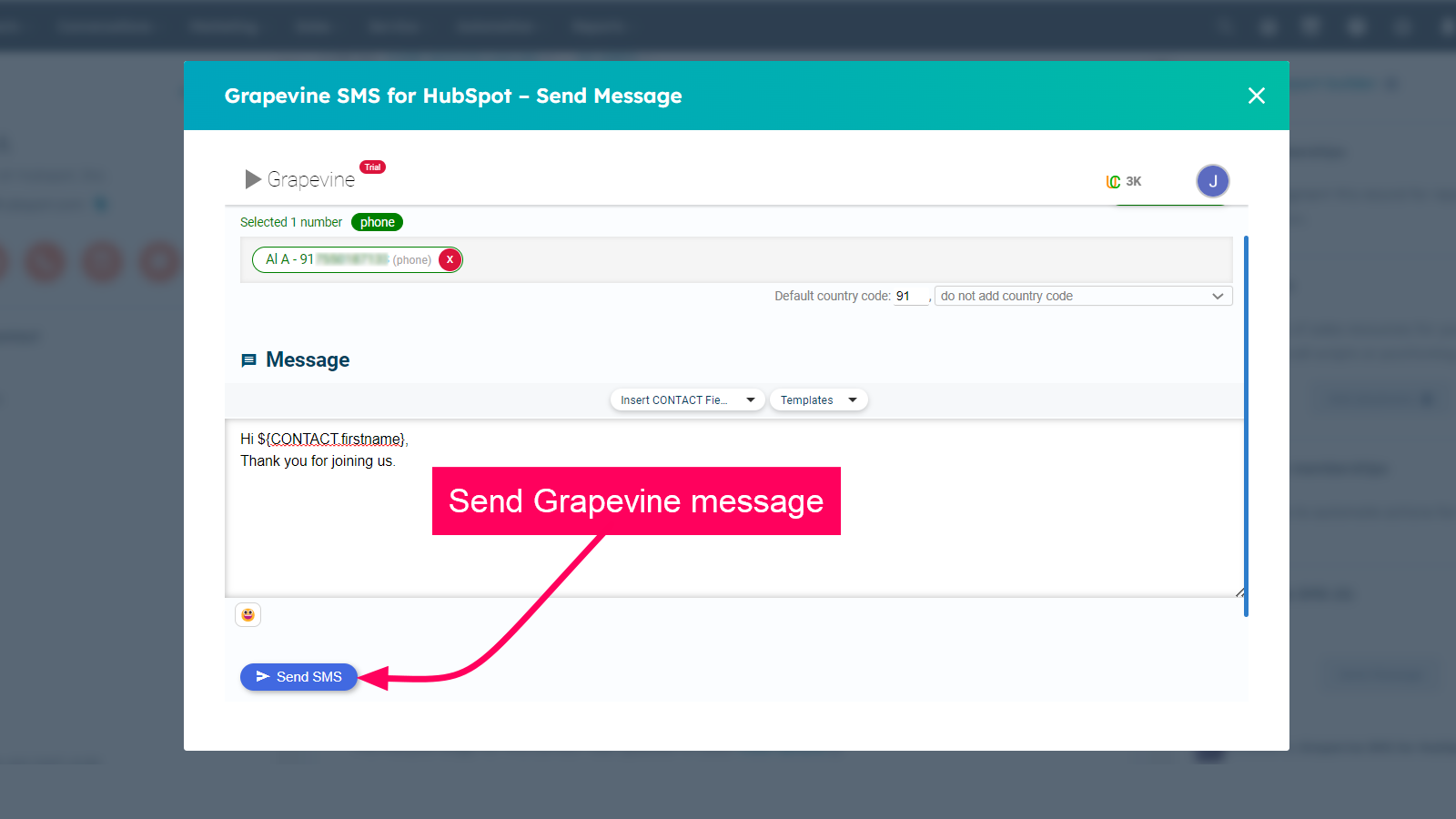
Access Grapevine within HubSpot
Access Grapevine within any HubSpot Contact, Company, Deal or Ticket. Authorize the HubSpot and Grapevine accounts. To get Grapevine credentials. Please contact info@vine.co.za.
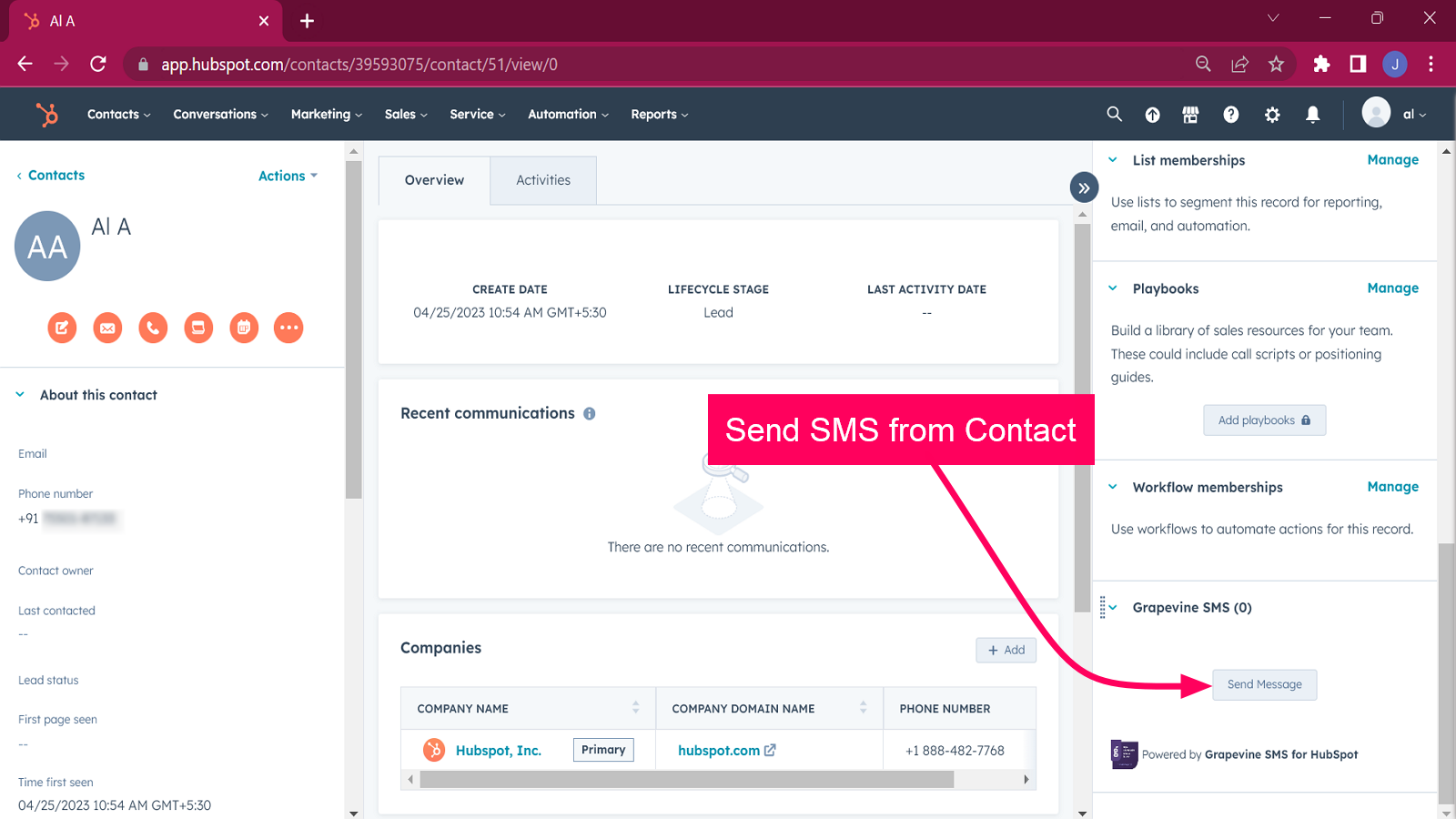
Send SMS Message from Contact
Go to any contact. Access Grapevine SMS at the panel on the right side of the contact. Click on Send Message to send the Grapevine SMS to the contact.

Send Bulk Messages using Workflows
Create a workflow in HubSpot. Add the action as "Send Grapevine SMS" and enter the required details as instructed. Save the workflow and click "Review and Publish". Whenever you wish to send bulk messages to HubSpot contacts, then go to the workflow and enroll the contacts to whom you want to send the messages.
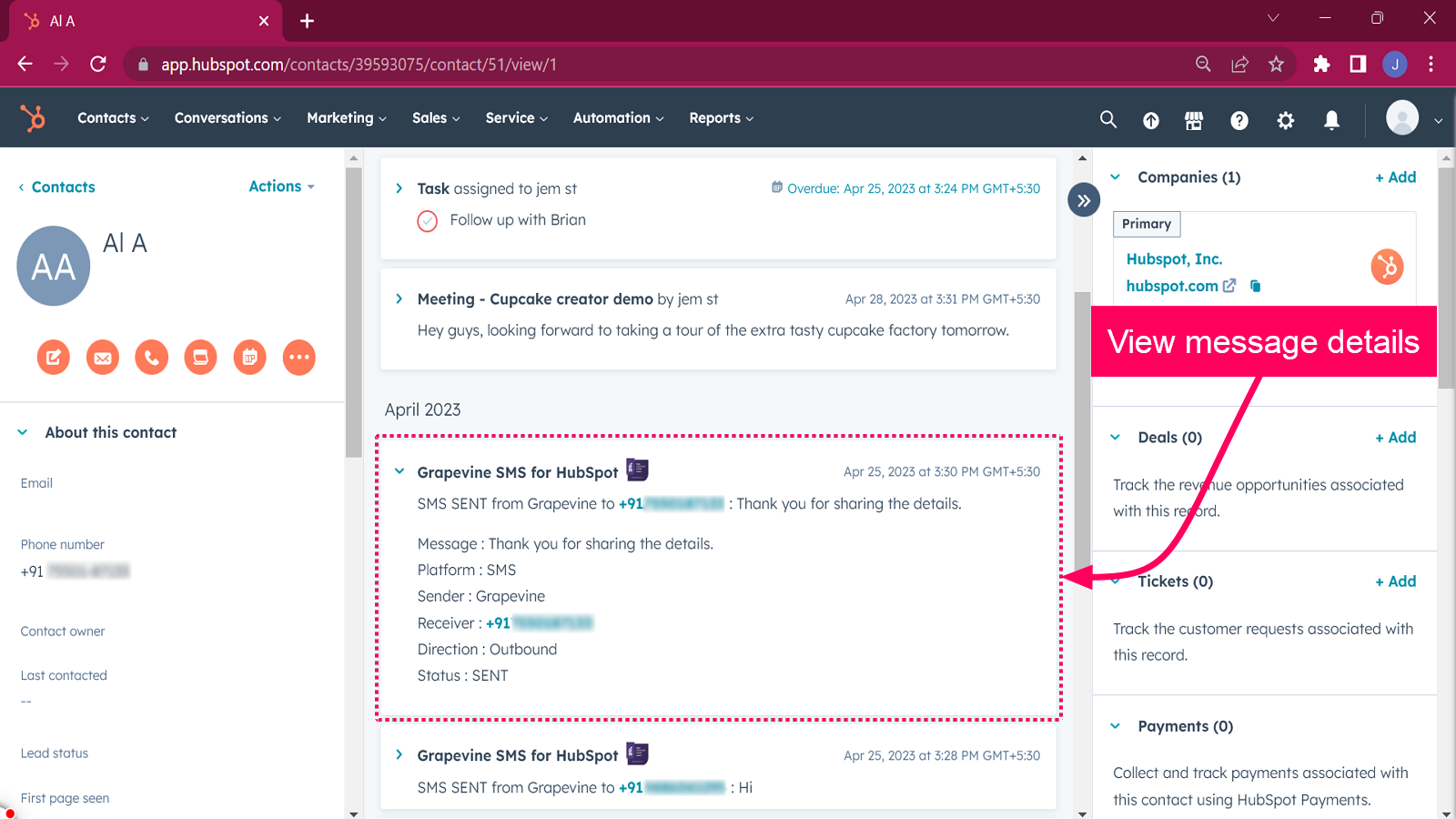
Message history in HubSpot Activity Timeline
Go to any of your HubSpot contacts. You will be able to view the history of all the Grapevine outgoing messages inside the Activity timeline. Use "Filter Activity" and select the option "Grapevine SMS for HubSpot" for viewing the message history.
App Functionality
Shared Data
Grapevine Messages |
Reviews
Be the first to write a customer review
Pricing
Business Plan
$8
/monthSend SMS from HubSpot
Send Bulk SMS Messages to HubSpot Contacts
Messages History in notes
Business Plan
$8
/monthSend SMS from HubSpot
Send Bulk SMS Messages to HubSpot Contacts
Messages History in notes
* The pricing here is for display purposes only. All prices do not include taxes, incentives, discounts, or other pricing variables. You should contact the partner for the most up to date and correct pricing information. HubSpot does not take any responsibility for this pricing information, which is provided by our partners. Pricing last updated: 08/11/2025
Getting attention today