
InMoment (formerly Wootric)
Wymagania
Plan HubSpot Uprawnienia konta HubSpot - Wyświetl wymagane uprawnienia konta
Typ dostępu Udostępniono Subskrypcja InMoment (formerly Wootric) - Pro plan
Przegląd
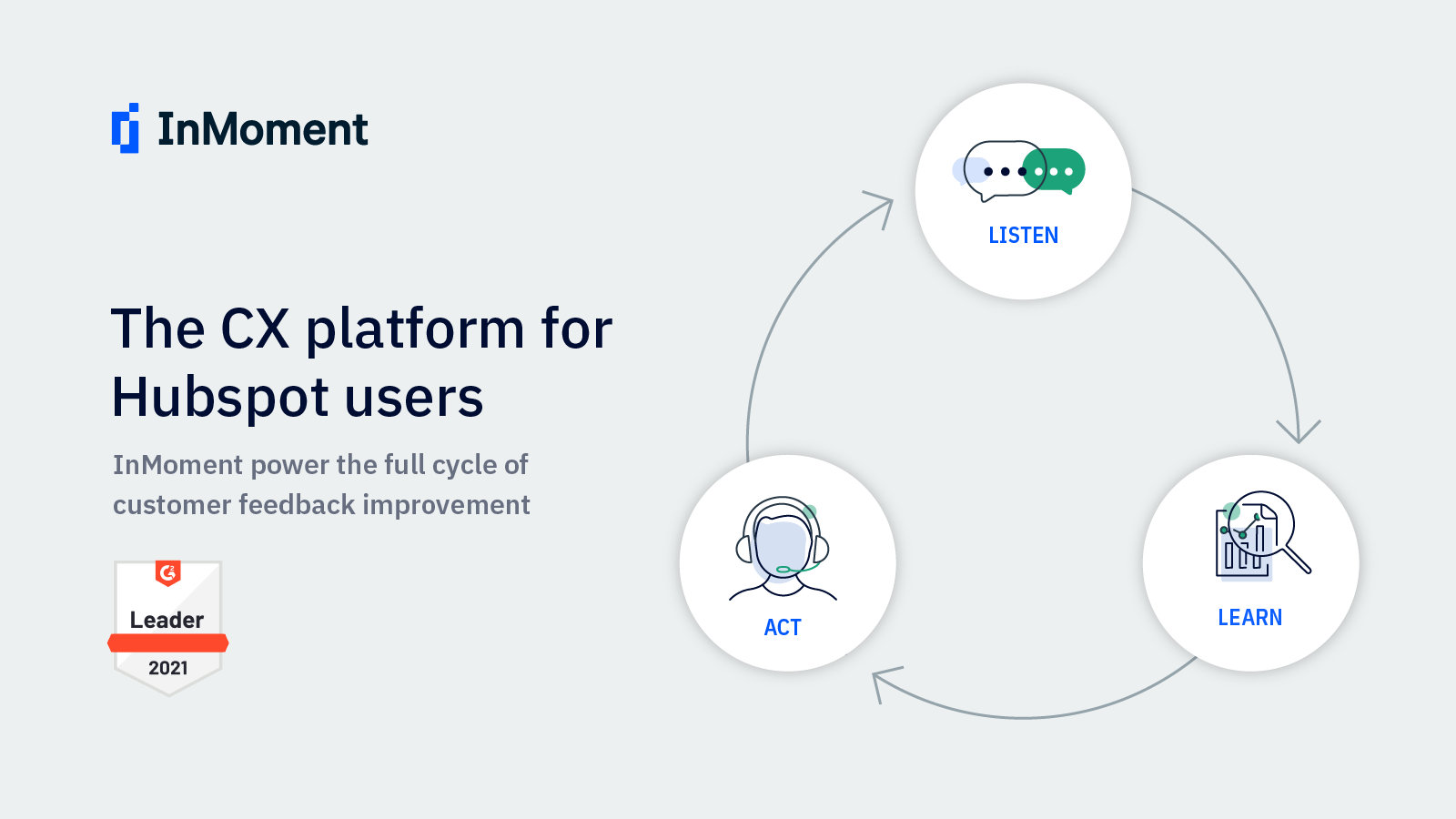
1/6 - Power your voice-of-customer program with InMoment and HubSpot!
Easily run a voice of customer feedback program, including Net Ptomoter Score, in HubSpot. Close the loop with customers based on score -- quickly respond to detractors, turn happy customers into brand advocates. Analytics in InMoment provide trends and insight that will help you retain more customers.
Use established CX metric surveys like NPS, Customer Satisfaction (CSAT) and Customer Effort Score (CES) to monitor customer sentiment and take action that drives revenue and retention. One-click to get started!
Build an army of brand promoters
Did a customer just give you an NPS of 9 or 10? Use workflows to automatically thanks these fans and ask for support. For example, ask them to write a review or provide a referral.
Boost retention
Proactively identify unhappy customers. Use workflows to automatically notify team members to reach out and resolve their issues.
Monitor and improve the customer journey
Ask the right question at key touchpoints. Analyze customer feedback in InMoment's simple, intuitive dashboards. Identify and address gaps that will boost customer happiness.
InMoment measures customer experience with proven CX metrics -- Net Promoter Score℠, Customer Satisfaction (CSAT), and Customer Effort Score (CES) -- using high-response microsurveys delivered in web or mobile apps, SMS, or via email in HubSpot.
Send a survey to any list. Or, trigger surveys at customer journey points using smart lists and workflows. Survey score, feedback comment, and response date appear as contact properties in HubSpot.
Cechy
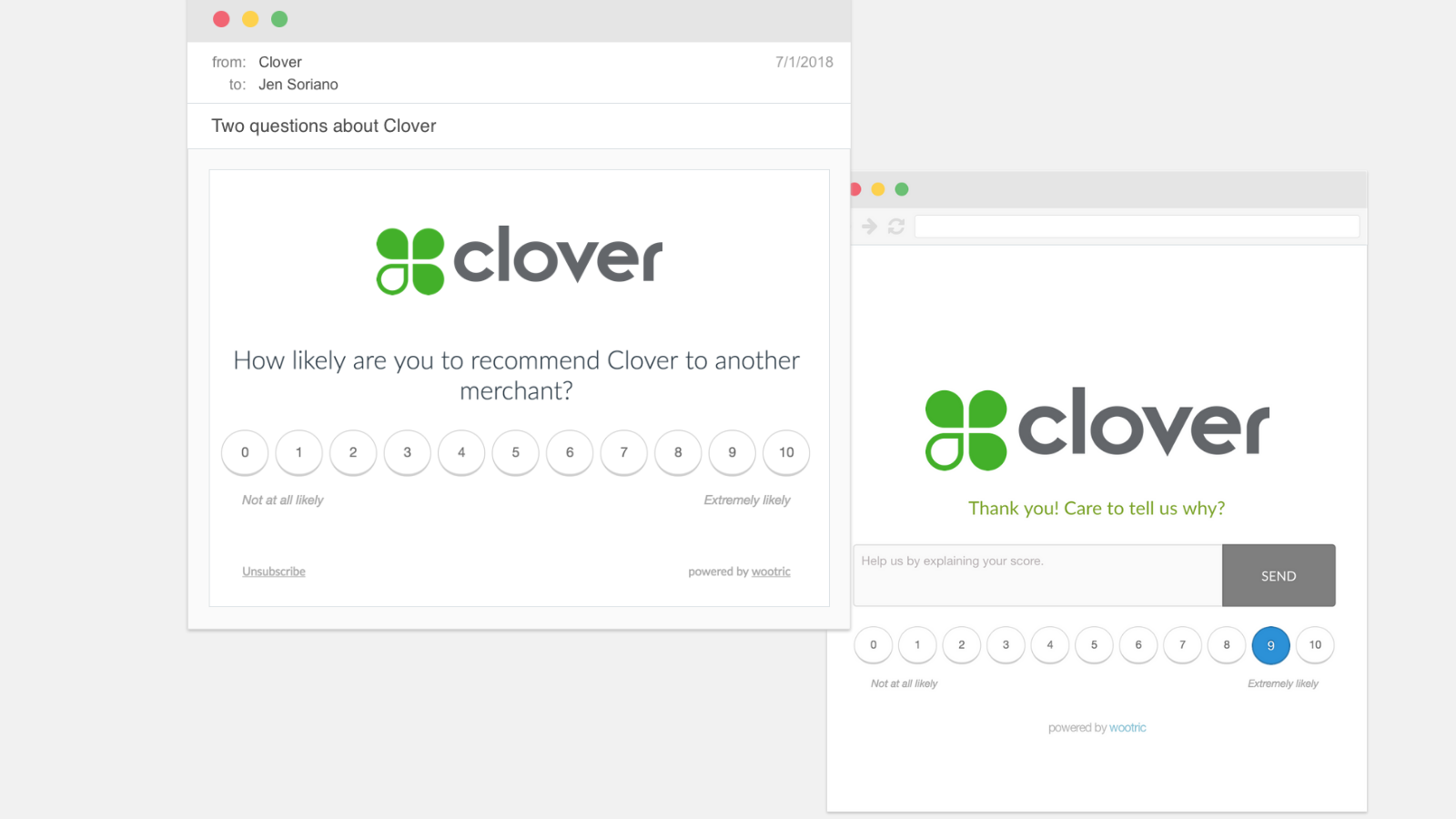
Send 2-step microsurveys at journey points or campaign style.
Send a survey to any list, or trigger targeted journey point surveys using workflows, using InMoment's customizable email survey template. Alternatively, deploy native web or mobile in-app surveys from your InMoment account. Either way, you will see responses in HubSpot.
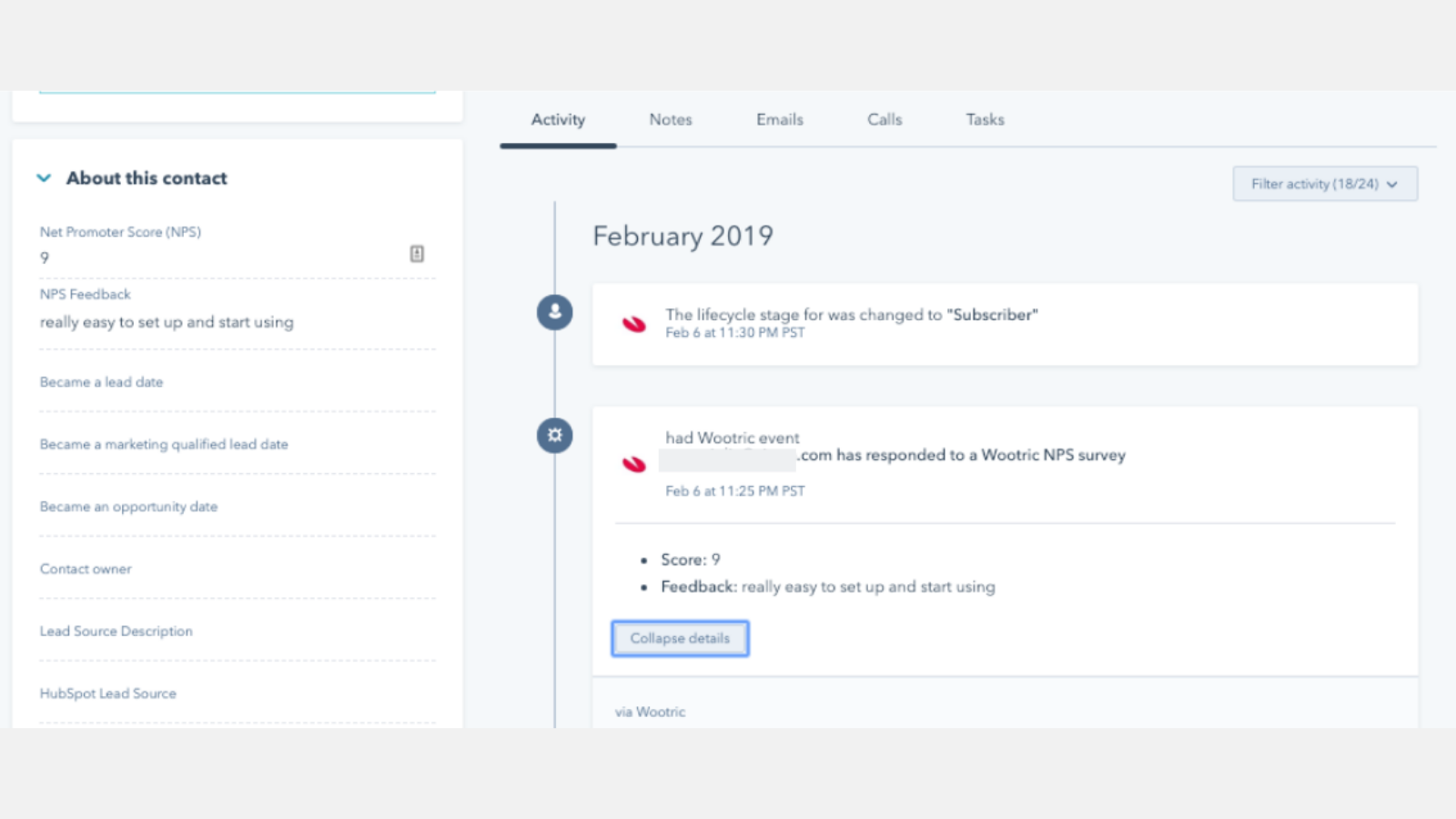
Customer feedback appears in the Contact record and timeline.
NPS, CSAT, and CES survey responses--metric, qualitative comment, and response date--appear as properties. Survey decline data can also appear if desired. See a user's scores over time in property history.
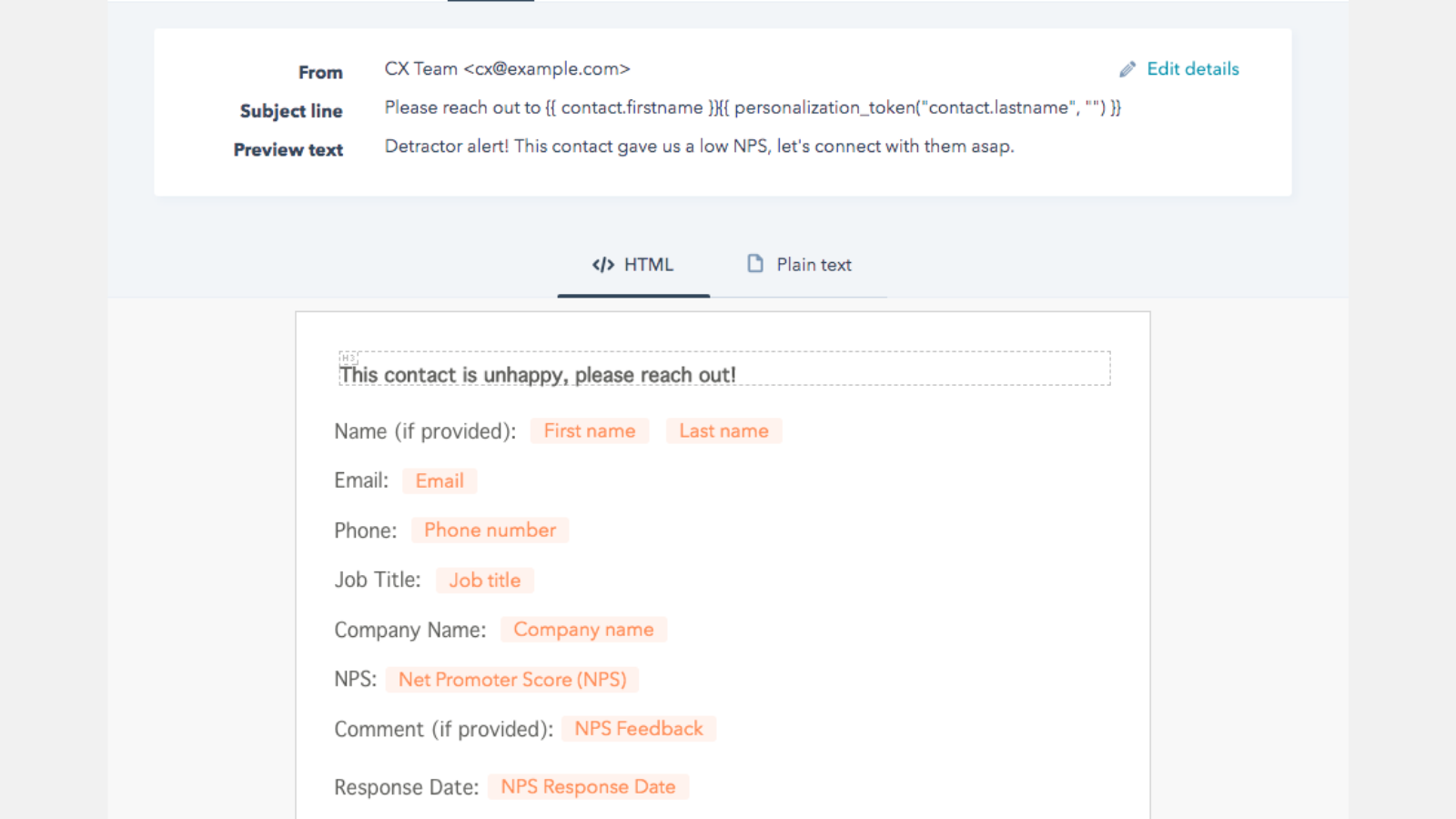
Close the loop with detractors.
Use score-based smart lists and a workflow to automatically notify the support team if a customer responds with a low score.
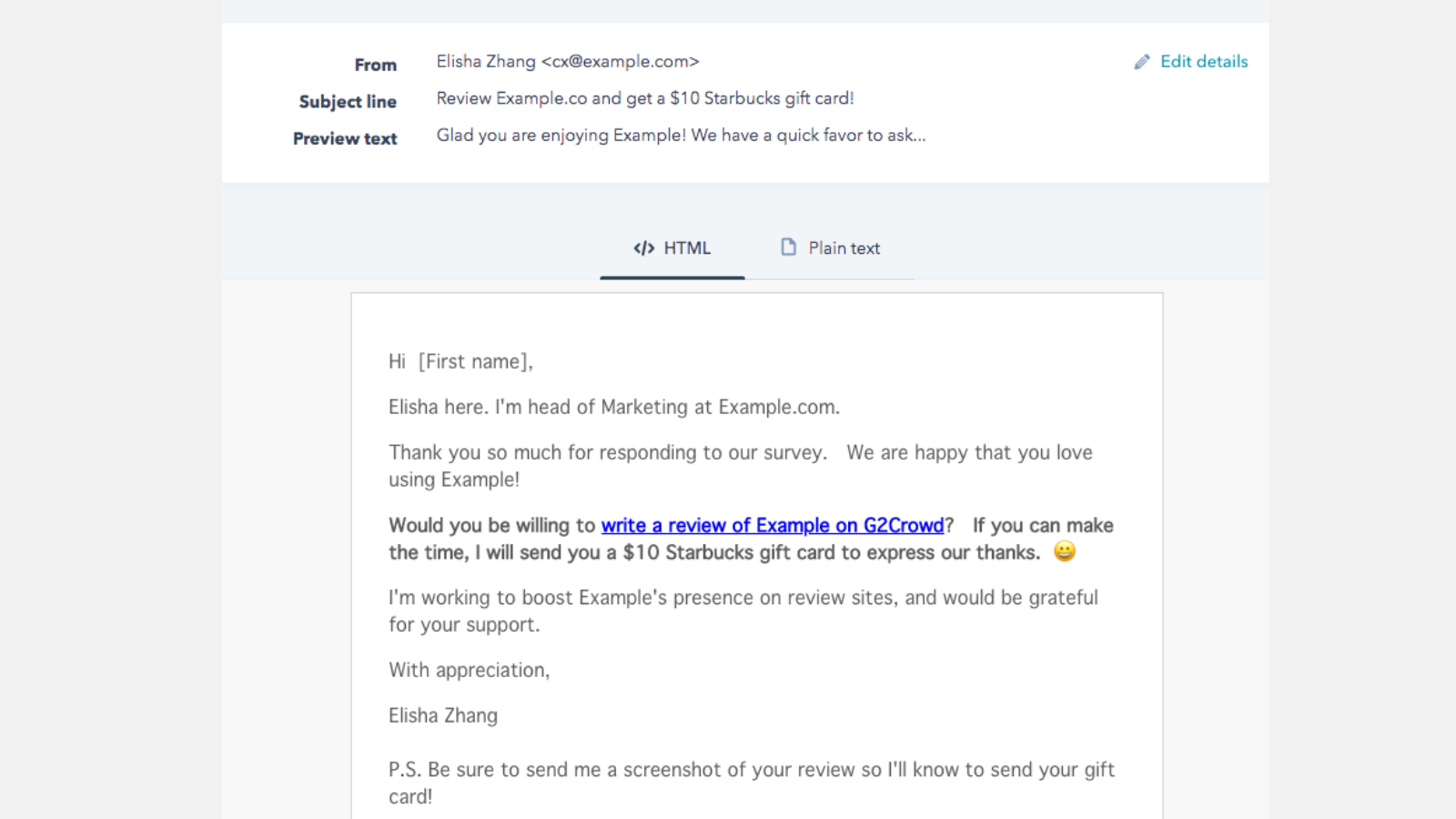
Turn happy customers into brand advocates.
Create a smart list of respondents who give you a high score (for example, 9 or 10 NPS). Then use a workflow to trigger an email that asks the customer for a review, a tweet, or to join a referral program.
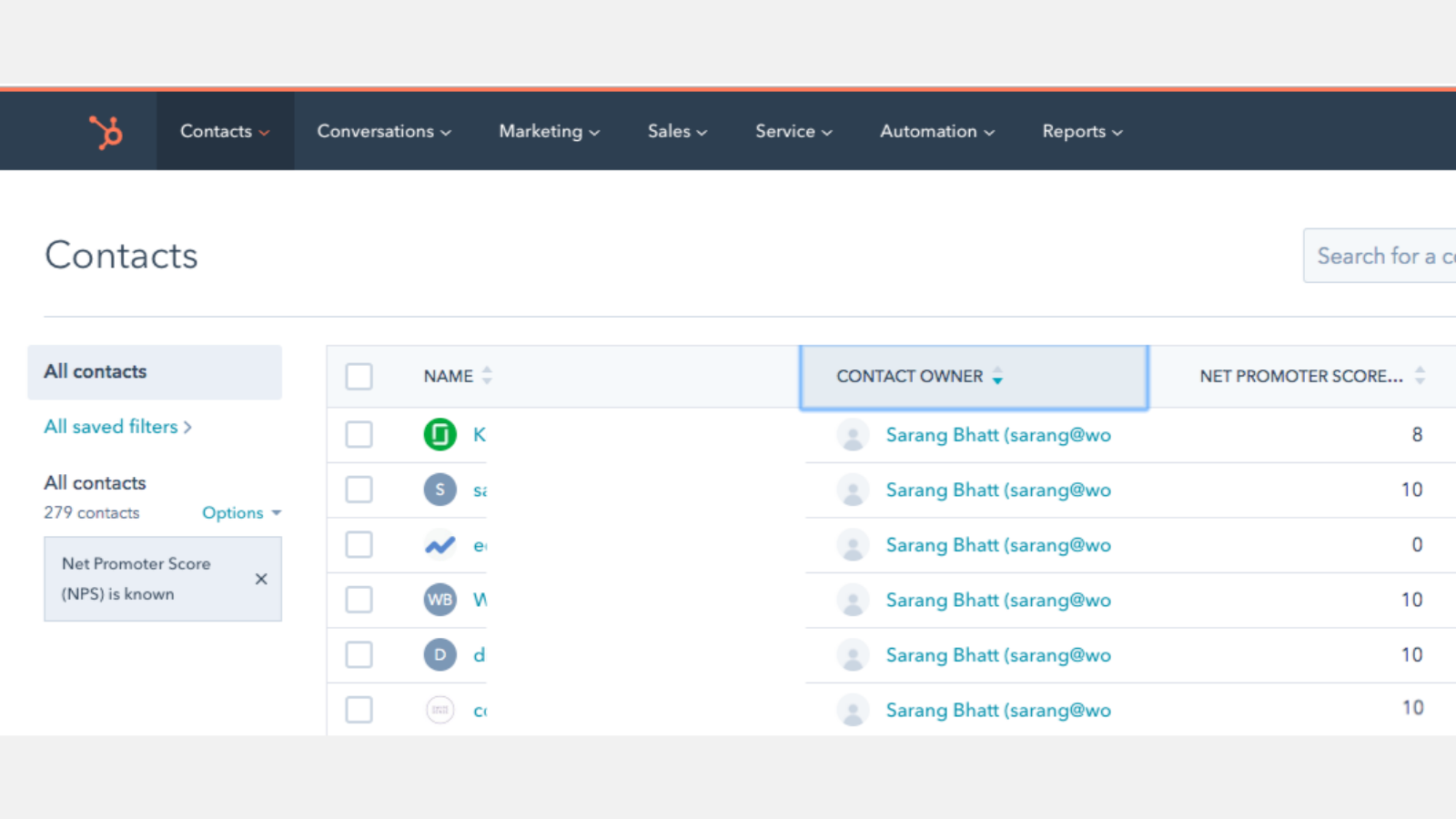
Monitor customer health.
You can also create lists and views of Contacts that have responded to a survey, or have provided a certain score. For example, filter for Contacts who have responded to a survey, and sort by Contact owner or Company, to provide sales or success team members a pulse of customer sentiment.
Funkcjonalność aplikacji
Udostępnione dane
Response | ||
Response | ||
Response |
Recenzje
- 14 sty 2025
Hice la integración y no se ve nada en HubSpot
Hice la integración y no se ve nada en HubSpot
Hice la integración y no se ve nada en HubSpot
Uribe, C.
- 7 sie 2023
Does what I need it to do
It's quick and easy to set up, simple to use and works exactly as advertised. There might be more sophisticated needs out there for a survey/CRM integrations needs to do, but for our use it is perfect.
We use the integration to make InMoment CSAT feedback from our Customers in our CRM. Down the line we will likely use these scores to segment our CRM and use it to follow with customers and automate certain actions for improved efficiency and scalability.
Mjåtveit, S.
Technologia – oprogramowanie - Od 6 do 10 pracowników
Pro
224,08 USD
/mies.For startups and small businesses
Measure one metric, like NPS, in one channel, and integrate with HubSpot.
Unlimited responses from up to 10K customers
Contact Sales for more options.
Pro
224,08 USD
/mies.For startups and small businesses
Measure one metric, like NPS, in one channel, and integrate with HubSpot.
Unlimited responses from up to 10K customers
Contact Sales for more options.
* Powyższe ceny zostały podane wyłącznie w celach informacyjnych. Nie zawierają one podatków, premii, zniżek lub innych zmiennych cenowych. Skontaktuj się z partnerem w celu uzyskania najbardziej aktualnych i poprawnych informacji o cenach. HubSpot nie ponosi żadnej odpowiedzialności za informacje cenowe, które są dostarczane przez naszych partnerów. Ostatnia aktualizacja cen: 11.08.2025