
Niona AI Assistant
ติดตั้ง - <10 การติดตั้ง
ข้อกำหนด
แผน HubSpot สิทธิ์บัญชี HubSpot ไม่จำเป็นต้องมีสิทธิ์อนุญาตจาก HubSpot Niona AI Assistant อาจขอสิทธิ์เพิ่มเติมขณะเชื่อมต่อ ประเภทสิทธิ์การเข้าถึง ส่วนตัว การสมัครใช้บริการ Niona AI Assistant - Niona AI Free หรือ Niona AI Enterprise แพ็กเกจ
ภาพรวม
1/8 - Niona AI - Automate HubSpot with voice commands and text input for sales teams.
Sales teams waste hours every week on manual CRM data entry. Reps forget to log calls, meetings go undocumented, and valuable email conversations never make it into HubSpot. The result? Incomplete data, inaccurate forecasts, and lost revenue.
Niona AI solves this by turning voice, speech, and text input into structured HubSpot data instantly.
Instead of clicking through multiple screens, your team simply speaks or types naturally through our chat interface: "Create a contact for John Smith , company is Acme Corp, add a deal for $50,000 named Acme Job's, and schedule a follow-up task for next Tuesday." Niona understands the context, creates all records, and links them together automatically. Use voice commands, text input, or chat - whatever works best for you.
For calls and meetings, Niona goes even further. Upload any audio recording, and our AI transcribes the speech, extracts contacts, deals, and action items, then syncs everything to HubSpot with one click. No more post-meeting admin work.
Niona also can monitors your HubSpot inbox for sales opportunities. When an important email arrives, Niona analyzes it and suggests CRM actions - creating contacts, deals, or tasks from email content in seconds.
The result: Your sales team spends less time on data entry and more time selling. Your CRM stays accurate and up-to-date. Your forecasts become reliable.
Niona is built for sales teams, account executives, and revenue leaders who believe CRM should work for them - not the other way around.
ฟีเจอร์
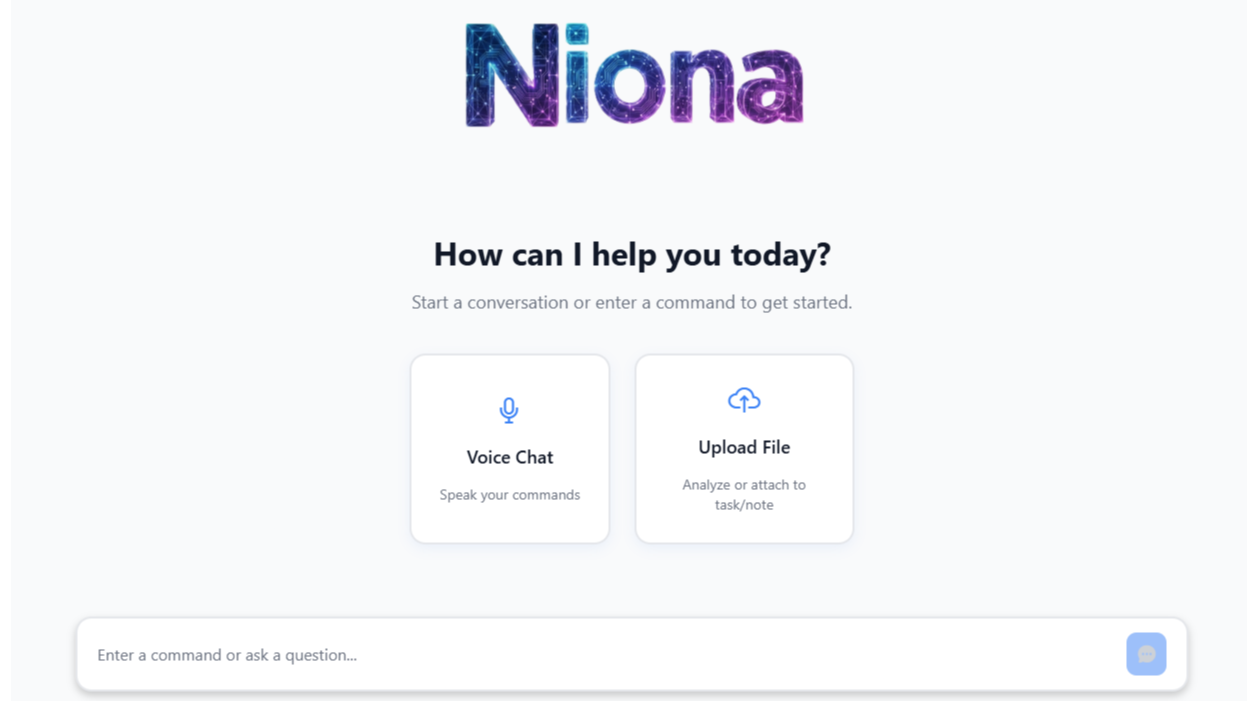
Niona AI CRM Data Entry with Voice and Text
Create HubSpot contacts, companies, deals, tasks, notes, and quotes using voice commands or text input. Niona AI understands natural language, extracts CRM data, creates, and auto-links related records. Ideal for sales reps needing hands-free CRM automation while driving, in meetings, or on the go. Save many hours daily on manual data entry.
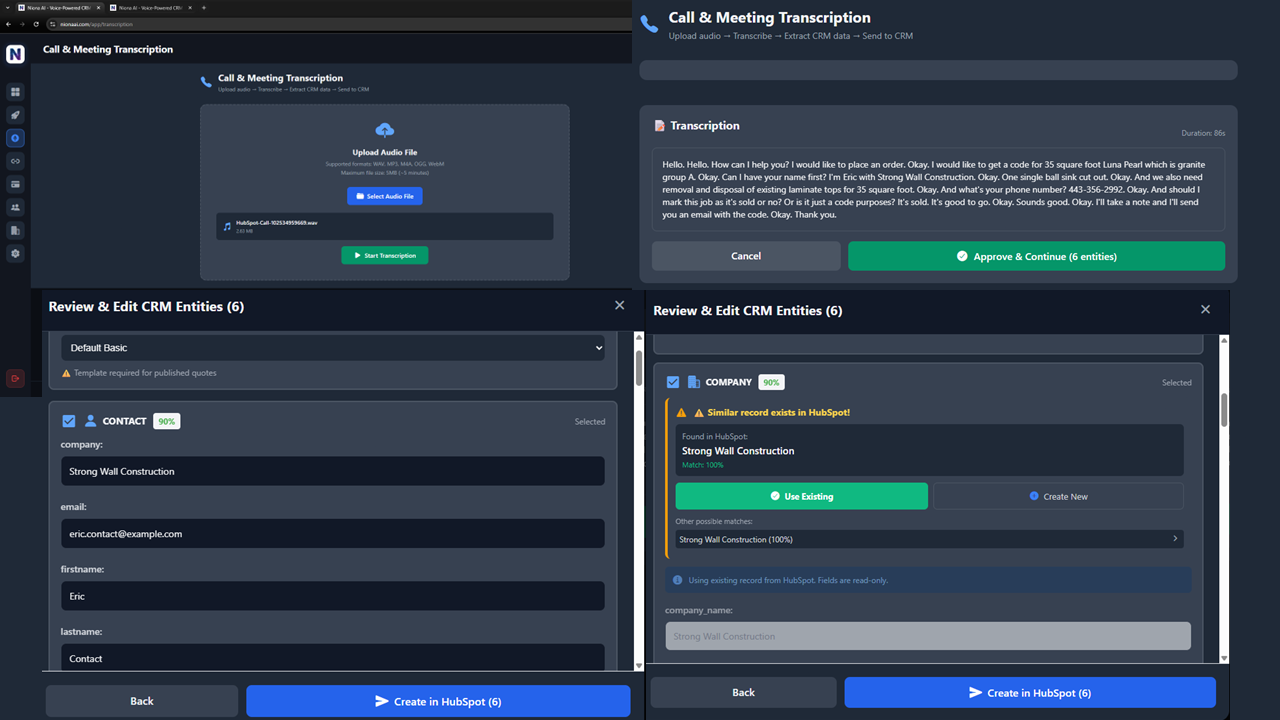
Niona AI Call & Meeting Transcription
Upload sales call or meeting recordings and let AI transcribe and analyze conversations automatically. Niona extracts contacts, companies, deals, tasks, notes and action items from audio files. Review suggestions, approve with one click, sync to HubSpot instantly. Turn 20 minutes of post-call CRM admin into 20 seconds.
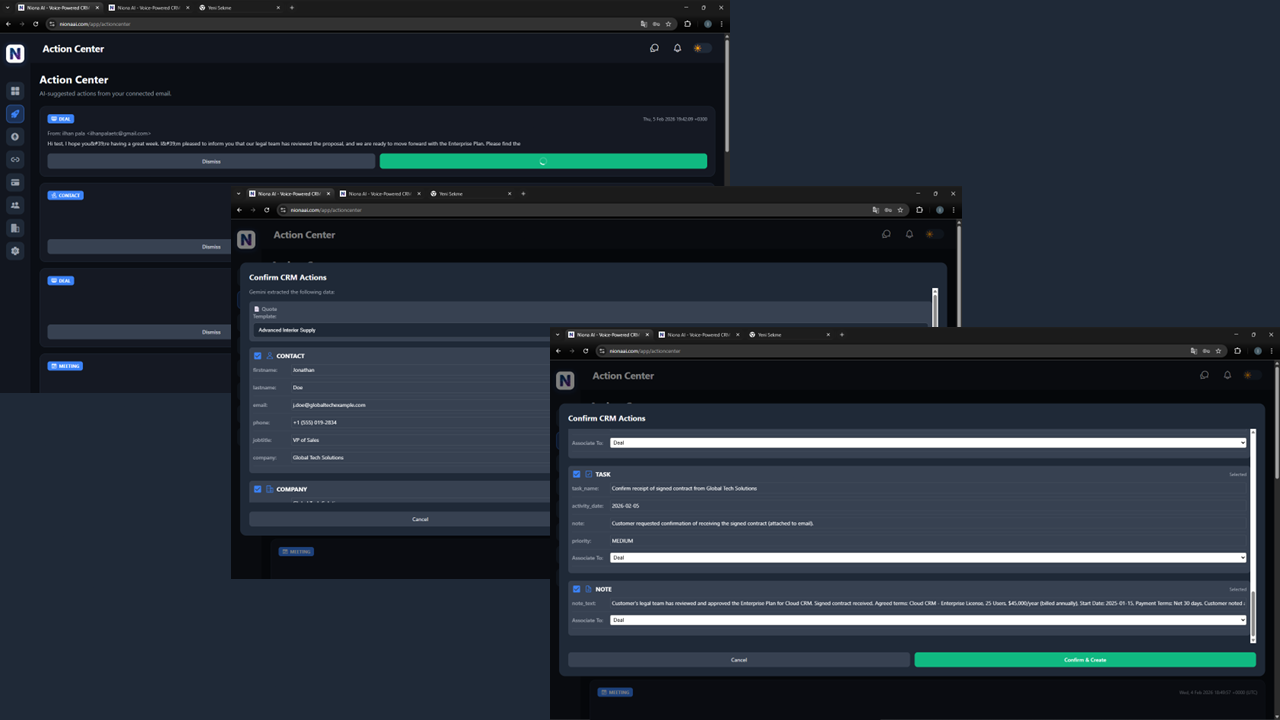
Niona AI Action Center - Email Analysis
Connect HubSpot and let Niona AI monitor your inbox for sales opportunities. When high-value emails arrive, Niona analyzes content and suggests HubSpot actions - create contacts, deals, or tasks from email in one click. Never miss a lead. Automate email-to-CRM workflows and capture every sales opportunity automatically.
รีวิว
การกำหนดราคา
Niona AI Free
US$0
Get started with AI-powered CRM automation
Voice and text commands for HubSpot
Create contacts, companies, deals, quotes, tasks, and notes
Call and meeting transcription
Single user access
Niona AI Free
US$0
Get started with AI-powered CRM automation
Voice and text commands for HubSpot
Create contacts, companies, deals, quotes, tasks, and notes
Call and meeting transcription
Single user access
* ราคาที่แสดงนี้มีไว้เพื่อแสดงข้อมูลเท่านั้น ราคาทั้งหมดยังไม่รวมภาษี สิทธิพิเศษ ส่วนลด หรือตัวแปรราคาอื่นๆ คุณควรติดต่อพาร์ทเนอร์เพื่อรับข้อมูลราคาล่าสุดและถูกต้องที่สุด HubSpot จะไม่รับผิดชอบใดๆ ต่อข้อมูลราคานี้ซึ่งจัดทำโดยพาร์ทเนอร์ของเรา การกำหนดราคาอัปเดตล่าสุด: 24/04/2026
ข้อมูลเพิ่มเติม
สร้างโดย - Creative Intelligence LLC DBA Niona AI
ติดตั้ง - <10 การติดตั้ง
หมวดหมู่ ภาษาที่แอปนี้สามารถใช้ได้ อังกฤษ
กำลังได้รับความสนใจในวันนี้

Microsoft Teams
Use Microsoft Teams and HubSpot for meetings, conversations, and more!

Slack
Manage CRM records, get AI-powered assistance from Breeze, send real-time notifications, and collaborate with your team — without leaving Slack.
