

Veew
สร้างโดย - Veew
ติดตั้ง - <10 การติดตั้ง
ข้อกำหนด
แผน HubSpot สิทธิ์บัญชี HubSpot - ดูสิทธิ์บัญชี ที่จำเป็น
ประเภทสิทธิ์การเข้าถึง แชร์แล้ว การสมัครใช้บริการ Veew - Free, Team Plan หรือ Starter แพ็กเกจ
ภาพรวม
1/6 - Veew | AI Sales Proposal Generator
Veew uses your CRM and call notes to create personalized, on-brand proposals, sales decks, and one-pagers in minutes, then brings everything together in one branded deal space for your buyer.
ฟีเจอร์
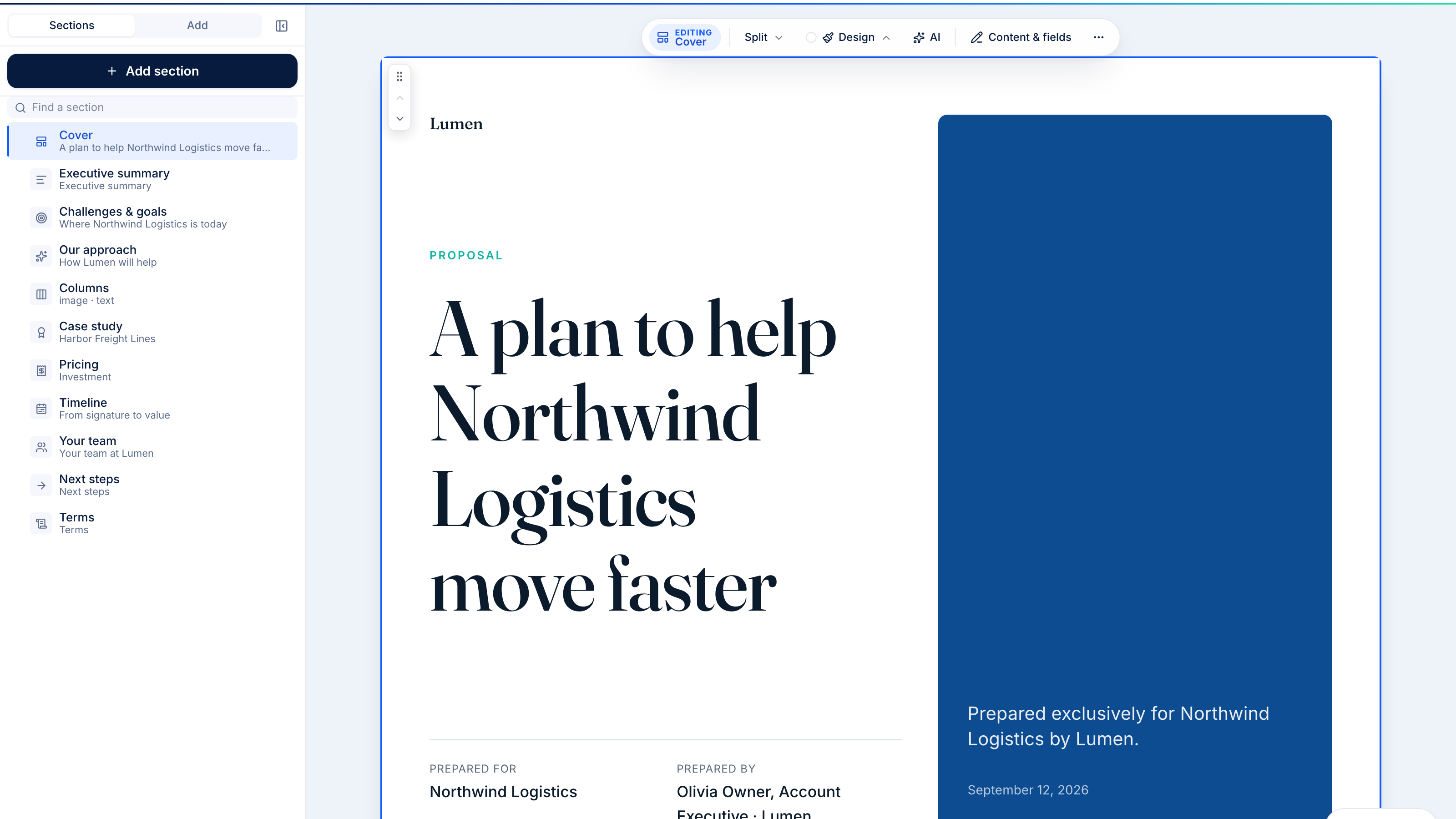
Draft a proposal or sales deck from any HubSpot deal
Pick a deal and Veew writes an on-brand proposal or deck in minutes, using the deal, its company and contacts, and the HubSpot fields you map. A rep preparing for a renewal call can go from deal record to a polished, ready-to-send proposal without copying a single number by hand.
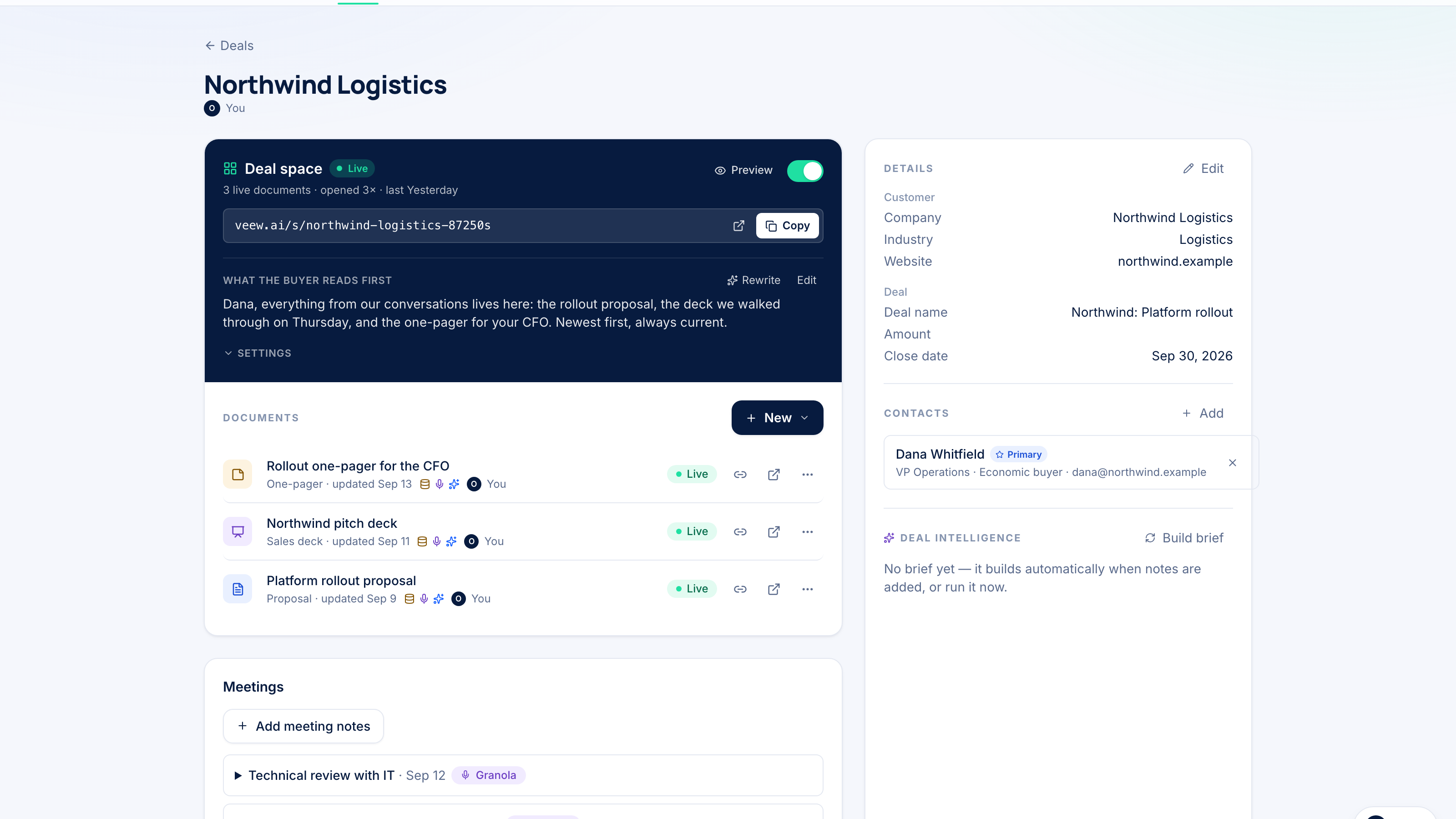
See every proposal on the deal record
When a proposal is sent, accepted, commented on or a form is filled in, Veew logs a note on the deal and updates its own properties: latest link, status, last viewed and total views. Use them in views, reports and workflows. Veew never changes your amount, stage, contacts or any field you didn't map.
ฟังก์ชันการทำงานแอป
ข้อมูลที่แบ่งปัน
Deals | ||
Deal Properties | ||
Companies | ||
Contacts | ||
Notes |
Veew reads a deal only when you import it, start a document from it, or HubSpot reports a change to a deal you’ve imported. It does not copy your whole CRM. Changes to a deal’s name, amount, close date or stage refresh Veew’s copy automatically.
Veew never changes your deal amount, stage, pipeline, owner, contacts, companies, or any property you haven’t mapped. It writes only two things: notes on the deal timeline, and the four properties in its own Veew property group. Write-back is part of the Starter and Team plans; on Free, Veew only reads.
Imported data stays in your Veew workspace, visible only to its members. Access tokens are stored server-side and never sent to the browser.
Disconnecting in Veew (Settings → Integrations) revokes Veew’s access. Your imported deals and documents stay in Veew, and nothing is deleted in HubSpot. Uninstalling the app in HubSpot also removes the Veew card from deal records. Notes and Veew property values remain in HubSpot until you delete them.
Full details, including every scope and what it’s used for: https://veew.ai/support/connect-hubspot#data-veew-reads-and-writes
รีวิว
การกำหนดราคา
Free
US$0
For one person who sells.
Try Veew on a real deal.Free
US$0
For one person who sells.
Try Veew on a real deal.* ราคาที่แสดงนี้มีไว้เพื่อแสดงข้อมูลเท่านั้น ราคาทั้งหมดยังไม่รวมภาษี สิทธิพิเศษ ส่วนลด หรือตัวแปรราคาอื่นๆ คุณควรติดต่อพาร์ทเนอร์เพื่อรับข้อมูลราคาล่าสุดและถูกต้องที่สุด HubSpot จะไม่รับผิดชอบใดๆ ต่อข้อมูลราคานี้ซึ่งจัดทำโดยพาร์ทเนอร์ของเรา การกำหนดราคาอัปเดตล่าสุด: 06/11/2026
ข้อมูลเพิ่มเติม
สร้างโดย - Veew
ติดตั้ง - <10 การติดตั้ง
หมวดหมู่ ภาษาที่แอปนี้สามารถใช้ได้ อังกฤษ
ยอดนิยม

Gmail
Bring HubSpot to your inbox with the HubSpot integration for Gmail.

Google Calendar
Book meetings quickly and easily with HubSpot and Google Calendar.
