
.jpeg)
Canva
Anforderungen
HubSpot-Produktversion HubSpot-Account-Berechtigungen Keine Berechtigungen erforderlich Zugriffstyp Geteilt Canva-Abonnement - Produktversionen: Canva, Canva Pro oder Canva-Teams
Übersicht
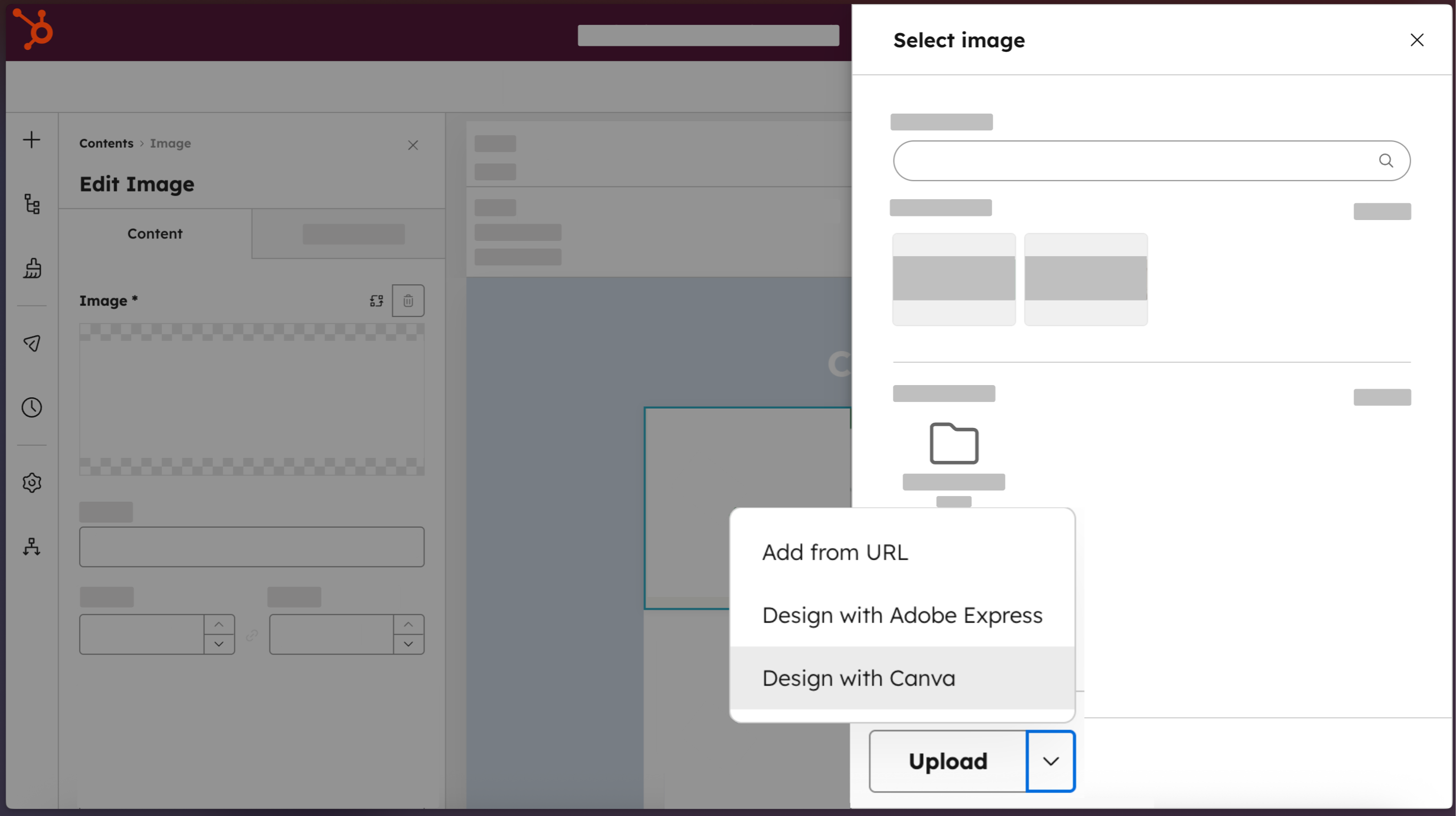
1/4 - Greifen Sie direkt von HubSpot aus auf Canva zu.
Marketing-Teams sollten nicht zwischen Schnelligkeit und Markenkonformität wählen müssen. Die Canva-App für HubSpot verbindet beide Plattformen, sodass jeder in deinem Team von HubSpot direkt in den vollständigen Editor von Canva wechseln kann. Mit den KI-gestützten Tools von Canva, den von der Marke genehmigten Vorlagen und den Funktionen für die Zusammenarbeit in Echtzeit können Sie auch ohne Designkenntnisse professionelle Assets erstellen. Fertige Designs werden mit einem Klick in den Dateimanager von HubSpot übertragen und können in E-Mails, Webseiten, sozialen Netzwerken und Anzeigen eingesetzt werden. Das Ergebnis: visuelle Inhalte in der Geschwindigkeit, die Loop Marketing verlangt.
Funktionen
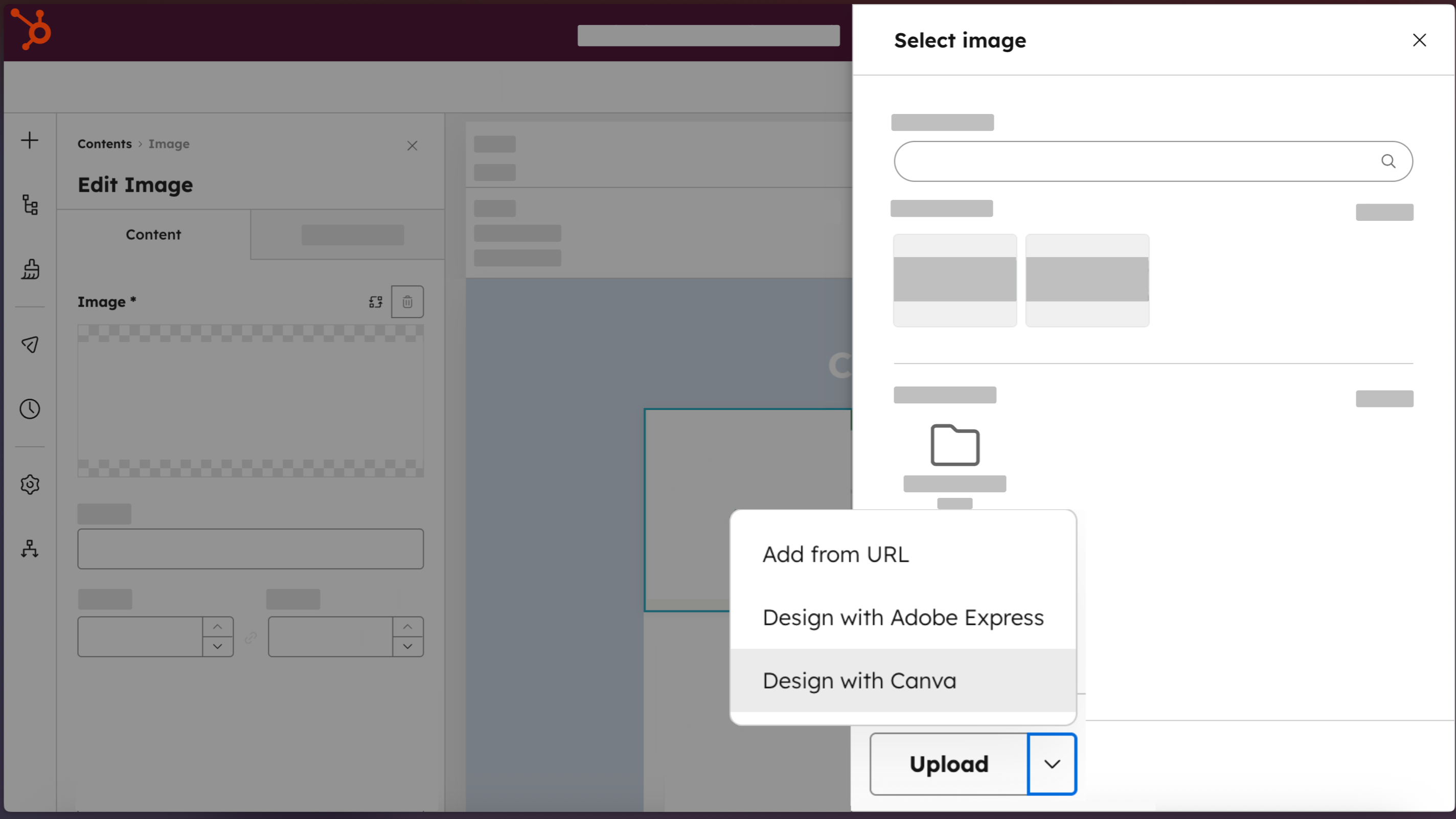
Zugriff auf Canva direkt von HubSpot aus
Erstellen Sie professionelle Designs mit der Schaltfläche "Design with Canva", die in allen HubSpot-Editoren für E-Mails, soziale Netzwerke, Anzeigen, Landing Pages, Webseiten und Blogbeiträge verfügbar ist.
-2-1.png)
Erstellen von Assets in professioneller Qualität, keine Designkenntnisse erforderlich
Erstellen Sie mit Brand Kits, Canva AI, Ask Canva, dem Drag-and-Drop-Editor und einer Bibliothek von Vorlagen markengerechte Marketing-Assets, die wie von Designern entworfen aussehen.
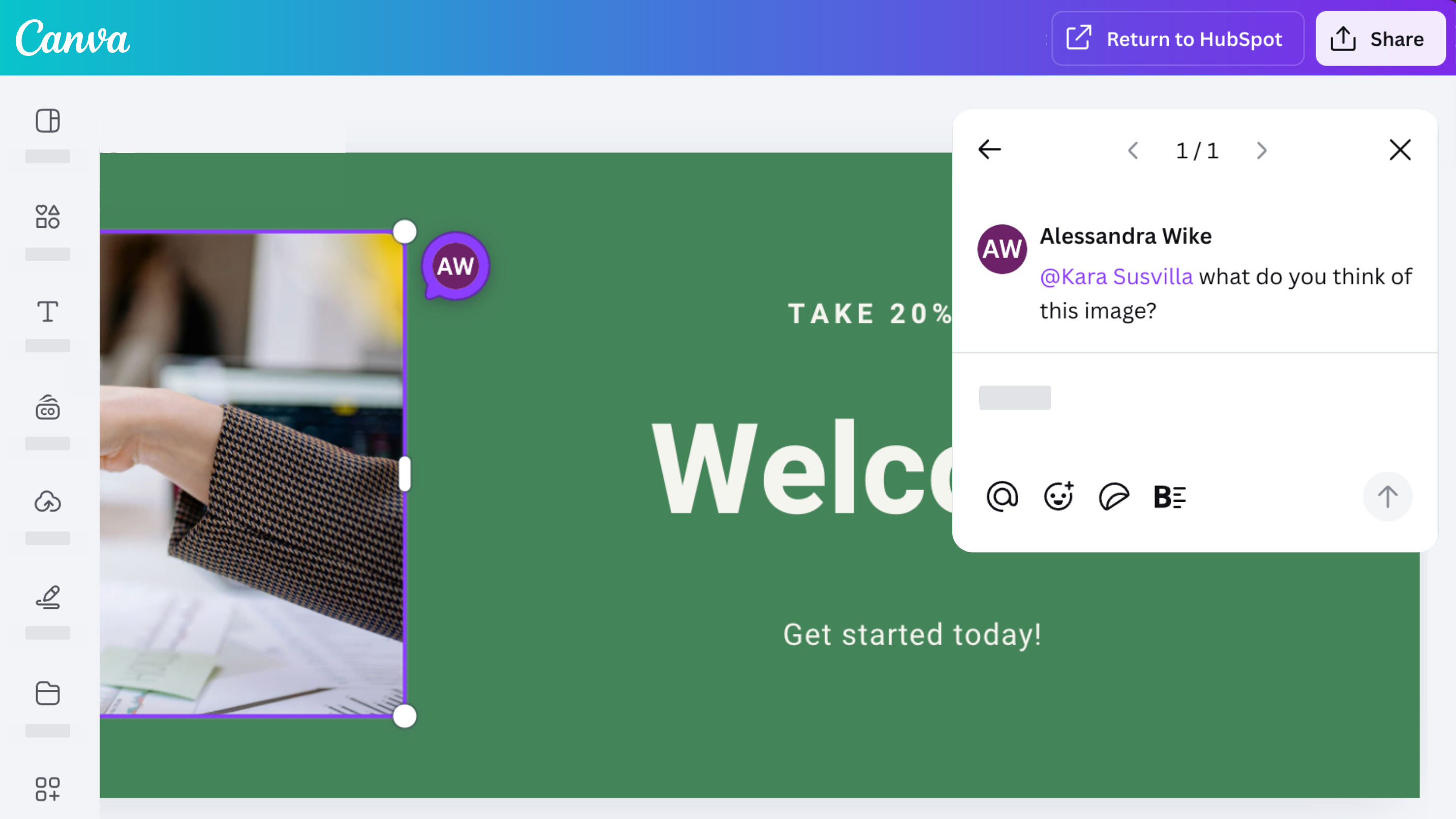
Zusammenarbeit, Kommentare und Austausch mit Ihrem Team
Mit der Canva-App für HubSpot hast du Zugriff auf die leistungsstarken Funktionen von Canva für die Zusammenarbeit. Entwerfen, kommentieren, teilen und überarbeiten Sie Designs mit Ihrem Team.
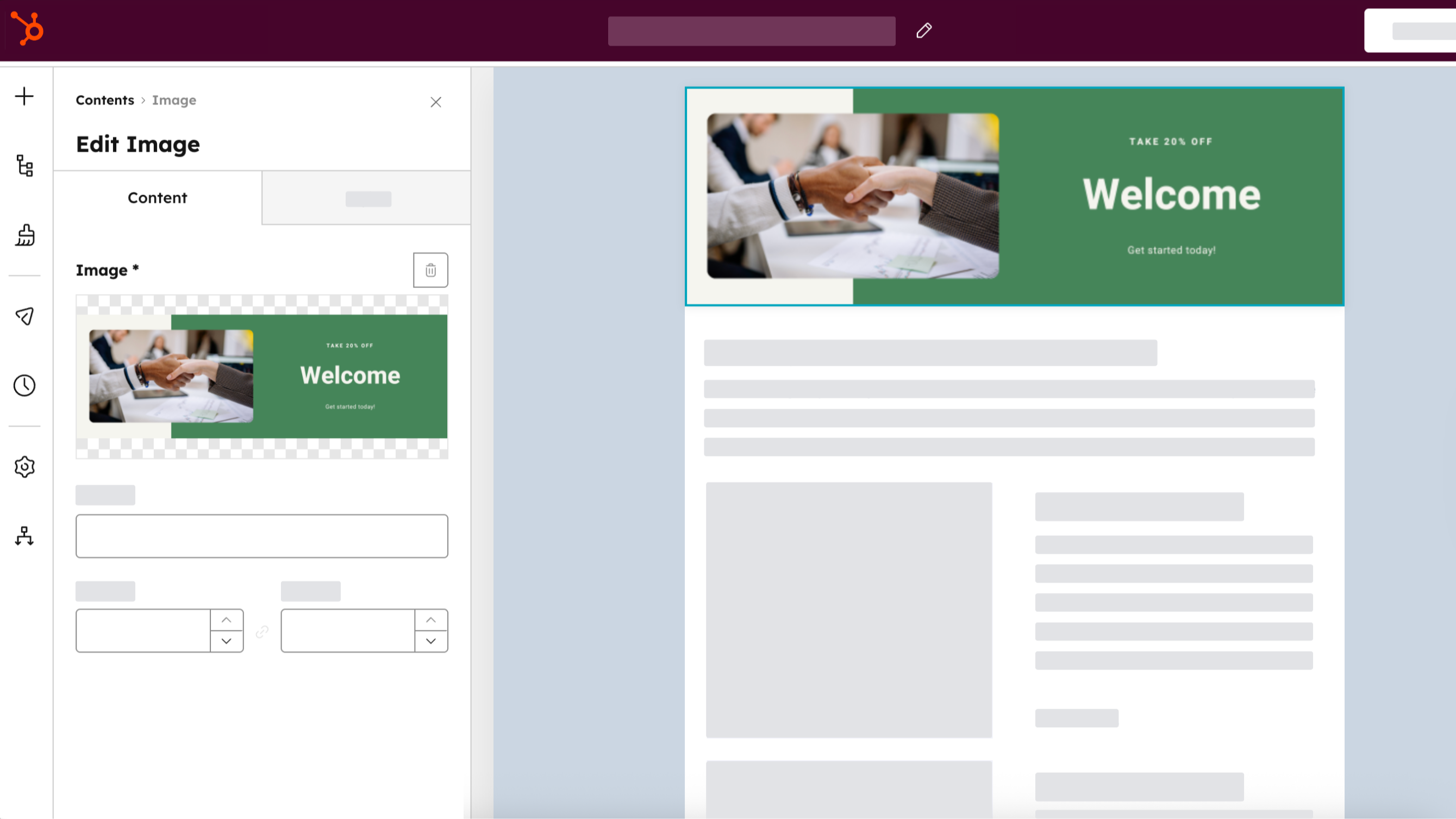
Verteilen Sie über alle HubSpot-Kanäle
Erstellen Sie ein Asset einmal, speichern Sie es in Ihrem HubSpot-Dateimanager, indem Sie "Zu HubSpot zurückkehren" auswählen, und verwenden Sie es dann für Ihre Anzeigen, E-Mails, Social Posts und Website-Inhalte. Klonen Sie Canva-Assets direkt aus HubSpot, indem Sie im HubSpot-Dateimanager "Klonen und bearbeiten" auswählen.
App-Funktionalität
Datenaustausch
Canva-Entwürfe |
Rezensionen
3,3
230
3,3
230
Die Nutzer schätzen die Integration zur Optimierung von Arbeitsabläufen und heben hervor, dass sie das Erstellen und Exportieren einfacher Grafiken direkt in HubSpot erleichtert. Viele berichten jedoch von eingeschränkter Funktionalität im Vergleich zur nativen Canva-Plattform und erwähnen, dass sie keinen Zugriff auf vorhandene Designs, Marken-Kits oder benutzerdefinierte Abmessungen haben. Einige weisen zudem darauf hin, dass vollständige E-Mail-Layouts als statische Bilder ohne anklickbare Links exportiert werden, obwohl das Add-on für die schnelle Erstellung von Social-Media-Inhalten weiterhin nützlich ist.
- 28. Sep. 2026
Schwer zu integrieren
Canva und HubSpot sind für sich genommen großartig. Aber es ist schwierig, sie miteinander zu verbinden.
Wenn sich das einfach integrieren lässt, ist das super, da man so nichts herunterladen muss und Usability-Probleme vermeidet.
Die Verwaltung der Dateien in HubSpot ist schwierig.
02-20, A.
- 21. Sep. 2026
E-Mail-Vorlagen
Ich finde Canva toll, aber die Integration in HubSpot funktioniert nicht besonders gut. Wenn man beispielsweise in E-Mails etwas über Canva erstellt, wird es nur als Bild hochgeladen, sodass es nicht möglich ist, das Design wirklich gut zu integrieren.
Dass man das Design nicht wirklich integrieren kann.
D, S.
Canva
0 $
Gestalten Sie alles und erwecken Sie Ihre Ideen zum Leben. Keine Kosten, nur Kreativität.
Einfacher Drag-and-Drop-Editor
1M+ professionell gestaltete Vorlagen
1000+ Designtypen (soziale Beiträge und mehr)
3M+ Stockfotos und Grafiken
KI-generierte Schriften und Designs
Entwurf, Druck und Lieferung
5 GB Cloud-Speicher
Canva
0 $
Gestalten Sie alles und erwecken Sie Ihre Ideen zum Leben. Keine Kosten, nur Kreativität.
Einfacher Drag-and-Drop-Editor
1M+ professionell gestaltete Vorlagen
1000+ Designtypen (soziale Beiträge und mehr)
3M+ Stockfotos und Grafiken
KI-generierte Schriften und Designs
Entwurf, Druck und Lieferung
5 GB Cloud-Speicher
* Die hier angegebenen Preise dienen nur zu Illustrationszwecken. Alle Preise enthalten keine Steuern, Sonderangebote, Rabatte oder sonstigen Preisvarianten. Bitte wenden Sie sich direkt an den Partner, um aktuelle und korrekte Preisinformationen zu erhalten. HubSpot übernimmt keine Verantwortung für Preisinformationen, die von unseren Partnern bereitgestellt werden. Letzte Aktualisierung der Preisinformationen: 01.04.2026
Weitere Infos
Erstellt von - HubSpot
Installationen - 32 Tsd. Installationen
Kategorien Sprachen, in denen diese App verfügbar ist Deutsch ,Englisch ,Finnisch ,Französisch ,Italienisch ,Japanisch ,Niederländisch ,Polnisch ,Portugiesisch ,Schwedisch undSpanisch