.jpeg)
Canva
Requisiti
Piano HubSpot Autorizzazioni dell'account HubSpot Nessuna autorizzazione richiesta Tipo di accesso Condiviso Abbonamento Canva - Piani Canva, Canva Pro o Squadre Canva
Panoramica
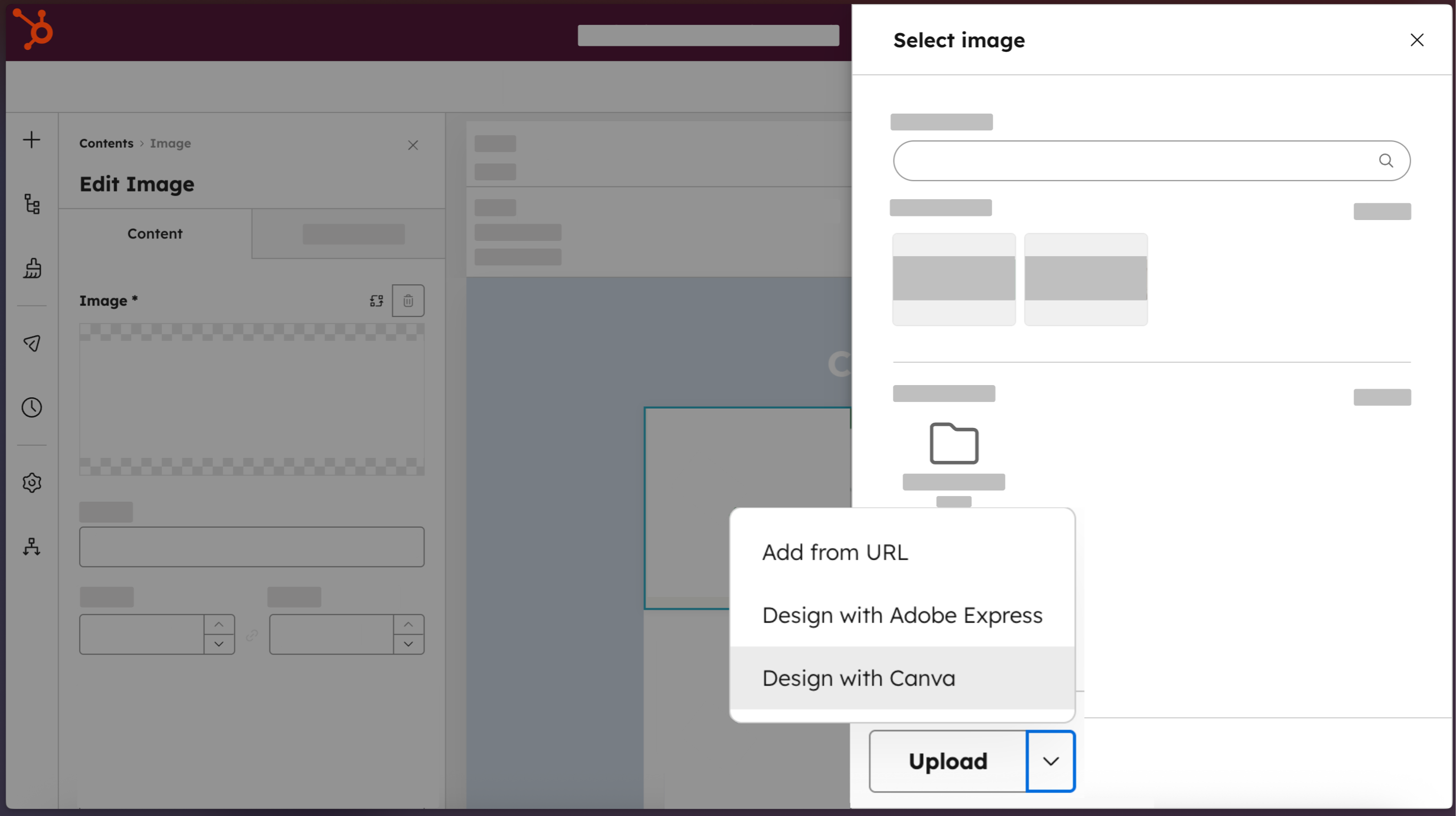
1/4 - Access Canva directly from HubSpot.
I team di marketing non devono scegliere tra la velocità di movimento e la continuità del marchio. L'app Canva per HubSpot collega entrambe le piattaforme, in modo che chiunque nel vostro team possa passare da HubSpot direttamente all'editor completo di Canva. Utilizzate gli strumenti AI di Canva, i modelli approvati dal marchio e le funzioni di collaborazione in tempo reale per creare risorse di qualità professionale senza avere competenze di design. I progetti finiti tornano nel file manager di HubSpot con un solo clic, pronti per essere distribuiti su e-mail, pagine web, post sui social e annunci. Il risultato: contenuti visivi che si muovono alla velocità richiesta dal Loop Marketing.
Funzionalità
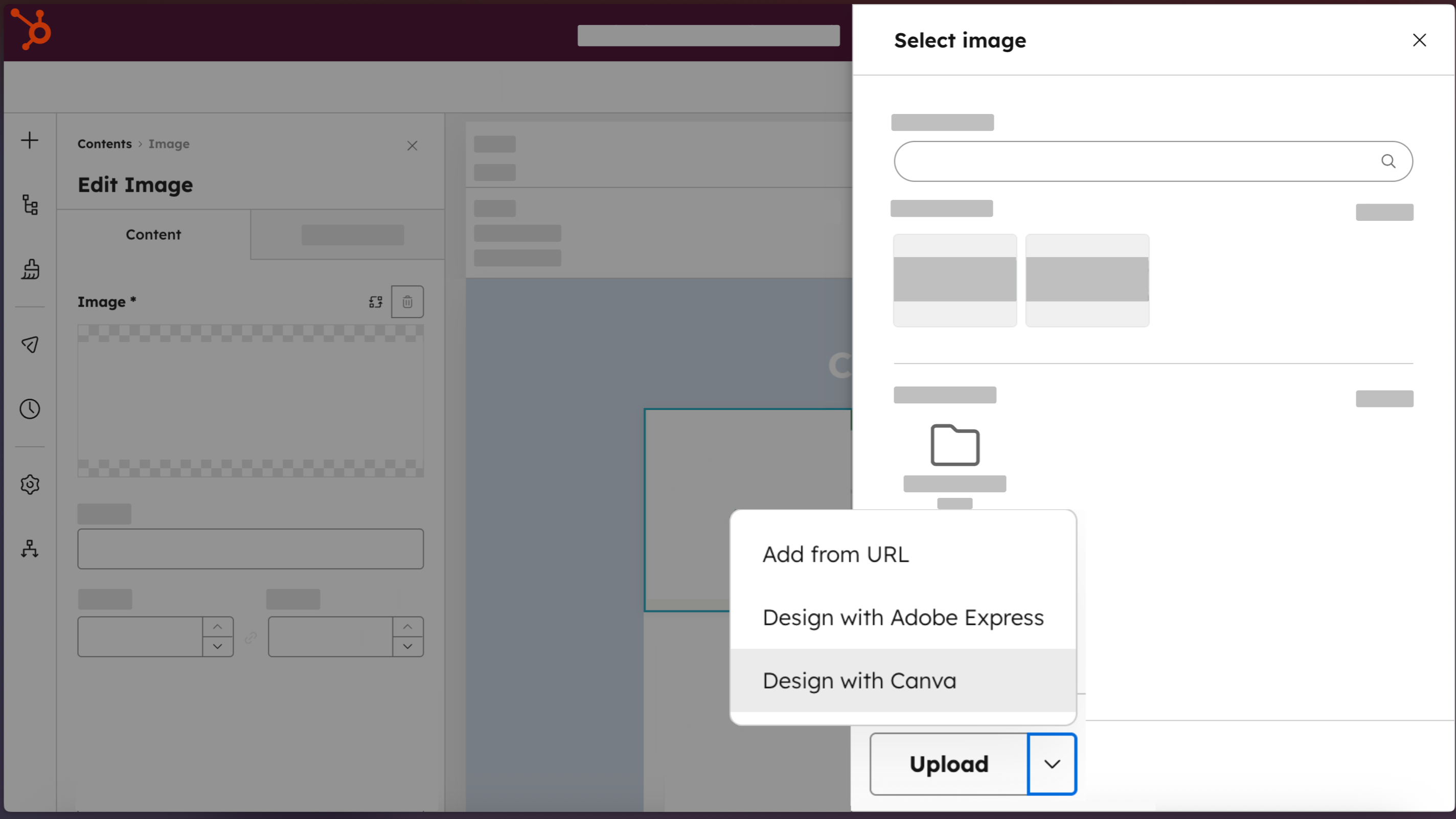
Accedere a Canva direttamente da HubSpot
Create design professionali con il pulsante "Design with Canva", disponibile per tutti gli editor di HubSpot per e-mail, social, annunci, landing page, pagine di siti web e post di blog.
-2-1.png)
Creazione di risorse di qualità professionale, senza necessità di competenze di progettazione
Costruite risorse di marketing on-brand che sembrino fatte da un designer, utilizzando i Brand Kit, Canva AI, Ask Canva, l'editor drag and drop e una libreria di modelli.
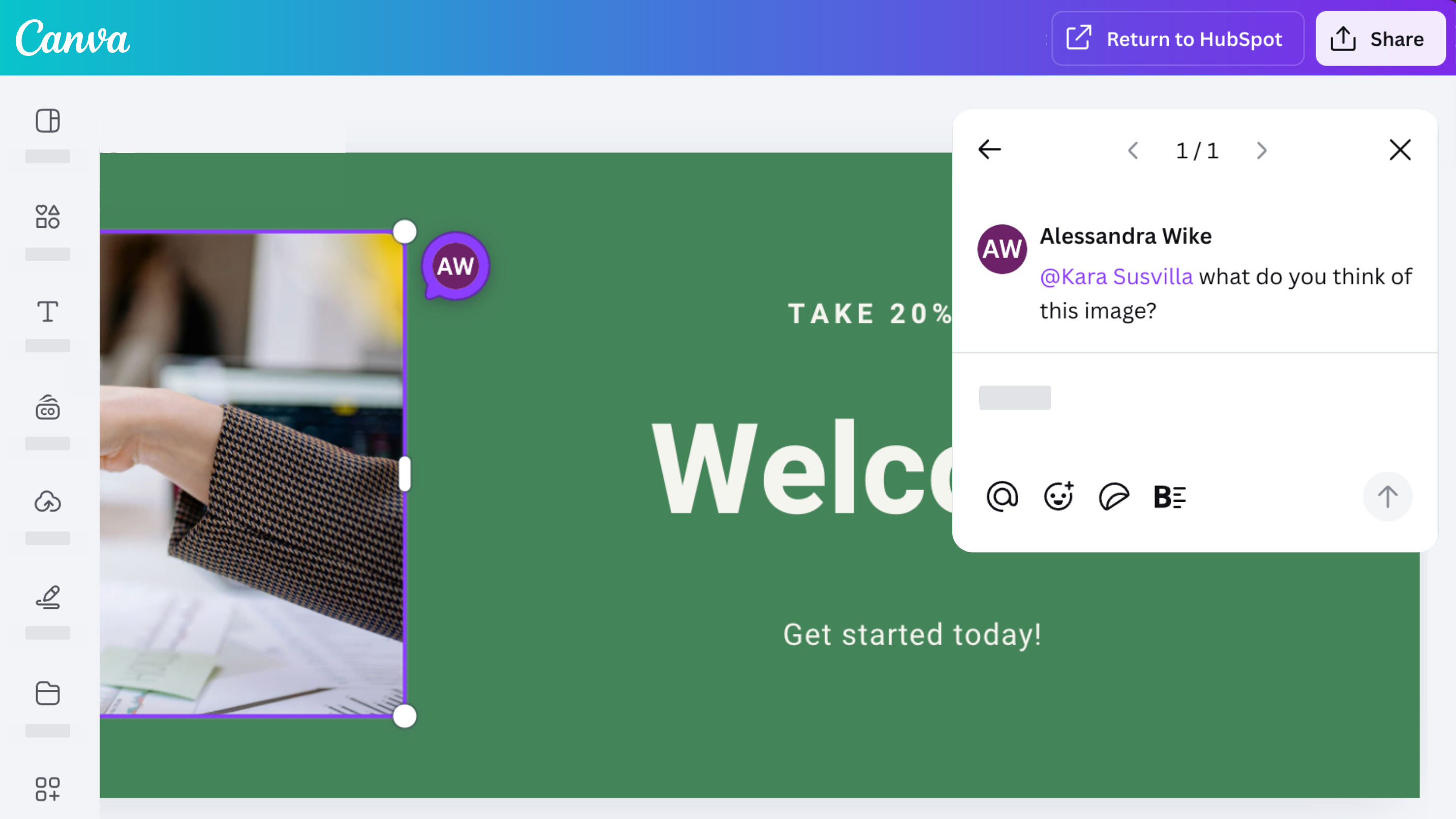
Collaborare, commentare e condividere con il proprio team
Accedete alle solide funzioni di collaborazione di Canva con l'app Canva per HubSpot. Progettate, commentate, condividete e iterate i progetti con il vostro team.
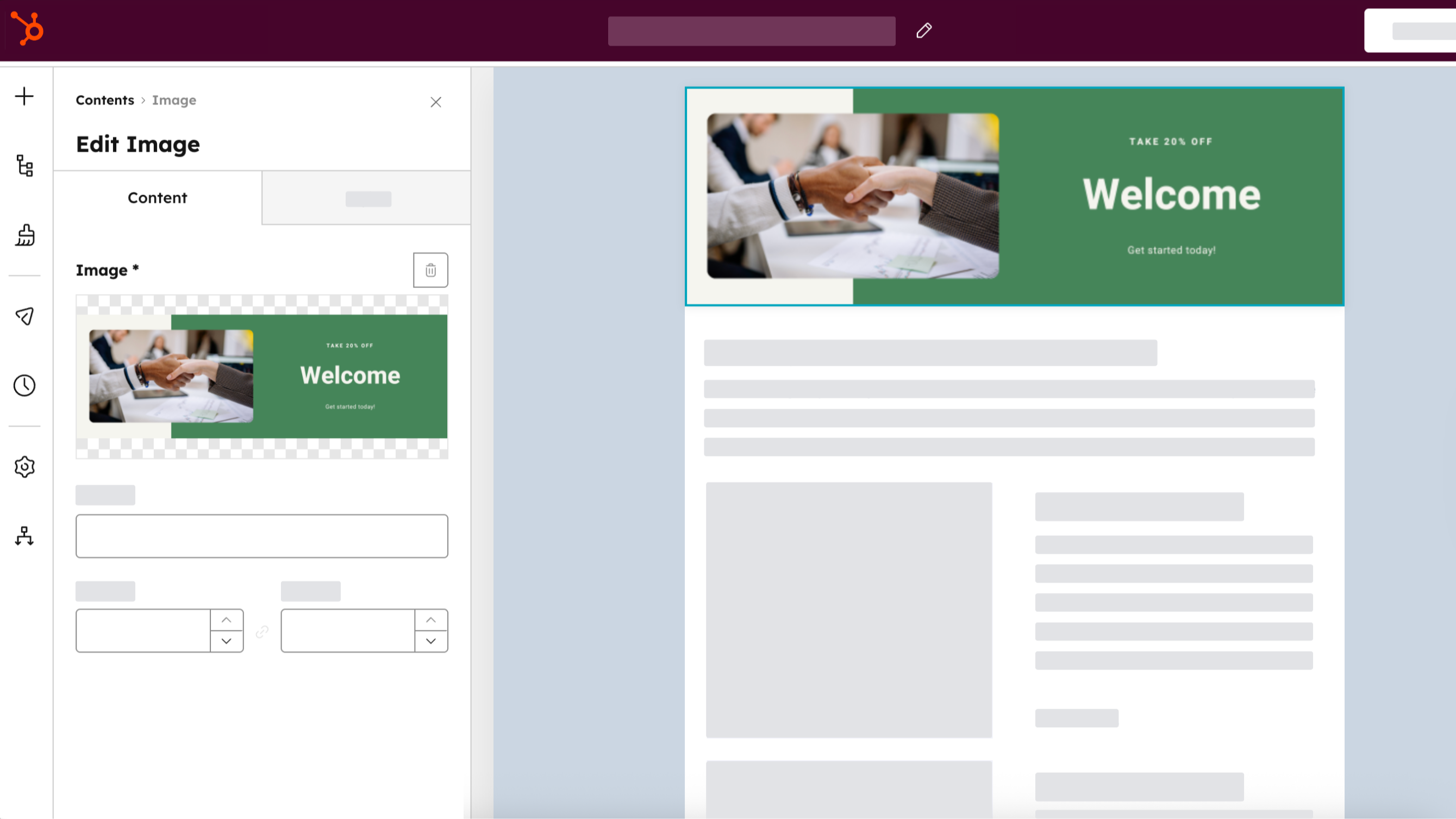
Distribuire su tutti i canali HubSpot
Create una risorsa una volta sola, salvatela nel file manager di HubSpot selezionando "Ritorna a HubSpot", quindi utilizzatela per gli annunci, le e-mail, i post sui social e i contenuti del sito web. Clonate le risorse di Canva direttamente da HubSpot selezionando "Clona e modifica" dal file manager di HubSpot.
Funzionalità dell'app
Dati condivisi
Canva Designs |
Recensioni
3,3
218
3,3
218
Gli utenti apprezzano il modo in cui l'integrazione semplifica i flussi di lavoro, consentendo loro di creare e inviare rapidamente elementi grafici direttamente a HubSpot, anche se alcuni sottolineano l'impossibilità di accedere o modificare i progetti Canva salvati in precedenza dall'interno della piattaforma. Sebbene alcuni segnalino che i layout multipagina e i collegamenti ipertestuali incorporati vengono convertiti in immagini statiche, l'integrazione consente di risparmiare tempo riducendo la necessità di scaricare e caricare manualmente le risorse di marketing.
- 14 giu 2026
Ruffin, T.
- 9 giu 2026
Non ha funzionato
Ho provato a utilizzare il connettore Canva ma non ha funzionato. L'HTML non ha funzionato, nonostante abbia provato più volte.
Campbell-Quinn, K.
Canva
0 USD
Progettate qualsiasi cosa e date vita alle vostre idee. Nessun costo, solo creatività.
Facile editor drag-and-drop
1M+ modelli progettati professionalmente
1000+ tipi di design (post sociali e altro)
3M+ foto e grafica stock
Scrittura e design generati dall'intelligenza artificiale
Stampa e consegna del design
5 GB di spazio di archiviazione cloud
Canva
0 USD
Progettate qualsiasi cosa e date vita alle vostre idee. Nessun costo, solo creatività.
Facile editor drag-and-drop
1M+ modelli progettati professionalmente
1000+ tipi di design (post sociali e altro)
3M+ foto e grafica stock
Scrittura e design generati dall'intelligenza artificiale
Stampa e consegna del design
5 GB di spazio di archiviazione cloud
* I prezzi riportati sono a scopo informativo. I prezzi non includono tasse, incentivi, sconti o altre variabili. Contatta il partner per ricevere il tariffario aggiornato. HubSpot declina qualsiasi responsabilità circa le informazioni di prezzo fornite dai propri partner. Ultimo aggiornamento tariffario: 01/04/2026
Maggiori informazioni
Creazione di - HubSpot
Installazioni - 32.000 installazioni
Categorie Lingue in cui è disponibile questa app Finlandese ,Francese ,Giapponese ,Inglese ,Italiano ,Olandese ,Polacco ,Portoghese ,Spagnolo ,Svedese eTedesco