

Canva
ข้อกำหนด
แผน HubSpot สิทธิ์บัญชี HubSpot ไม่จำเป็นต้องมีสิทธิ์ ประเภทสิทธิ์การเข้าถึง แชร์แล้ว การสมัครใช้บริการ Canva - Canva, Canva Pro หรือ Canva Teams แพ็กเกจ
ภาพรวม
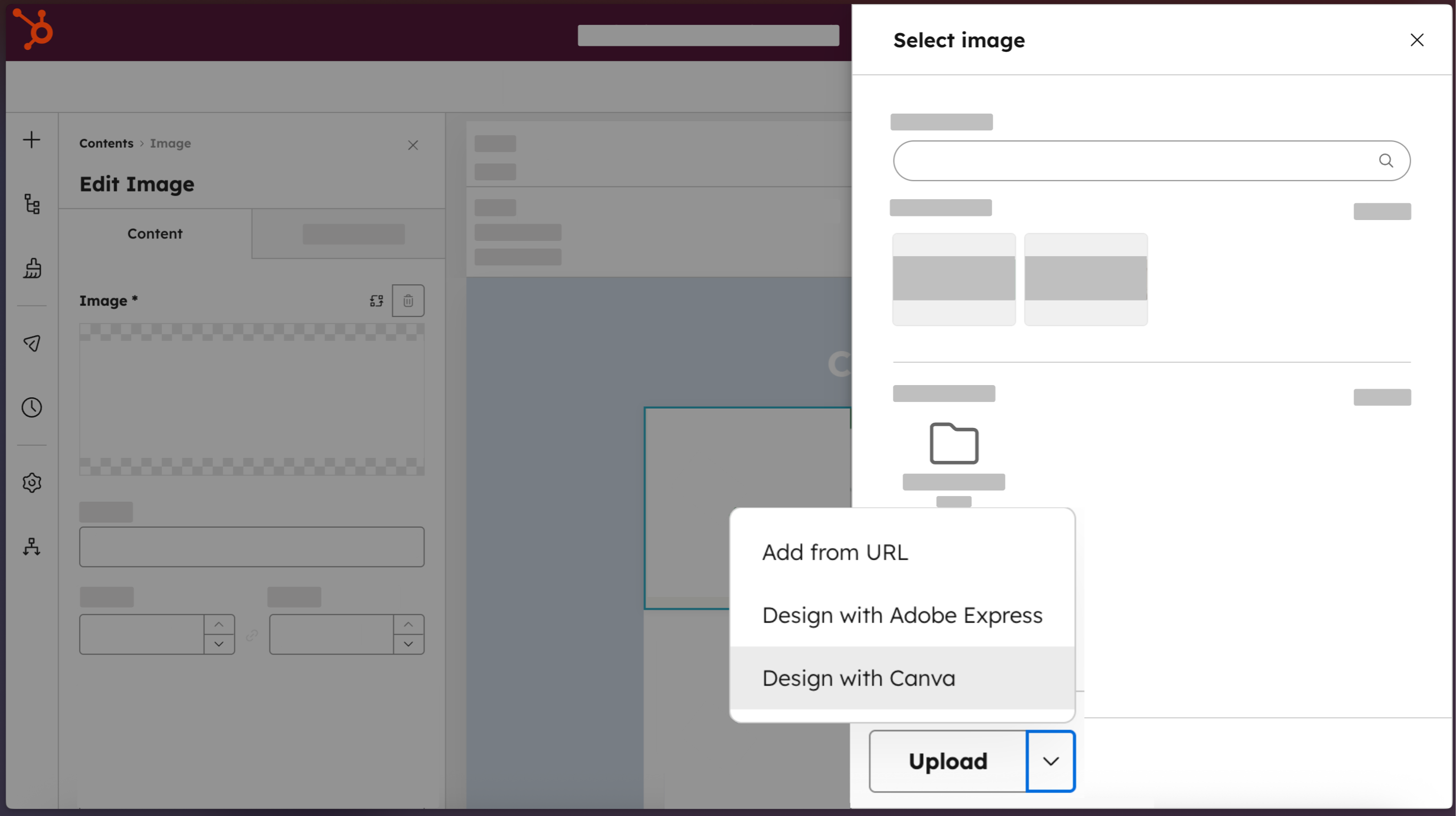
1/4 - Access Canva directly from HubSpot.
Marketing teams shouldn't have to choose between moving fast and staying on-brand. The Canva app for HubSpot connects both platforms so anyone on your team can jump from HubSpot directly into Canva's full editor. Use Canva's AI-powered tools, brand-approved templates, and real-time collaboration features to create professional-quality assets without design expertise. Finished designs move back into HubSpot's file manager in one click, ready to deploy across emails, web pages, social posts, and ads. The result: visual content that moves at the speed Loop Marketing demands.
ฟีเจอร์
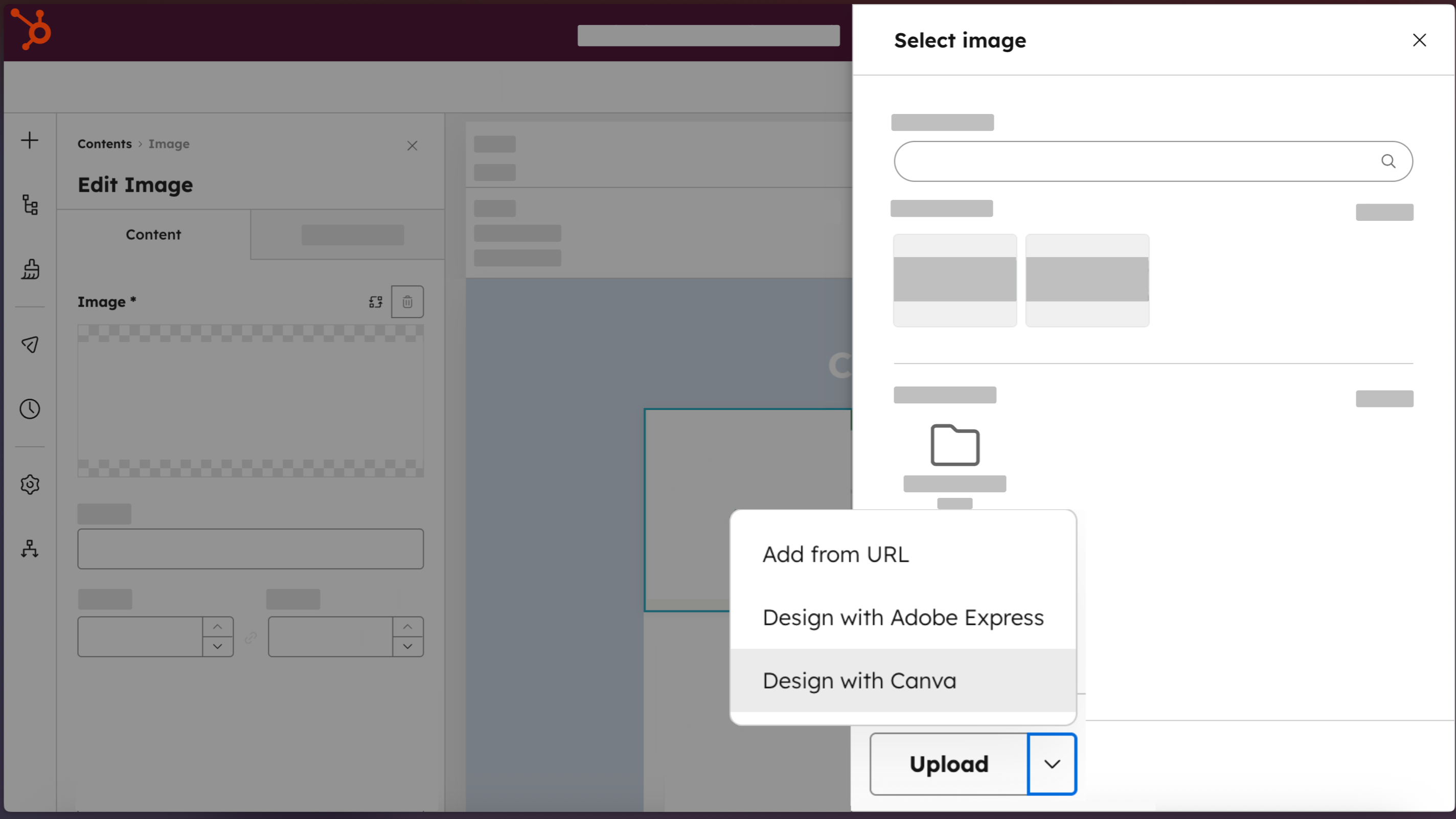
Access Canva directly from HubSpot
Create professional designs with the “Design with Canva” button, available across HubSpot editors for email, social, ads, landing pages, website pages, and blog posts.
-2-1.png)
Create professional-quality assets, no design expertise required
Build on-brand marketing assets that look designer-made, using Brand Kits, Canva AI, Ask Canva, the drag and drop editor, and a library of templates.
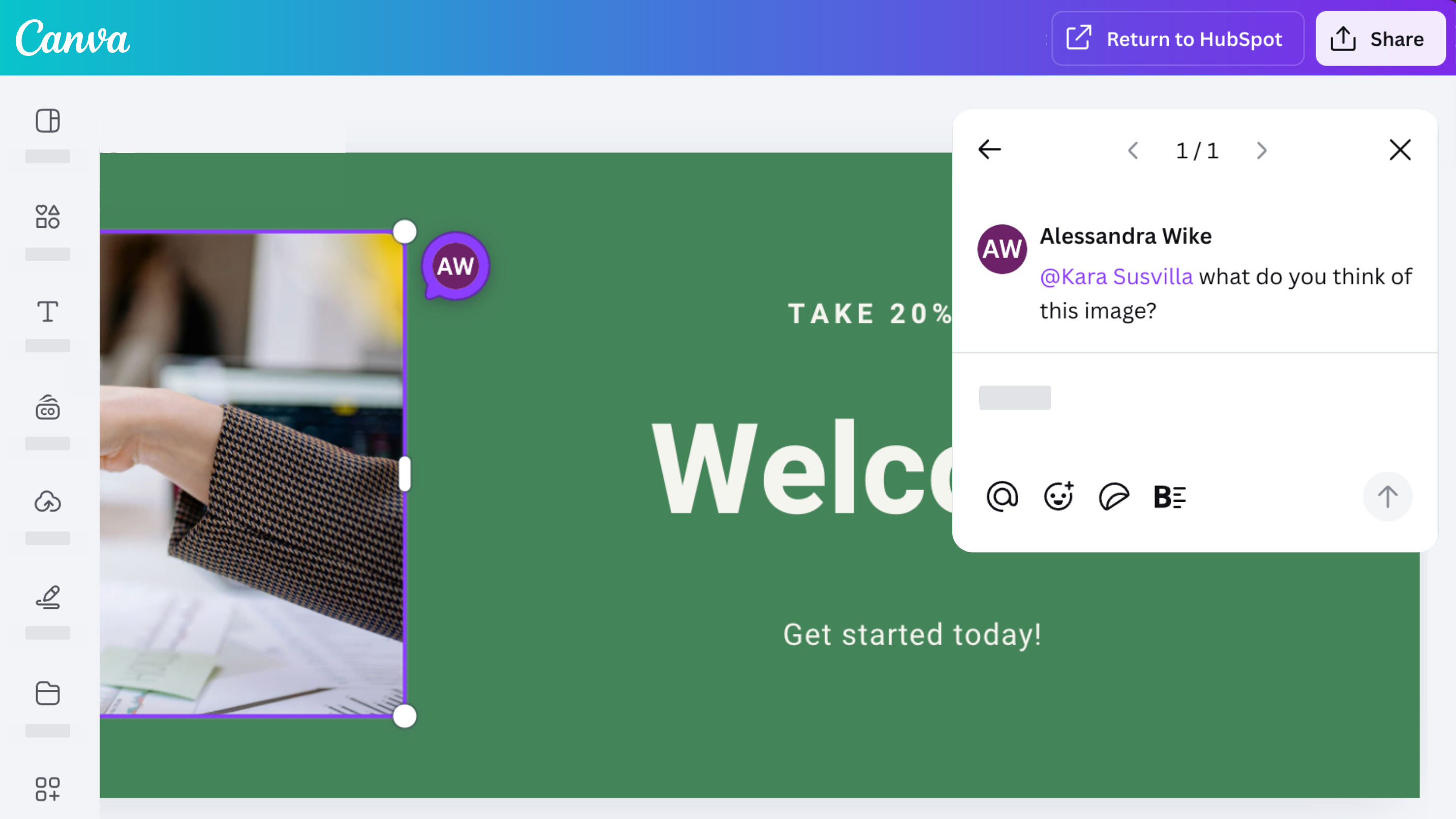
Collaborate, comment, and share with your team
Access Canva’s robust collaboration features with the Canva app for HubSpot. Design, comment, share, and iterate on designs with your team.
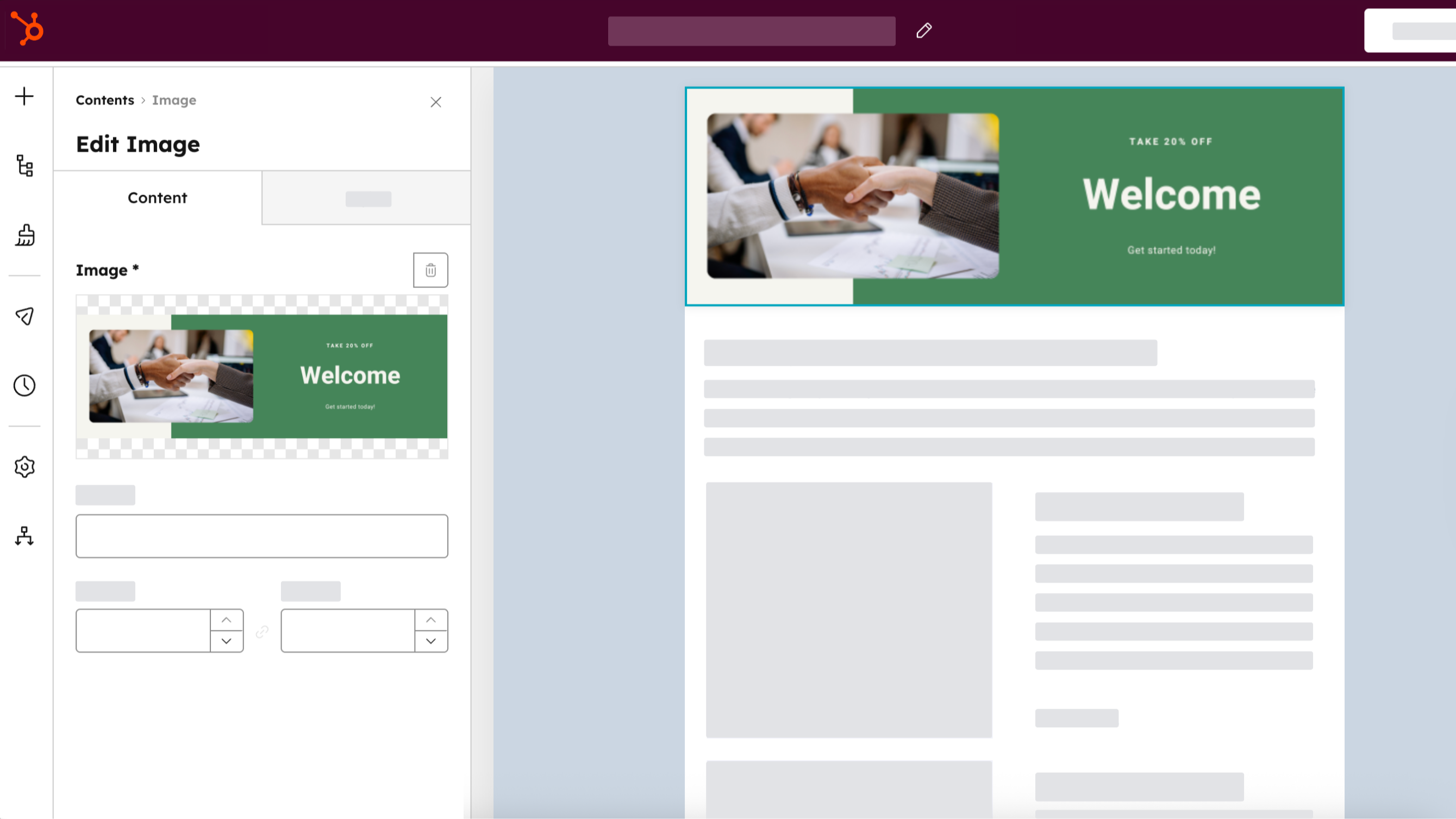
Distribute across every HubSpot channel
Create an asset once, save it to your HubSpot file manager by selecting “Return to HubSpot,” then use it across your ads, emails, social posts, and website content. Clone Canva assets directly from HubSpot by selecting “Clone and edit” from HubSpot’s file manager.
ฟังก์ชันการทำงานแอป
ข้อมูลที่แบ่งปัน
Canva Designs |
รีวิว
3.3
227
3.3
227
ผู้ใช้ชื่นชมการผสานระบบนี้ที่ช่วยปรับปรุงกระบวนการทำงานให้มีประสิทธิภาพมากขึ้น โดยระบุว่าทำให้การสร้างและส่งออกภาพกราฟิกแบบเรียบง่ายไปยัง HubSpot ได้อย่างสะดวก อย่างไรก็ตาม ผู้ใช้หลายคนรายงานว่าฟังก์ชันการทำงานมีข้อจำกัดเมื่อเทียบกับแพลตฟอร์ม Canva ดั้งเดิม โดยระบุว่าพวกเขาไม่สามารถเข้าถึงการออกแบบที่มีอยู่ ชุดแบรนด์ หรือขนาดที่กำหนดเองได้ บางคนยังชี้ให้เห็นว่าเลย์เอาต์อีเมลแบบเต็มจะถูกส่งออกเป็นภาพนิ่งโดยไม่มีลิงก์ที่คลิกได้ แม้ว่าส่วนเสริมนี้ยังคงมีประโยชน์สำหรับการสร้างเนื้อหาสำหรับโซเชียลมีเดียอย่างรวดเร็ว
- 20 ส.ค. 2026
Bien
Es útil, ayuda mucho al sistema de comunicación con los Stakeholders
Metricas, orden, seguimiento
hay muchas actualizaciones de la plataforma que uno demora en bsucar donde están nuevamente las herramientas que uno usa. Los cambios de contrato automaticos sin un previo aviso más personalizado que correos. La atención al cliente esn este sentido debe ser más personalizada y más explicada.
Luthan, S.
- 20 ส.ค. 2026
Thomas, O.
การกำหนดราคา
Canva
US$0
Design anything and bring your ideas to life. No cost, just creativity.
Easy drag-and-drop editor
1M+ professionally-designed templates
1000+ design types (social posts and more)
3M+ stock photos and graphics
AI-generated writing and designs
Design printing and delivery
5GB of cloud storage
Canva
US$0
Design anything and bring your ideas to life. No cost, just creativity.
Easy drag-and-drop editor
1M+ professionally-designed templates
1000+ design types (social posts and more)
3M+ stock photos and graphics
AI-generated writing and designs
Design printing and delivery
5GB of cloud storage
* ราคาที่แสดงนี้มีไว้เพื่อแสดงข้อมูลเท่านั้น ราคาทั้งหมดยังไม่รวมภาษี สิทธิพิเศษ ส่วนลด หรือตัวแปรราคาอื่นๆ คุณควรติดต่อพาร์ทเนอร์เพื่อรับข้อมูลราคาล่าสุดและถูกต้องที่สุด HubSpot จะไม่รับผิดชอบใดๆ ต่อข้อมูลราคานี้ซึ่งจัดทำโดยพาร์ทเนอร์ของเรา การกำหนดราคาอัปเดตล่าสุด: 01/04/2026
ข้อมูลเพิ่มเติม
สร้างโดย - HubSpot
ติดตั้ง - 33K การติดตั้ง
หมวดหมู่ ภาษาที่แอปนี้สามารถใช้ได้ ญี่ปุ่น ดัตช์ โปรตุเกส โปแลนด์ ฝรั่งเศส ฟินแลนด์ เยอรมัน สเปน สวีเดน อังกฤษ และอิตาลี
กำลังได้รับความสนใจในวันนี้

Whatsapp Integration
Connect Personal WhatsApp or WhatsApp Business to HubSpot - No API needed. Sync chats, automate follow-ups and deploy WhatsApp AI Agents that work 24/7.

Dialpad
Connect your business phone system with HubSpot and automate activity.
