
Canva
Requirements
HubSpot Plan HubSpot Account permissions No permissions required Access Type Shared Canva Subscription - Canva, Canva Pro, or Canva Teams plans
Overview
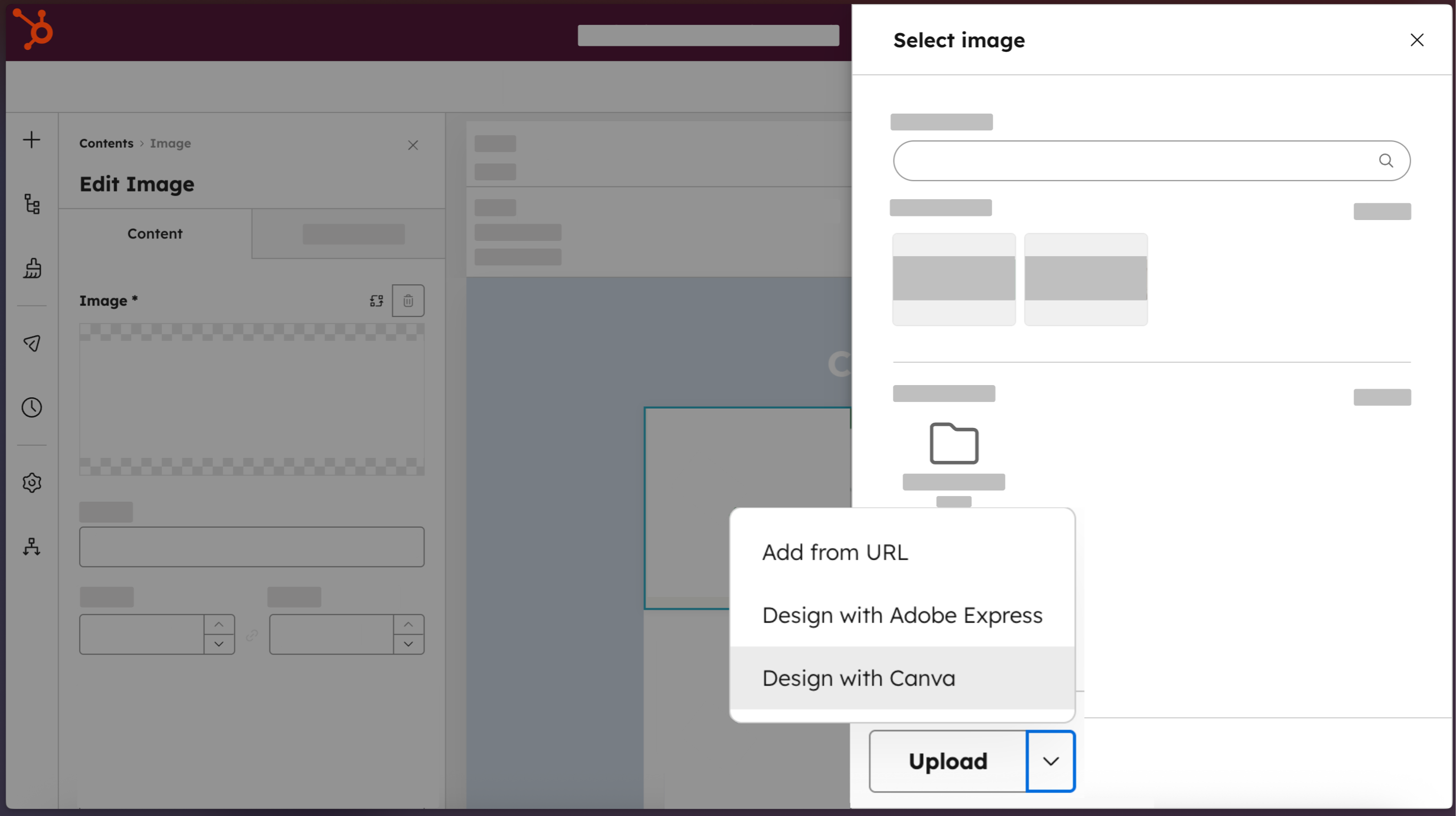
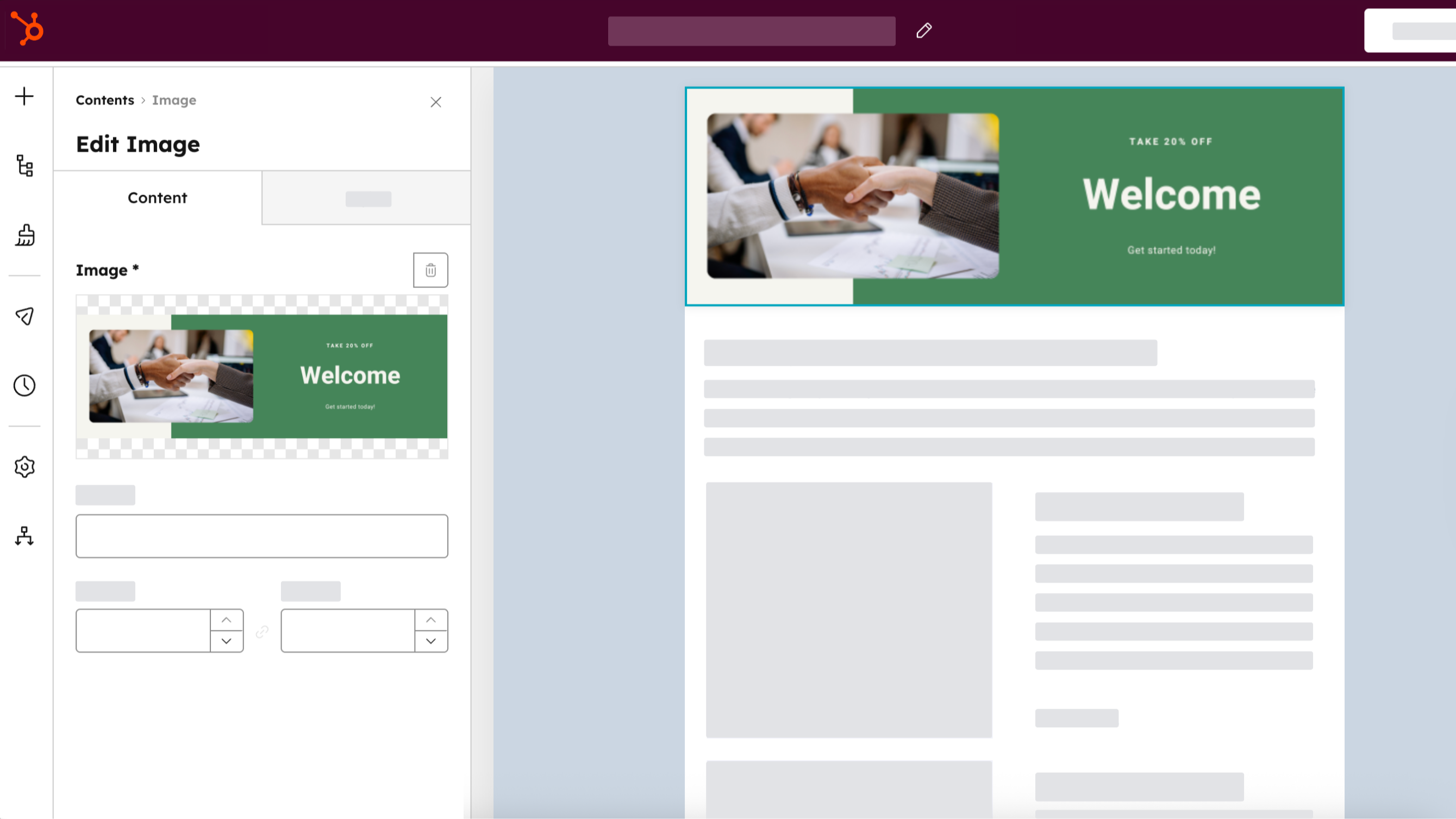
1/4 - Access Canva directly from HubSpot.
Marketing teams shouldn't have to choose between moving fast and staying on-brand. The Canva app for HubSpot connects both platforms so anyone on your team can jump from HubSpot directly into Canva's full editor. Use Canva's AI-powered tools, brand-approved templates, and real-time collaboration features to create professional-quality assets without design expertise. Finished designs move back into HubSpot's file manager in one click, ready to deploy across emails, web pages, social posts, and ads. The result: visual content that moves at the speed Loop Marketing demands.
Features
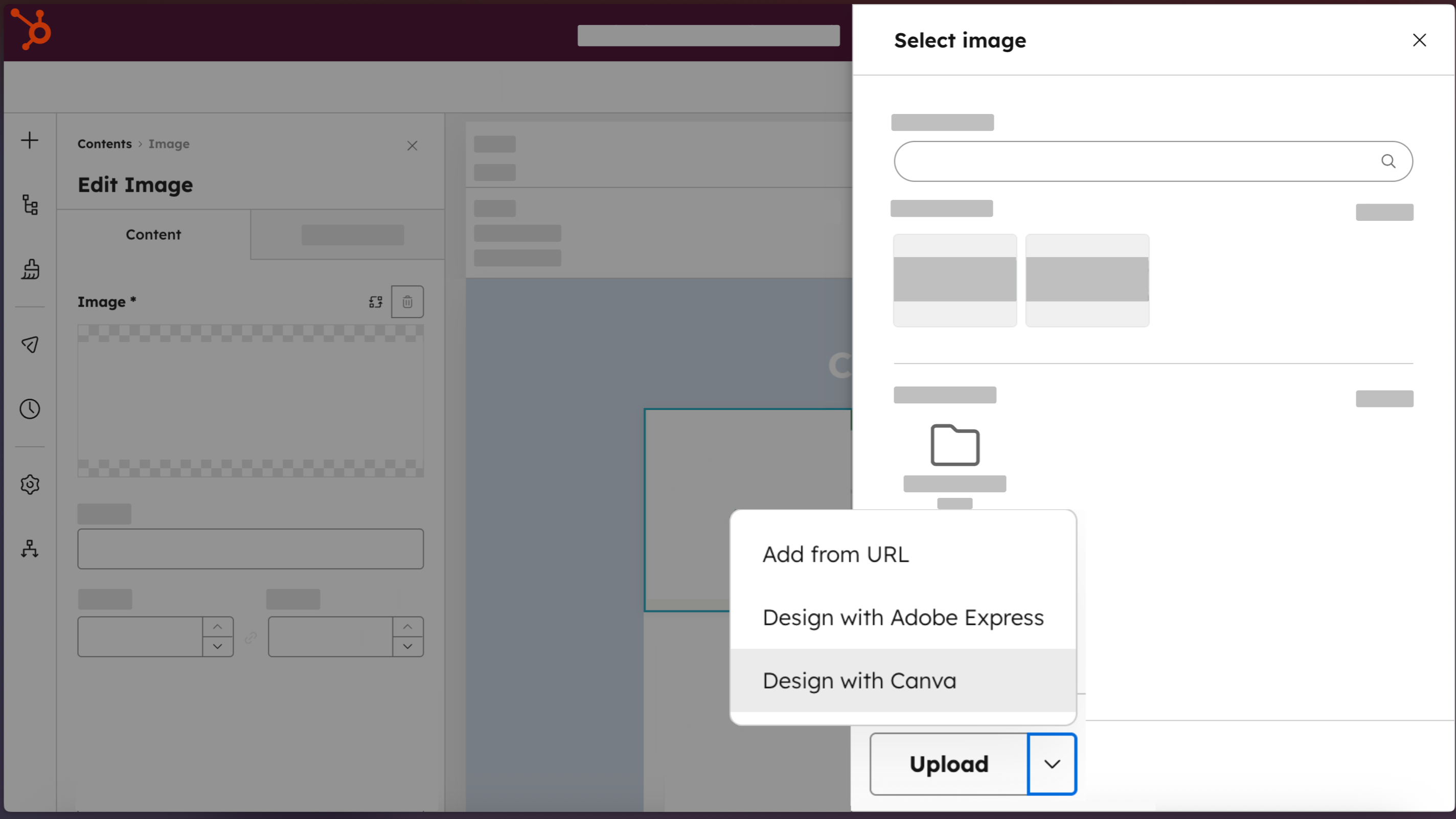
Access Canva directly from HubSpot
Create professional designs with the “Design with Canva” button, available across HubSpot editors for email, social, ads, landing pages, website pages, and blog posts.
-2-1.png)
Create professional-quality assets, no design expertise required
Build on-brand marketing assets that look designer-made, using Brand Kits, Canva AI, Ask Canva, the drag and drop editor, and a library of templates.
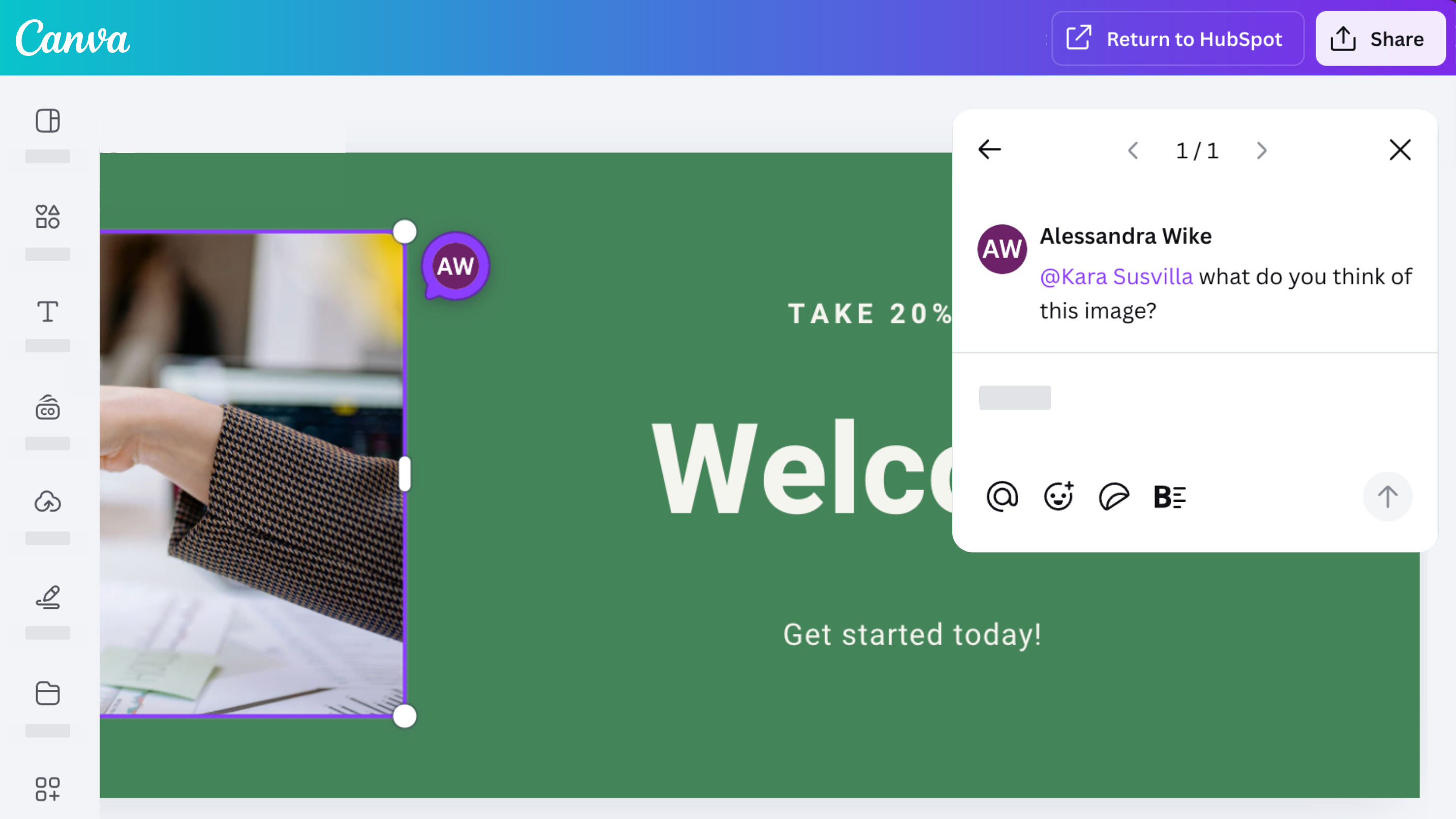
Collaborate, comment, and share with your team
Access Canva’s robust collaboration features with the Canva app for HubSpot. Design, comment, share, and iterate on designs with your team.
Distribute across every HubSpot channel
Create an asset once, save it to your HubSpot file manager by selecting “Return to HubSpot,” then use it across your ads, emails, social posts, and website content. Clone Canva assets directly from HubSpot by selecting “Clone and edit” from HubSpot’s file manager.
App Functionality
Shared Data
Canva Designs |
Reviews
3.3
230
3.3
230
Users appreciate the integration for streamlining workflows, noting it makes creating and exporting simple graphics directly into HubSpot easy. However, many report limited functionality compared to the native Canva platform, mentioning they cannot access existing designs, brand kits, or custom dimensions. Some also note that full email layouts export as static images without clickable links, though the add-on remains useful for generating quick social media assets.
- Sep 28, 2026
Difficult to integrate
Canva and HubSpot are great on their own. But integrating them is a challenge.
If it integrates easily, that's great—it eliminates the need to download anything and avoids usability issues.
It's difficult to manage files in HubSpot.
02-20, A.
- Sep 21, 2026
Email creations
I love canva but the intergration into HubSpot doesn't work well. For example in emails, creating it through canva only uploads it as an image, lacking the ability to actually integrate the design well.
Not being able to actually integrate the design.
D, S.
Pricing
Canva
$0
Design anything and bring your ideas to life. No cost, just creativity.
Easy drag-and-drop editor
1M+ professionally-designed templates
1000+ design types (social posts and more)
3M+ stock photos and graphics
AI-generated writing and designs
Design printing and delivery
5GB of cloud storage
Canva
$0
Design anything and bring your ideas to life. No cost, just creativity.
Easy drag-and-drop editor
1M+ professionally-designed templates
1000+ design types (social posts and more)
3M+ stock photos and graphics
AI-generated writing and designs
Design printing and delivery
5GB of cloud storage
* The pricing here is for display purposes only. All prices do not include taxes, incentives, discounts, or other pricing variables. You should contact the partner for the most up to date and correct pricing information. HubSpot does not take any responsibility for this pricing information, which is provided by our partners. Pricing last updated: 04/01/2026
New arrivals

Circleback Assistant
Ask questions about HubSpot and update CRM records using context from your meetings.

Ricavi
Ricavi helps you stop losing deals you should be winning. Most sales tools tell you what happened after the call. Ricavi coaches your team during the call and handles all the admin afterwards.
