

Transkriptor Meeting Transcripts
Erstellt von - Tor.app
Installationen - 30+ Installationen
Anforderungen
HubSpot-Produktversion HubSpot-Account-Berechtigungen - Erforderliche Account-Berechtigungen anzeigen
Zugriffstyp Geteilt Transkriptor Meeting Transcripts-Abonnement - Produktversionen: Pro oder Team
Übersicht
%20(1)-1.png)
1/3 - Locate HubSpot among integrations in Transkriptor app
Das manuelle Aktualisieren von CRM-Datensätzen nach jedem Meeting ist mühsam, zeitaufwendig und fehleranfällig. Unsere App nimmt Ihnen diese Arbeit ab, indem sie Meetings automatisch transkribiert und die wichtigsten Erkenntnisse – Zusammenfassungen, Notizen und Transkripte – direkt mit HubSpot CRM synchronisiert.
Ganz gleich, ob Sie im Vertrieb, im Kundenerfolg oder im Account-Management tätig sind: Ihr Team wird nie wieder wichtige Zusammenhänge übersehen. Durch die Anreicherung von Kontakt- und Deal-Datensätzen mit strukturierten, KI-generierten Erkenntnissen kann sich Ihr Team auf den Aufbau von Beziehungen konzentrieren, anstatt Notizen zu machen.
Verbinden Sie Ihre Besprechungsplattformen (wie Zoom, Microsoft Teams oder Google Meet) und lassen Sie unsere App Gespräche in übersichtliche, durchsuchbare CRM-Einträge umwandeln – ganz ohne eigenen Aufwand.
Funktionen
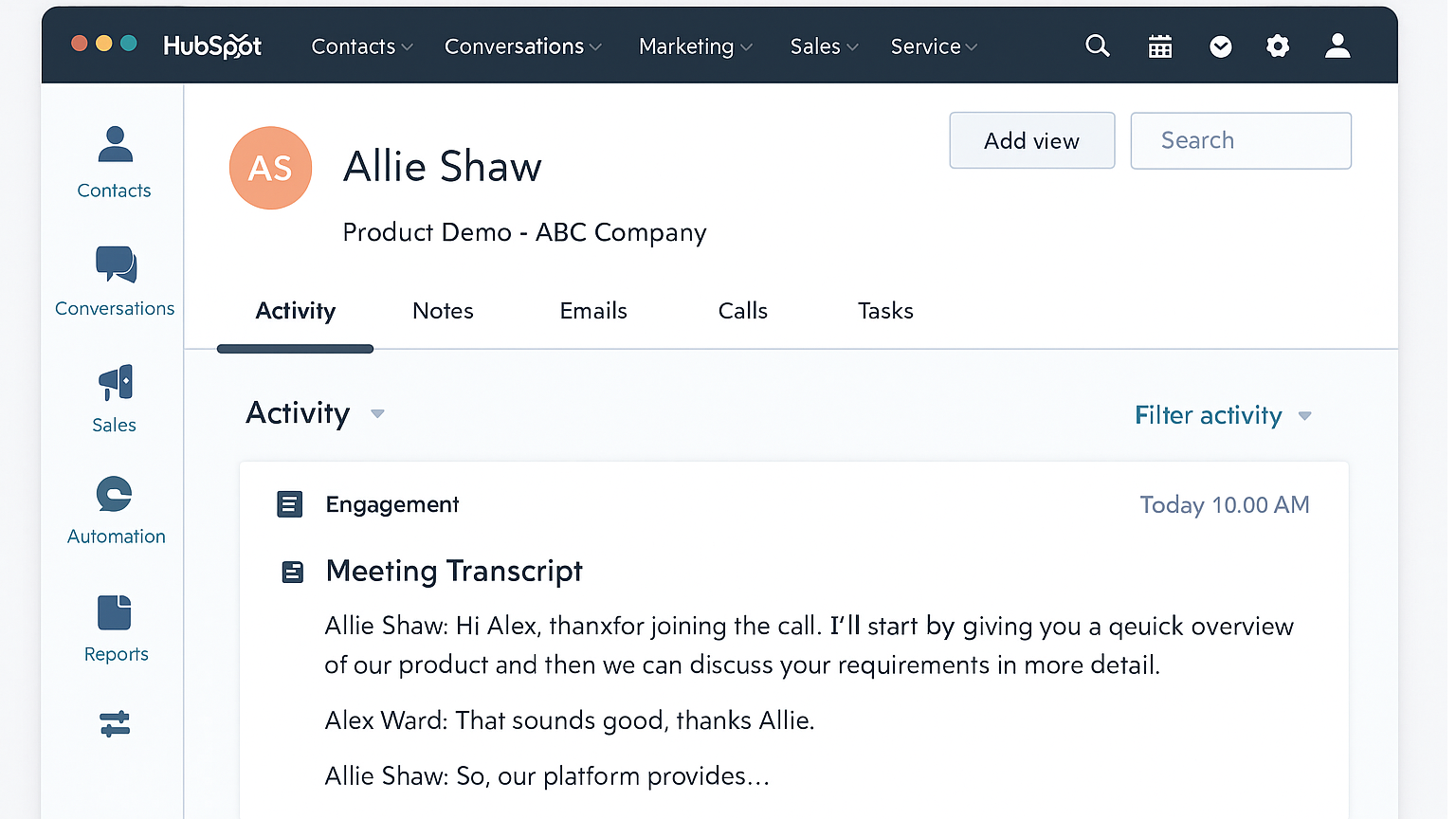
Automatische Transkription von Besprechungen
Transkribiert Besprechungen automatisch und protokolliert den gesamten Gesprächsverlauf für den entsprechenden HubSpot-Kontakt, das entsprechende Geschäft oder das entsprechende Unternehmen. Das spart Zeit, reduziert den manuellen Aufwand und stellt sicher, dass Teams stets über eine übersichtliche, durchsuchbare Aufzeichnung der besprochenen Inhalte verfügen – und das alles direkt im CRM.
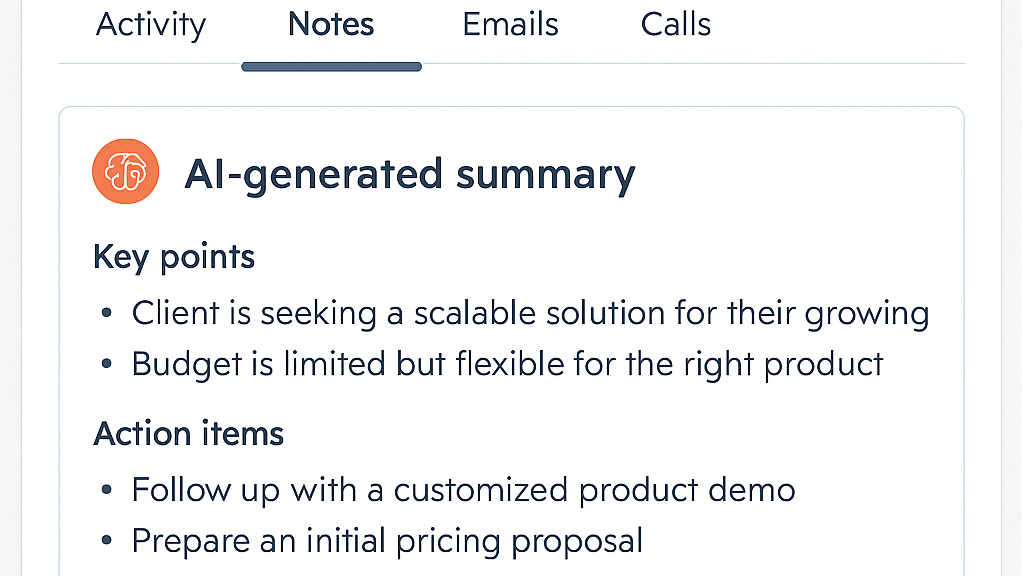
KI-gestützte Sitzungszusammenfassungen
Von KI generierte Zusammenfassungen erfassen die wichtigsten Punkte, Maßnahmen und nächsten Schritte aus Besprechungen und protokollieren diese direkt im entsprechenden HubSpot-Datensatz. Das spart Zeit, sorgt für eine einheitliche Ausrichtung der Teams und stellt sicher, dass wichtige Erkenntnisse stets dokumentiert werden – selbst wenn jemand die Besprechung verpasst.
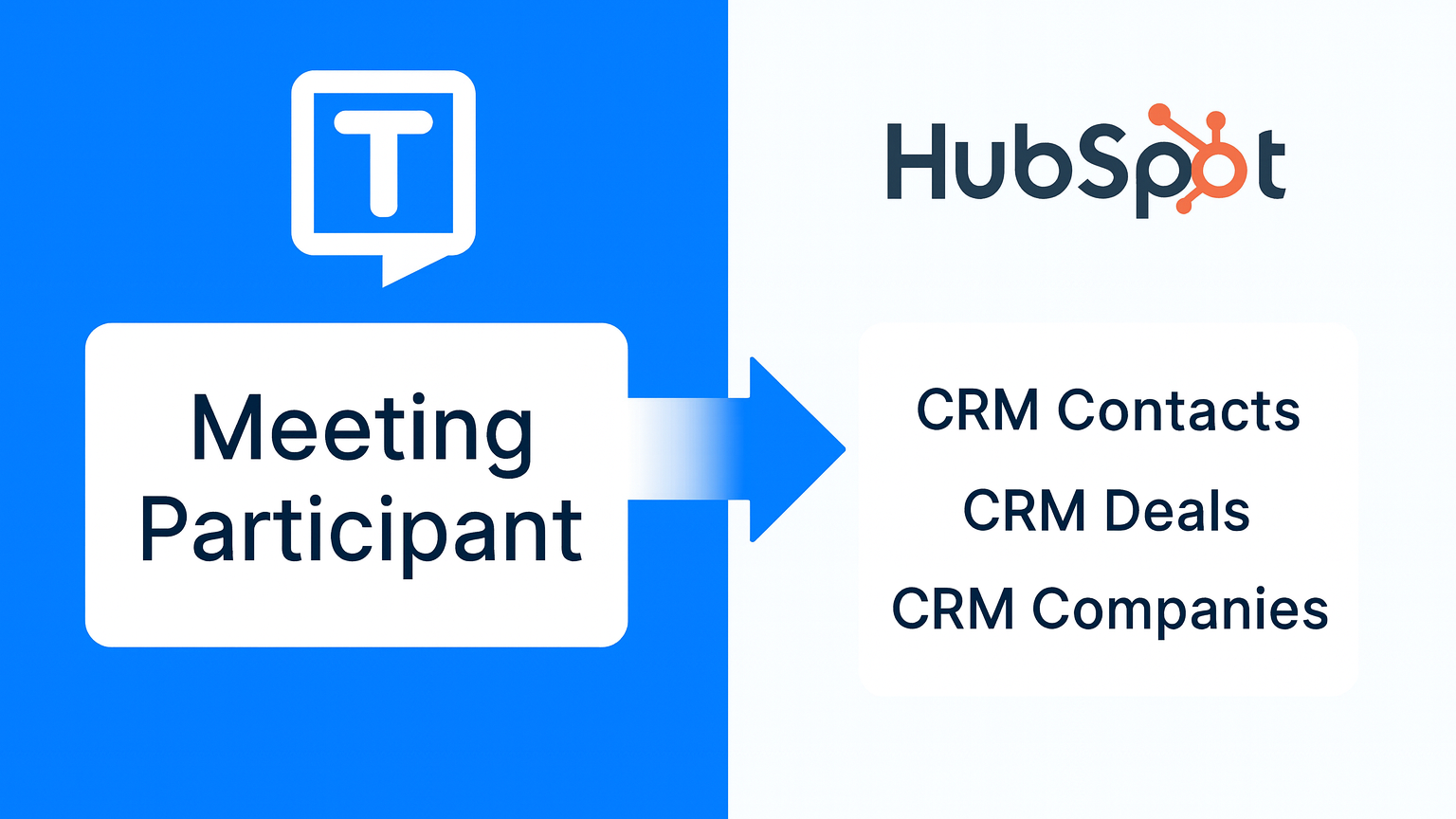
CRM: Zuordnung von Kontakten und Geschäften
Verknüpft Transkripte und Zusammenfassungen anhand der E-Mail-Teilnehmer und des CRM-Kontexts automatisch mit dem richtigen Kontakt, Geschäft oder Unternehmen in HubSpot. Es ist kein manuelles Zuordnen erforderlich – Erkenntnisse aus Besprechungen werden stets dort abgelegt, wo sie hingehören, was eine nahtlose Zusammenarbeit im Team und eine reibungslose Nachverfolgung gewährleistet.
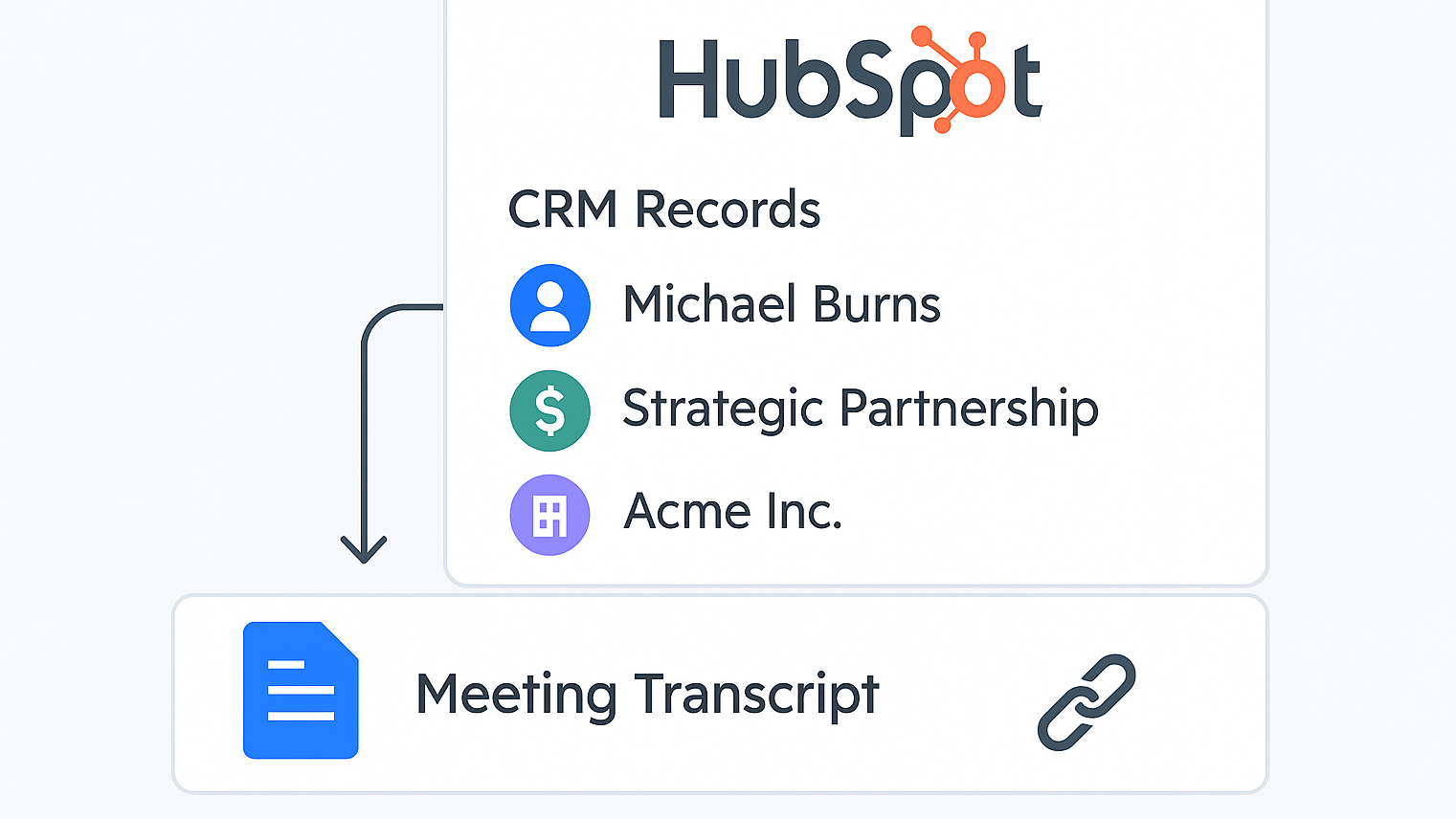
Hochladen von Transkriptdateien in HubSpot
Lädt Besprechungsprotokolle automatisch als PDF- oder Textdateien in HubSpot hoch und verknüpft sie mit dem entsprechenden Kontakt, Geschäft oder Unternehmen. Optional wird zur schnellen Bezugnahme auch eine Aufzeichnungs-URL (z. B. ein Zoom-Link) angehängt. So können Teams direkt aus dem CRM heraus ganz einfach auf den vollständigen Inhalt der Besprechung zugreifen und diesen weitergeben.
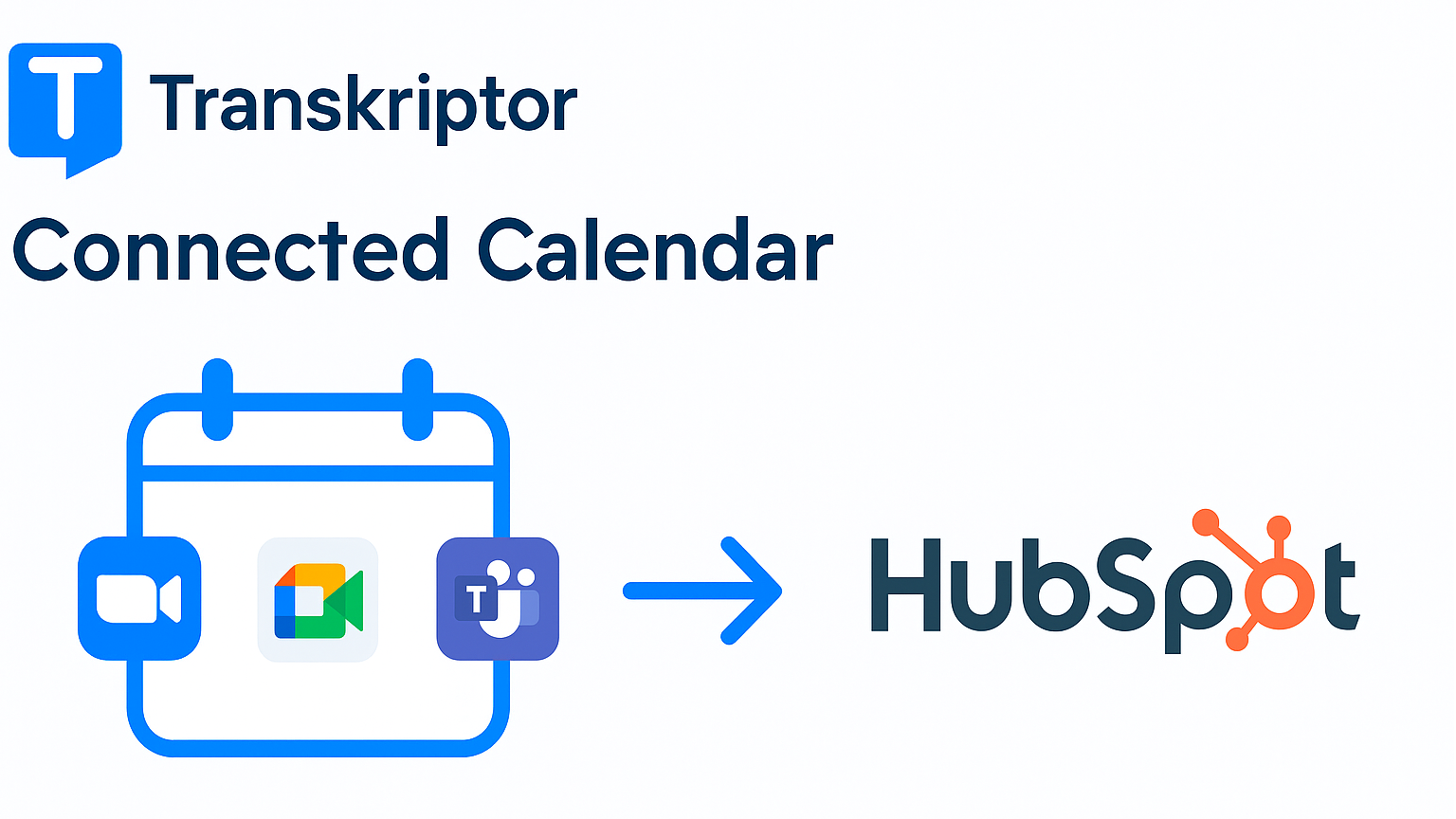
Integration von Besprechungen über verschiedene Plattformen hinweg
Erkennt Besprechungen aus Zoom, Google Meet und Microsoft Teams über verbundene Kalender und synchronisiert Protokolle und Zusammenfassungen mit den entsprechenden HubSpot-Datensätzen – ganz ohne manuellen Aufwand. Ideal für Teams, die mehrere Besprechungsplattformen nutzen.
App-Funktionalität
Datenaustausch
Meeting Transcript | ||
Meeting Summary | ||
Meeting Participant | ||
Meeting Participant | ||
Meeting Participant | ||
File Attachment |
Unsere App lässt sich über OAuth sicher in HubSpot integrieren, um Ihre CRM-Datensätze mit Inhalten zu Besprechungen anzureichern. Nach der Verbindung mit Ihrem HubSpot-Konto greifen wir auf grundlegende Kontakt-, Deal- und Unternehmensdaten zu, um Transkripte und Zusammenfassungen den richtigen Datensätzen zuzuordnen. Wir nehmen keine Änderungen an Deal- oder Unternehmensdaten vor.
Besprechungsprotokolle und KI-generierte Zusammenfassungen werden als Notizen oder Interaktionen in den Zeitleisten der Kontakte, Deals oder Unternehmen in HubSpot gespeichert. Sie können außerdem Besprechungsprotokolldateien (PDF oder Text) in die „CMS-Dateien“ von HubSpot hochladen und sie den entsprechenden Datensätzen zuordnen.
Der Zugriff auf alle Daten erfolgt ausschließlich im Lesemodus, es sei denn, dies ist ausdrücklich für das Verfassen von Besprechungsnotizen erforderlich. Es werden keine Daten an Dritte weitergegeben. Sie behalten die volle Kontrolle – Sie können den Zugriff jederzeit über Ihre HubSpot-Kontoeinstellungen widerrufen.
Rezensionen
Preise
Pro
8,33 $
/MonatUnbegrenzte Transkriptionsmöglichkeiten und fortschrittliche KI-Tools, mit denen Sie viel Zeit sparen
Unbegrenzte Anzahl von Transkriptionsdateien
2.400 Minuten Transkriptionszeit pro Monat
Transkripte organisieren, bearbeiten und gemeinsam daran arbeiten
Besprechungen automatisch aufzeichnen – dank Kalenderintegration
Übersetzen, teilen und Transkripte herunterladen
Bequemer Zugriff über die mobile App
Sparen Sie Zeit mit integrierten Vorlagen für Zusammenfassungen
Uneingeschränkter Zugriff auf die KI-Wissensdatenbank
Pro
8,33 $
/MonatUnbegrenzte Transkriptionsmöglichkeiten und fortschrittliche KI-Tools, mit denen Sie viel Zeit sparen
Unbegrenzte Anzahl von Transkriptionsdateien
2.400 Minuten Transkriptionszeit pro Monat
Transkripte organisieren, bearbeiten und gemeinsam daran arbeiten
Besprechungen automatisch aufzeichnen – dank Kalenderintegration
Übersetzen, teilen und Transkripte herunterladen
Bequemer Zugriff über die mobile App
Sparen Sie Zeit mit integrierten Vorlagen für Zusammenfassungen
Uneingeschränkter Zugriff auf die KI-Wissensdatenbank
* Die hier angegebenen Preise dienen nur zu Illustrationszwecken. Alle Preise enthalten keine Steuern, Sonderangebote, Rabatte oder sonstigen Preisvarianten. Bitte wenden Sie sich direkt an den Partner, um aktuelle und korrekte Preisinformationen zu erhalten. HubSpot übernimmt keine Verantwortung für Preisinformationen, die von unseren Partnern bereitgestellt werden. Letzte Aktualisierung der Preisinformationen: 01.07.2026
Weitere Infos
Erstellt von - Tor.app
Installationen - 30+ Installationen
Kategorien Sprachen, in denen diese App verfügbar ist Deutsch ,Englisch ,Französisch – Frankreich ,Portugiesisch ,Spanisch undTürkisch
Am beliebtesten

Gmail
Holen Sie HubSpot in Ihren Posteingang – mit der HubSpot-Integration für Gmail

Google Calendar
Buchen Sie schnell und einfach Meetings mit HubSpot und Google Kalender.
