

Acumatica CRM
Desarrollado por HubSpot
Instalaciones - Más de 100 instalaciones
Clasificación 2
(3)
Requisitos
Plan de HubSpot Permisos de cuenta de HubSpot No se requieren permisos Tipo de acceso Compartida Suscripción: Acumatica CRM - Suscripción: Review Acumatica CRM Pricing Page
Vista general
1/2
Sync data between Acumatica CRM and HubSpot without manual data entry or messy, time-consuming imports.
Here’s what you get with Data Sync by HubSpot:
- Two-way sync: Data is shared between Acumatica CRM and HubSpot in real time
- Default field mappings: Set-up is quick with out-of-the-box field mappings already created for you
- Historical syncing: Your existing data will sync right away, and updates will sync as they happen
Important note: This is a sync with the Acumatica CRM. It is not a sync with the ERP.
Características
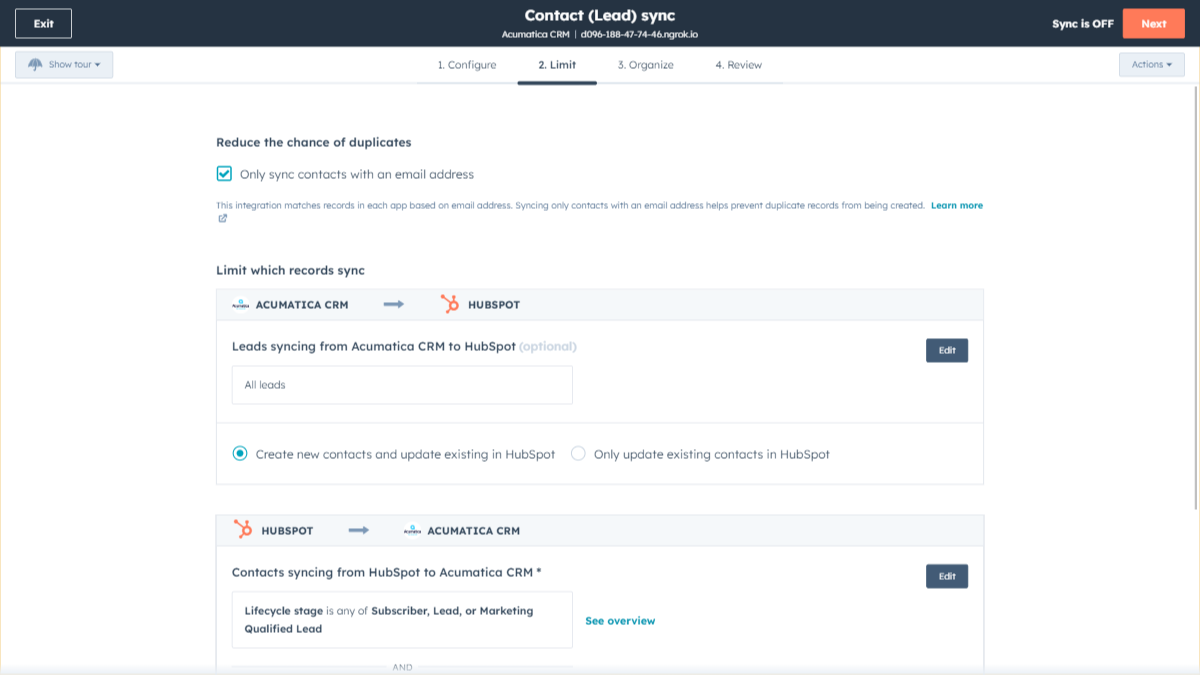
Sync Acumatica CRM and HubSpot in the background
Make manual data entry a thing of the past by syncing data (see below) between HubSpot and Acumatica CRM. When records are created or updated in either app, that information will be automatically shared with the other one. You can also add a filter for any Acumatica CRM field or HubSpot list to sync exactly what you want—and nothing you don’t.
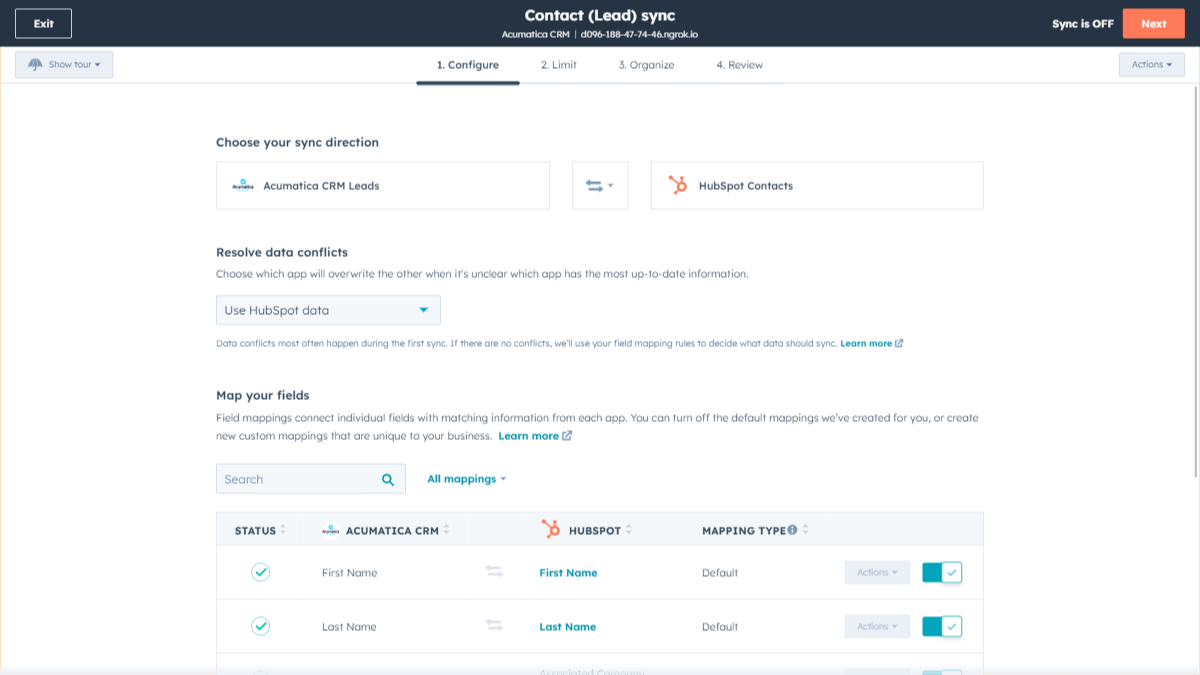
Custom Field Mappings
Out-of-the-box default field mappings make set-up quick and keep your data clean and organized. Custom field mappings are available with Data Hub Starter or above. Acumatica custom field types will only sync one-way into HubSpot.
Funcionalidad de la aplicación
Datos compartidos
Each object has field mappings that connect matching information from each app. Default mappings are listed below. If you want to change these default mappings or create your own, custom field mappings are available with Data Hub Starter and up.
Note: Custom field mappings can only be set up syncing from Acumatica towards HubSpot.
Business Accounts | ||
Contacts | ||
Leads |
Valoraciones
- 5 de jul. de 2023
La sincronización sólo con CRM es limitante
Trasladar las ventas a HubSpot puede resultar imposible sin una integración más completa que no requiera crear el mismo pedido en varias plataformas. como mínimo, necesitamos sincronizar la actividad y las transacciones.
Acumatica está en el centro de nuestras operaciones empresariales y es la fuente de la verdad para la facturación de pedidos de ventas y mucho más.
Grason, T.
Fabricación - De 51 a 200 empleados
- 12 de abr. de 2023
Demasiado simplista
No funciona bien - La sincronización no funciona correctamente a menos que la activemos manualmente de vez en cuando - Definitivamente no está "Escuchando" - La integración es demasiado simple para igualar la complejidad de Acumatica. la integración sólo se ocupa de las Cuentas de Negocios y Contactos y tampoco está mostrando la totalidad de los campos disponibles en esas tablas dac. - ¿Qué pasa con la tabla AR.Customers, y la tabla Sales Orders para que podamos empujar "Deals"/Orders a HubSpot? - ¿Qué pasa con las tablas CRM? sería bueno tener Cases sync con HubSpot En general, la integración sólo tiene que ser más robusta y completa
Importar empresas, contactos, acuerdos
Mazzoni, M.
Bienes de consumo - De 26 a 50 empleados
Review Acumatica CRM Pricing Page
0 US$
Use the 'See all pricing options' link on the righthand side
"Make sure to confirm the HubSpot subscription and the Acumatica CRM subscription needed to install this integration
Note: ""Free"" is referring to the cost of the integration, not the app subscriptions "
Review Acumatica CRM Pricing Page
0 US$
Use the 'See all pricing options' link on the righthand side
"Make sure to confirm the HubSpot subscription and the Acumatica CRM subscription needed to install this integration
Note: ""Free"" is referring to the cost of the integration, not the app subscriptions "
* El precio que aparece aquí es solo para fines de visualización. Los precios no incluyen impuestos, incentivos, descuentos u otras variables. Debes comunicarte con nuestro partner para obtener la información de precios más actualizada y correcta. HubSpot no se hace responsable de los precios que proporcionan nuestros partners. Precios actualizados por última vez: 03/09/2025
Más información
Desarrollado por HubSpot
Instalaciones - Más de 100 instalaciones
Categorías Idiomas en los que está disponible esta aplicación Inglés
Lo más leído

Gmail
Incorpora HubSpot a tu bandeja de entrada con la integración de HubSpot para Gmail.

Google Calendar
Programa reuniones de forma rápida y sencilla con HubSpot y el calendario de Google.
