

Acumatica CRM
Créé par HubSpot
Installation - 100+ installations
Évaluation 2
(3)
Exigences
Abonnement HubSpot Autorisations de compte HubSpot Aucune autorisation requise Type d'accès Partagé Abonnement à Acumatica CRM - Abonnement : Review Acumatica CRM Pricing Page
Vue d'ensemble
1/2
Sync data between Acumatica CRM and HubSpot without manual data entry or messy, time-consuming imports.
Here’s what you get with Data Sync by HubSpot:
- Two-way sync: Data is shared between Acumatica CRM and HubSpot in real time
- Default field mappings: Set-up is quick with out-of-the-box field mappings already created for you
- Historical syncing: Your existing data will sync right away, and updates will sync as they happen
Important note: This is a sync with the Acumatica CRM. It is not a sync with the ERP.
Fonctionnalités
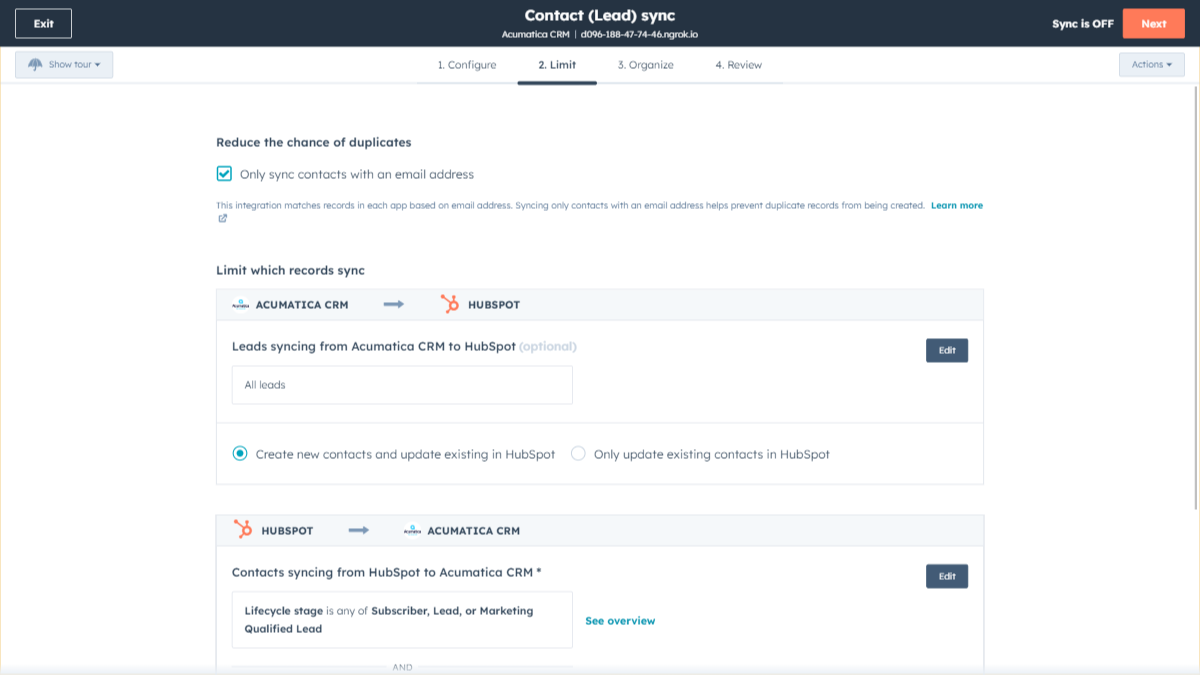
Sync Acumatica CRM and HubSpot in the background
Make manual data entry a thing of the past by syncing data (see below) between HubSpot and Acumatica CRM. When records are created or updated in either app, that information will be automatically shared with the other one. You can also add a filter for any Acumatica CRM field or HubSpot list to sync exactly what you want—and nothing you don’t.
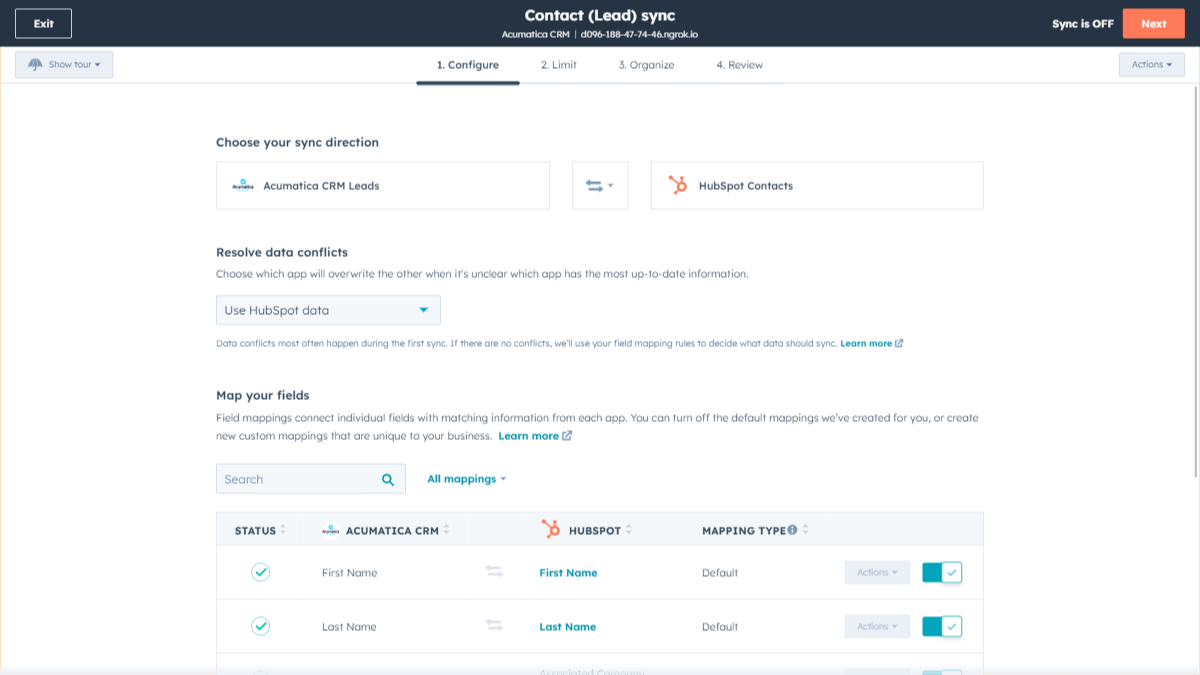
Custom Field Mappings
Out-of-the-box default field mappings make set-up quick and keep your data clean and organized. Custom field mappings are available with Data Hub Starter or above. Acumatica custom field types will only sync one-way into HubSpot.
Fonctionnalité de l'application
Données partagées
Each object has field mappings that connect matching information from each app. Default mappings are listed below. If you want to change these default mappings or create your own, custom field mappings are available with Data Hub Starter and up.
Note: Custom field mappings can only be set up syncing from Acumatica towards HubSpot.
Business Accounts | ||
Contacts | ||
Leads |
- 5 juil. 2023
La synchronisation avec le CRM est limitée
Le transfert des ventes vers HubSpot peut s'avérer impossible sans une intégration plus complète qui n'exige pas de créer la même commande sur plusieurs plateformes.
Acumatica est au cœur de nos opérations commerciales et constitue la source de vérité pour les commandes de vente, la facturation et bien d'autres choses encore.
Grason, T.
Fabrication - 51 à 200 employés
- 12 avr. 2023
Trop simpliste
L'intégration est trop simple pour correspondre à la complexité d'Acumatica. L'intégration ne prend en charge que les comptes commerciaux et les contacts et n'affiche pas l'intégralité des champs disponibles dans ces tables dac. - Qu'en est-il de la table AR.Customers, et de la table Sales Orders pour que nous puissions pousser les "Deals"/Ordres vers HubSpot ? - Qu'en est-il des tables CRM ? ce serait bien d'avoir Cases sync avec HubSpot Globalement, l'intégration a juste besoin d'être plus robuste et plus complète.
Sociétés d'importation, contacts, transactions
Mazzoni, M.
Produits de consommation - 26 à 50 employés
Tarification
Review Acumatica CRM Pricing Page
0 $US
Use the 'See all pricing options' link on the righthand side
"Make sure to confirm the HubSpot subscription and the Acumatica CRM subscription needed to install this integration
Note: ""Free"" is referring to the cost of the integration, not the app subscriptions "
Review Acumatica CRM Pricing Page
0 $US
Use the 'See all pricing options' link on the righthand side
"Make sure to confirm the HubSpot subscription and the Acumatica CRM subscription needed to install this integration
Note: ""Free"" is referring to the cost of the integration, not the app subscriptions "
* Les prix mentionnés ici sont uniquement présentés à titre indicatif. Tous les prix n'incluent pas les taxes, les offres spéciales, les réductions ni les autres facteurs pouvant affecter les tarifs. Vous devez contacter le partenaire pour obtenir les tarifs les plus récents. HubSpot n'assume aucune responsabilité pour les informations de tarification fournies par ses partenaires. Dernière mise à jour des prix : 03/09/2025
Informations supplémentaires
Créé par HubSpot
Installation - 100+ installations
Catégories Langues dans lesquelles cette application est disponible Anglais
Nouveautés

Finale Composer
Contenu web généré par l'IA, conçu pour HubSpot.

Synder
Synchronisez vos factures HubSpot avec QuickBooks, NetSuite ou Xero — avec la comptabilité d'exercice et la comptabilisation des produits
