

Helpwise
Vaatimukset
HubSpot-tilaus HubSpot-tilin käyttöoikeudet - Tarkastele vaadittuja tilin käyttöoikeuksia
Pääsytyyppi Jaettu Helpwise-tilaus - Pro Plan paketti
Yhteenveto
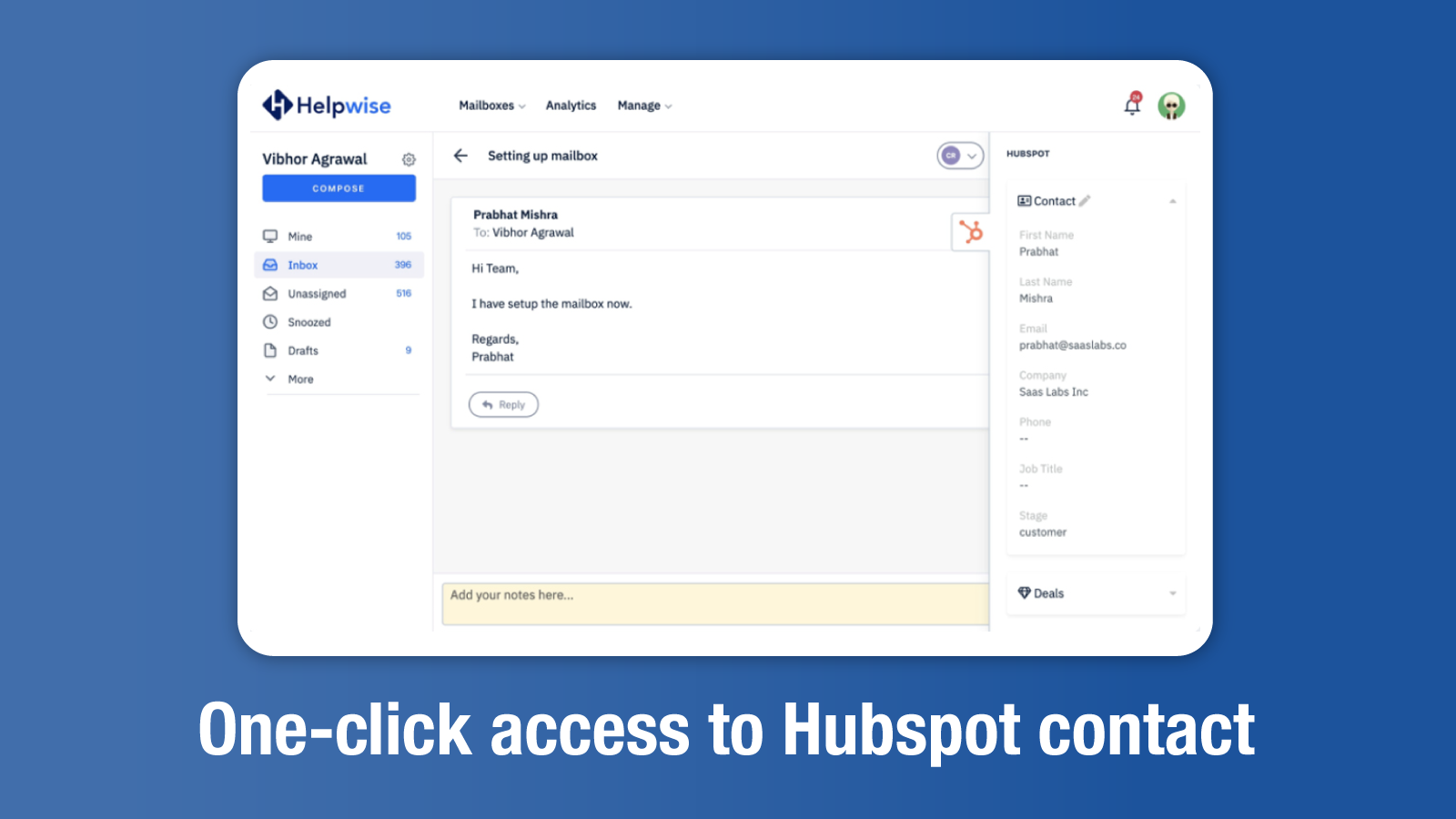
1/4 - Easily track and edit information of your customer.
Team Inbox For Email, SMS, WhatsApp and Social Media
Helpwise provides team inbox for multiple channels of conversation like email, sms, WhatsApp, Twitter, Facebook etc.
As business grows, it becomes a struggle to manage customer, sales or internal emails(billing, hiring) across the company. And, then we make a blunder by sharing email logins among team members. We understand the chaos that it creates because we have been through the same pain during our previous gigs & businesses. So, this is exactly why we built Helpwise - the shared inbox that really works!
Shared inbox finds an important use case in almost every team: customer support, customer success, legal, finance, operations, remote team etc.
How Helpwise & HubSpot integration works?
This integration will allow you to fetch information of the customer or lead from HubSpot - right within the email or messages thread. You can update some of this information directly from Helpwise and these changes will reflect in HubSpot immediately.
For example, if a customer sends you a WhatsApp message stating that he is interested to buy, then you can update the status of this lead in HubSpot from Helpwise itself.
Key Benefits of Using Helpwise
Assign & Tag Emails & Messages, Chat within Email Threads
- Assign email or message threads to right people in the team
- Chat with team members within email threads
- Tag & Label email threads for better grouping, tracking and search
- Use saved replies to answer common queries quickly
Know if someone from team is replying or viewing an email thread. Avoid duplicate and conflicting responses.
No More Embarrassing Duplicate Replies
Collision is that awkward moment when two people on your team not only replied to the same customer twice, but also gave different information. Ouch!
Helpwise comes with built-in collision control functionality so no more duplicate replies.
- Track who all from your team are reading the same email thread
- See in real-time if someone from team is replying to an email
- Assign email threads to right people in the team to avoid collision for good
Integrate With Your Favorite Business Tools
Connect your favorite business tools like CRM, Helpdesk, Phone, Billing to your Helpwise account and always, have the complete information before sending any reply. Easily update information in your Sales CRM or Helpdesk directly from your Helpwise inbox.
Additional Tools: Website Chat and Help Center Site
Add a beautiful chat widget on your website to generate leads and provide realtime customer support.
Create an SEO optimized Help Center to allow your customers to find answers to their queries or to give your agents option to embed help articles in their email replies.
Ominaisuudet
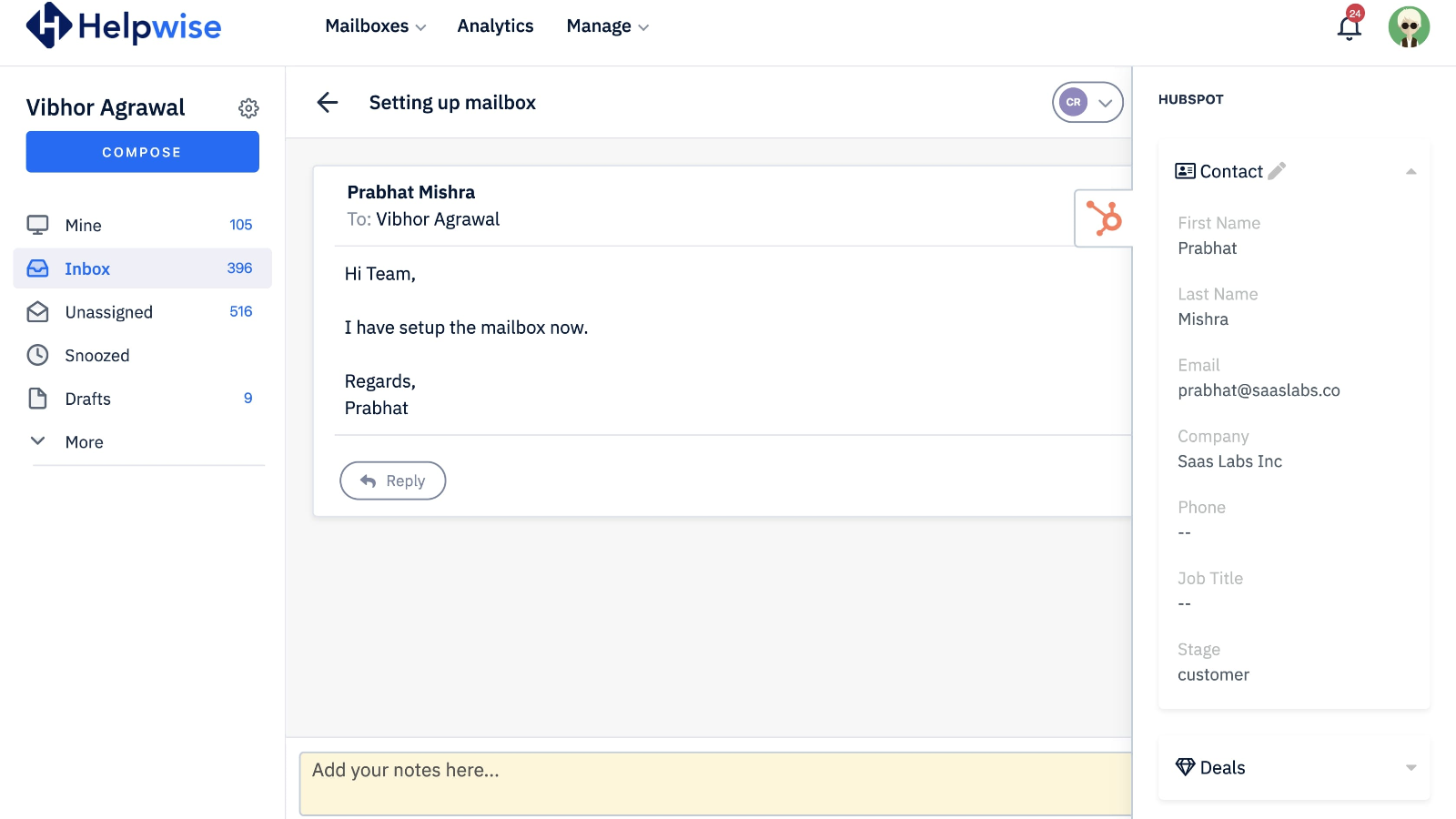
Retrieve customer information
Retrieve customer's information from HubSpot in your Helpwise shared inbox. Easily edit or create new contact HubSpot as well.
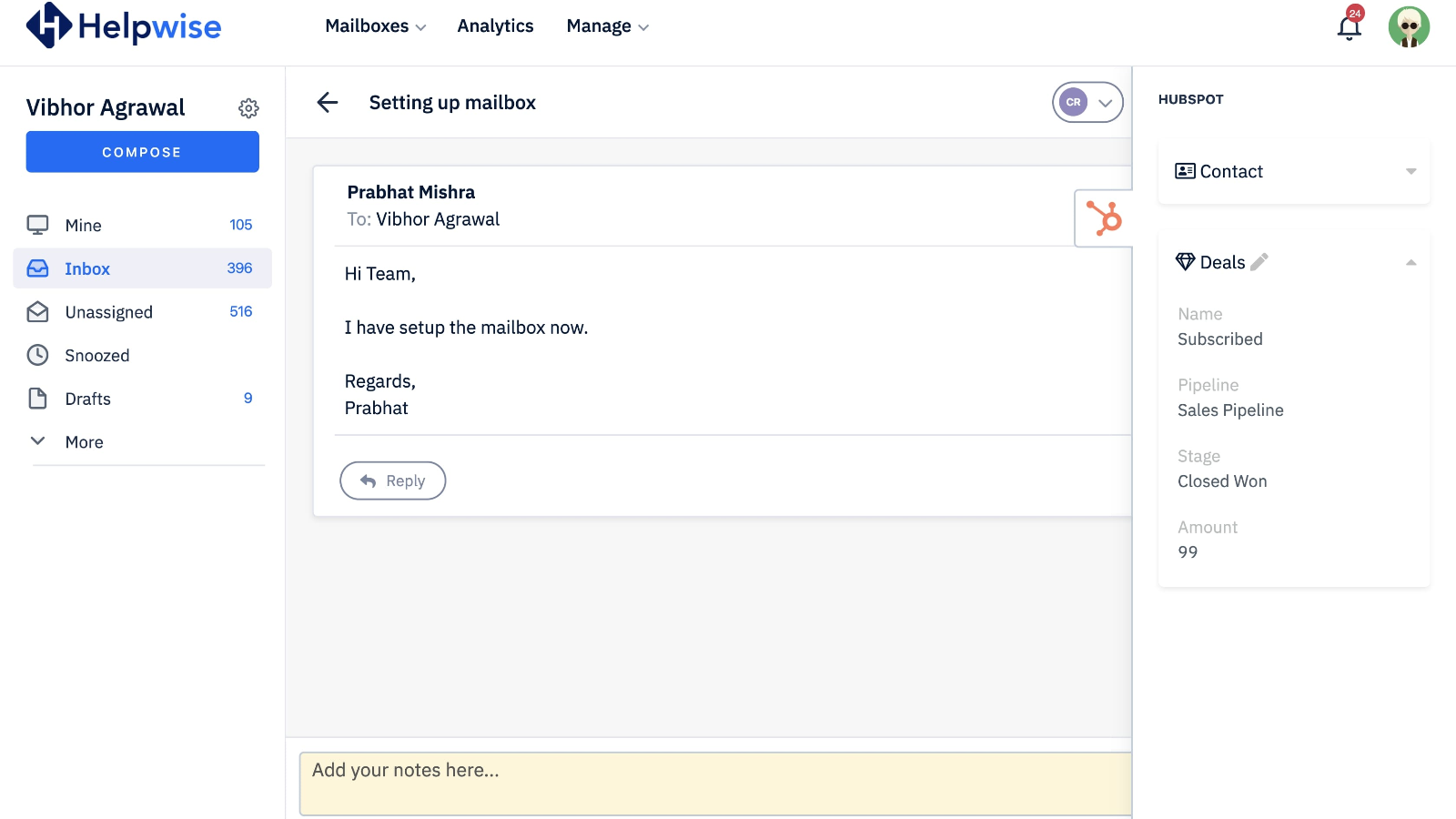
Manage deals associated with your customer
See the deal's information and edit directly from Helpwise shared inbox.

Track And Create Engagements
Track the engagements associated with the customer. Also, you can easily create engagements in customer's profile.
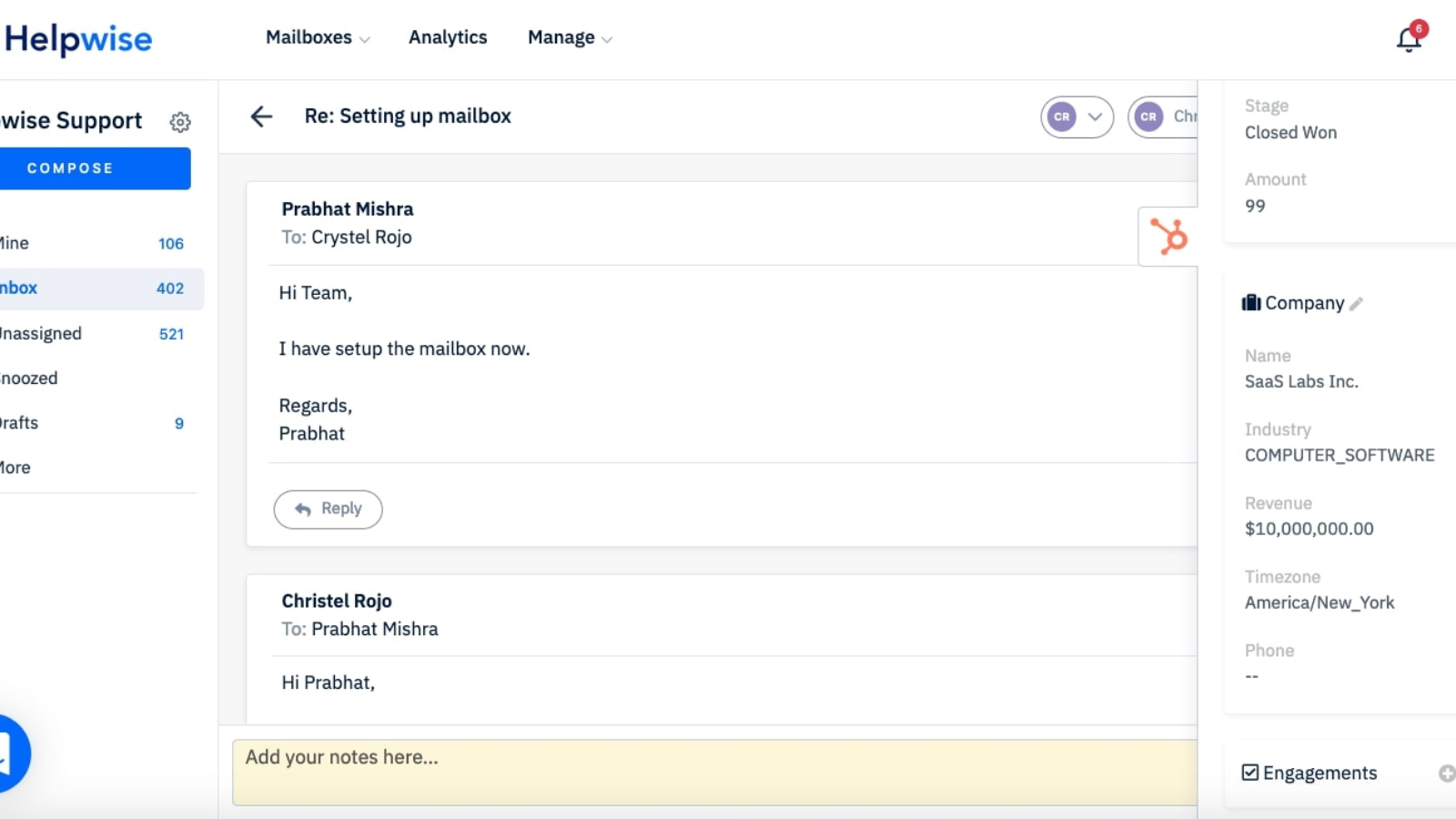
Retrieve Associated Company
Retrieve the information of the company associated with the searched contact.
Sovelluksen toiminnallisuus
Jaetut tiedot
Engagement | ||
Companies | ||
Deals | ||
Contacts |
Arvostelut
- 18. elo 2025
Täydellinen pettymys, joka johti välittömään peruuttamiseen
Se ei vain toiminut minulle lainkaan. Peruutin Helpwisen osittain sen seurauksena.
Dillon, K.
Hinnoittelu
Pro Plan
83,25 $
/kuukausiFor growing teams. Pay a fixed monthly fee, add unlimited users
Unlimited Team Members
5 Shared Inboxes (Email, SMS or WhatsApp)
25 Automation Rules
Email Reply Templates
Email Delegation
Email Open Tracking
Chat within Email Threads
Auto Assignment (Rule Based)
Advanced Analytics
1 Help Center Site
Unlimited Standard Integrations
API & Webhooks
Migration & Setup Support
Pro Plan
83,25 $
/kuukausiFor growing teams. Pay a fixed monthly fee, add unlimited users
Unlimited Team Members
5 Shared Inboxes (Email, SMS or WhatsApp)
25 Automation Rules
Email Reply Templates
Email Delegation
Email Open Tracking
Chat within Email Threads
Auto Assignment (Rule Based)
Advanced Analytics
1 Help Center Site
Unlimited Standard Integrations
API & Webhooks
Migration & Setup Support
*Hinnoittelu tässä on vain esittelytarkoituksessa. Kaikki hinnat eivät sisällä veroja, kannustimia, alennuksia tai muita hinnoittelumuuttujia. Pyydä kumppanilta ajantasaiset ja oikeat hintatiedot. HubSpot ei ota vastuuta näistä kumppaneidemme tarjoamista hintatiedoista. Hinnoittelu päivitetty viimeksi: 09.08.2025