

File Attachment Automation
Use workflows to delete, rename, and reassociate attachments.
Créé par - Growth Operations
Installation - 100+ installations
Évaluation - 4,8(6)
Exigences
Abonnement HubSpot Compatible avec tous les abonnements HubSpot En savoir plus Autorisations de compte HubSpot - Afficher les autorisations de compte requises
Abonnement à File Attachment Automation - Abonnements : Free, Starter, Professional, Enterprise ou Enterprise+
Vue d'ensemble
1/4
Keep files clean & organized inside the HubSpot CRM.
Use workflows to delete, rename, and reassociate attachments.
With this one app, you'll unlock three (3) new workflow actions:
Attach Files
Update Files
Delete Files
Example Use Cases:
Organize Contracts. Require a contract PDF be added to a closed won deal, then have that file reattach to the associated company record. Ensuring a complete contract history is available on your customer accounts for all deals.
Rename Files. Use the Update Files action to rename a specified file on an enrolled record. Options include adding a date to the end of the name, appending text, or renaming the file entirely using static text and/or field tokens.
Remove Unwanted Files. Get rid of the files you don't want to see on a record. Advanced targeting allows you to filter on file source, file type, file name, as well as a files create date. These filters can be combined, so if you wanted to target logos/headshots copied in from HubSpot's email extension, you could combine "File Source = Email" and "File Type = Image" together.
Migrate Files To HubSpot. The Attach Files action allows you to pull file(s) from the central HubSpot File Manager. With dynamic targeting options, this makes it possible to effectively migrate files into the file manager, then onto specified CRM records using a matching key.
Fonctionnalités
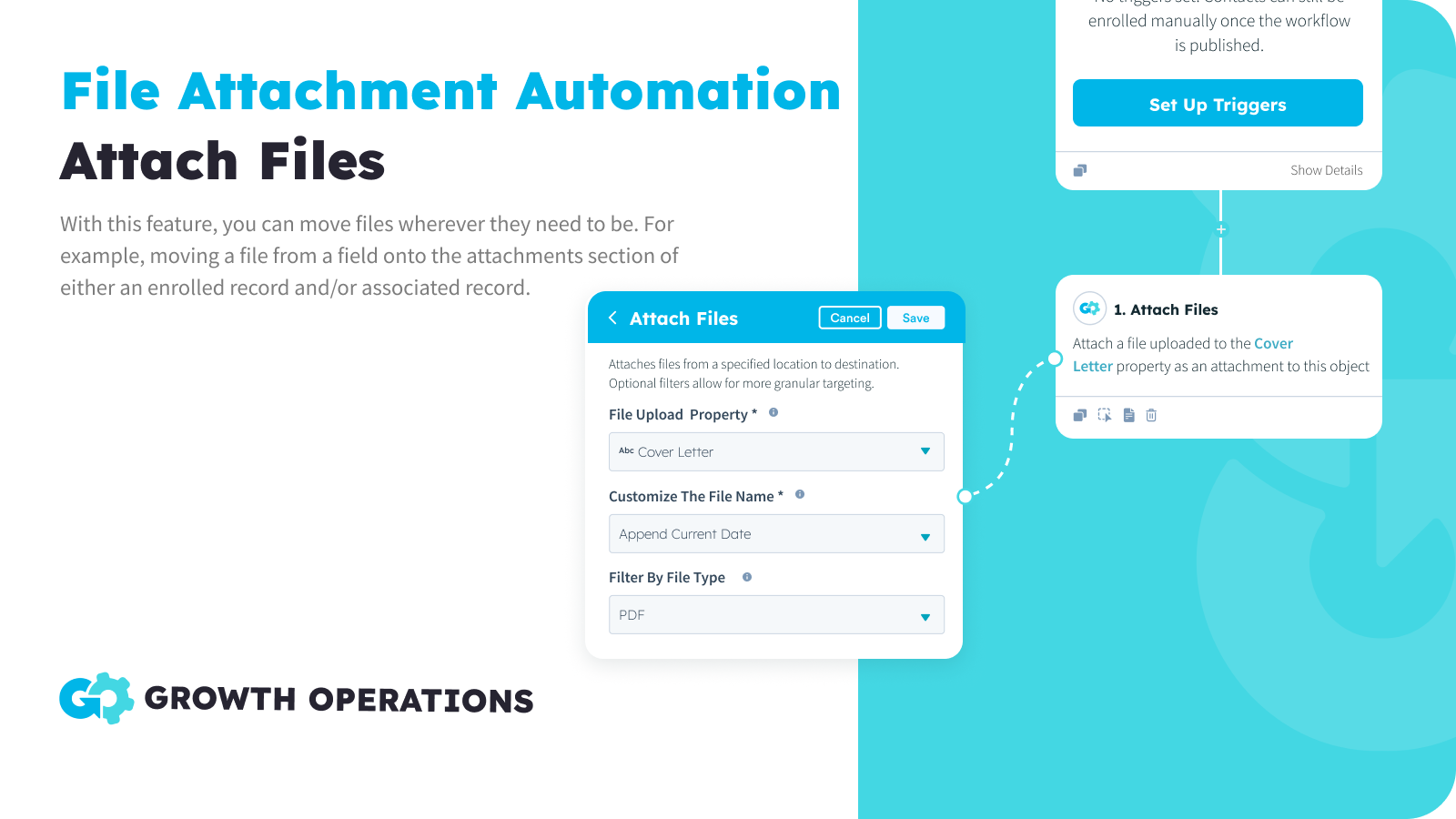
Attach Files
Reassociate files from one location to another. Pull files from the central File Manager, a file property on the enrolled record, or the attachments section of an enrolled record. Then move files to a file property or attachments section on the enrolled record, or an object that’s associated to the enrolled record.
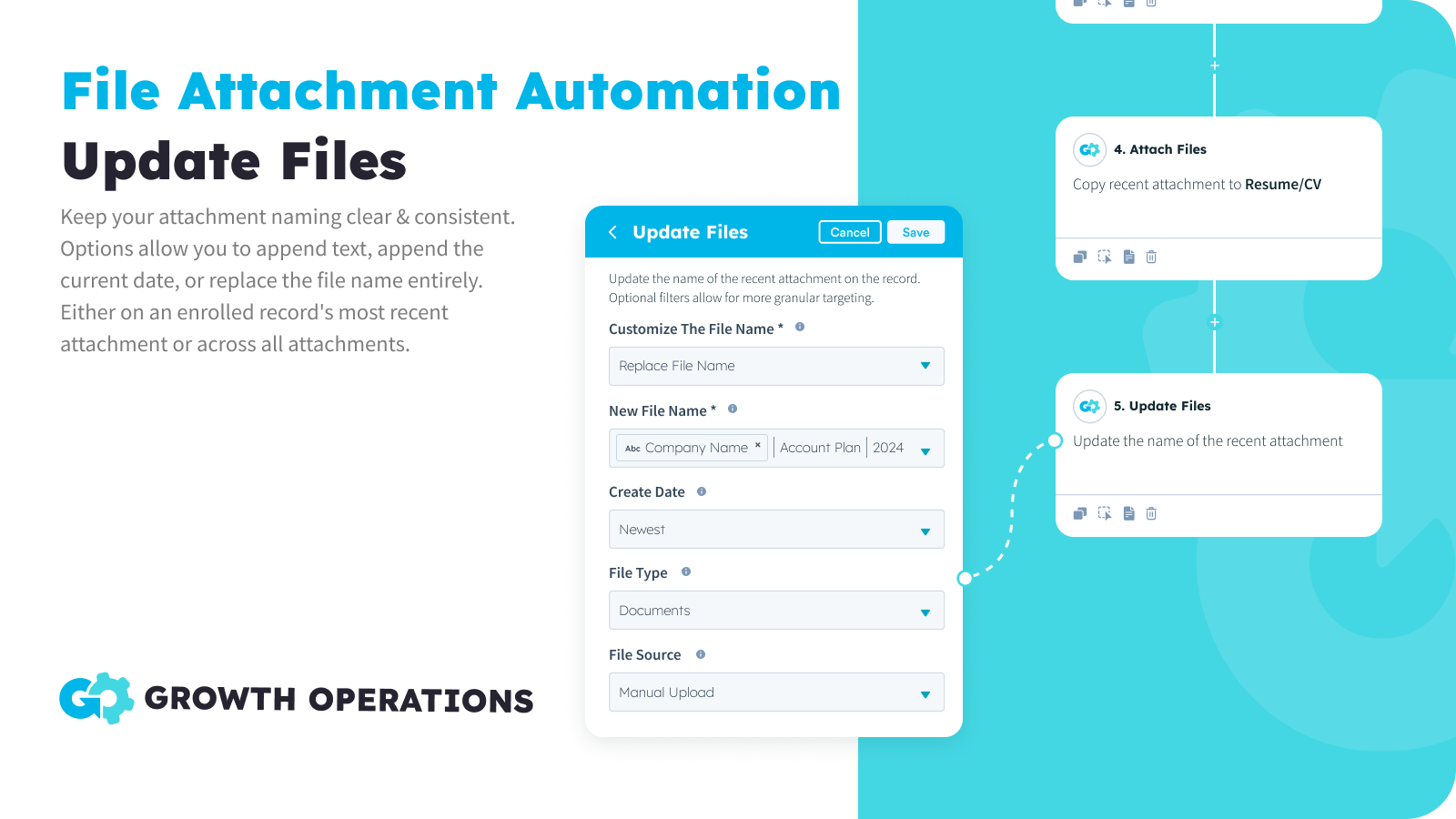
Update Files
Keep your attachment naming clear & consistent. Options allow you to append text, append the current date, or replace the file name entirely. Advanced filters allow you to target specific files located on the enrolled record, and refine which are updated based on file source, file type, current name, or create date.
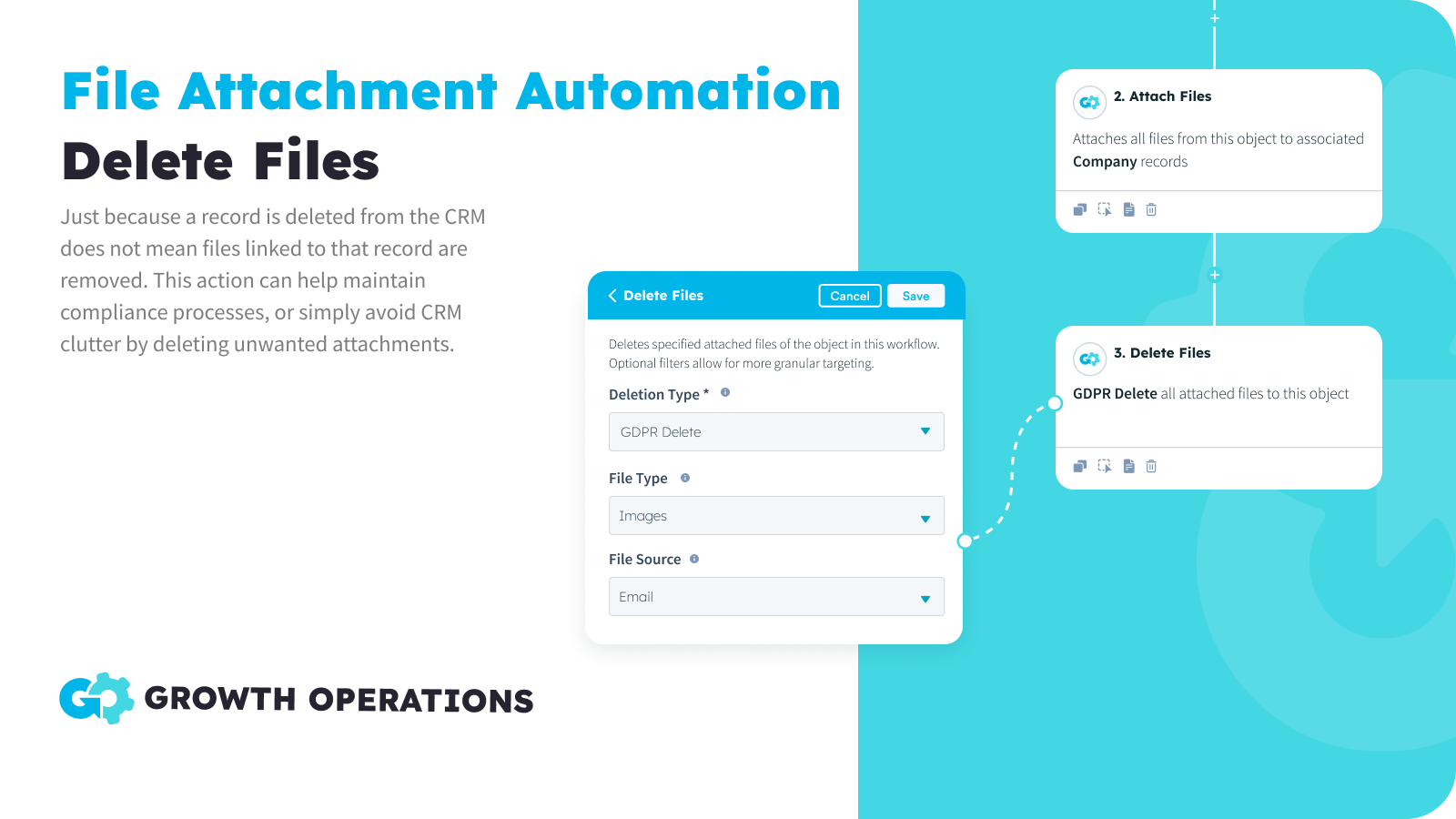
Delete Files
Just because a record is deleted from the CRM does not mean files linked to that record are removed. This action can help maintain compliance processes, or simply avoid CRM clutter by deleting unwanted attachments.
Fonctionnalité de l'application
Données partagées
CMS Files | ||
Companies | ||
Company Properties | ||
Contact Properties | ||
Contacts | ||
CRM Card | ||
Custom Objects | ||
Deal Properties | ||
Deals | ||
Owners | ||
Tickets | ||
Workflows |
Avis
4,8
6
4,8
6
- 10 juin 2025
Très utile pour les migrations et facile à utiliser
Cette application est très pratique, surtout lorsqu'il s'agit de migrer un grand nombre de fichiers vers HubSpot. Cette application peut être utilisée pour associer automatiquement les fichiers du gestionnaire de fichiers aux bons enregistrements de contact, d'entreprise, d'affaire et même d'objet personnalisé - ce qui permet d'économiser de nombreuses heures de travail manuel !
Il s'agit d'une application rentable qui ne nécessite aucune connaissance en matière de codage et dont l'utilisation est très intuitive, ce qui est idéal pour les non-développeurs comme moi. Le modèle de tarification est également très clair.
Yip, W.Y.
- 2 juin 2025
Un outil simple mais efficace pour les migrations de pièces jointes
Il s'agit d'un petit plug-in très utile lorsque vous avez une migration avec beaucoup de pièces jointes.
Facilité d'utilisation
Pas de réel inconvénient
Posey, C.
Tarification
Free
0 $US
50x Per Month For FREE
Full Access To All App Features
Available In All Workflow Types
50 Actions Per Month
Free
0 $US
50x Per Month For FREE
Full Access To All App Features
Available In All Workflow Types
50 Actions Per Month
* Les prix mentionnés ici sont uniquement présentés à titre indicatif. Tous les prix n'incluent pas les taxes, les offres spéciales, les réductions ni les autres facteurs pouvant affecter les tarifs. Vous devez contacter le partenaire pour obtenir les tarifs les plus récents. HubSpot n'assume aucune responsabilité pour les informations de tarification fournies par ses partenaires. Dernière mise à jour des prix : 08/11/2025
Informations supplémentaires
Créé par - Growth Operations
Installation - 100+ installations
Catégories Langues dans lesquelles cette application est disponible Anglais
Les plus populaires

Gmail
Intégrez HubSpot à votre boîte de réception grâce à l'intégration…

Google Calendar
Réservez des réunions rapidement et facilement avec HubSpot et Google…
