
File Attachment Automation
Use workflows to delete, rename, and reassociate attachments.
Byggd av - Growth Operations
Installationer - 100+ installationer
Betyg 4,8
(6)

Leading
Krav
HubSpot-plan Behörigheter för HubSpot-konto - Visa de obligatoriska kontobehörigheterna
Åtkomsttyp Shared File Attachment Automation prenumeration - Free, Starter, Professional, Enterprise, eller Enterprise+ planer
Översikt
1/4
Keep files clean & organized inside the HubSpot CRM.
Use workflows to delete, rename, and reassociate attachments.
With this one app, you'll unlock three (3) new workflow actions:
Attach Files
Update Files
Delete Files
Example Use Cases:
Organize Contracts. Require a contract PDF be added to a closed won deal, then have that file reattach to the associated company record. Ensuring a complete contract history is available on your customer accounts for all deals.
Rename Files. Use the Update Files action to rename a specified file on an enrolled record. Options include adding a date to the end of the name, appending text, or renaming the file entirely using static text and/or field tokens.
Remove Unwanted Files. Get rid of the files you don't want to see on a record. Advanced targeting allows you to filter on file source, file type, file name, as well as a files create date. These filters can be combined, so if you wanted to target logos/headshots copied in from HubSpot's email extension, you could combine "File Source = Email" and "File Type = Image" together.
Migrate Files To HubSpot. The Attach Files action allows you to pull file(s) from the central HubSpot File Manager. With dynamic targeting options, this makes it possible to effectively migrate files into the file manager, then onto specified CRM records using a matching key.
Egenskaper
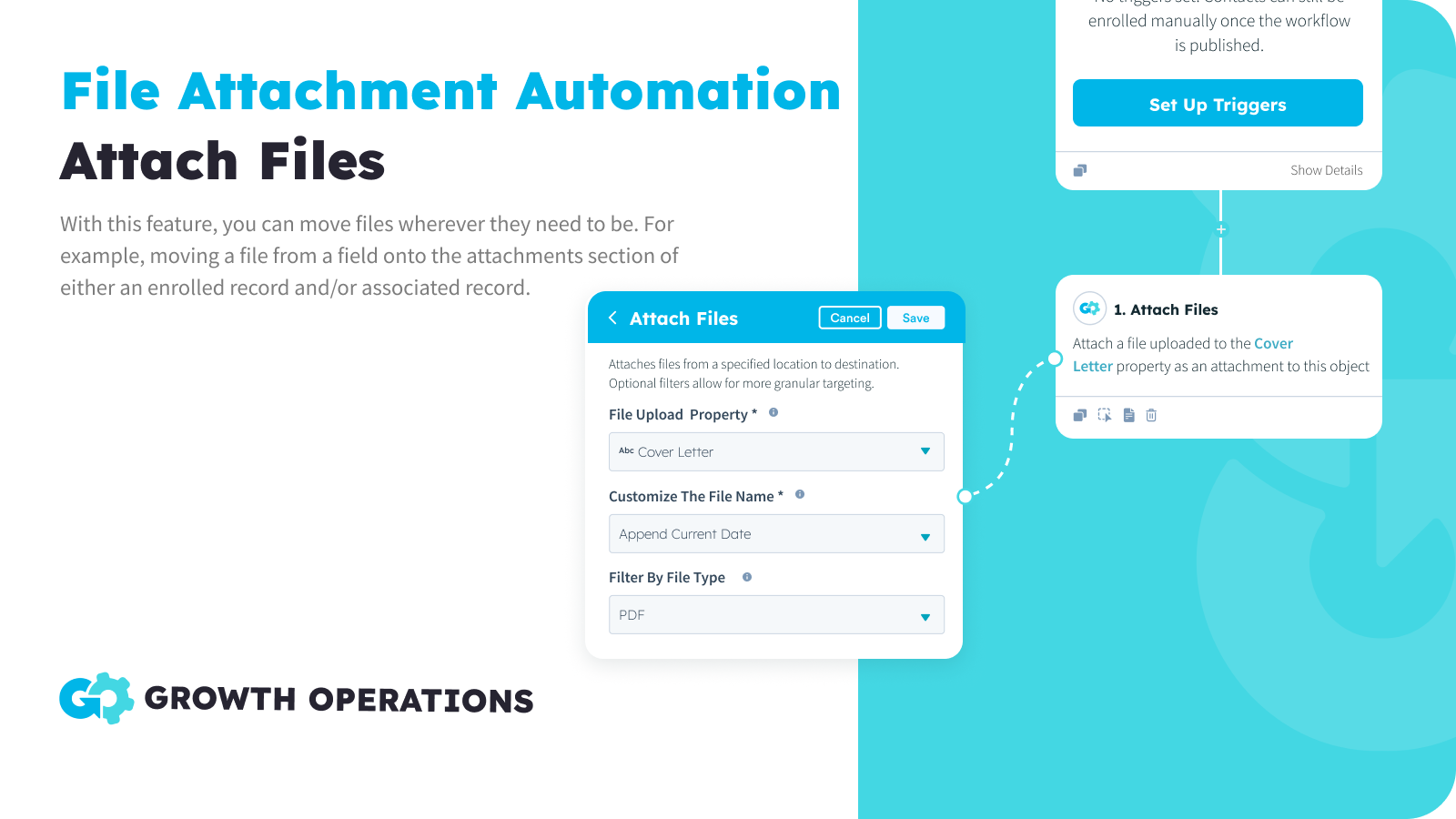
Attach Files
Reassociate files from one location to another. Pull files from the central File Manager, a file property on the enrolled record, or the attachments section of an enrolled record. Then move files to a file property or attachments section on the enrolled record, or an object that’s associated to the enrolled record.
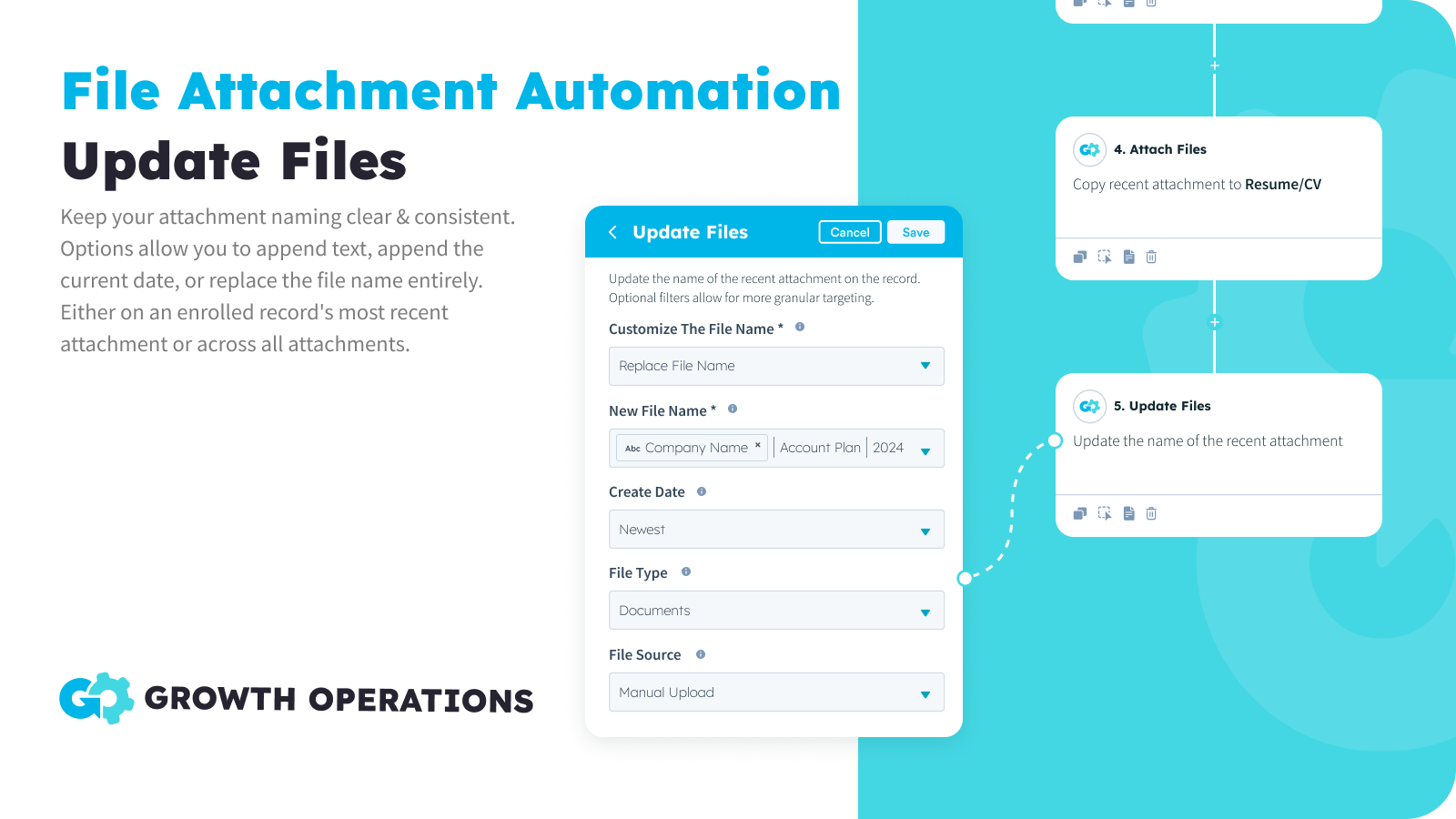
Update Files
Keep your attachment naming clear & consistent. Options allow you to append text, append the current date, or replace the file name entirely. Advanced filters allow you to target specific files located on the enrolled record, and refine which are updated based on file source, file type, current name, or create date.
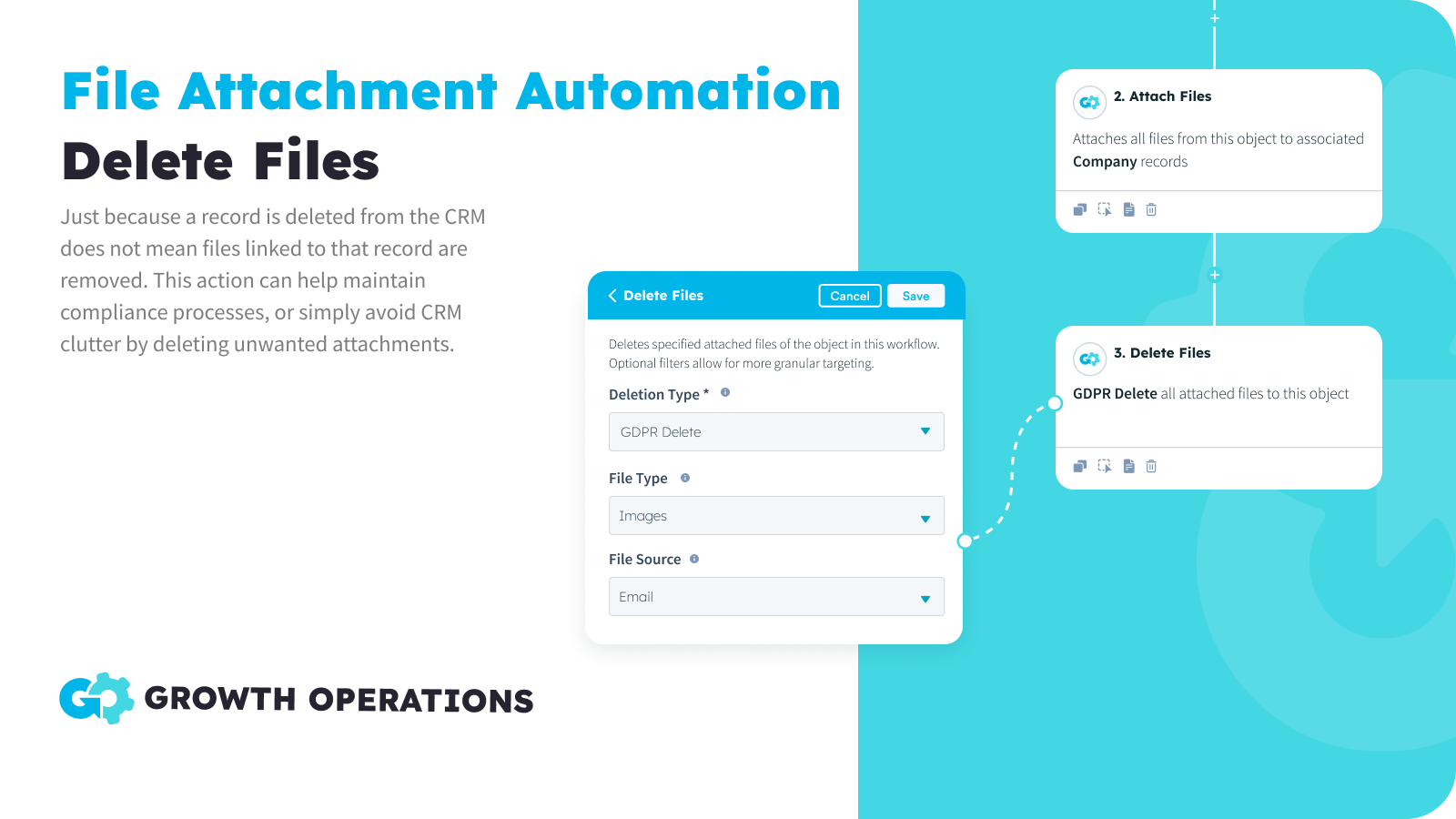
Delete Files
Just because a record is deleted from the CRM does not mean files linked to that record are removed. This action can help maintain compliance processes, or simply avoid CRM clutter by deleting unwanted attachments.
Appfunktionalitet
Delade data
CMS Files | ||
Companies | ||
Company Properties | ||
Contact Properties | ||
Contacts | ||
CRM Card | ||
Custom Objects | ||
Deal Properties | ||
Deals | ||
Owners | ||
Tickets | ||
Workflows |
Recensioner
4,8
6
4,8
6
- 10 jun 2025
Mycket användbart för migreringar och enkelt att använda
Den här appen är mycket praktisk, särskilt när det gäller att migrera många filer till HubSpot. Den här appen kan användas för att automatiskt associera filer från filhanteraren till rätt kontakt, företag, affär och till och med anpassade objektposter - vilket sparar många timmars manuellt arbete!
Det här är en kostnadseffektiv app som inte kräver någon kodningskunskap och som är mycket intuitiv att använda, vilket är bra för icke-utvecklare som jag. Prissättningsmodellen är också mycket tydlig att förstå.
Yip, W.Y.
- 2 jun 2025
Enkelt men effektivt verktyg för migrering av bilagor
Det här är en bra liten plug-in som du kan använda när du har en migrering med många bilagor.
Enkel användning
Ingen egentlig nackdel
Posey, C.
Prissättning
Free
0 US$
50x Per Month For FREE
Full Access To All App Features
Available In All Workflow Types
50 Actions Per Month
Free
0 US$
50x Per Month For FREE
Full Access To All App Features
Available In All Workflow Types
50 Actions Per Month
*Priserna här är endast avsedda som exempel. I priserna ingår inte skatter, incitament, rabatter eller andra prisvariabler. Ta kontakt med partnern för den senaste och mest uppdaterade prisinformationen. HubSpot har inget ansvar för den här prisinformationen, vilken tillhandahålls av våra partner. Priserna uppdaterades senast: 2026-01-13
Mer information
Byggd av - Growth Operations
Installationer - 100+ installationer
Kategorier Språk som denna app finns på Engelska
Får uppmärksamhet idag