

QuickBooks Online
Exigences
Abonnement HubSpot Autorisations de compte HubSpot Aucune autorisation requise Type d'accès Partagé Abonnement à QuickBooks Online - Abonnements : Début simple, L'essentiel, Et en plus ou Avancé
Vue d'ensemble

1/6 - Connect tools to sync data bidirectionally
L'intégration de HubSpot à QuickBooks Online vous permet de synchroniser les données entre les différents outils afin d'obtenir une vue d'ensemble complète du client, de rationaliser vos processus de facturation et de paiement, et de tenir une comptabilité précise.
Synchronisez les données entre HubSpot et QuickBooks Online en quelques clics
Synchronisez les factures, les contacts/clients et les produits de manière bidirectionnelle entre HubSpot et QuickBooks Online. Que les factures, les clients, les produits ou les paiements soient créés dans HubSpot ou dans QuickBooks Online, l’intégration offre une vue complète de votre client dans HubSpot. Les données synchronisées peuvent être utilisées pour générer des rapports, déclencher des automatisations ou simplement être consultées par les utilisateurs disposant des autorisations appropriées, sans jamais avoir à quitter HubSpot.
C’est vous qui décidez quelles données doivent être synchronisées et dans quel sens. La synchronisation s’effectue à intervalles réguliers, mais vous pouvez également la lancer à la demande lorsque vous souhaitez disposer des mises à jour les plus récentes. Les rapports d’état et les alertes de l’intégration identifient les enregistrements dont la synchronisation a échoué et fournissent des recommandations utiles pour résoudre les erreurs de synchronisation.
Rationalisez votre processus de facturation et maintenez QuickBooks Online à jour
Revenue Hub propose des fonctionnalités telles que les devis, les factures, les abonnements et les liens de paiement pour facturer et encaisser les paiements. Vous pouvez créer des factures à partir de zéro, ou convertir des devis ou des opportunités en factures ou en abonnements, le tout au sein de HubSpot. La synchronisation bidirectionnelle des factures permettra de créer des factures HubSpot dans QuickBooks Online, et les paiements seront synchronisés automatiquement.
Donnez à votre service commercial les moyens d’envoyer des factures et de relancer les paiements afin que le service comptable puisse se concentrer sur ce qu’il aime : gérer la santé financière de l’entreprise.
Fonctionnalités
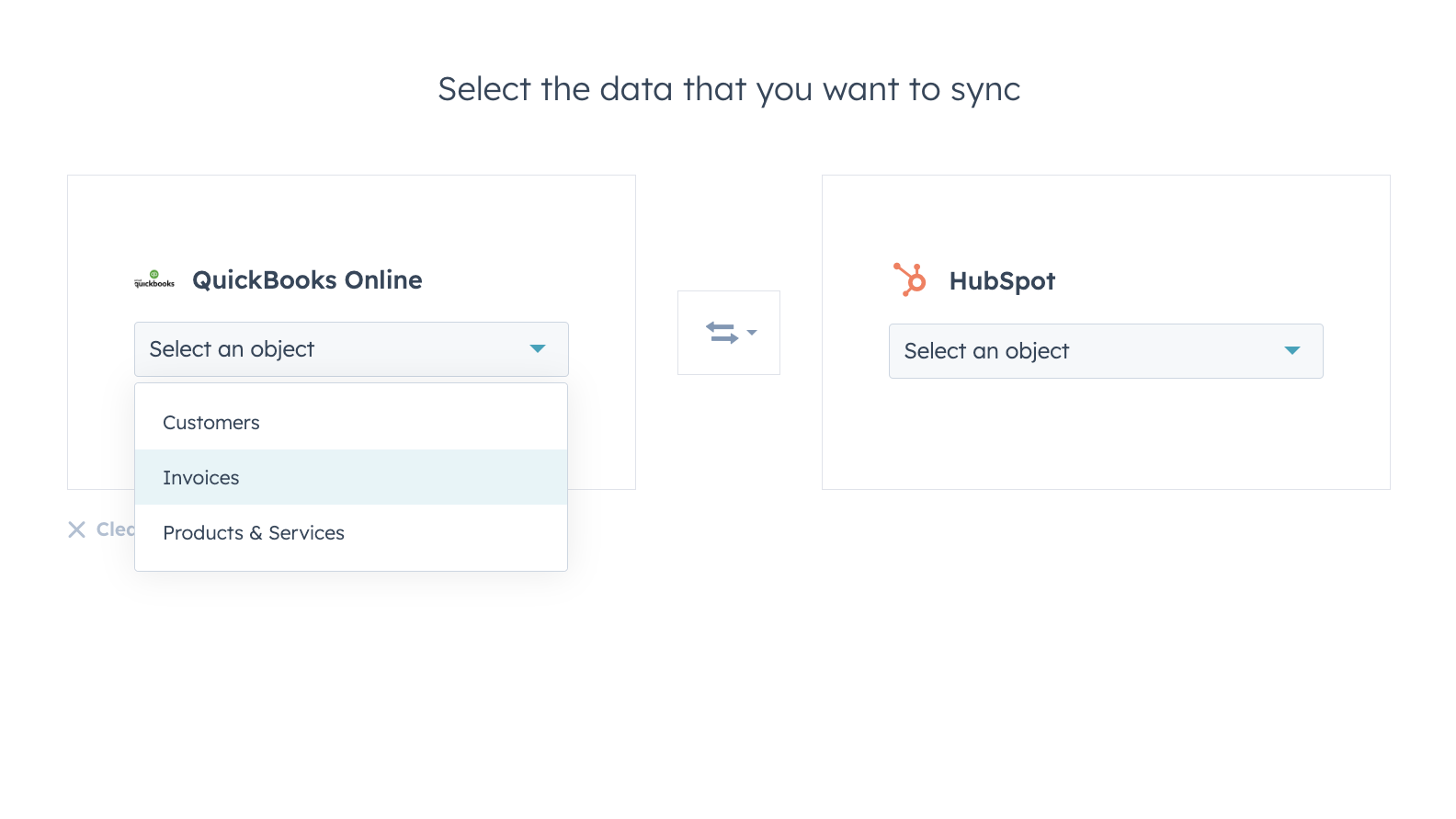
Synchronisez vos données entre HubSpot et QuickBooks Online en toute confiance
Les contacts, les factures et les produits peuvent être synchronisés vers HubSpot, depuis HubSpot, ou dans les deux sens. Les filtres de synchronisation de l'intégration vous permettent de contrôler entièrement quelles données sont synchronisées entre HubSpot et QuickBooks Online, à quel moment et de quelle manière.
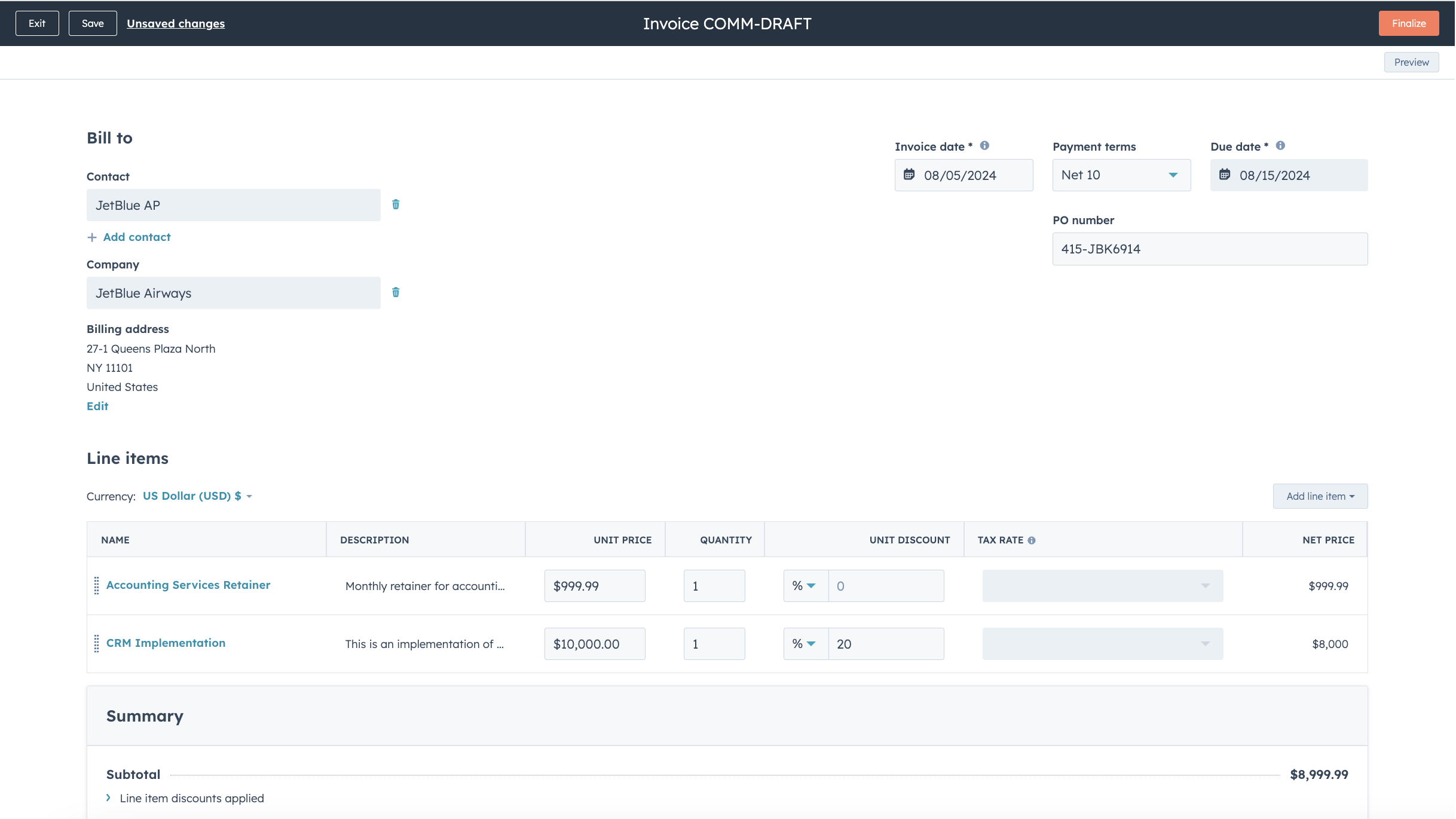
Simplifiez votre processus de facturation et maintenez QuickBooks Online à jour
Transformez vos devis et vos offres en factures et en abonnements en quelques clics seulement, ou créez des factures à partir de zéro, afin d'accélérer votre processus de facturation. Les factures publiées sont synchronisées avec QuickBooks Online et mises à jour avec les paiements lorsqu'ils sont effectués via HubSpot ou lorsqu'ils sont enregistrés dans QuickBooks Online.
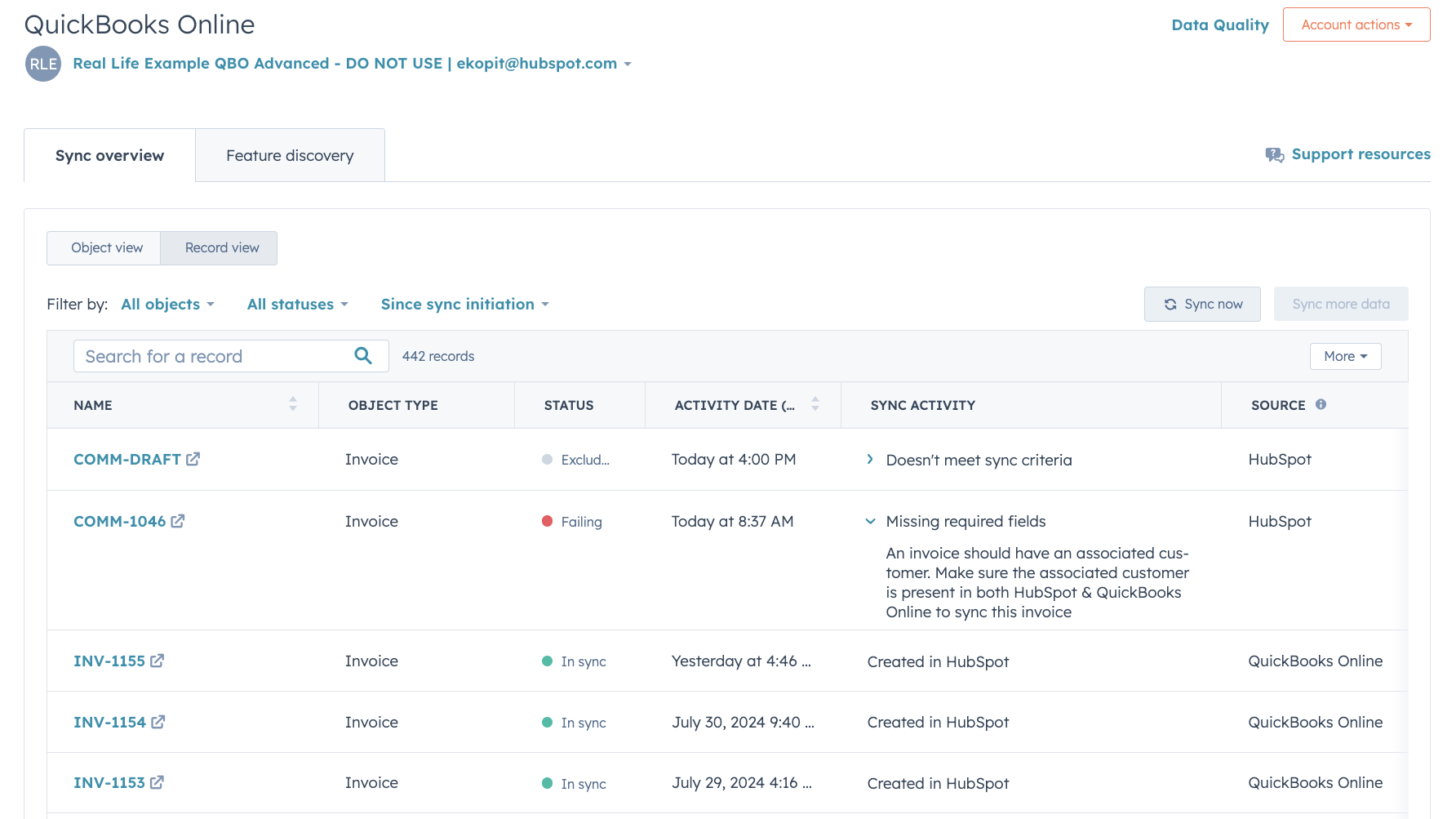
Rapports détaillés sur l'état de la synchronisation et résolution des erreurs
Des rapports détaillés sur l'état de la synchronisation vous permettent d'identifier en temps réel les enregistrements en cours de synchronisation et de savoir comment résoudre rapidement les erreurs de synchronisation.
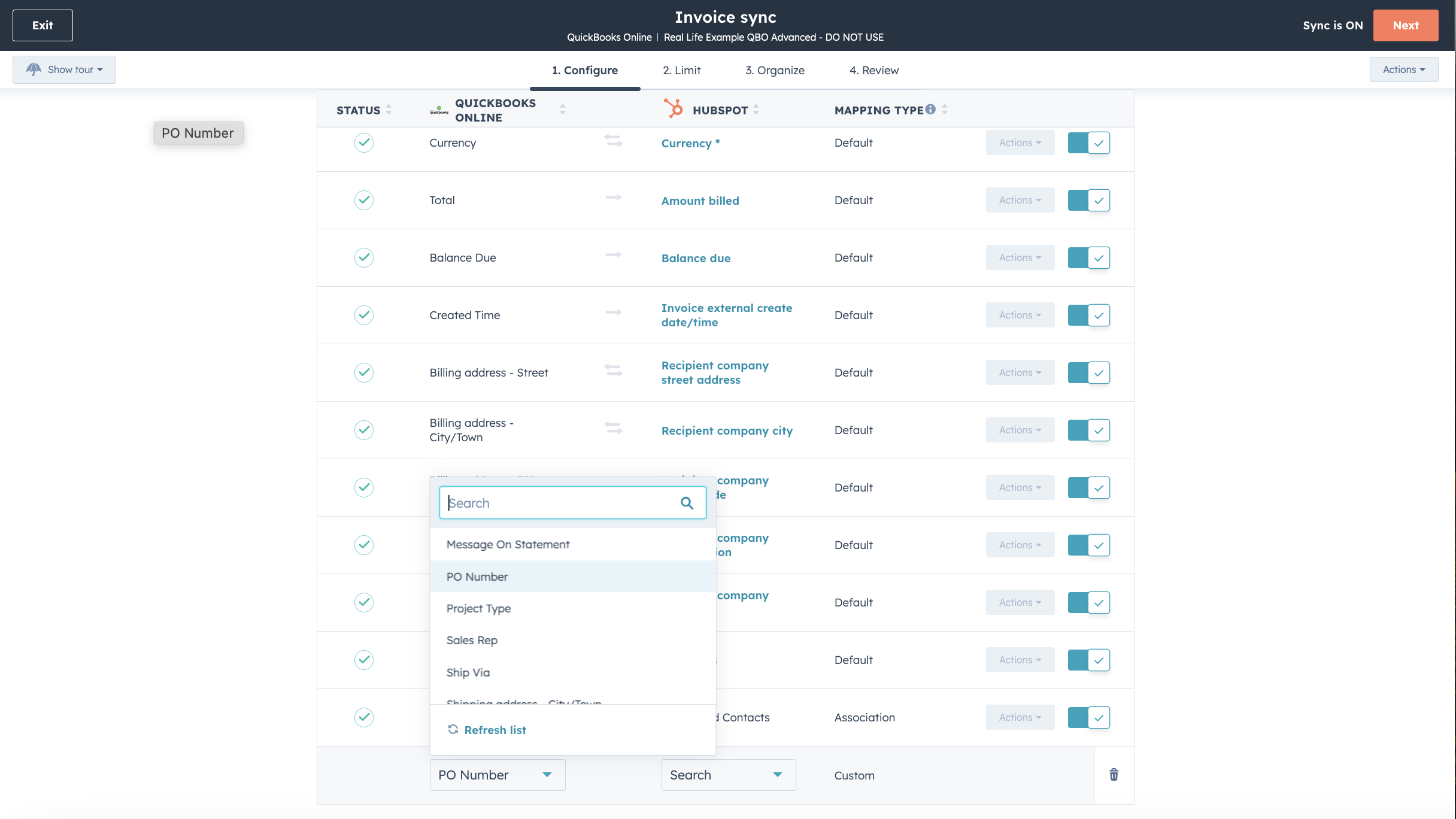
Personnalisez vos correspondances de champs
Avec Operations Hub Starter ou une version supérieure, vous pouvez personnaliser les mappages des champs de synchronisation de vos factures, contacts ou produits afin de mieux les adapter à votre modèle de données.

Fonctionne avec Data Studio dans Data Hub
Conçu pour les spécialistes du marketing, Data Studio, intégré à Data Hub, permet à tout un chacun de combiner des données dans une interface familière, semblable à celle d’un tableur, grâce à l’intelligence artificielle. Créez des ensembles de données personnalisés qui facilitent la segmentation avancée, l’automatisation et la création de rapports. Vous pouvez également gérer facilement le flux de données entre plusieurs sources externes, notamment Stripe et le CRM HubSpot.
Fonctionnalité de l'application
Données partagées
Chaque objet dispose de mappages de champs qui permettent de faire correspondre les informations entre HubSpot et QuickBooks Online. Les mappages par défaut sont répertoriés ci-dessous. La modification des mappages par défaut nécessite la version « Operations Hub Starter » ou une version supérieure. QuickBooks Online offre une prise en charge limitée des champs personnalisés dans son API (3 au maximum, uniquement sur les factures).
Customers | ||
Invoices | ||
Products & Services | ||
Quickbooks Online data |
2,1
101
2,1
101
Bien que les utilisateurs signalent des fonctionnalités de synchronisation bidirectionnelle limitées et des doublons dans les enregistrements, certains apprécient la possibilité de consulter les factures et de suivre les paiements directement. Certains trouvent cette intégration utile pour organiser les données de vente, tandis que d'autres soulignent des difficultés de mappage et l'absence de prise en charge fiscale pour les comptes internationaux.
- 27 juin 2026
Problèmes liés à la synchronisation des factures entre HubSpot et QuickBooks. Cependant, les factures ne peuvent être synchronisées de HubSpot vers QuickBooks que si elles ont été réglées, et ce à une date et une heure précises.
Facile à intégrer
Krish, A.
- 1 juin 2026
API limitée
Pas si bien que ça
The Pom, C.
Tarification
Début simple
35 $US
/moisSuivre les recettes et les dépenses
Numériser et classer les reçus
Optimiser les déductions fiscales
Facturer et encaisser les paiements
Miles parcourus
Envoyer des devis
Suivi des ventes et de la taxe sur les ventes
Gérer les prestataires 1099
Générer des rapports généraux
Début simple
35 $US
/moisSuivre les recettes et les dépenses
Numériser et classer les reçus
Optimiser les déductions fiscales
Facturer et encaisser les paiements
Miles parcourus
Envoyer des devis
Suivi des ventes et de la taxe sur les ventes
Gérer les prestataires 1099
Générer des rapports généraux
* Les prix mentionnés ici sont uniquement présentés à titre indicatif. Tous les prix n'incluent pas les taxes, les offres spéciales, les réductions ni les autres facteurs pouvant affecter les tarifs. Vous devez contacter le partenaire pour obtenir les tarifs les plus récents. HubSpot n'assume aucune responsabilité pour les informations de tarification fournies par ses partenaires. Dernière mise à jour des prix : 01/07/2026
Informations supplémentaires
Créé par - HubSpot
Installation - 15 k installations
Catégories Langues dans lesquelles cette application est disponible Anglais ,Chinois ,Espagnol ,Français etItalien
Attirer l'attention aujourd'hui

Slack
Gérez les enregistrements CRM, bénéficiez de l'assistance de Breeze, envoyez des notifications en temps réel et collaborez avec votre équipe, sans quitter Slack.

Microsoft Teams
Utilisez Microsoft Teams et HubSpot pour vos réunions, vos échanges et bien plus encore !
